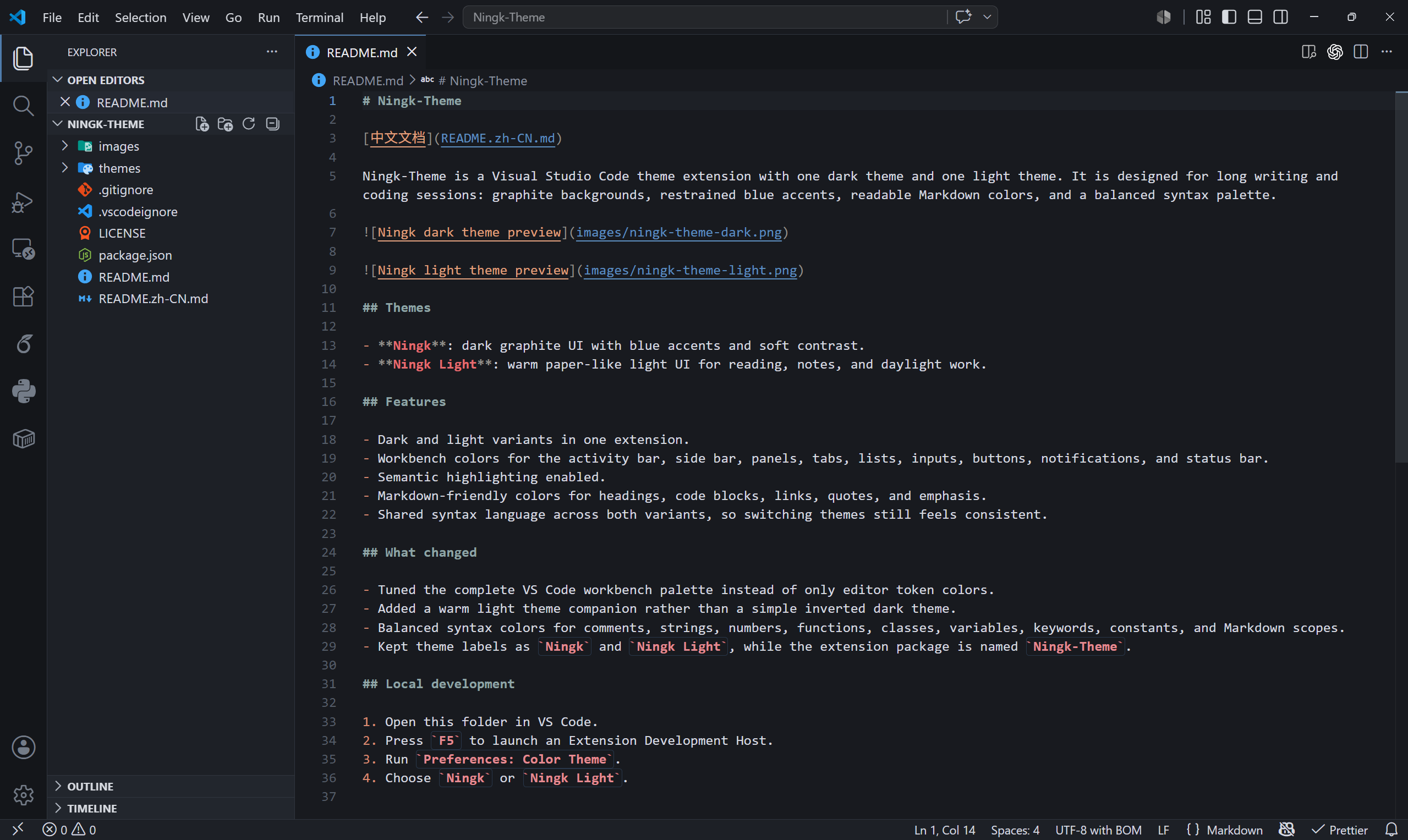
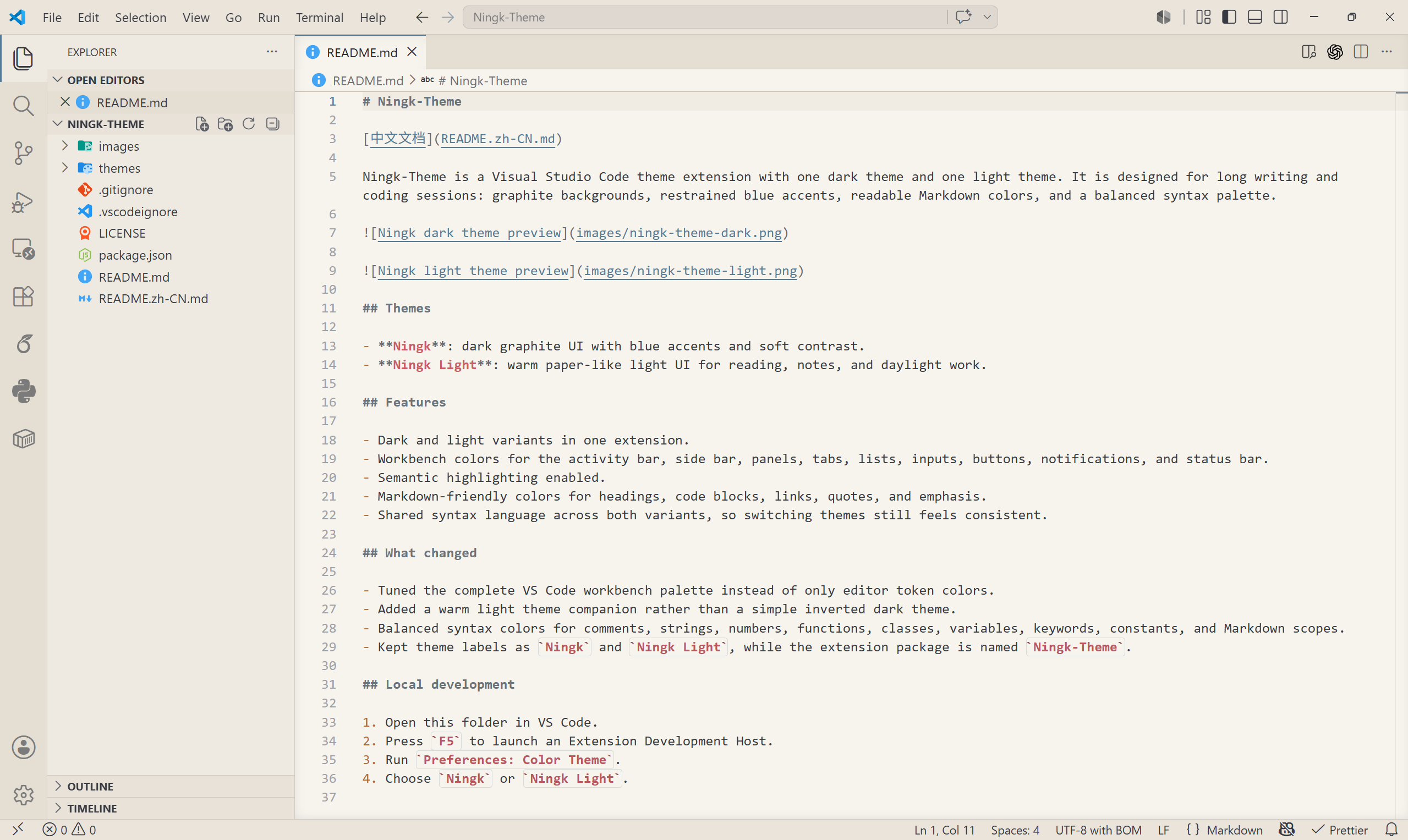
Ningk-Theme is a Visual Studio Code theme extension with one dark theme and one light theme. It is designed for long writing and coding sessions: graphite backgrounds, restrained blue accents, readable Markdown colors, and a balanced syntax palette.
Themes
Ningk: dark graphite UI with blue accents and soft contrast.
Ningk Light: warm paper-like light UI for reading, notes, and daylight work.
Features
Dark and light variants in one extension.
Workbench colors for the activity bar, side bar, panels, tabs, lists, inputs, buttons, notifications, and status bar.
Semantic highlighting enabled.
Markdown-friendly colors for headings, code blocks, links, quotes, and emphasis.
Shared syntax language across both variants, so switching themes still feels consistent.
What changed
Tuned the complete VS Code workbench palette instead of only editor token colors.
Added a warm light theme companion rather than a simple inverted dark theme.
Balanced syntax colors for comments, strings, numbers, functions, classes, variables, keywords, constants, and Markdown scopes.
Kept theme labels as Ningk and Ningk Light, while the extension package is named Ningk-Theme.