nimblescape PlantUML
Shows PlantUML diagrams in VS Code: in the
```plantuml blocks of Markdown files and in PlantUML files. The
extension carries the PlantUML engine compiled to JavaScript, so it needs no
Java, no Graphviz installation and no server, and it works offline.
Features
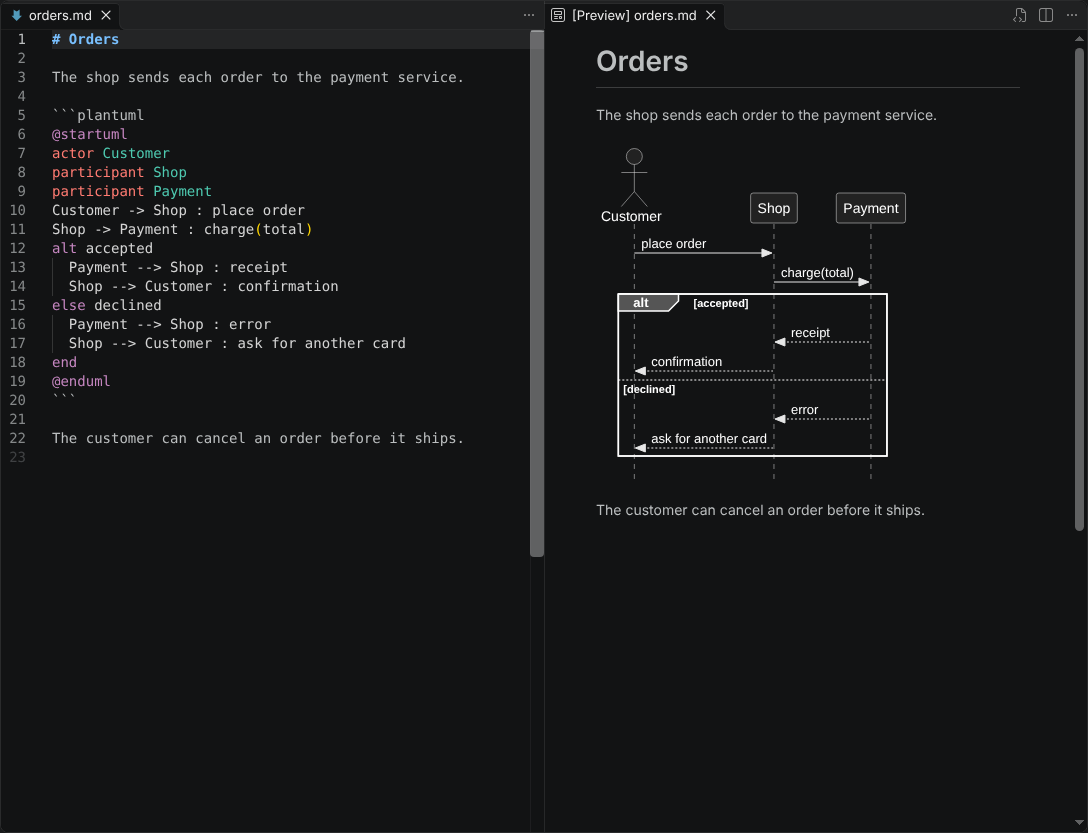
- Markdown preview. The built-in Markdown preview shows each
```plantuml block as a diagram, also in the rendered Git diff of a
Markdown file. Outside the PlantUML blocks, Markdown works as without the
extension.
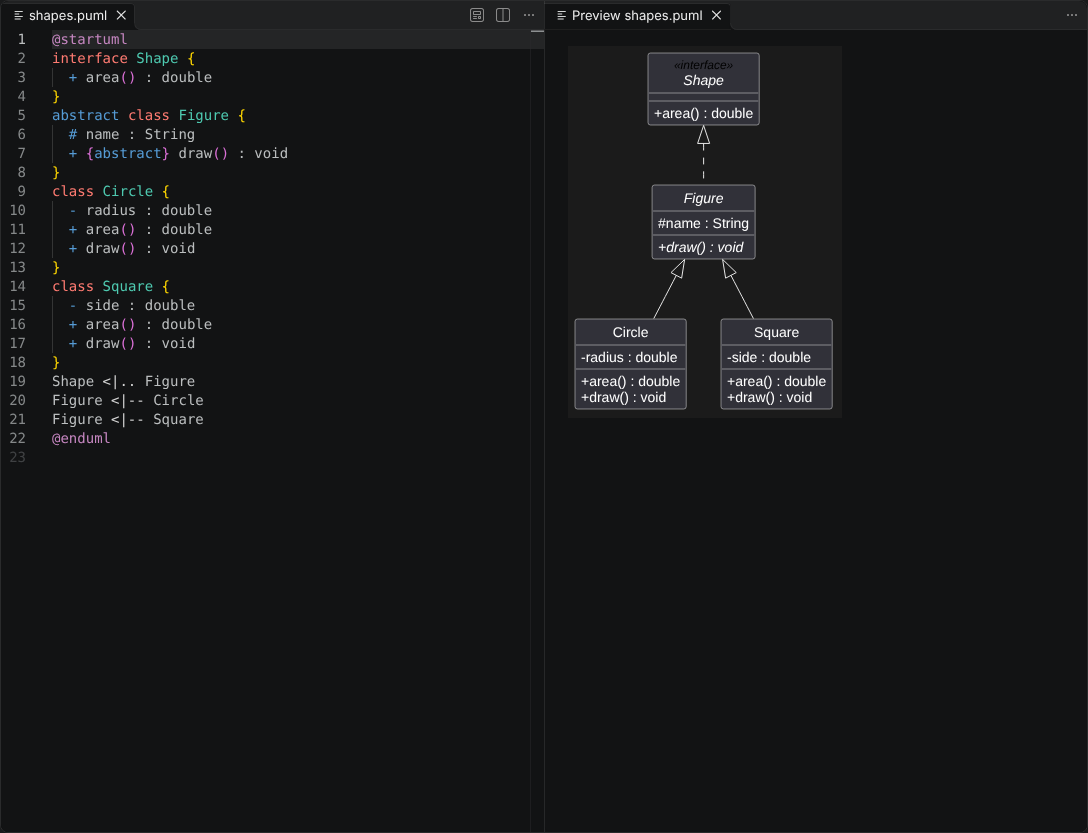
- Preview of PlantUML files. A PlantUML file shows as a preview in the
same tab or to the side, as a Markdown file does. The Git diff of a
PlantUML file shows as a rendered diff, with marks on the changed diagrams.
- Editing. Syntax highlighting, code completion of keywords and declared
names, and formatting, in PlantUML files and in the PlantUML blocks of
Markdown files. Folding and indentation while typing in PlantUML files.
- UML notation. UML diagrams show the notation of the UML standard, as
far as PlantUML allows; a setting switches to the own notation of
PlantUML.
- Included files.
!include and !includesub read files of your
workspace. The package contains the library C4 of the standard library of
PlantUML.
- Diagram types. Every diagram type that the engine renders, for example
sequence, use case, class, activity, component, state and timing diagrams,
Gantt charts, mind maps, and JSON and YAML data, with the themes, emoji and
icons of PlantUML, for light and dark color themes.
The extension shows diagrams only; it does not export them to image files.
Usage
In a Markdown file, write a fenced code block with the language plantuml:
```plantuml
@startuml
Alice -> Bob : Hello
@enduml
```
Then open the preview:
| Command |
Keys |
Effect |
| Markdown: Open Preview to the Side |
Ctrl+K V |
Opens the preview of a Markdown file next to its text. |
| PlantUML: Open Preview to the Side |
Ctrl+K V |
Opens the preview of a PlantUML file next to its text. |
| Markdown: Toggle Preview, PlantUML: Toggle Preview |
Ctrl+Shift+V |
Switches the tab between the text and the preview. In the diff of a PlantUML file, it switches between the diff and the rendered diff. |
| Format Document |
Shift+Alt+F (Linux: Ctrl+Shift+I) |
Formats a PlantUML file, or the PlantUML blocks of a Markdown file. |
| PlantUML: Format PlantUML Blocks |
|
Formats the PlantUML blocks of a Markdown file when another extension formats Markdown files. |
On macOS, use Cmd instead of Ctrl, and Shift+Option+F for Format Document.
The user guide
describes every feature.
Files
| Files |
Language |
.puml, .plantuml, .pu, .iuml and .wsd |
PlantUML, with the line comment ' and the block comment /' '/ |
Settings
| Setting |
Default |
Effect |
nimblescape.plantuml.umlNotation |
true |
Renders UML diagrams in the notation of the UML standard, as far as PlantUML allows: a keyword such as «interface» above the name of a class instead of a colored circle, the characters -, #, ~ and + for the visibility of attributes and methods, underlined static members, and the UML style of PlantUML for sequence and object diagrams. The value false shows the own notation of PlantUML. |
Limits
- The Markdown preview allows no WebAssembly, so PlantUML arranges the
diagrams there with its own layout engine Smetana instead of Graphviz,
unless you set the preview security to "Disable". Class, component and
state diagrams can then look a little different.
- The engine does not render wireframes (
salt), ditaa, dot, math,
latex, chen, board, git, wire, files, hcl and chronology.
It shows the first page of a diagram with newpage only, makes no
clickable links and shows no images (<img:…>).
- Included files must be in a workspace folder or in the folder of the
document, with up to 1 MB each, and the previews use their saved text. The
extension reads no file from the internet, and of the standard library of
PlantUML it contains the library C4 only.
- The rendered diff of a PlantUML file marks the changed diagrams, not the
changed elements in a diagram.
- The extension
PlantUML by jebbs
(vscode-plantuml) also contributes the language PlantUML and a Markdown
preview of PlantUML blocks. With both extensions installed, it is not
defined which one renders and highlights a diagram. Use one of the two.
About PlantUML
nimblescape PlantUML is not a product of the PlantUML project, and the
PlantUML project does not endorse it. It renders with the npm package
@plantuml/core, the
official JavaScript build of PlantUML by Arnaud Roques under the MIT License.
The emoji graphics come from Twemoji
(CC BY 4.0). The
third-party notices
list every bundled component and its license.
Change log · Contributing · Support · Issues · Source
© 2026 Hannes Stauss (scalarion@nimblescape.com) · MIT License.
| |

