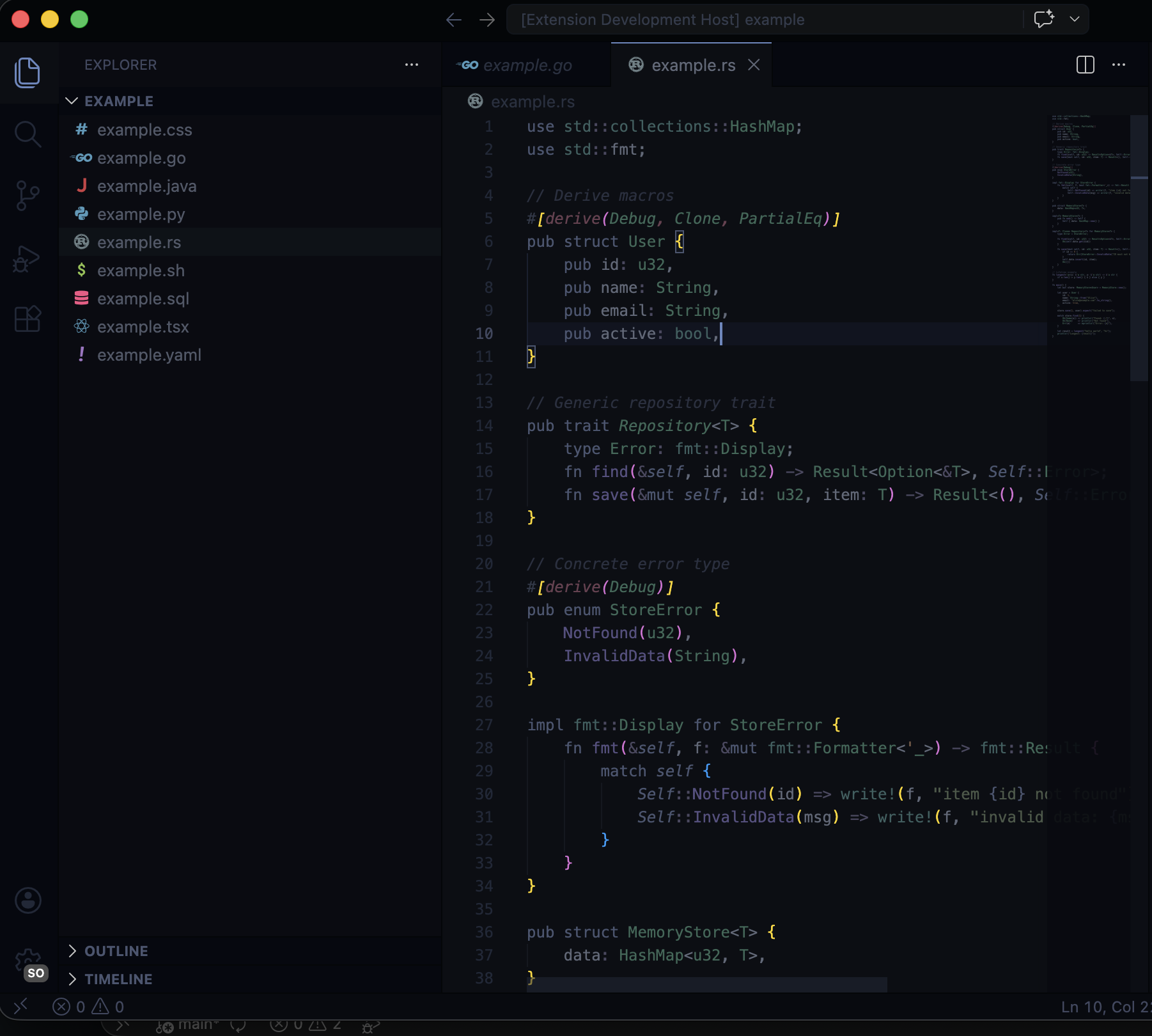
Focus DecayA scope-decay theme that dims everything to ~30% — your active function stays vivid while surrounding code fades to near-monochrome. Includes companion extension for real-time scope detection. Installation Launch VS Code Quick Open ( Ctrl+P), paste the following command, and press enter.Copied to clipboard |

FocusThis is not zen mode. It is scope-aware visual prioritization for VS Code. Focus is a scope-decay theme that keeps your entire file visible but dims everything outside your current function to near-monochrome. Your active scope stays vivid. Parent scopes fade. Everything else recedes. The code is still there — it just stops competing for your attention. Nobody else does this.
How It WorksFocus operates on a two-tier color system plus an optional real-time overlay. Tier 1: Base Theme (Always Active)Every token color in Focus is desaturated to 30-40% of normal brightness. The background is near-black ( Tier 2: Semantic Tokens (Always Active)When your language server is running, semantic token colors kick in at a noticeably higher brightness than the base tier. This means language-server-identified symbols (functions, types, variables with resolved types) are slightly more prominent than raw textmate grammar tokens. You get a subtle visual hierarchy without doing anything. Tier 3: Scope-Decay Overlay (Companion Extension)The companion extension watches your cursor position and uses
The result: your eyes stay on the code that matters. When you move to a different function, the highlighting follows. Commands
Open the command palette ( Language SupportFocus provides muted syntax highlighting for all languages supported by VS Code out of the box. The scope-decay overlay works best with languages that have strong language server support, since it relies on
Languages with limited or no language server support will still get the base two-tier theme — they just will not benefit from the real-time scope dimming. InstallationFrom the VS Code Marketplace
From SourcePart of vs-themesFocus is part of the vs-themes collection by nheo. LicenseMIT |