live-serve for VS Code
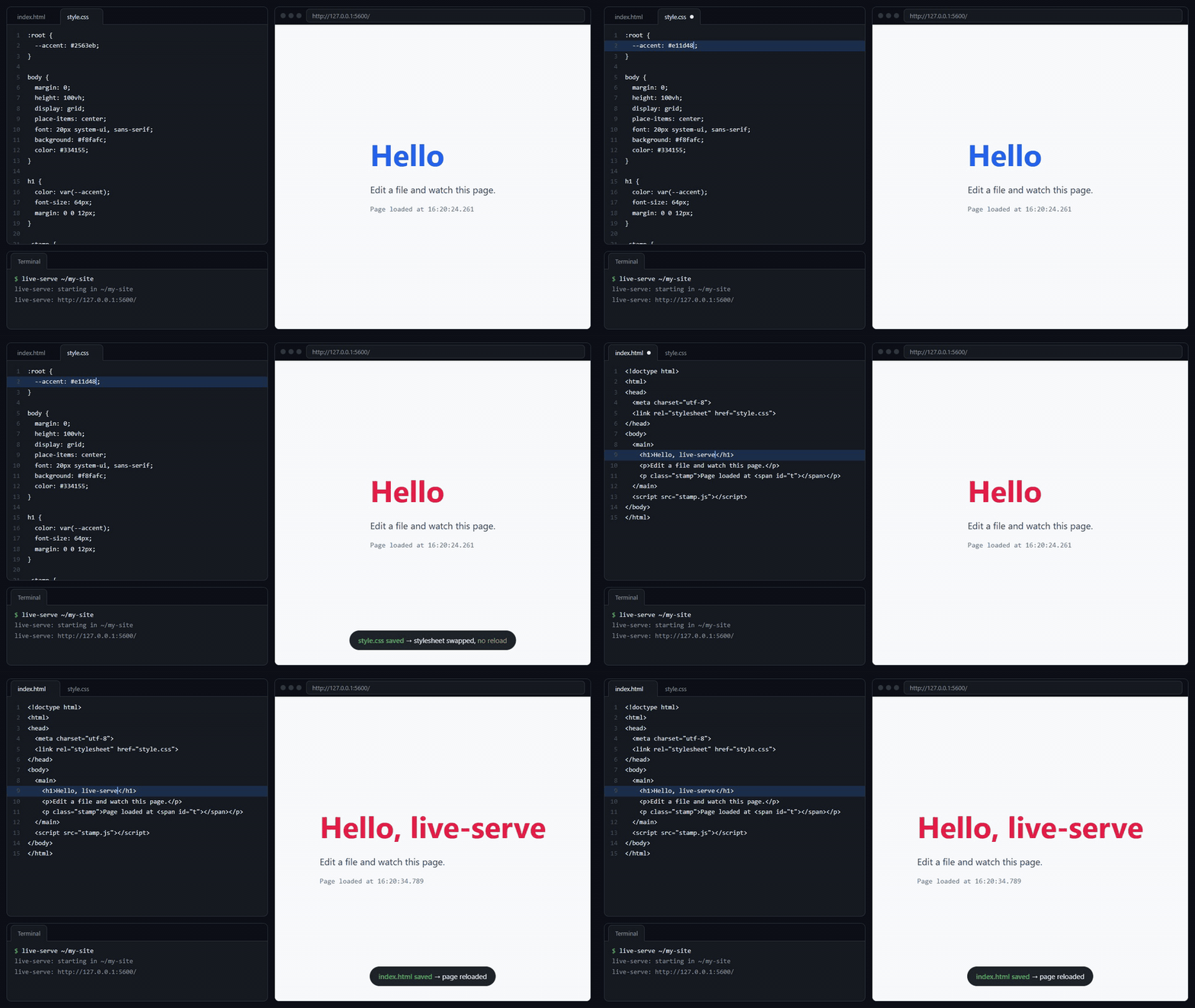
Click Go Live in the status bar and your site opens in the browser. Save a file and the page reloads; save a stylesheet and it swaps in place, without a reload.
The server is live-serve, a native binary of about 3 MB that comes inside the extension. Nothing else to install: no Node.js packages, no Rust.
Install
- VS Code: search the Extensions view for live-serve-rs, or run
code --install-extension nguyentruong354.live-serve-rs.
- VSCodium, Cursor, Windsurf, Gitpod: the same from Open VSX.
- Offline: download the
.vsix for your platform from Releases and use Extensions → … → Install from VSIX….
From 0.4.2 the extension is nguyentruong354.live-serve-rs everywhere. On Open VSX it was nguyentruong354.live-serve until 0.4.0 and nguyentruong354.live-serve-native in 0.4.1: uninstall the old one and install this.
Use
- Go Live in the status bar starts the server for the open folder and opens the browser. It then shows Port: 5500; click it to stop.
- Right-click an HTML file and choose Open with live-serve to open that page.
- Command Palette: live-serve: Go Live, live-serve: Stop.
- The server's output is in Output → live-serve.
If port 5500 is taken (for example by another Live Server), it moves to the next free port.
Settings
| Setting |
Default |
|
liveServe.port |
5500 |
port to serve on |
liveServe.root |
(the folder) |
folder to serve, relative to the workspace folder, e.g. dist |
liveServe.host |
127.0.0.1 |
0.0.0.0 lets phones on your Wi-Fi open the page |
liveServe.openBrowser |
true |
open the browser after Go Live |
liveServe.args |
[] |
more options, e.g. ["--spa"] for single-page apps, ["--poll"] for WSL and network drives, ["--https"] (see below), or ["--proxy", "/api=http://localhost:3000"] to call your API without CORS |
liveServe.binaryPath |
(bundled) |
run another live-serve binary instead (one that knows --exit-on-stdin-close) |
In a multi-root workspace each folder can have its own settings, except binaryPath. All server options are listed in the live-serve README.
HTTPS
Most pages do not need it: the browser treats http://127.0.0.1 as secure, camera and service workers included. For a phone over Wi-Fi, serve HTTPS through liveServe.args:
"liveServe.host": "0.0.0.0",
"liveServe.args": ["--https"]
--https makes a self-signed certificate, so the browser warns once. For one it trusts, make it with mkcert and pass both files. Relative paths start from the workspace folder; keep the files outside the folder you serve (or in a dotfolder, which is never served), since anyone who can open the site could otherwise download the key:
"liveServe.args": ["--cert", ".certs/localhost+3.pem", "--key", ".certs/localhost+3-key.pem"]
The status bar and Open with live-serve then use https://, and live reload goes over wss://. More in the live-serve README.
Safe by default
The server listens on 127.0.0.1 only, refuses requests for unknown host names (DNS rebinding), hides dotfiles such as .env, and never sends CORS headers unless asked. In an untrusted folder, the folder's own settings cannot change the host, the served folder, the options or the binary.
Windows (x64 and Arm), macOS (Apple Silicon and Intel) and Linux (x64 and Arm). The Linux server is a static binary, so it also runs on older distributions such as Ubuntu 20.04, Debian 11 or RHEL 8. Remote windows (WSL, SSH, containers) work too: the extension runs where the files are, and VS Code forwards the port.
License
MIT

