MatchBatch: Search File ActionsBatch copy, move, delete, or rename whole files from VS Code's built-in Search results. Installation Launch VS Code Quick Open ( Ctrl+P), paste the following command, and press enter.Copied to clipboard |

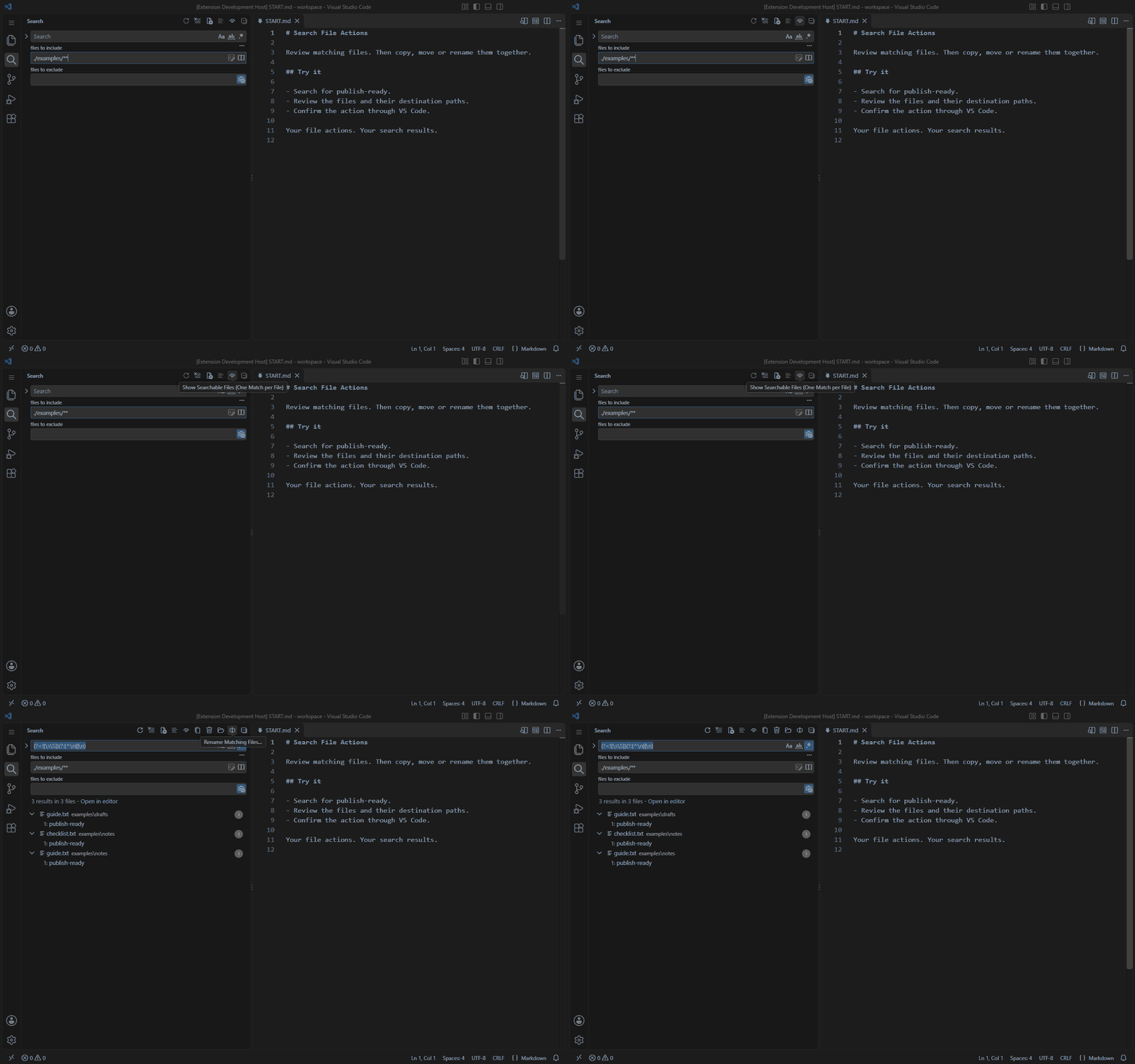
MatchBatch: Search File ActionsCopy, move, delete, or rename whole files from VS Code's built-in Search view. Search for content, review the matching files, and confirm your changes from the Search toolbar. Requires VS Code 1.106.0 or newer with an open, trusted folder. This minimum includes the built-in Search-results command and Rename toolbar icon. See it in actionThe demos use relative paths. Folder-picker address fields are anonymized. Show Searchable FilesUse the eye icon to list searchable, nonempty text files with one result per file. Your Search filters and exclusions remain in effect.
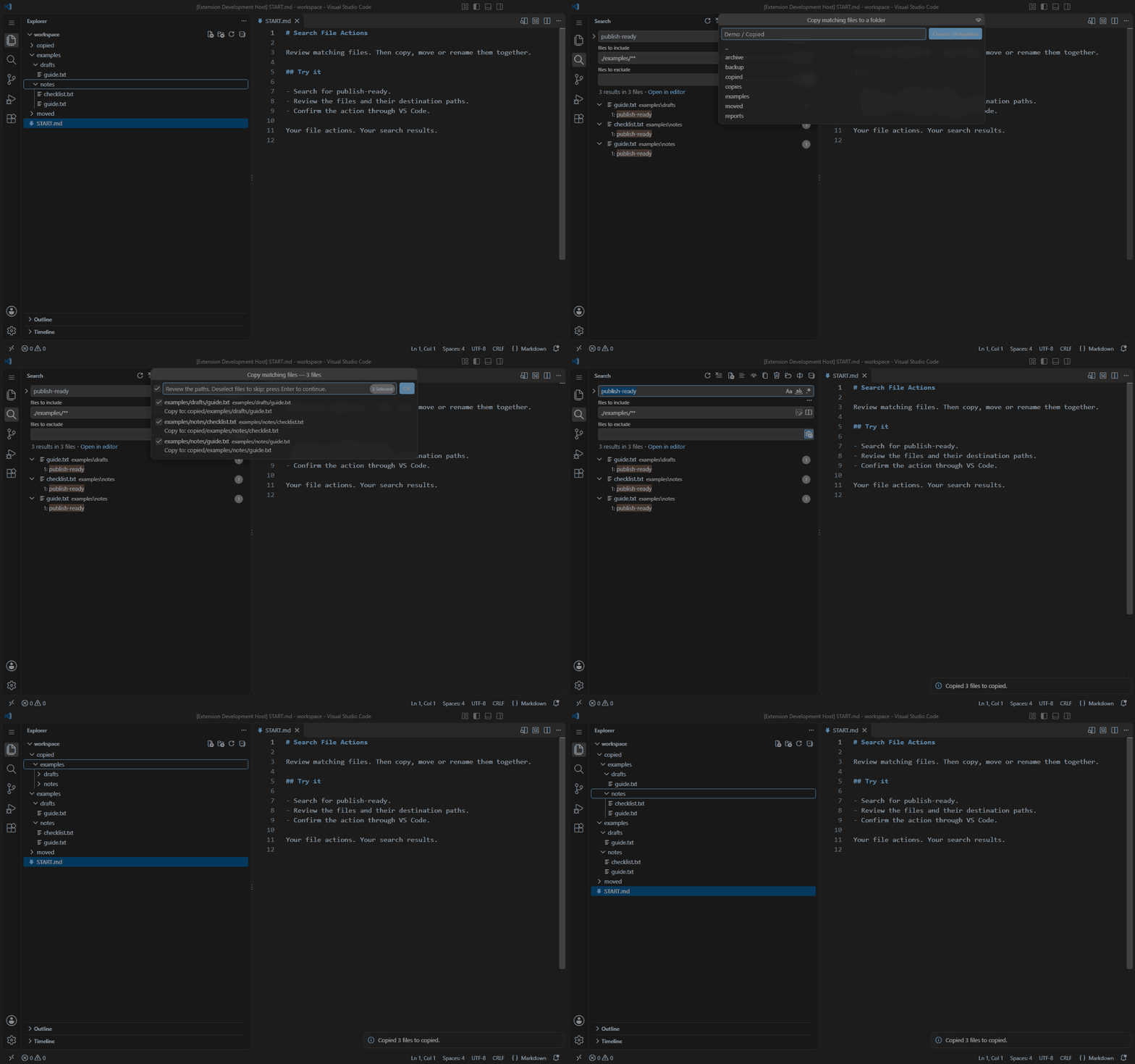
Copy filesCopy selected files to another folder, preserving their folder structure and keeping the originals.
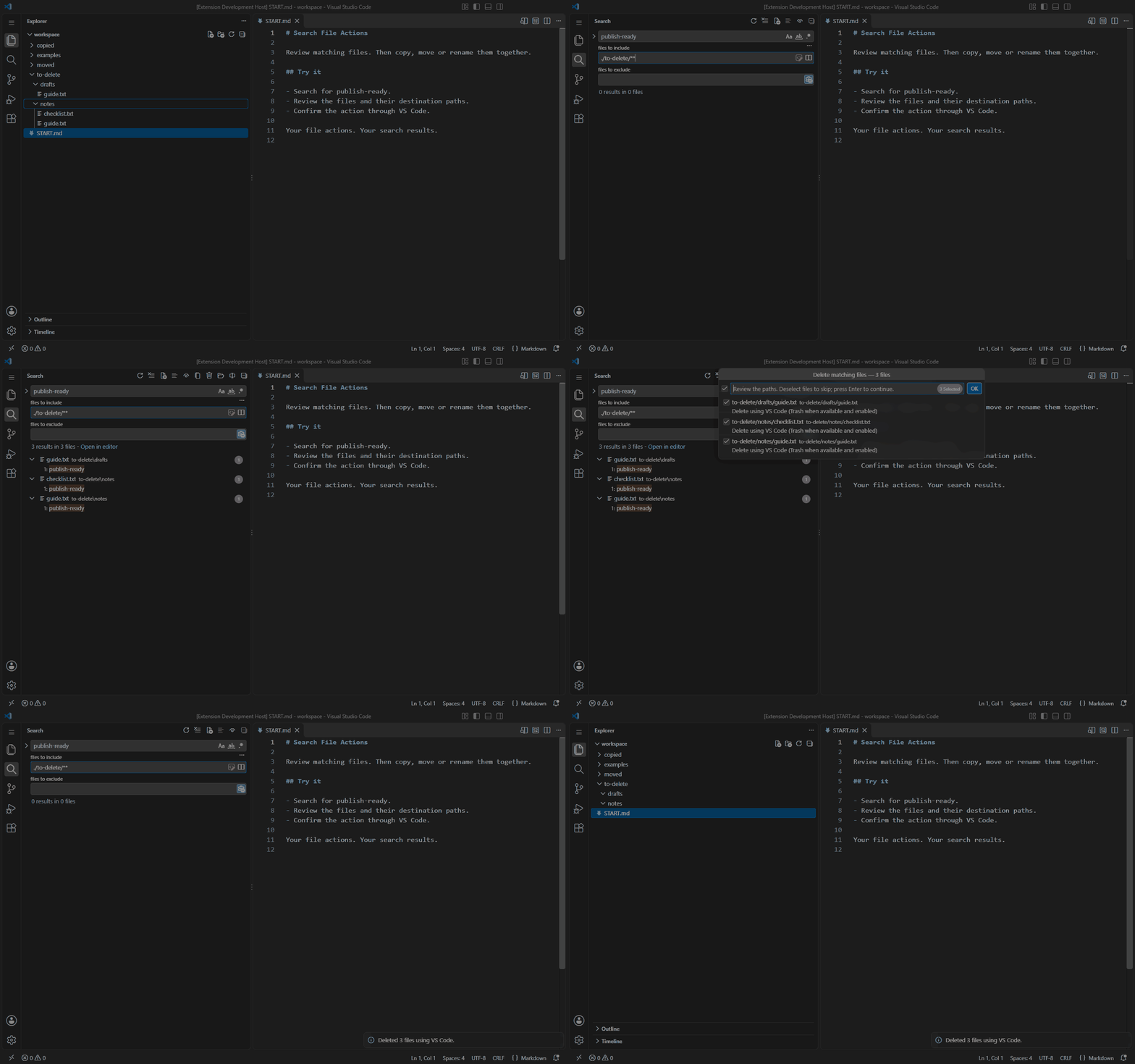
Delete filesReview the selected files and confirm deletion through VS Code. Trash behavior follows VS Code's settings and the filesystem.
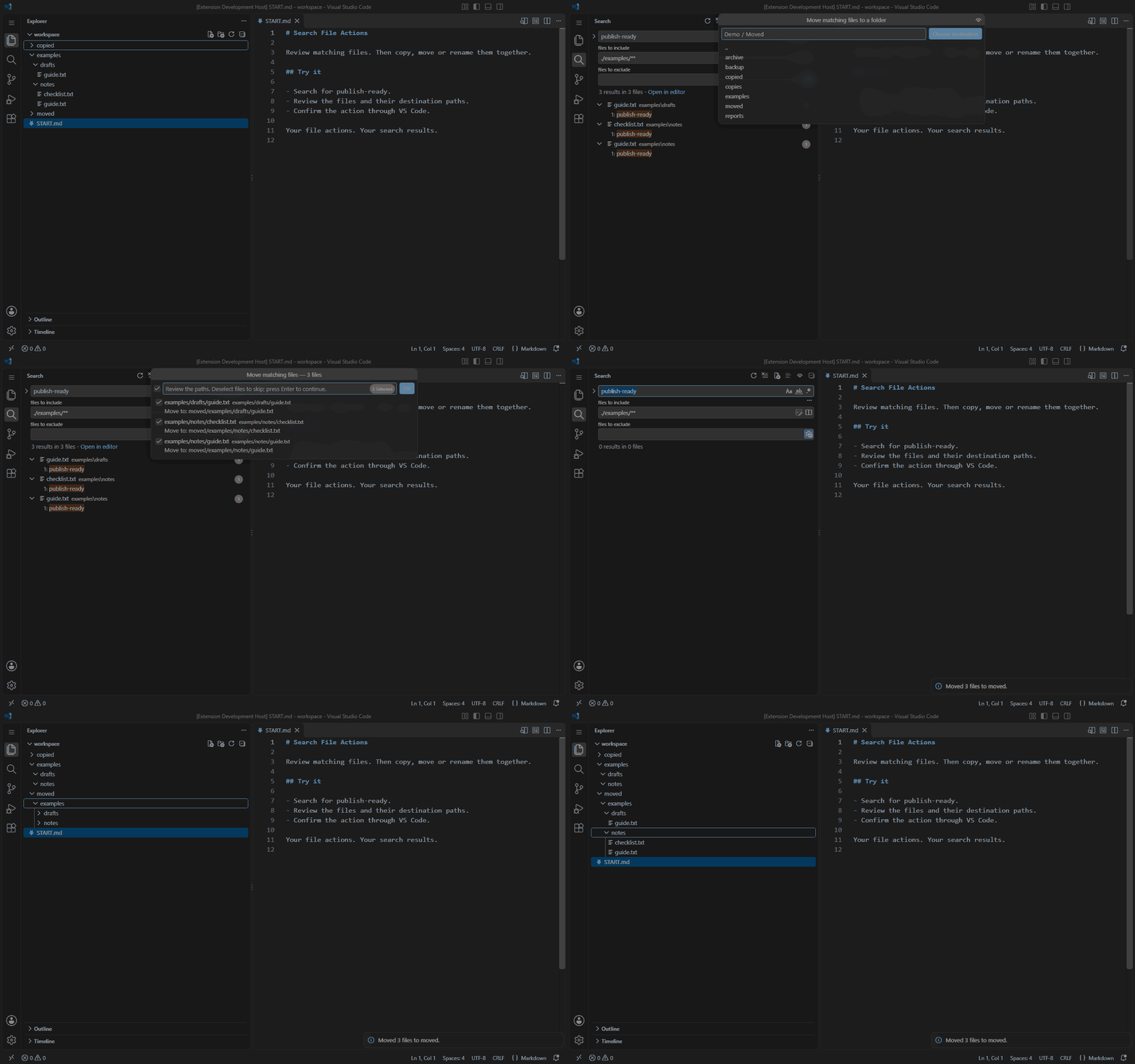
Move filesMove selected files to another folder while preserving their folder structure.
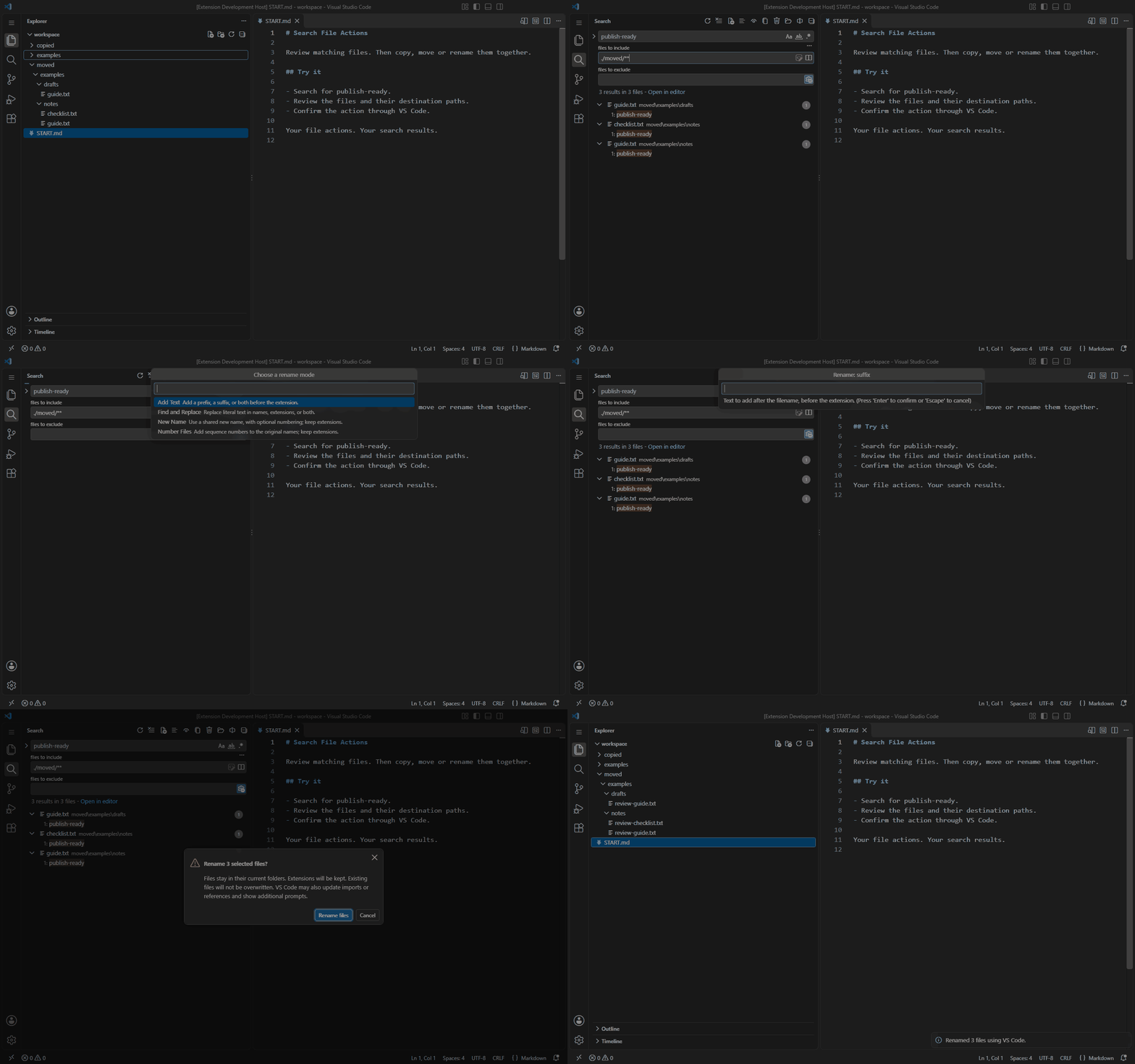
Rename filesAdd text, find and replace, assign a new name, or number files. Preview the new names before confirming. Find and Replace can also change extensions.
SettingsOpen VS Code's Settings and search for MatchBatch. All setting IDs below start with
Conflicts: File previews are always shown. Confirmation settings control only the extension's final dialog; native VS Code prompts can still appear. Trash behavior follows VS Code's settings and the filesystem. Rename defaults remain editable in the mode chooser and numbering prompts. Relative paths include workspace folder names in multi-root workspaces. Destinations outside the workspace use a Destination label and destination-relative paths. This changes displayed paths only; VS Code controls the folder-picker UI, which can still show full paths. PrivacyMatchBatch has no telemetry or analytics and does not collect or aggregate usage statistics. It does not send your file contents, search queries or results, filenames, or paths to its developer, analytics services, or a separate hosted file-processing service. File actions run in your selected local, WSL, remote, or network storage environment. VS Code, storage providers, cloud-sync software, and documentation hosts have their own data practices. Viewing the hosted demo images or opening documentation links may make network requests to GitHub. LicenseMatchBatch is proprietary software, free to use for personal, educational, and commercial work. Redistribution or resale requires the copyright owner's written permission. See LICENSE.txt for the full terms. SupportReport bugs and request features in GitHub Issues. |