Skip to content
| Marketplace
Sign in
Visual Studio Code>Themes>Matcha LatteNew to Visual Studio Code? Get it now.
Matcha Latte

Matcha Latte

myigita

|
2 installs
| (0) | Free
A matcha boba latte colour theme in three roasts: dark, light and OLED.
Installation
Launch VS Code Quick Open (Ctrl+P), paste the following command, and press enter.
Copied to clipboard
More Info

Matcha Latte

A cozy VS Code theme inspired by a matcha boba latte. Pastel matcha green and latte brown, in three roasts.

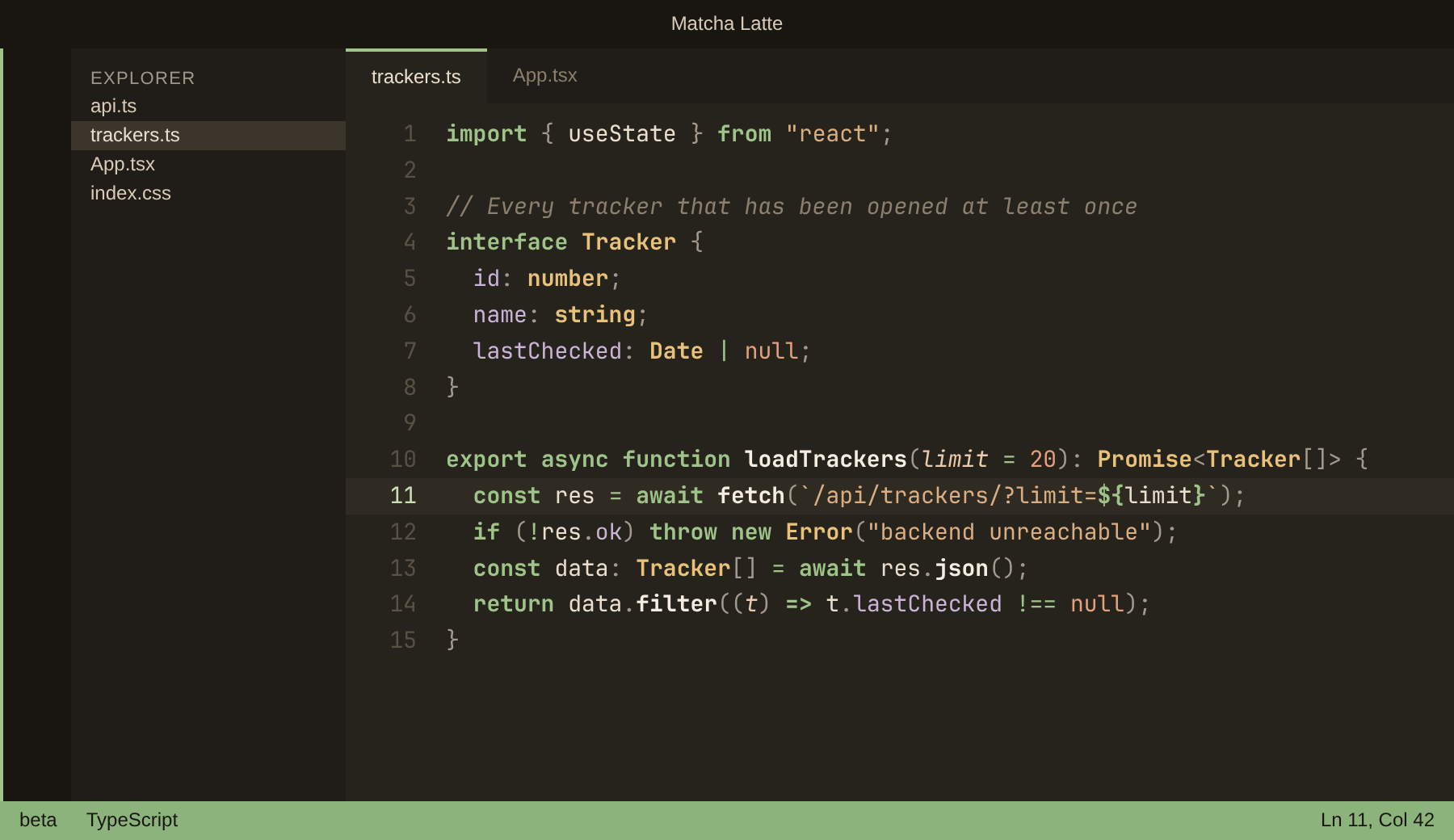
Keywords, function names and types are bold, so the shape of the code reads at a glance. Every syntax colour clears 4.5:1 contrast against its background.

Matcha Latte

Neutral roasted-brown background, cream text.

Matcha Latte

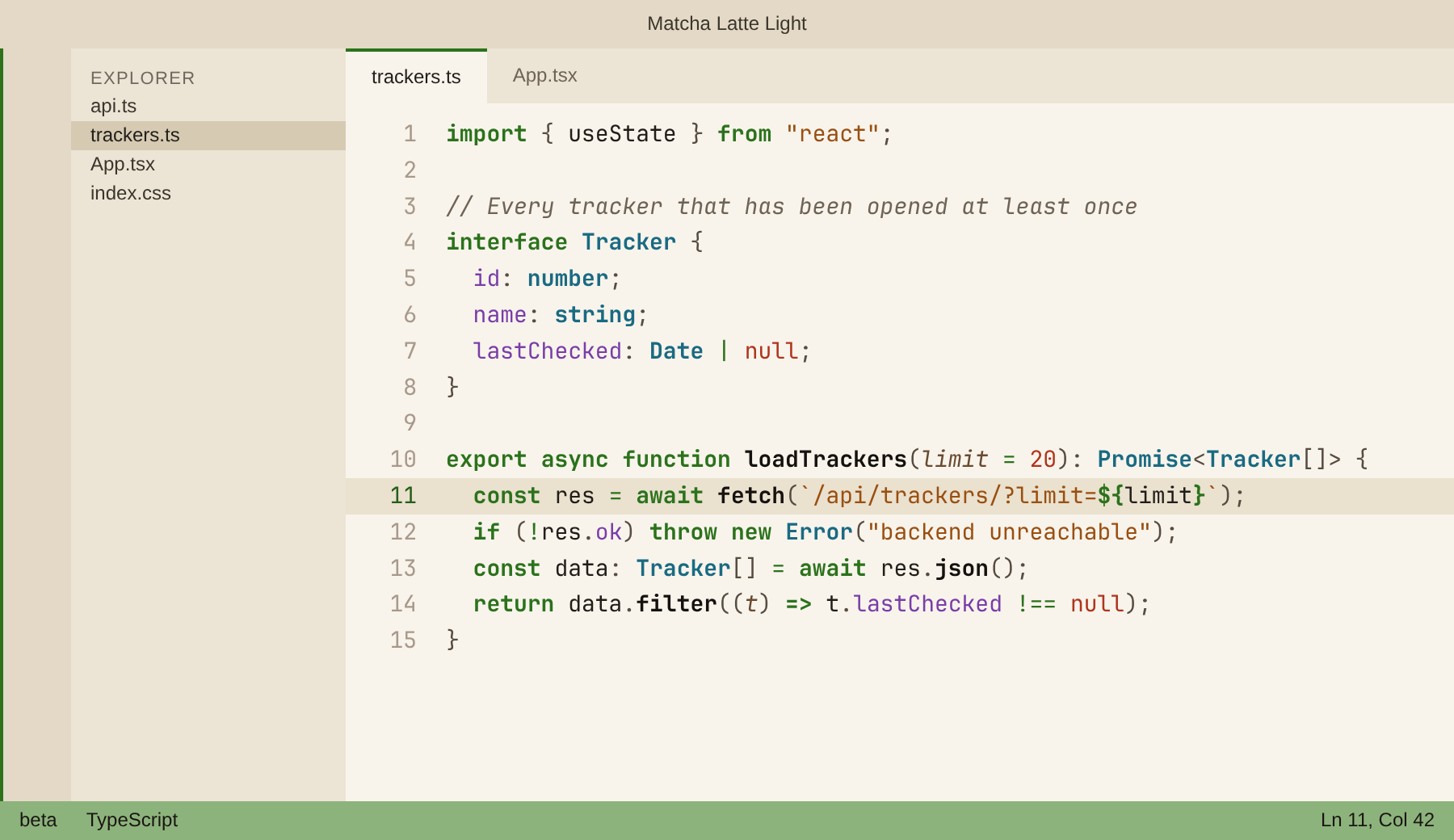
Matcha Latte Light

Milk-foam cream background. On cream, the colours spread further apart in hue — types turn teal-blue — so they stay easy to tell apart.

Matcha Latte Light

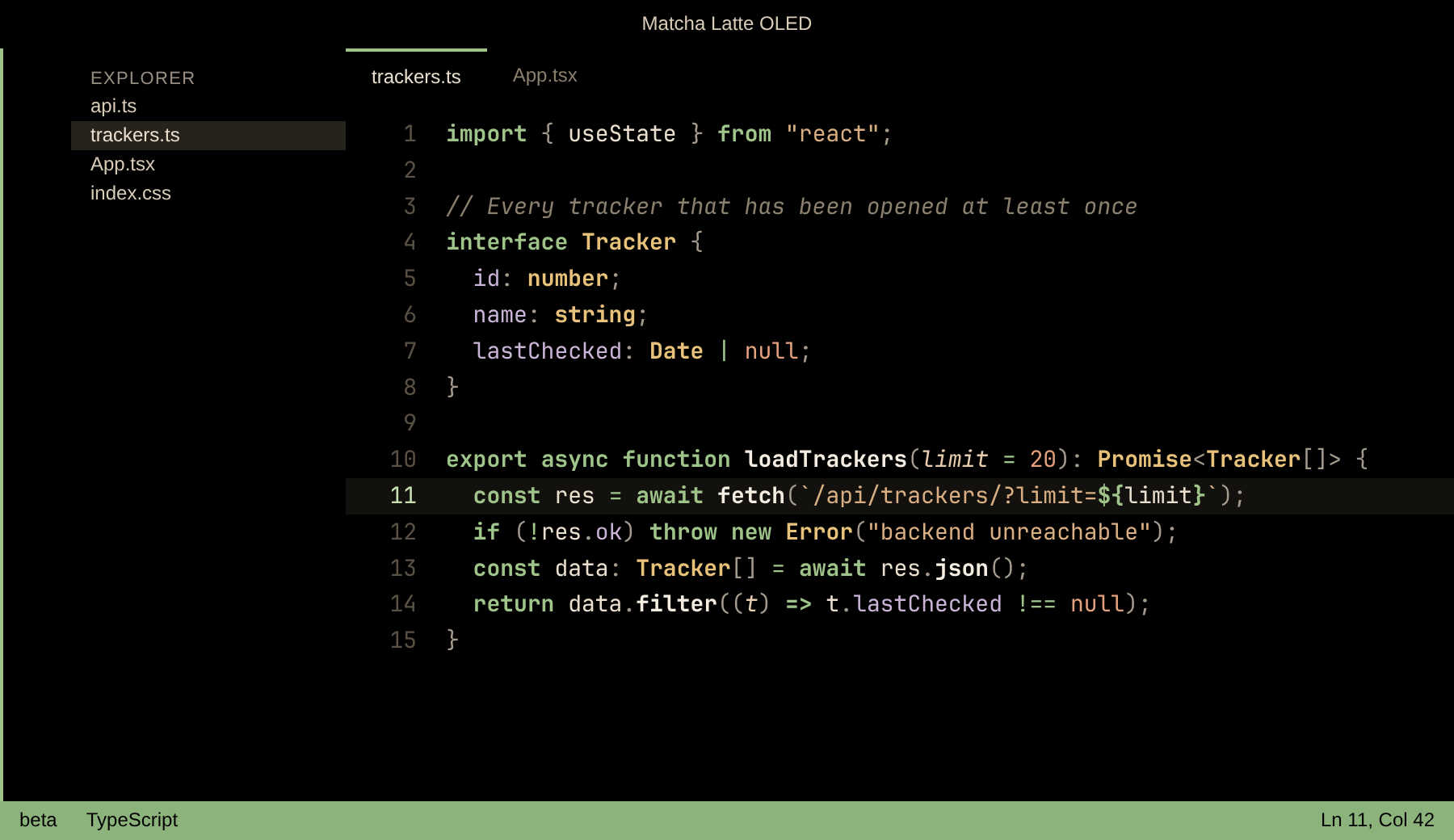
Matcha Latte OLED

True black backgrounds, so the pixels switch off on OLED screens. Same syntax colours as the dark roast.

Matcha Latte OLED

Install

Search for Matcha Latte in the Extensions view, then pick a variant with Preferences: Color Theme (Ctrl+K Ctrl+T).

Palette

Role Dark / OLED Light
Keywords #9FC48A matcha, bold #2B721B, bold
Strings #D9AE82 latte #9A4F10
Types #E8C27A honey, bold #1A6A82, bold
Functions #F5EDE1 cream, bold #15120E, bold
Numbers & constants #E3A07C brown sugar #B0341C
Properties #C9B3D6 taro #7A3DA8
Comments #8B7F6E italic #6E6355 italic

Contributing

themes/matcha-latte-color-theme.json is the source. The Light and OLED files are generated from it — edit the dark theme, then run:

python3 build.py

To change a colour in only one variant, edit that variant's map at the top of build.py. scripts/screenshots.py regenerates the preview images (needs Google Chrome).

License

MIT

  • Contact us
  • Jobs
  • Privacy
  • Manage cookies
  • Terms of use
  • Trademarks
  • Your Privacy Choices
  • Consumer Health Privacy
© 2026 Microsoft