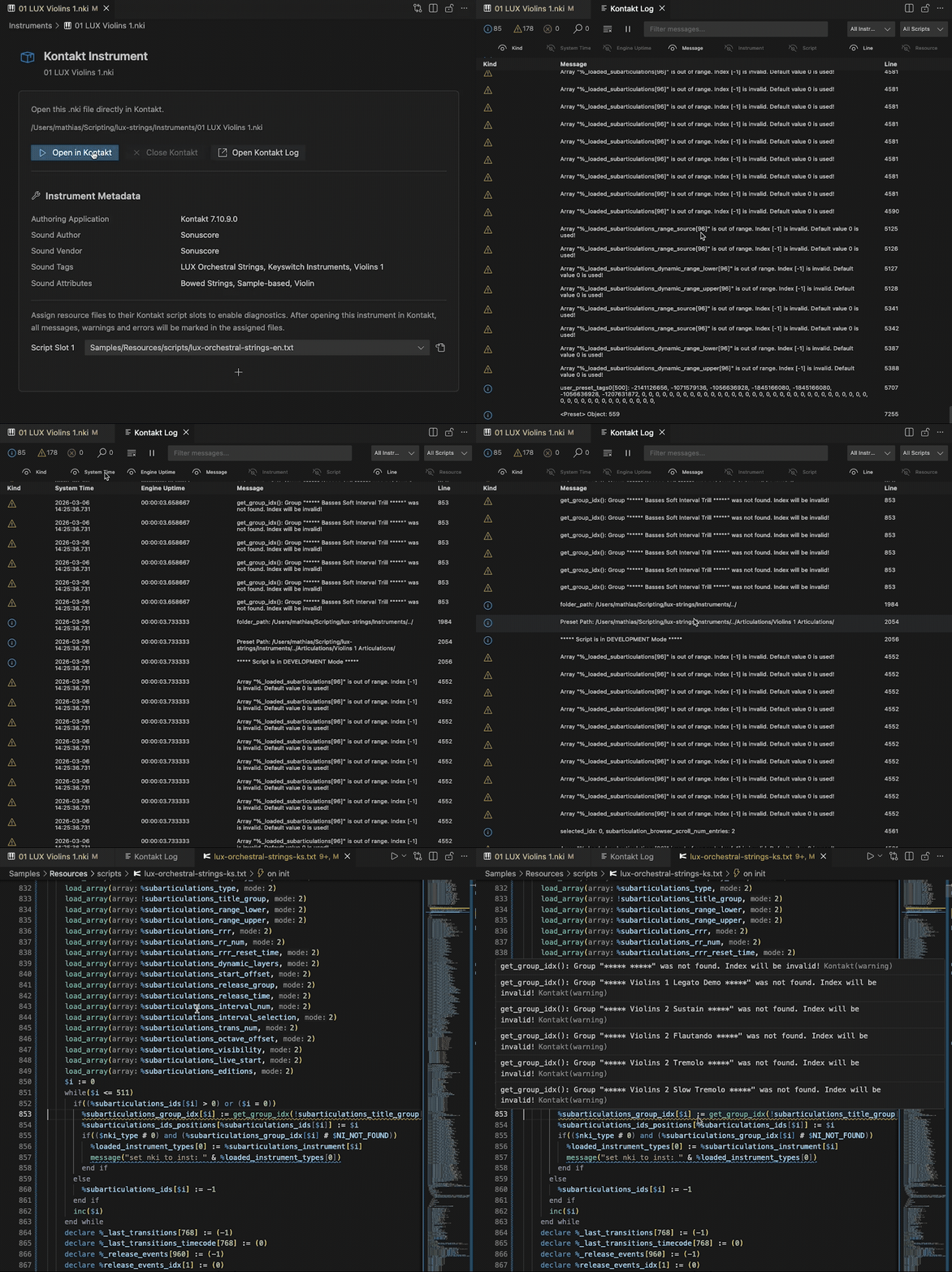


The CKSP Tools project aims to bring a modern development environment for Native Instruments’ Kontakt to Visual Studio Code.
It combines language support for the Kontakt Script Processor and the cksp dialect with a compiler/transpiler that extends KSP with modern programming concepts. The language support features are configured to automatically work with *.ksp, *.cksp and *.txt files.
Note: I am continuously working on improving this extension, so I would love to hear your feedback and suggestions. Not all new language constructs of cksp (such as structs and namespaces) are working with hovering or jumping to definitions yet and the Kontakt integration (while being more feature rich than Creator Tools in some aspects) is not as stable as I would like it to be (yet).
The CKSP Compiler
At the heart of the project is the CKSP compiler.
It introduces higher-level language features such as local variables, functions, and data structures, making scripts easier to read, write, and maintain.

- CKSP syntax is a modernized version of KSP with elements from Lua, TypeScript, and Python.
- Existing KSP scripts are supported – you can compile both
*.cksp and *.ksp files.
- Compilation is fast, even for large projects. The output is a standard
*.txt file that Kontakt can load as usual.
- Export paths can be controlled directly inside code via
#pragma directives.
Extension Features
Compiler Integration
- Compile the current file (
Ctrl+R) or a designated main file (Ctrl+Shift+R).
- Sidebar integration: browse, download, and manage compiler versions.
- Auto-update notifications when new compiler releases are available.
- Designed for a smooth transition from
SublimeKSP, with many familiar features built-in.
Language & Editor Support
- Resource Picture Completion Provider suggesting auto-completions for
*.png files in your resource container. 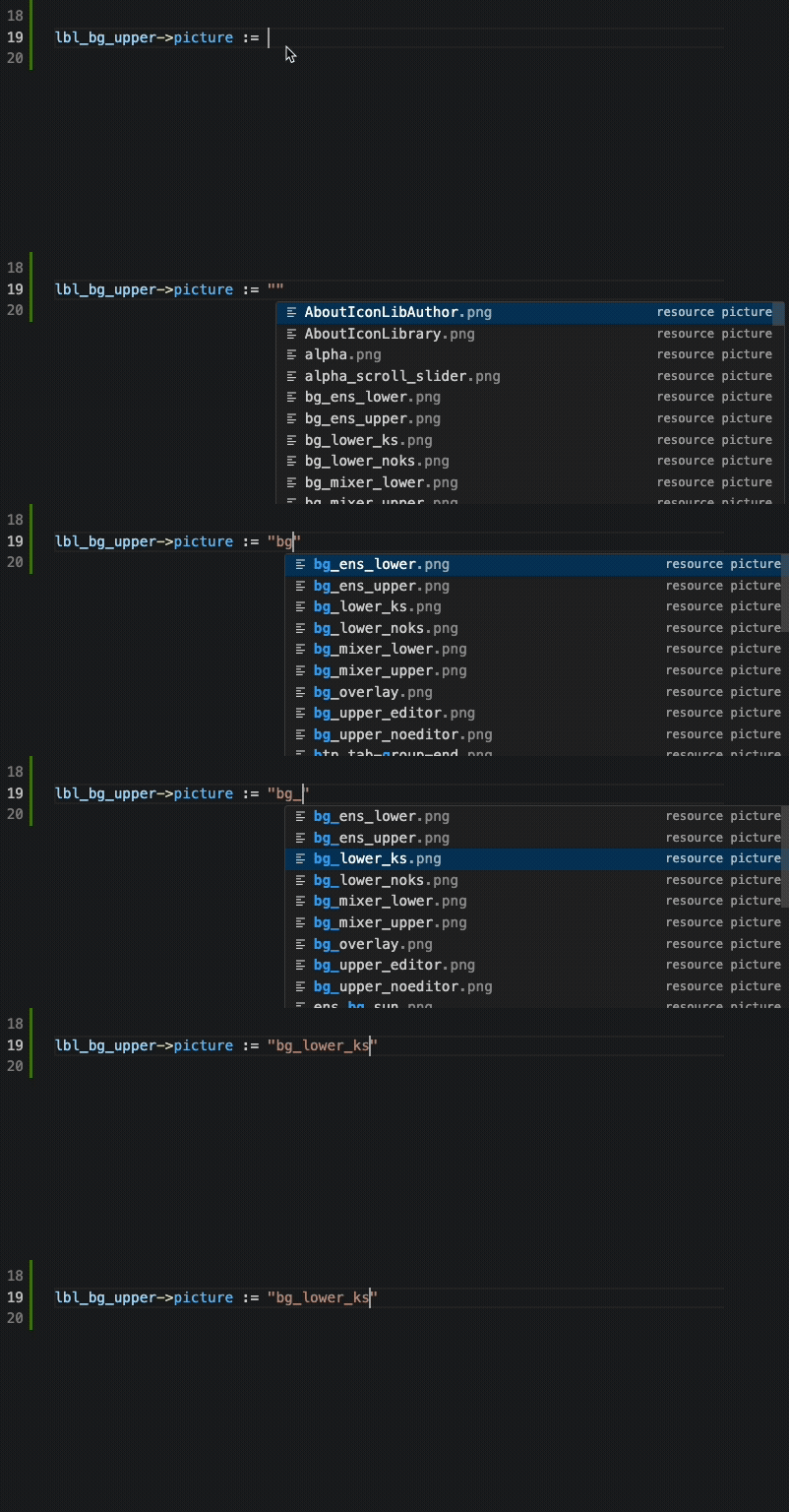
- Syntax Highlighting for both
CKSP and vanilla KSP.
- Signature Help showing function signatures and arguments while typing.

- Hover Provider for built-in constants, commands, and user-defined functions.

- Go to Definition and Find References for functions, macros, and defines.
- Document & Workspace Symbols for fast navigation across files.
- Completion Provider with suggestions for built-in commands and user functions.
Kontakt Integration
- Open Kontakt directly from the editor (via sidebar).
- Kontakt Log Viewer inside VS Code with filtering – no need for Creator Tools.

- Lua Console Output shown in a dedicated panel when running Lua scripts with the Lua API.
Resources
For a full list of features, code examples, and usage instructions, I have put together an Online Documentation.
There are public issue repositories for both the compiler and the CKSP Tools extension.
There you can report bugs, request features, or ask questions about the compiler and the extension. The compiler repo itself is not yet public, but I intend to do so after the project has matured a bit more.