Artify
Two abstract-art color themes for VS Code, plus live shard artwork in the Explorer and Artify Play: endless generated art, puzzles, paint and a shape studio to play with while an agent or a long build is working.
The palettes come from geometric tile posters and Bauhaus museum posters: teal, brick, ochre and cream on a maroon-ink ground, and sky blue, red and yellow on warm white.
Install
Install Artify from Open VSX, or search for "Artify" in the Extensions view of VSCodium, Cursor, Windsurf or any other editor that uses Open VSX.
Themes
| Theme |
Type |
Character |
| Artify Tile Night |
Dark |
Maroon-ink editor, deep teal side bar, ochre status bar |
| Artify Bauhaus Day |
Light |
Warm white editor, sky-blue side bar, navy activity bar, black grid lines |
Pick one with Preferences: Color Theme (Ctrl+K Ctrl+T).
Every text color is checked against the surface it sits on, and each pair must reach WCAG AA (4.5:1). That covers syntax colors, line numbers, side bar and tab text, status bar items, the terminal's ANSI colors and the inactive icons on the activity bar. Both themes enable semantic highlighting, so classes, functions, parameters and constants are colored the same way across languages.
Artwork in the Explorer
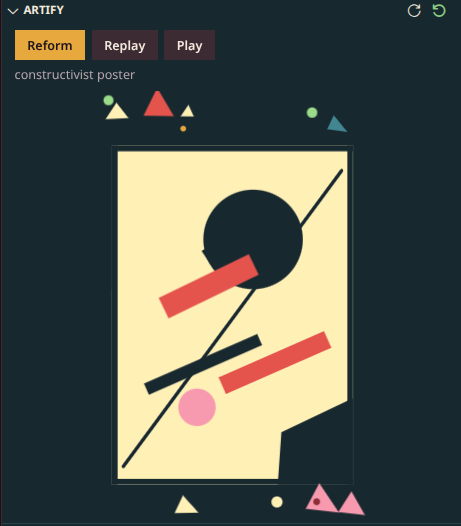
An Artify view sits in the Explorer. It starts as a vase broken into geometric shards and follows your light or dark theme.
- Reform: press Reform (also in the view's title bar, or run Artify: Reform) and the shards fly apart and come back together as something new. Every press uses a fresh random seed, so the designs never run out.
- Replay: plays the fly-in animation again for the design that is showing, without changing it (Artify: Replay Animation).
- Play: opens Artify Play.
- Choose what appears: set
artify.explorerShapes to one category, to mine for only your own Studio designs, or to all.
Designs are dealt like a shuffled deck. Every shape in the chosen category comes up once before any comes round again, and a new round never starts with the shape you just saw. Seeds are never reused, so even the same shape looks different each time. The Explorer view and Artify Play share one deck, progress is saved between sessions, and Artify: Start New Round starts over.
Artify Play
Click Artify Play in the status bar, or run Artify: Play. It never touches your editor, so whatever is running carries on.
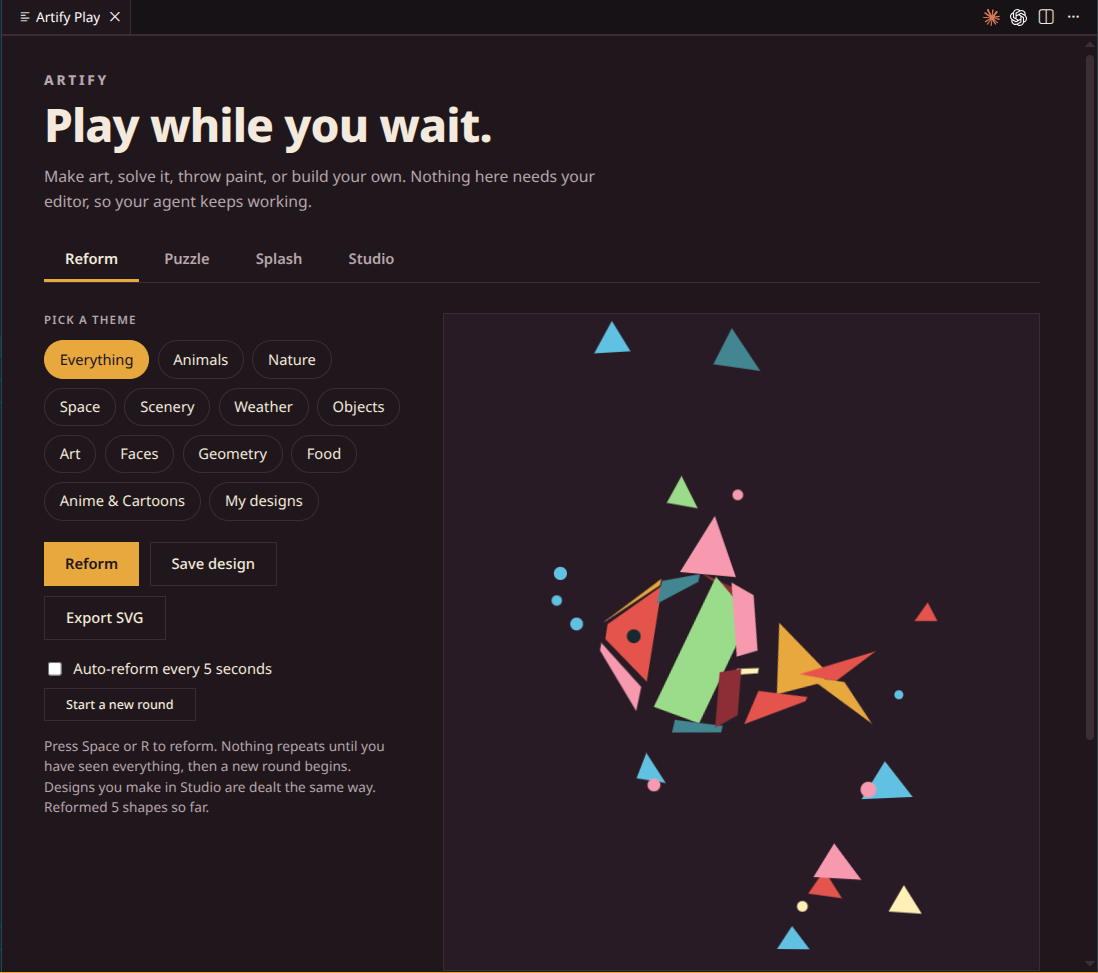
Endless shard art. Pick a category, press Reform or Space, or turn on auto-reform. Save any design to your collection, or export it as SVG.
Puzzle
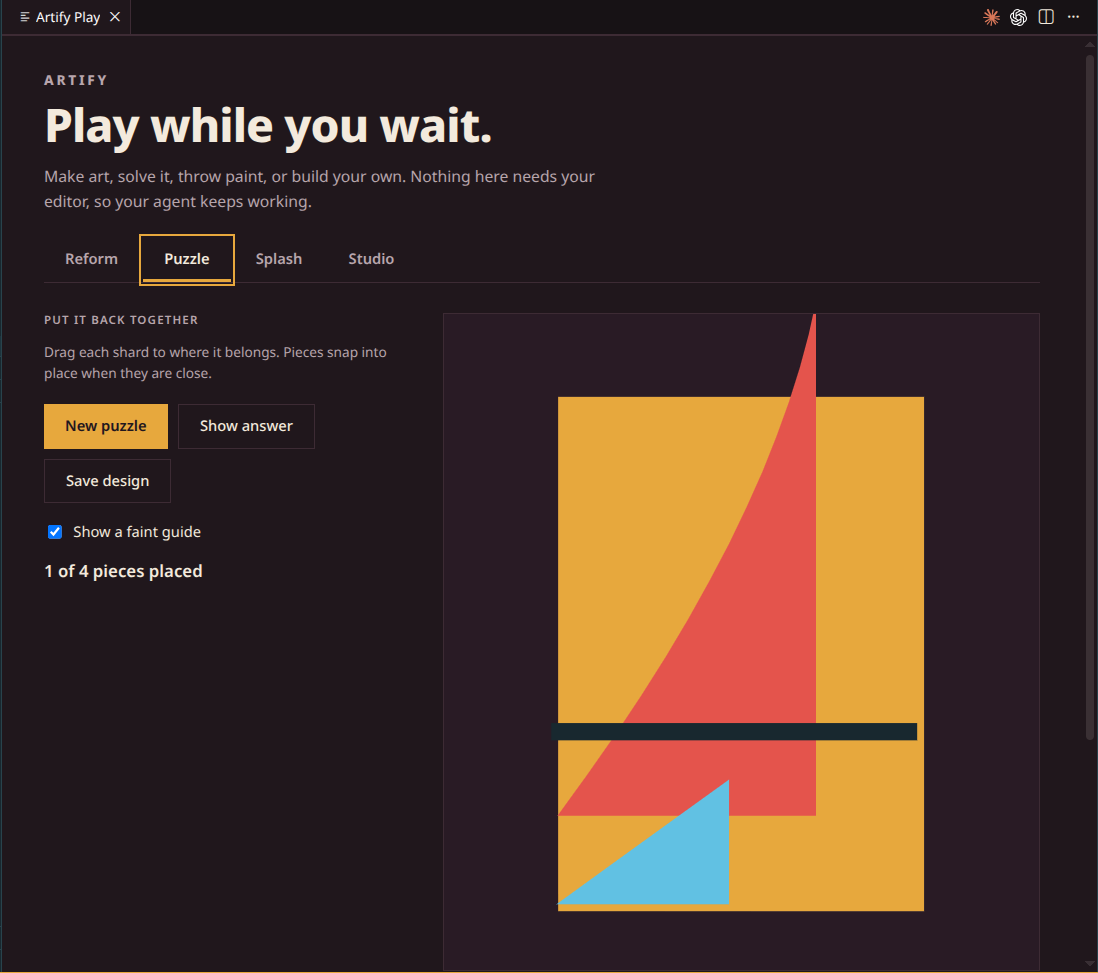
The shards scatter and you drag them back where they belong. Pieces snap into place when they are close. A faint guide is optional, Show answer is there for keyboard users, and finished designs can be saved.
Splash
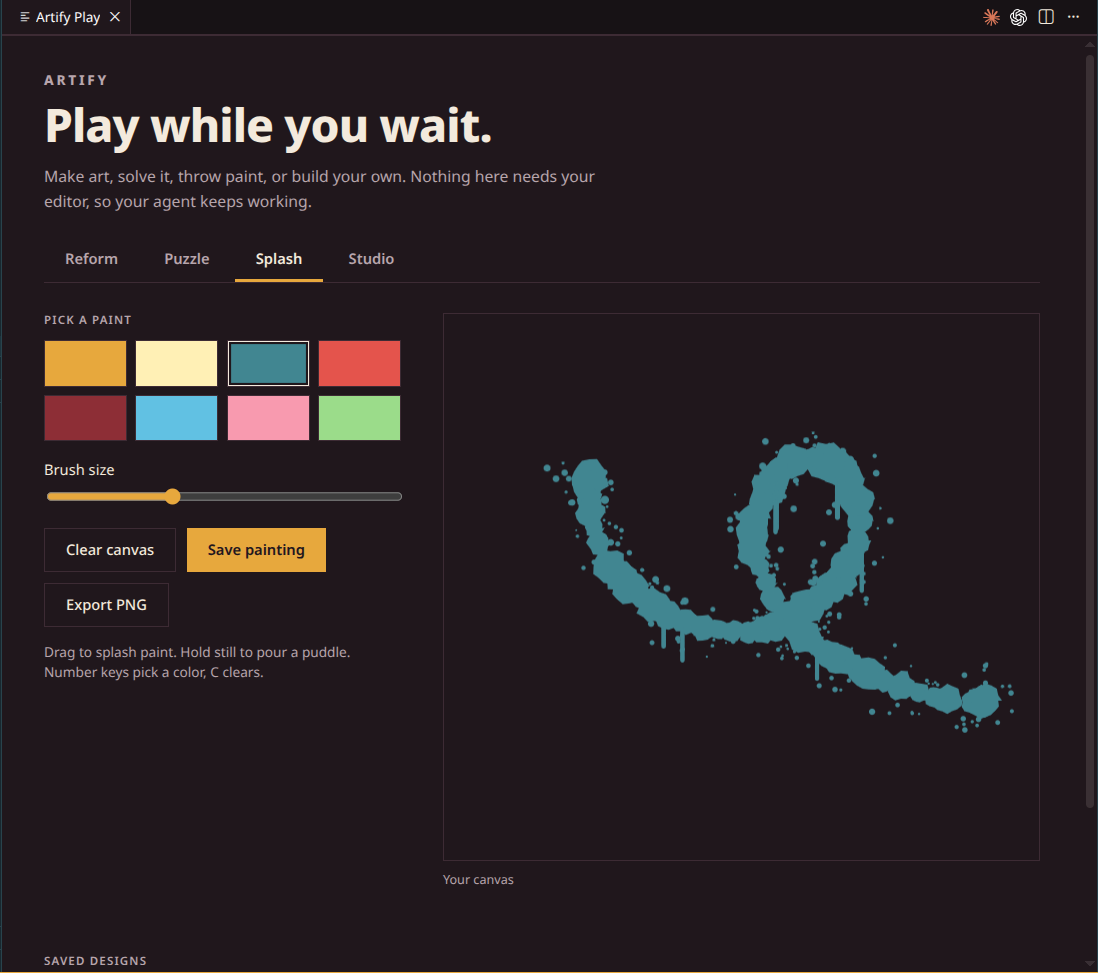
Throw paint on a canvas. Drag to splash, hold still to pour a puddle, and watch the drips run. Number keys pick a color and C clears the canvas. Save the painting to your collection, reopen it later, or export it as PNG.
Studio
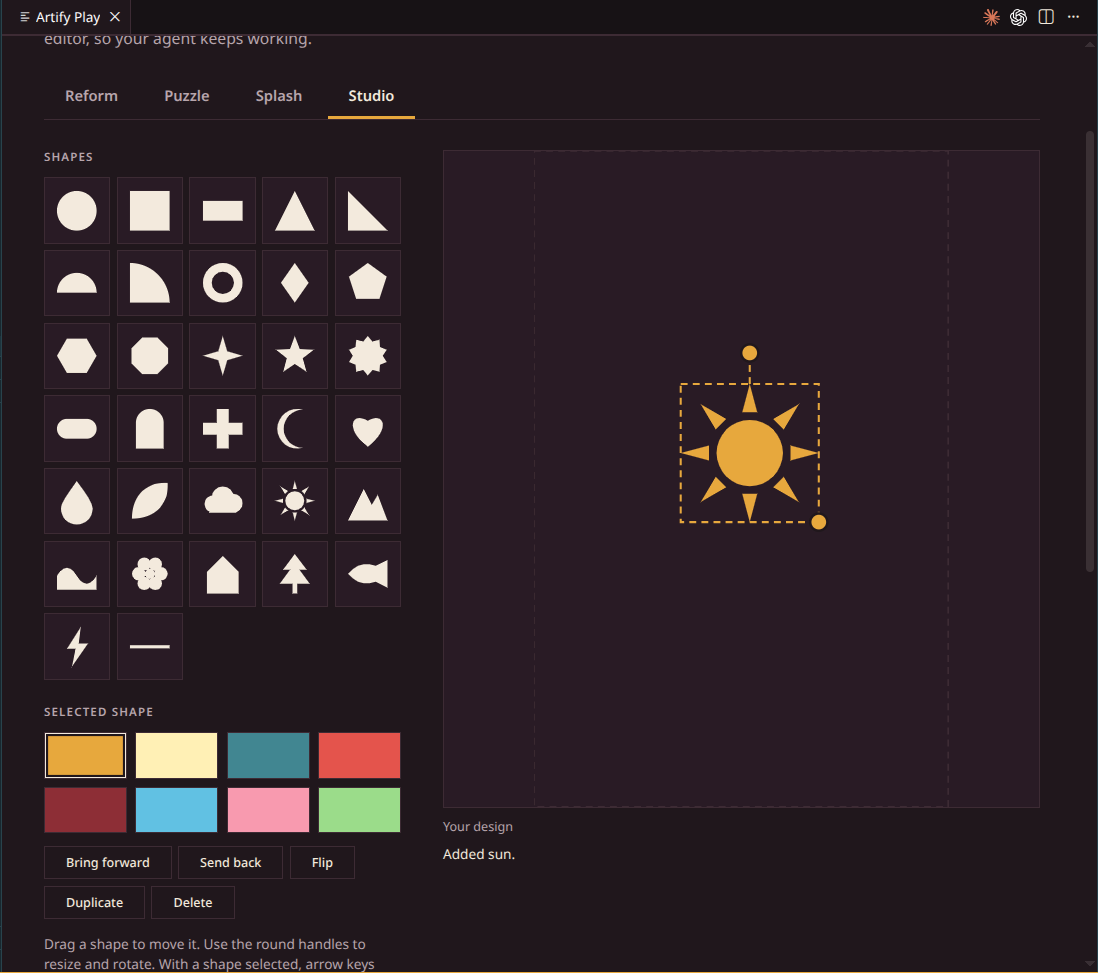
Build your own design from a picker of shapes: circles, triangles, stars, arches, leaves, clouds, a sun, a house, a pine tree and more. Drag to move, use the round handles to resize and rotate, recolor from the theme palette, bring forward or send back, flip, duplicate, undo, and pick a background.
Saved designs appear in your list, can be exported as SVG, and come up when you reform, both in Play and in the Explorer. Colors are saved as palette positions, so your designs follow the light or dark theme.
Everything you save is kept in VS Code's global state, so it follows you between workspaces.
What can appear
Each category is available in Play and in artify.explorerShapes.
Faces: abstract portraits in many styles: a cubist poster face, a Picasso-style double view, split faces over color planes, a Bauhaus stage figure, a Klee-style grid portrait, a minimal vector face, masks, a shard profile, four-panel pop art, a faceted collage, a one-line portrait, a Rubin vase, a sun and moon with faces, a robot, a mosaic face, twin profiles, a totem and a paper cut-out face.
Animals: cats, dogs, foxes, rabbits, penguins, whales, turtles, butterflies, songbirds, owls, gulls and fish, plus elephants, giraffes, octopuses, jellyfish, hummingbirds, flamingos, snails, bees, deer, peacocks, frogs and an origami crane.
Nature: flowers, sunflowers, tulips, bouquets, meadows, mushrooms, a fractal tree, a palm island, a lily pond, a leaf wreath and a seedling, plus cacti, bonsai, cherry blossom, lotus, ferns, succulents, pinecones, lavender fields, bamboo and a weeping willow.
Space: spiral galaxies, ringed planets, night skies, constellations, an eclipse, a solar system, an astronaut, a UFO, a satellite, rockets, a black hole, a comet, a nebula, moon phases, a space station, a meteor shower and a lunar lander.
Scenery: landscapes at day, dusk and night, deserts, beaches, autumn forests, coral reefs, canyons, waterfalls, mountains, waves and cities, plus rice terraces, icebergs, savannas, fjords, volcanoes, a cabin by a lake, windmills and a night city.
Weather: sunny days, rainstorms, thunderstorms, snowfall, rainbows, windy days, fog, tornadoes, sunset clouds, auroras, hurricanes, hail, rainy windows, heat waves, moonlit clouds, frosted windows, dust storms, sunshowers and monsoons.
Objects: chairs, tables set with teapots and flowers, a cozy room, a reading corner, a sofa, a bed, a desk with a laptop, a light bulb, a guitar, a hot air balloon, a camera, a front door, clocks, a bookshelf, plants, an umbrella, a house, a lighthouse, a bicycle, a sailboat, a piano, a typewriter, a record player, a kite, books, a coffee cup, a vintage car, a train, headphones and a watering can.
Art: an easel painting, a Mondrian-style grid, nested squares, Suprematist and Kandinsky-style compositions, a still life, vases and tile mosaics, plus pointillism, pop art, art deco, constructivism, Bauhaus posters, Matisse cut-outs, a great wave, Memphis patterns, op art, Kusama dots, Haring dancers, Klimt spirals, Delaunay discs, Arp blobs, a Calder mobile, Rothko fields, a Swiss grid, hard edge, a Roman mosaic and Riley stripes.
Geometry: Truchet tiles, Voronoi stained glass, spirographs, Lissajous curves, moire circles, a Sierpinski triangle, mandalas, arches, rings, stars, isometric cubes, triangle grids and gems, plus Penrose tilings, honeycombs, a golden spiral, tangrams, Islamic star tilings, guilloche rosettes, phyllotaxis, quilts, kaleidoscopes, chevrons, halftone dots and an impossible triangle.
Food: fruit bowls, watermelon, sushi, pizza, ice cream, cupcakes, citrus slices, pineapples, layered cakes and breakfast plates.
Anime & Cartoons: original characters and scenes in anime and cartoon styles.
- Anime: spiky-haired heroes, magical girls, students, ninjas, swordsmen, mecha pilots and giant robots, fox spirits, oni, idols, an old master, a dark lord, a round mascot and a monster attack, plus big-eyed faces and expression sheets.
- Anime scenes: school gates under blossoms, ramen stalls, rooftops at sunset, level crossings, shrine gates, neon alleys, festivals, floating islands, hot springs and a warm room, and manga pages with speed lines and screentone.
- Cartoons, drawn with ink outlines: rubber-hose characters, lanky cats, mice, caped kids, ghosts, aliens, dinosaurs, witches, pirates, a monster under the bed, grumpy clouds and a sun in sunglasses.
- Cartoon scenes: chases, falling anvils, cliff edges, hills with faces, crooked houses, comic bursts, bouncing balls and a retro TV.
Hair, expression, pose and colors change with every seed. Every character is an original design, never a copy of an existing one.
Several of the geometric forms come from classic generative-art techniques: Truchet tiling, Voronoi partitions, hypotrochoid spirographs, Lissajous figures, recursive subdivision and branching rules.
More
- Palette panel: a Palette tab next to Terminal shows poured paint and the active swatches.
- Gallery: run Artify: Open Gallery to browse five art movements, shuffle each composition and apply a matching theme. Tile Night and Bauhaus Day can be applied; the others are artwork only for now.
Commands and settings
| Command |
What it does |
| Artify: Play |
Opens Artify Play |
| Artify: Reform |
Builds a new design in the Explorer view |
| Artify: Replay Animation |
Plays the fly-in again for the current design |
| Artify: Start New Round |
Resets the deck so every shape can come up again |
| Artify: Open Gallery |
Opens the movement gallery |
| Setting |
Default |
What it does |
artify.explorerShapes |
all |
Which category the Explorer's Reform button draws from: all, mine, faces, animals, nature, space, scenery, weather, objects, art, geometric, food or anime (Anime & Cartoons) |
artify.showStatusBarButton |
true |
Shows the Artify Play button in the status bar |
Privacy and safety
The art is drawn in webviews with a strict content security policy. The Explorer and Palette views run no scripts, and the Gallery and Play pages run only their own bundled script. Artify makes no network requests and doesn't modify VS Code's own files, so VS Code won't warn that your installation is corrupt.
Artify cannot tell when an agent is busy, so Play is a button you press, not something that opens on its own.
Artify doesn't ship an icon theme or product icon theme. All icons are the VS Code defaults.
Develop
The theme JSON in themes/ is generated from one palette file, so both themes stay in step.
npm test # rebuild themes, check contrast, check every shape, check the deck
Edit scripts/palettes.js or a form in src/shapes/, run npm test, then press F5 to open an Extension Development Host. node scripts/contact-sheet.js [formId ...] writes an HTML grid of shapes across seeds and both themes for review by eye.
To release, bump version in package.json, then:
npx @vscode/vsce package
npx ovsx publish artify-<version>.vsix -p <token>
Source and issues: github.com/murtaza335/artify
License
MIT
| |

