🤖 AI Commit Generator (Multi-Provider)
Stop wasting time writing commit messages. Let AI analyze your code changes and generate clear, detailed, and professional commit messages in seconds.




🤔 Why This Extension?
The Problem:
Writing good commit messages is tedious. Developers often resort to vague messages like "fix bug" or "update code" because crafting a proper description takes time and mental effort—especially after a long coding session.
The Solution:
This extension uses AI to read your actual code changes (git diff) and generate a meaningful, descriptive commit message that follows best practices. No more guessing, no more "WIP" commits.
🎯 Who Is This For?
- 👨💻 Solo developers who want cleaner git history without the effort
- 👥 Teams that enforce commit message standards (like Conventional Commits)
- 🎓 Beginners learning how to write proper commit messages
- ⚡ Anyone who values productivity over repetitive tasks
✨ What Does It Do?
| Feature |
Description |
| 🔄 Multi-Provider AI |
Uses 4 free AI providers (Groq, OpenRouter, Mistral, Cohere) with automatic fallback if one fails |
| 📝 Conventional Commits |
Generates messages in feat:, fix:, docs: format automatically |
| 🌐 Multi-Language |
Supports English and Indonesian output |
| 🎯 Smart Context |
Detects your tech stack (React, Python, etc.) to give relevant descriptions |
| ⚡ One-Click Operation |
Press a button or use a shortcut—done in 2 seconds |
| 📋 Flexible Output |
Copy to clipboard, auto-fill SCM input, or edit before using |
| 🚀 Performance Optimized |
Fast models with 78-91 tok/s throughput |
| 🔀 Smart Change Detection |
Auto-detects staged/unstaged changes with interactive options (Stage All, Use Unstaged, Cancel) |
| 📦 Multi-Repo Support |
Works with multiple git repositories open at once |
| 🔑 API Key Manager |
Show/hide toggle, copy, edit, and remove API keys with a dedicated command |
| 🩺 Provider Status Check |
Test all configured API keys with one command — see latency and status |
| 📜 Commit History |
Browse and reuse last 10 generated commit messages |
| 📤 Output Mode |
Choose where messages go: SCM input, clipboard, or editor |
🚀 Quick Start
1️⃣ Install
Search "AI Commit Generator" in VSCode Extensions and click Install.
2️⃣ Get a FREE API Key
You need at least one API key (all are FREE):
💡 Pro Tip: Add multiple API keys for better reliability!
- Open VSCode Settings (
Ctrl + , / Cmd + ,)
- Search "AI Commit"
- Paste your API key(s) in the appropriate field(s)
4️⃣ Generate!
- Make some code changes
- Click the ✨ sparkle icon in Source Control panel
- Or press
Ctrl+Shift+G then Ctrl+Shift+M
- Or open Command Palette (
Ctrl+Shift+P) → "AI: Generate Commit Message"
- If files are staged → commit message is generated instantly
- If no staged files → you'll be prompted:
- Stage All & Generate — stages everything and generates
- Use Unstaged Changes — generates without staging
- Cancel — do nothing
- Done! Your commit message is ready 🎉
5️⃣ More Commands
| Command |
Shortcut |
Description |
AI: Manage API Keys |
Ctrl+Shift+G → Ctrl+Shift+K |
Show/hide, copy, edit, remove API keys |
AI: Check Provider Status |
Command Palette |
Test if your API keys are valid |
AI: Commit History |
Ctrl+Shift+G → Ctrl+Shift+H |
Browse & reuse recent commit messages |
⚙️ Configuration
General Settings
| Setting |
Options |
Default |
Description |
| Preferred Provider |
auto, groq, openrouter, mistral, cohere |
auto |
Choose AI provider (auto = smart fallback) |
| Commit Style |
conventional, detailed, simple |
conventional |
Message format style |
| Language |
english, indonesian |
english |
Output language |
| Output Mode |
scm, clipboard, editor |
scm |
Where to put the generated message |
Provider-Specific Settings
Each provider has dedicated settings for:
- 🔑 API Key
- 🤖 Model Selection
- 🌐 API Base URL (optional)
Available Models (as of v1.3.0)
Groq:
llama-3.3-70b-versatile ⚡ (Recommended - Balanced)llama-3.3-70b-specdec 🚀 (Ultra Fast - Speculative Decoding)
OpenRouter:
arcee-ai/trinity-large-preview:free 🎯 (Best Free)arcee-ai/trinity-mini-preview:free ⚡ (Fastest - 2.8s latency)
Mistral:
codestral-latest 💻 (Best for Code)ministral-8b-latest 🪶 (Lightweight - 91.5 tok/s)open-mistral-nemo 🔓 (Open Source - 78.6 tok/s)
Cohere:
command-r-plus 🧠 (Most Capable)command-r ⚖️ (Balanced)command-r7b-12-2024 🚀 (Fastest - 88.8 tok/s)
📝 Commit Style Examples
🎯 Conventional (Recommended)
feat(auth): implement OAuth2 login flow

- Add Google OAuth provider integration
- Create session management middleware
- Update user model to support external auth
📄 Detailed
Implement OAuth2 login flow with Google provider

This commit adds complete OAuth2 authentication support including
session management and user model updates for external providers.

Changes include:
- Google OAuth2 integration
- Session middleware
- User model extensions
⚡ Simple
Add OAuth2 login with Google provider
🔒 Privacy & Security
- ✅ API keys are encrypted using VS Code's SecretStorage (never stored as plain text)
- ✅ Key Manager with show/hide toggle — keys are masked by default
- ✅ Code diffs are sent directly to the AI provider you choose
- ✅ The extension developer has NO access to your keys or code
- ✅ Open source — inspect the code yourself on GitHub
- ✅ No telemetry or tracking — your privacy is respected
🐛 Troubleshooting
Solution: Click 🔑 AI Keys in the status bar, or run AI: Manage API Keys from Command Palette
❌ "Failed to generate commit message"
Solutions:
- Check if you have staged changes (
git add .)
- Verify your API key is valid
- Try a different provider (set Preferred Provider to another option)
- Check internet connection
❌ Rate limit errors
Solution: The extension will automatically try the next provider. Consider adding multiple API keys for better reliability.
⚠️ Slow generation
Solutions:
- Use faster models (e.g., Groq's
llama-3.3-70b-specdec)
- Switch to lightweight models (e.g., Mistral's
ministral-8b-latest)
- Check your internet speed
🛠️ For Developers
Want to contribute or run locally?
# Clone repository
git clone https://github.com/muhammadalifh/vscode-ai-commit.git
cd vscode-ai-commit

# Install dependencies
npm install

# Compile TypeScript
npm run compile

# Launch Extension Development Host
# Press F5 in VSCode
Project Structure
vscode-ai-commit/
├── src/
│   ├── extension.ts          # Main entry point
│   ├── config.ts             # Configuration management
│   ├── providers/             # AI provider implementations
│   ├── services/              # Core services
│   │   ├── git.ts            # Git operations
│   │   ├── prompt.ts         # AI prompt building
│   │   ├── keyManager.ts     # API key management UI
│   │   ├── statusCheck.ts    # Provider status testing
│   │   └── history.ts        # Commit message history
│   └── test/                 # Test suite
├── package.json              # Extension manifest
└── tsconfig.json             # TypeScript config
Contributing
See CONTRIBUTING.md for guidelines.
| Provider |
Model |
Speed |
Latency |
Quality |
| Groq |
llama-3.3-70b-specdec |
⚡⚡⚡ |
~1.5s |
⭐⭐⭐⭐⭐ |
| OpenRouter |
trinity-mini |
⚡⚡⚡ |
~2.8s |
⭐⭐⭐⭐ |
| Mistral |
ministral-8b |
⚡⚡ |
~3.2s |
⭐⭐⭐⭐ |
| Cohere |
command-r7b |
⚡ |
~4.1s |
⭐⭐⭐ |
Benchmarks based on average response time for 200-line diffs
🔄 Changelog
See CHANGELOG.md for version history.
📝 License
MIT License — use it freely, even commercially.
See LICENSE for full text.
🙏 Credits & Acknowledgments
Built with ❤️ by Muhammad Alif H
Powered By:
- Groq — Lightning-fast LLaMA 3.3 70B inference
- OpenRouter — Unified API for multiple models
- Mistral AI — Open-source excellence
- Cohere — Enterprise-grade language models
Special Thanks:
- VSCode Extension API team
- The open-source community
- All contributors and users
💬 Support & Feedback
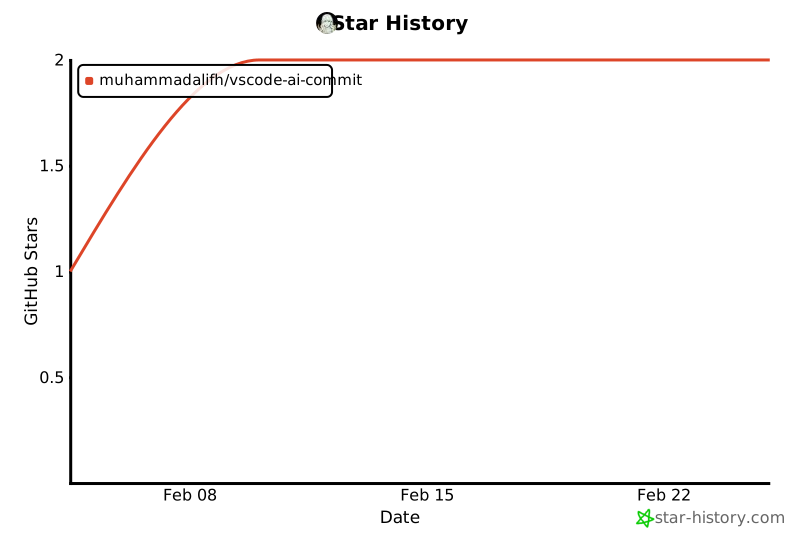
🌟 Star History
Made with 💻 and ☕ by developers, for developers.

