IronBase — AI Coding AgentAn AI coding agent that starts from your architecture. Plans a change, you approve it, then it writes the code and runs your tests — plus a full architecture review with a dependency map. Runs on the Claude, ChatGPT, or Gemini account you already have. Installation Launch VS Code Quick Open ( Ctrl+P), paste the following command, and press enter.Copied to clipboard |

IronBase
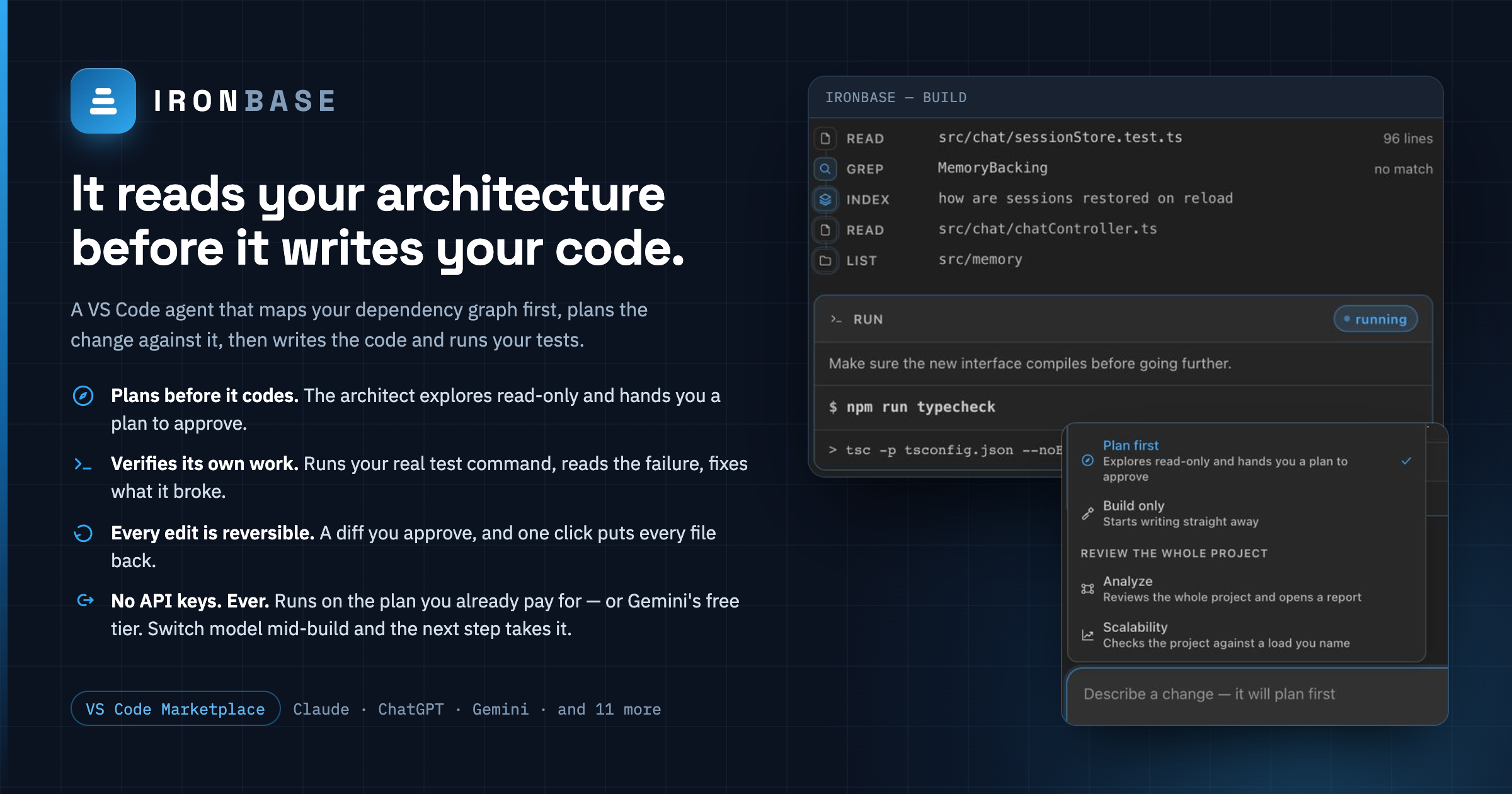
A VS Code coding agent that starts by understanding your architecture. Most coding agents open your project cold and grep their way in. IronBase builds a local map of your codebase first — the dependency graph, what every file declares, where the risk concentrates — and the agent starts from that. It knows your sessions live in process memory before you ask it to fix them. It does two things: Build. Describe a change. An architect explores the code read-only and hands you a plan; you approve or edit it; then a builder works through it as a live task list — editing files, running your tests, checking its own work. Every edit is a diff you approve, and one click puts every file back. Review. A full architecture review: what will hurt as the project grows, each with a real file and line, plus a dependency map, one-click patches, and a modernization blueprint. What that gets you:
Findings also land in the Problems panel, and the whole report exports to Markdown with the patches as fenced diffs. How it works
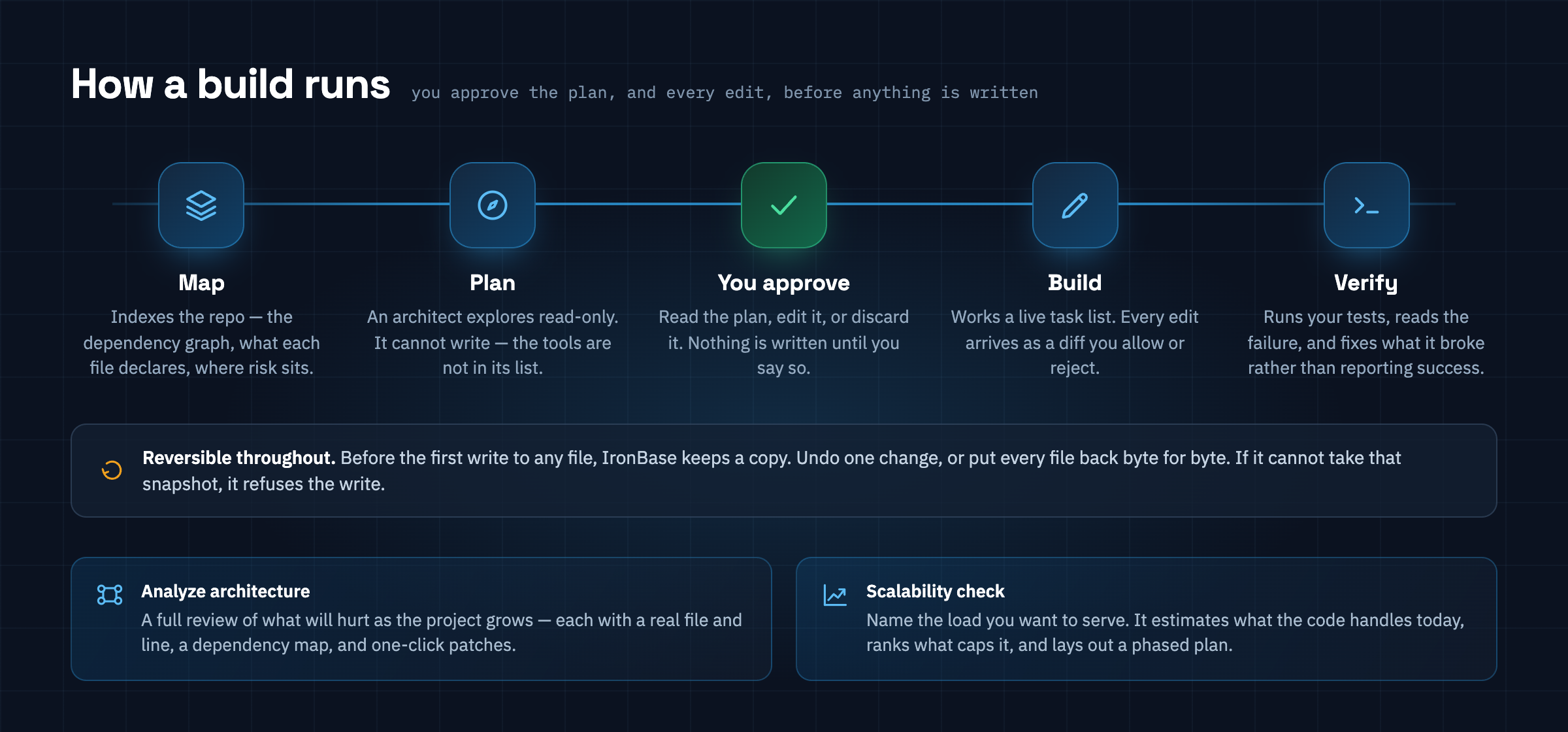
A build runs in five stages, and you are the gate between the third and the fourth. The architect that produces the plan cannot write to your files — the write tools are not in its list, so that is a fact about the request rather than a promise in a prompt. Once you approve, the builder works the plan as a live task list and every edit arrives as a diff you allow or reject. Underneath all of it, nothing is irreversible: before the first write to any file IronBase keeps a copy, so Undo puts one change back and Revert Changes from This Build puts back all of them. If it cannot take that snapshot, it refuses the write rather than making a change it could not reverse. The other half of the product does not write anything at all. Analyze architecture reviews the whole project — what will hurt as it grows, each with a real file and line, a dependency map, and one-click patches. Scalability check takes a load you name and estimates what the code handles today, ranks what caps it, and lays out a phased plan. Both are in the composer's mode menu, next to the two build modes. Building somethingClick Build something… in the sidebar, or run Approve it and the builder takes over: a task list appears, ticks over as it works, and each edit arrives as a diff with Allow / Allow all edits / Reject. Flip Auto-accept edits in the composer and it stops asking. Plan first is the default. Build only skips the architect for small, obvious changes. Builds are saved. Reload the window, come back tomorrow, and the conversation, the task
list and the undo history are still there — What can be undoneBefore IronBase writes to a file for the first time, it keeps a copy of what was there. That gives you Undo on any individual change and Revert Changes from This Build for all of them. Files it created are removed; files it changed go back byte for byte. If it cannot take that snapshot — an unreadable file, a permissions problem — it refuses the write rather than making a change it could not reverse. Deleting a file always asks, even with auto-accept on. "Allow all edits" is agreed to while looking at a diff, and nobody reading a diff was agreeing to have files removed. It reads your project's own instructionsIf your repository has an Running commandsThe builder can run your project's own commands, because an agent that cannot run
Every command asks first, and a short list is refused outright whatever you click:
deletes aimed at This is a guard against accidents, not a sandbox. A model set on doing harm could
express any of those another way. What the list actually stops is the ordinary failure:
a confident one-liner, a damage that is invisible in the text of it, and Allow being one
keystroke away. Turn commands off entirely with No API keys. Ever.IronBase runs on an AI account you already pay for — or don't:
There is no API-key field anywhere in the extension, and no billing to set up. Sign-in is
stored in your OS keychain via VS Code's Connecting GeminiClaude and ChatGPT ship with the OAuth client their vendor's own CLI uses, so they connect with a single click. Google's pair includes a value formatted as a client secret, and vendoring another project's credential into a public repository would mean publishing it — which isn't ours to publish, and which secret scanners rightly block. So Gemini asks you to bring your own, once:
It's free, and the free tier's quota is generous. If you'd rather not bother, Claude or ChatGPT will get you running immediately. ⚠️ How the sign-ins actually workClaude and ChatGPT sign-in reuse the OAuth client that each vendor's own command-line tool ships with — Claude Code and Codex CLI respectively. These are not public, supported API surfaces. Before you rely on them:
All of it is confined to Reaching things that are not filesIronBase speaks MCP, so an issue tracker, a database schema or an internal docs server can
be part of a build. Servers are configured in settings and their tools appear namespaced as
Every MCP call asks before it runs, and is gated as a command rather than as an edit — these tools reach outside your workspace by design, which is exactly why "allow all edits" should not cover them. A server that will not start is logged and skipped; it never takes the build down with it. How it stays fast and cheapIronBase does not send your codebase to the model. It builds a local index first, and the model pulls in only what it asks for. Both modes start from that index — the architect and the builder get the same brief the reviewer does, which is why neither of them opens with twenty minutes of grep. 1. Local index, built once. A dependency-free scan extracts, per file, the symbols it declares, what it imports, and the architecture-relevant signals it carries — SQL built by concatenation, module-level mutable state, blocking I/O, credentials that look hardcoded, queries inside loops, and a dozen more. This costs zero tokens because no model is involved. 2. Incremental. Every file is keyed by content hash. A second review re-reads only what you edited. On this extension's own source: 30 ms cold, 2 ms warm with 51 files cached. 3. A brief, not a dump. The model starts from a compact architectural brief built from the index — the stack, the request surface, where risk concentrates, what's missing operationally. For this repository that brief is 776 tokens against 62,626 tokens of raw source: about 80× smaller, and it stays roughly flat as a project grows. 4. Retrieval, not grep. Instead of hunting through files, the model asks the index
questions — 5. Memory across runs. Findings are remembered with the hashes of the files they cited. On a re-review the model is told which issues sit in untouched code (still open) and which sit in code you've since changed (check these first), so it spends its budget on what moved. 6. It delegates the expensive searching. "Where do we validate input" is a question whose answer is a paragraph and whose cost is twenty file reads. Asked in the main conversation, those reads stay in the transcript and are re-sent on every turn afterwards. So the agent can hand that question to a read-only assistant with its own transcript, and get back only the paragraph — the searching is paid for once and then discarded. 7. It summarises itself before it runs out of room. A long build eventually outgrows the model's context window. Rather than dying on a 400 halfway through, IronBase watches how full the window is and, at around two-thirds, has the model write a handover note of the earlier steps and continues from that. The panel shows the gauge and tells you when it happens. 8. The dependency graph, computed locally. Import statements are resolved to real files, rolled up into modules, and checked for cycles and hub modules. That analysis costs no tokens, it drives the Architecture map, and a summary of it goes into the brief — so the model starts out knowing which modules are tangled, which is not something it could work out by reading files one at a time. Trust: every reference is verifiedBefore any finding reaches you, its file and line are checked against the real filesystem. A finding citing a file that doesn't exist is rejected and the model is told to correct it. A line number that has drifted is re-anchored using the snippet the model quoted. Only verified references become clickable links and squiggles — which is why a link in the report actually goes somewhere. The same standard applies to patches, and this is what makes the Apply button safe to press. A patch has to quote the exact lines it targets; if that text isn't in the file, or appears more than once, the patch is rejected at review time and the model is sent back to read the code properly. The check runs again when you click Apply, against the file as it is right then — so if you have edited that code since, IronBase tells you the patch is stale instead of writing it over your work. Applied changes land unsaved in your editor, inside the normal undo stack. Getting started
Commands
Settings
What the capacity numbers meanThe scalability estimate is read from your code, not measured. It's a reasoned starting point — "a single database connection and in-process sessions put you in the low hundreds of concurrent users" — with its assumptions written out so you can check them. Treat it as direction for your own load testing, not as a benchmark result. PrivacyYour code goes to whichever account you connected, and only when you start a review or a build. There is no IronBase server. The index lives on your machine. Only the parts of files the model asks to read are ever transmitted. DevelopmentPress F5 to launch an Extension Development Host on Two developer commands help when working on the index or a provider client:
LicenseMIT |