
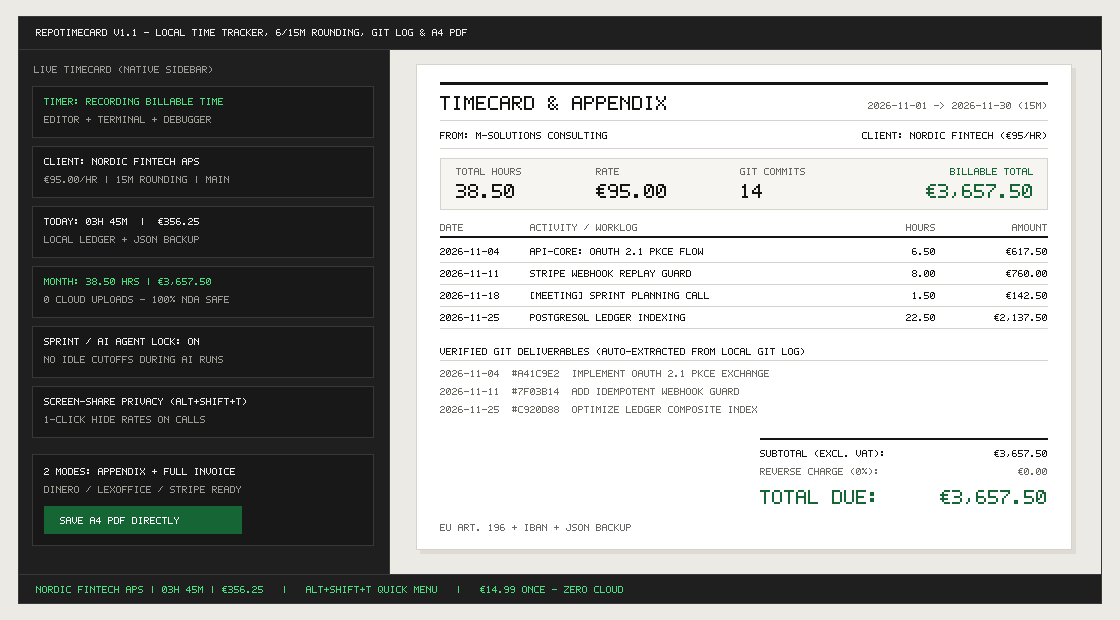
RepoTimecard — Local Coding Time & Git Worklog100% local coding time tracker, automatic Git-commit worklog, 6/15m session rounding, screen-share privacy & A4 PDF timesheet export. Zero cloud accounts. Installation Launch VS Code Quick Open ( Ctrl+P), paste the following command, and press enter.Copied to clipboard |

RepoTimecard — Local Coding Time Tracker, Git Worklog & A4 TimesheetTrack your real engineering hours across projects without sending repository names or activity logs to external cloud servers.
Most coding timers ask you to create a cloud account, upload every project and file name you touch, and pay a monthly subscription just to view history older than 7 days. Meanwhile, manual browser timers get forgotten the moment you switch repositories inside VS Code, Cursor, or Windsurf. RepoTimecard keeps your entire timecard 100% on your own machine:
Why Developers Install RepoTimecard1. Automatic Local Workspace, Terminal & Debug Timer (Free Forever)
2. Automatic Local
|
| Capability | Free Forever (€0) | RepoTimecard Pro (€14.99 once) |
|---|---|---|
Unlimited Local Time History (0 7-day paywalls) |
Included | Included |
| Auto Editor, Terminal & Debugger Activity Tracking | Included | Included |
| Screen-Share Privacy Mode & Sprint/AI Lock | Included | Included |
| 1 Project Profile + CSV Export + JSON Backup/Restore | Included | Included |
| Unlimited Client/Project Profiles & Custom Rates | — | Lifetime Unlock |
1-Click Local git log Deliverable Extraction |
— | Lifetime Unlock |
| Off-Editor Meeting Logging & A4 PDF / HTML Reports | — | Lifetime Unlock |
Upgrade anytime via the RepoTimecard Official Website and activate instantly inside RepoTimecard Studio using your checkout email.
Privacy & Security Guarantee
- Zero External Dependencies: Built purely on standard Node.js modules (
fs,path,crypto,https) inside your IDE. - Zero Telemetry: Repository paths, Git commit messages, and time logs never leave your workstation.
- Website · Privacy Policy · Terms of License