DebugIQ
Find real bugs faster in AI-generated code, before they hit production.
DebugIQ adds fast triage, explainable learning mode, and repeat-pattern warnings directly inside VS Code.
Why DebugIQ
- Debug AI-generated code in seconds, not after a failed commit or incident.
- Get severity-ranked findings with clear line ranges and actionable next steps.
- Keep analysis workflow inside your editor with minimal setup.
- Preserve privacy: no raw source code sent to DebugIQ backend.
Core Workflows
| Command |
What it does |
Requires |
| DebugIQ: Run Demo Analysis |
Instant sample run to preview the full UX |
Nothing |
| DebugIQ: Quick Debug (AI) |
Fast bug triage for selected code |
GitHub Copilot |
| DebugIQ: Learn Debug (AI with Explanations) |
Guided explanation and coaching output |
GitHub Copilot |
| DebugIQ: Install Pre-Commit Hook |
Warn-only hook for repeated bug signatures |
Git repo |
Results are rendered in the DebugIQ sidebar for quick scanning and iteration.
Quick Start
- Open any Python or TypeScript file.
- Select the code block you want to analyze.
- Open Command Palette (
Ctrl+Shift+P / Cmd+Shift+P) and search DebugIQ.
- Run Run Demo Analysis for an instant preview, then Quick Debug for real analysis.
Screenshots
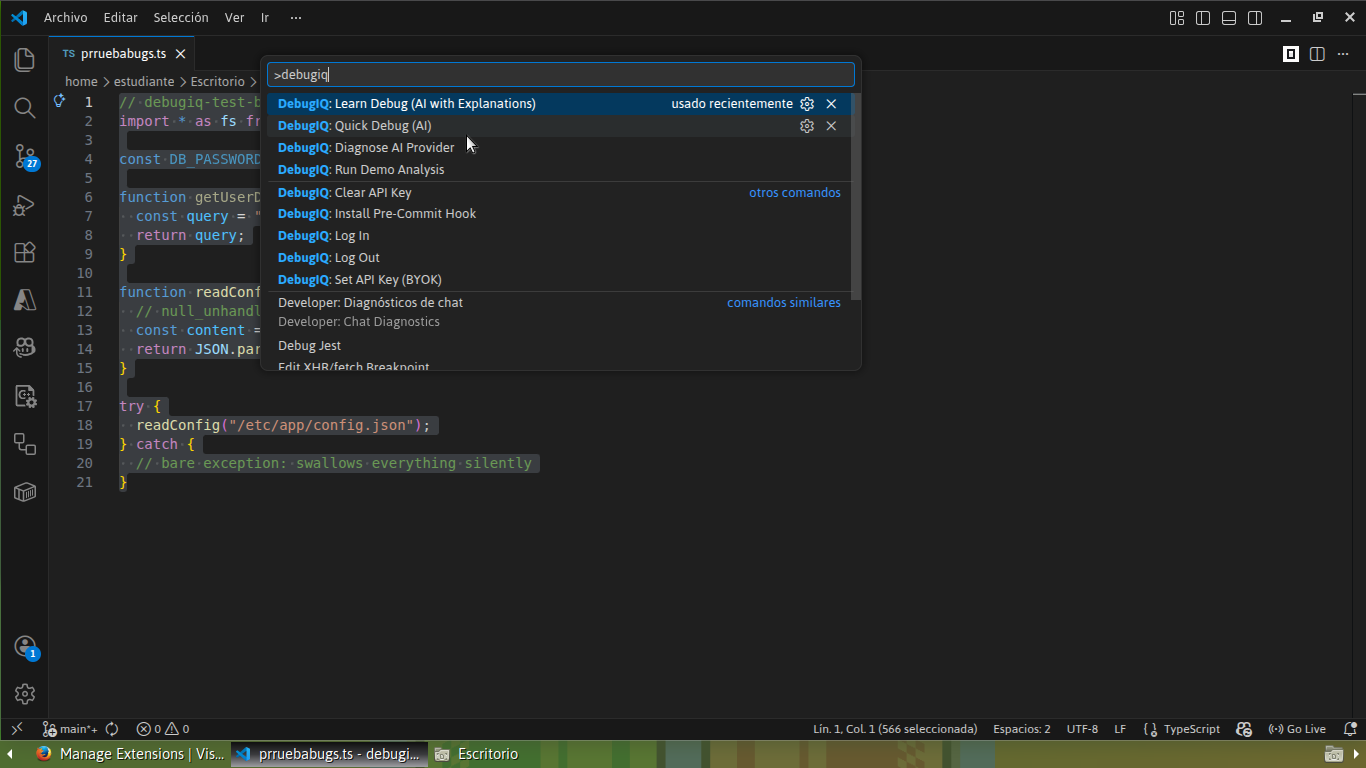 Command palette discoverability: run Demo, Quick Debug, Learn Debug, and diagnostics in one place.
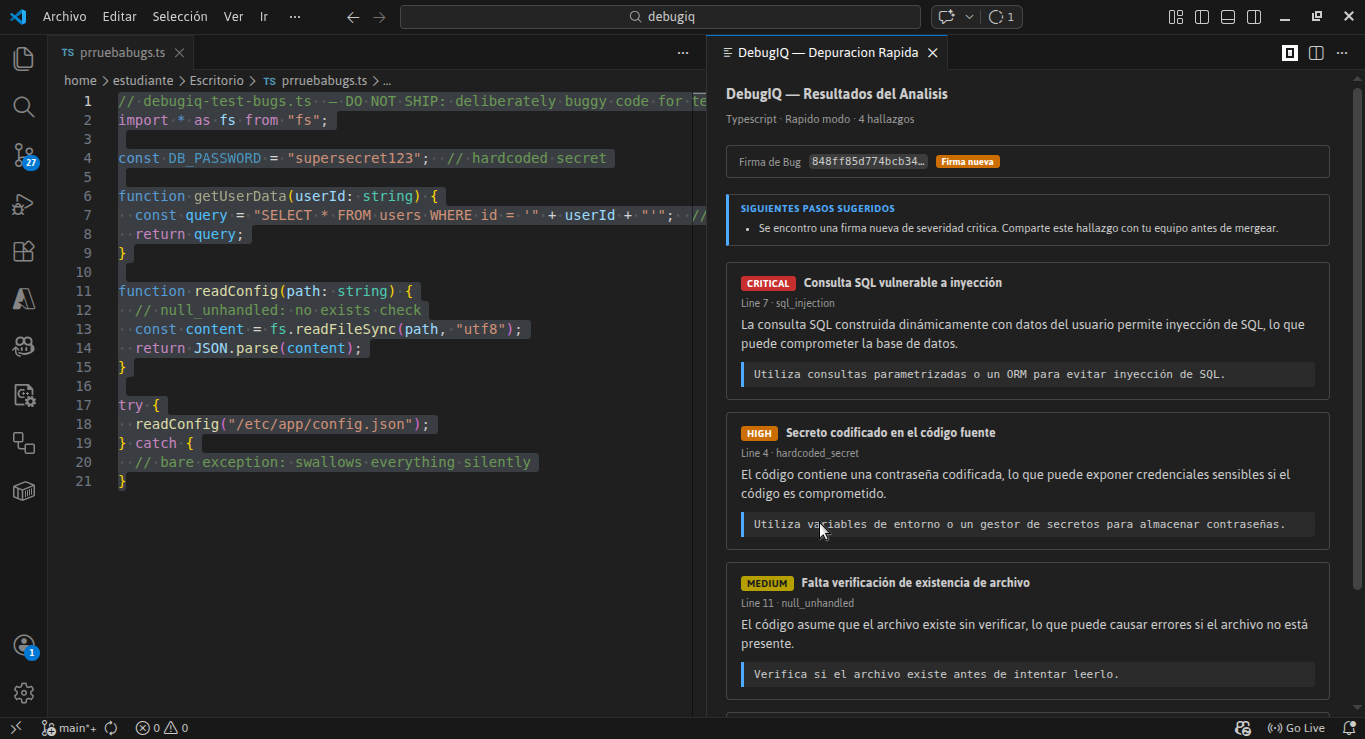 Quick Debug returns severity-ranked findings and fix hints for fast triage.
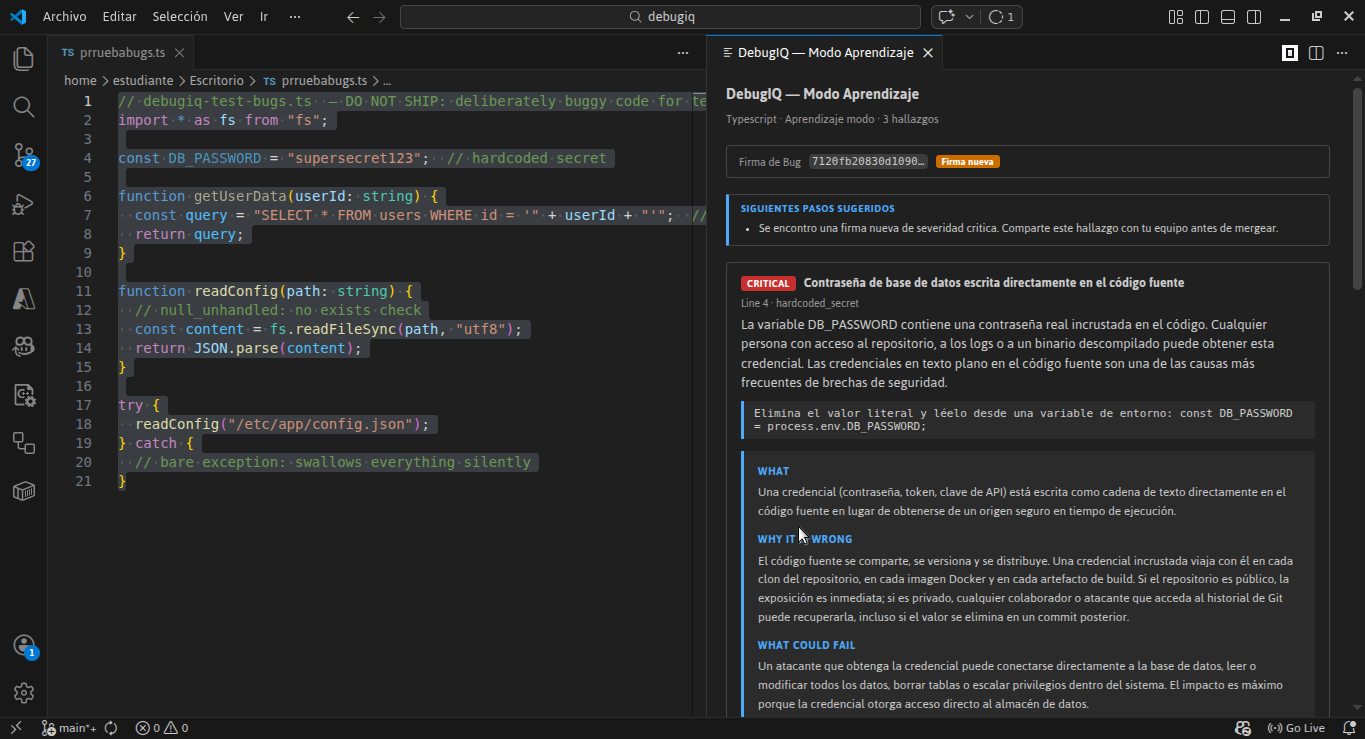 Learn Debug explains each issue with root cause and practical remediation guidance.
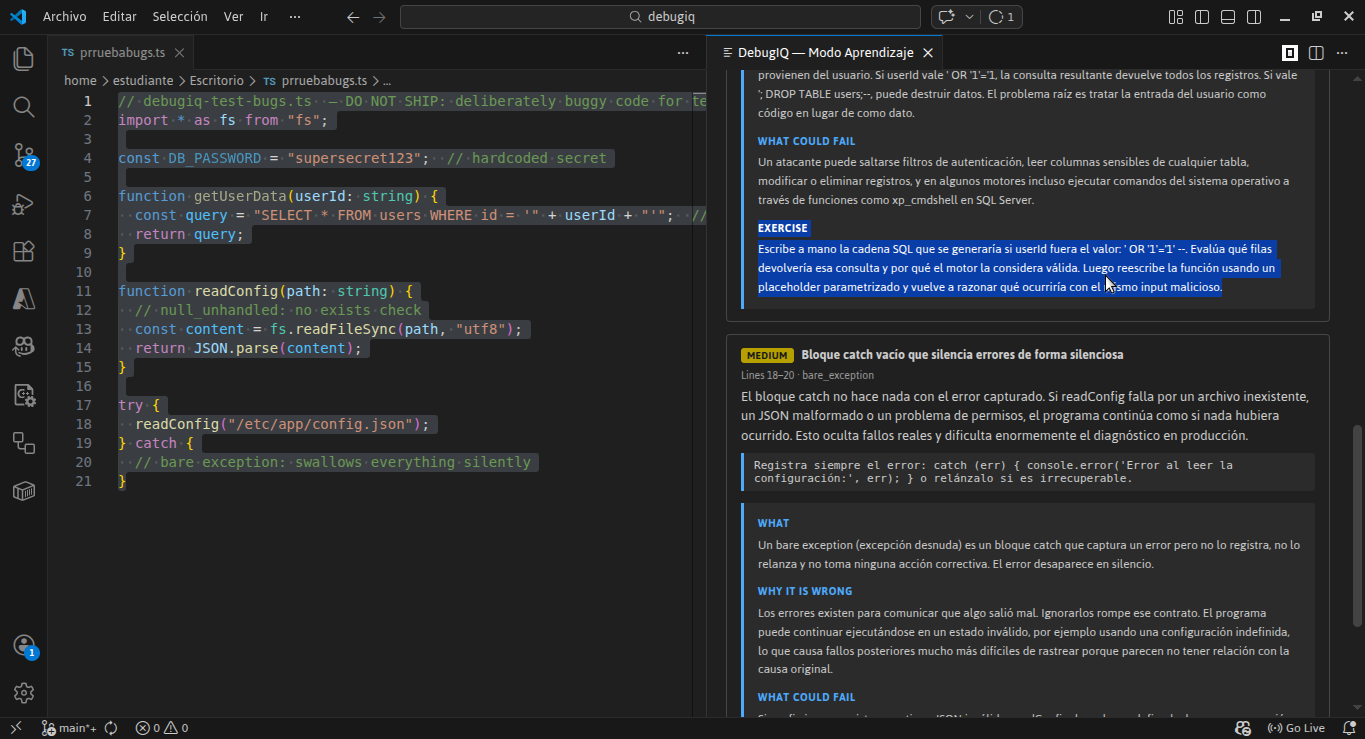 Learn mode includes a concrete exercise to reinforce secure coding habits.
Privacy and Security
- Raw source code is not sent to DebugIQ backend endpoints.
- AI analysis is executed through GitHub Copilot in the extension workflow.
- DebugIQ stores only structured findings and anonymized signature hashes when authenticated.
Requirements
- VS Code
1.90+
- GitHub Copilot extension for Quick Debug and Learn Debug
- Demo Mode works without Copilot
Extension Settings
| Setting |
Default |
Description |
debugiq.apiBaseUrl |
(production URL) |
Override backend URL for local development |
debugiq.signature.enabled |
true |
Enable bug signature tracking |
debugiq.signature.sensitivity |
balanced |
Rule sensitivity: strict or balanced |
debugiq.hook.warnOn |
new-signature |
Controls when the pre-commit hook warns |
debugiq.outputLanguage |
auto |
Output language for notifications and sidebar: auto, en, es |
Limitations
- Quick Debug and Learn Debug depend on GitHub Copilot availability.
- Without Copilot, DebugIQ falls back gracefully to Demo Mode.
- Team dashboards, Dojo progression, and billing are planned for a future web experience.
Troubleshooting
- Commands missing: reload VS Code window, then search
DebugIQ in Command Palette.
- No AI output: ensure GitHub Copilot is installed and enabled.
- Login issues on non-prod: verify
debugiq.apiBaseUrl points to the correct backend.
Links
| |

