

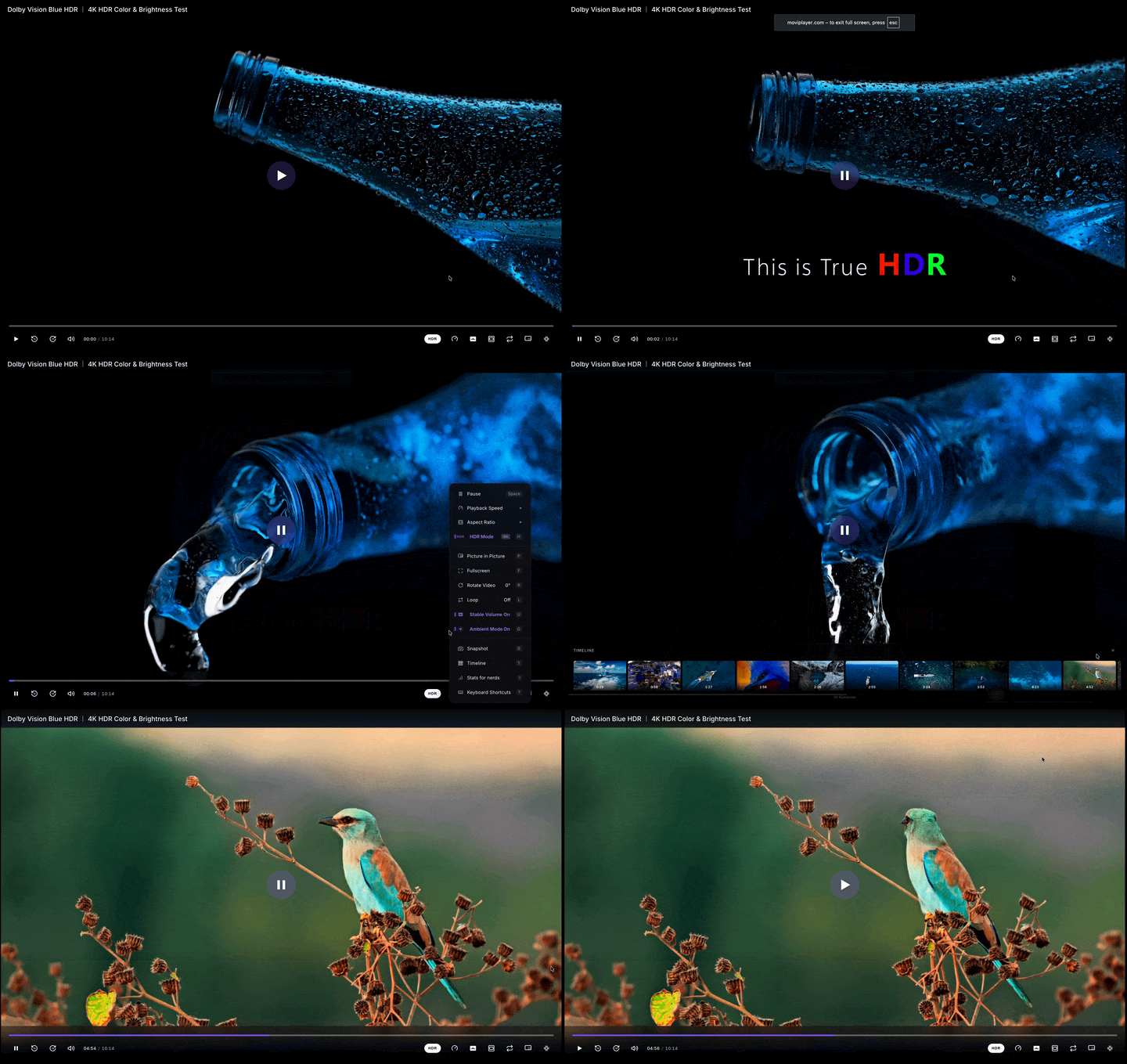
MoviPlayer for VS CodePlay modern video formats directly inside VS Code — MKV, HEVC, AV1, HDR, WebM, MOV, AVI, M2TS and more, including formats VS Code can't natively handle.
100% local. Nothing uploaded. Powered by FFmpeg WebAssembly + WebCodecs hardware decoding. True streaming — multi-GB and 8K HDR files no longer hit the 4 GB Blob limit. Progressive remote URLs stream through the extension host, so cross-origin videos play without CORS errors that block them in browsers. Adaptive streams (HLS UsageActivity BarClick the MoviPlayer icon in the left-side Activity Bar to open the Quick Actions panel — one click to play any local file, paste a URL, or open beside / in a new window. Open a video
Multi-window & side-by-sideRight-click any video in the Explorer to get extra options:
Command Palette (
|
| Command | What it does |
|---|---|
Movi: Open Video File |
File picker |
Movi: Open Video File to the Side |
File picker, opens beside the active editor |
Movi: Open Video File in New Window |
File picker, opens in a new VS Code window |
Movi: Open Video from URL |
Paste a remote video URL — progressive files or adaptive streams (.m3u8 / .mpd / .ism) |
Movi: Open URL to the Side |
Paste a remote URL beside the active editor |
Movi: Open URL in New Window |
Paste a remote URL in a new VS Code window |
Movi: Play with MoviPlayer |
Open the active editor's file |
Movi: Play to the Side |
Open the active file beside |
Movi: Play in New Window |
Open the active file in a new window |
Supported formats
Containers: MP4, MKV, WebM, MOV, MPEG-TS (.ts), M2TS, AVI, FLV, WMV, MPG/MPEG, 3GP
Adaptive streaming (via URL): HLS (.m3u8), MPEG-DASH (.mpd), Smooth Streaming (.ism) — paste a manifest URL via Movi: Open Video from URL
Video codecs: H.264, HEVC (H.265), AV1, VP9, VP8 — hardware-accelerated where available
Audio codecs: AAC, Opus, FLAC, MP3, AC-3, E-AC-3, Vorbis — multi-track switching with language menu
Subtitles: SRT, ASS, WebVTT, PGS (image-based), DVB — multi-track, on-the-fly switching, delay/offset (Z/X), full transcript browser with search + click-to-seek, customizable size/color/background/edge
HDR: HDR10 / HLG / Dolby Vision profile 8 (on supported displays)
Features inside the player
- Movi fullscreen — toggle a player-only view that hides VS Code's workbench chrome (sidebar, status bar, panel). Auto-restores on close or crash.
- OS wake lock — your machine won't sleep during playback (
caffeinate -ion macOS,systemd-inhibiton Linux,SetThreadExecutionStateon Windows). - Resume — picks up where you left off across sessions.
- Ambient mode — dynamic color glow around the video.
- Stats for nerds — codec, resolution, FPS, decoder type, buffer health, network graph (
Ito toggle). - Chapter markers on the progress bar, auto-detected from container metadata.
- Aspect ratio cycle (
A), rotation (R), playback speed (+/-), thumbnail timeline (T). - Snapshot the current frame (
S).
Press ? inside the player for the full keyboard shortcut panel.
Settings
| Setting | Default | Effect |
|---|---|---|
movi.autoplay |
false |
Start playback automatically when a video is opened |
movi.muted |
false |
Start playback muted |
movi.loop |
false |
Loop playback when the video reaches the end |
movi.objectFit |
contain |
How the video is scaled to fit the player area (contain / cover / fill / zoom) |
movi.theme |
dark |
Player UI theme (dark / light) |
movi.ambientMode |
true |
Color glow around the video |
movi.resume |
true |
Resume playback from last position |
Limitations
VS Code's webview sandbox restricts a few features that work in the Chrome extension:
- Native browser fullscreen is blocked (Permissions-Policy denies
requestFullscreenin webviews) — use Movi fullscreen instead, which hides workbench chrome inside VS Code itself. - Picture-in-Picture is hidden (same reason). For PiP, use "Play in New Window" to drag the video to a separate window.
- SharedArrayBuffer is unavailable, so FFmpeg runs single-threaded — slightly slower demuxing on very large files (8K HDR streams). Hardware video decode is unaffected.
For full feature parity (browser fullscreen + Document PiP), use the Chrome extension or the MoviPlayer web app.
While debugging this extension
The Extension Development Host shows one error that is not a fault here:
[mrujjwalg.movi-player-vscode]: The 'css' contribution point is proposed API.
The extension ships CSS and HTML custom data — the --movi-* variables and
the <movi-player> attributes, with their descriptions, for completions and
hover in any workspace — through the documented contributes.css.customData
key. In January 2026 VS Code took contributes.css for a proposal of its own
("contributes CSS files to be loaded in the workbench"), whose handler errors
for every extension that has that key without the proposal enabled. The custom
data itself is unaffected: the built-in CSS language features read
packageJSON.contributes.css.customData directly, so the completions work.
The notification only appears for an extension under development — installed copies log it and nothing more — so it is left alone rather than paid for with the completions.
Privacy
Everything runs locally inside VS Code's sandboxed webview. No uploads, no telemetry, no servers. Your video files never leave your machine.
Links
Made with 💜 by Ujjawal Kashyap