Skip to content
| Marketplace
Sign in
Visual Studio Code>Themes>Blue Lines for VS CodeNew to Visual Studio Code? Get it now.
Blue Lines for VS Code

Blue Lines for VS Code

mpower-codeworks

|
1 install
| (0) | Free
Blue Lines: a near-black high-contrast color theme with crisp cornflower-blue accents.
Installation
Launch VS Code Quick Open (Ctrl+P), paste the following command, and press enter.
Copied to clipboard
More Info

Blue Lines

Blue Lines

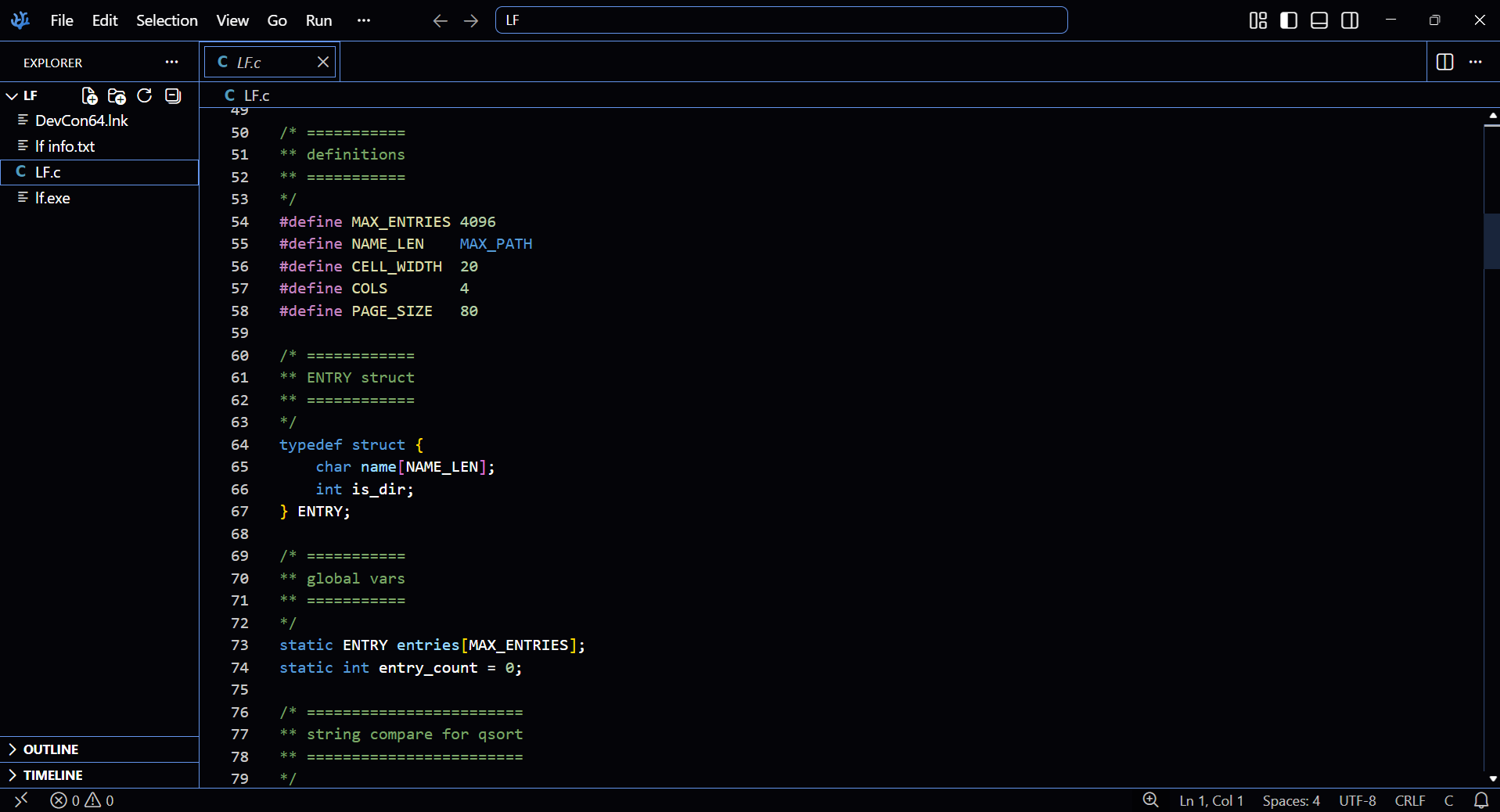
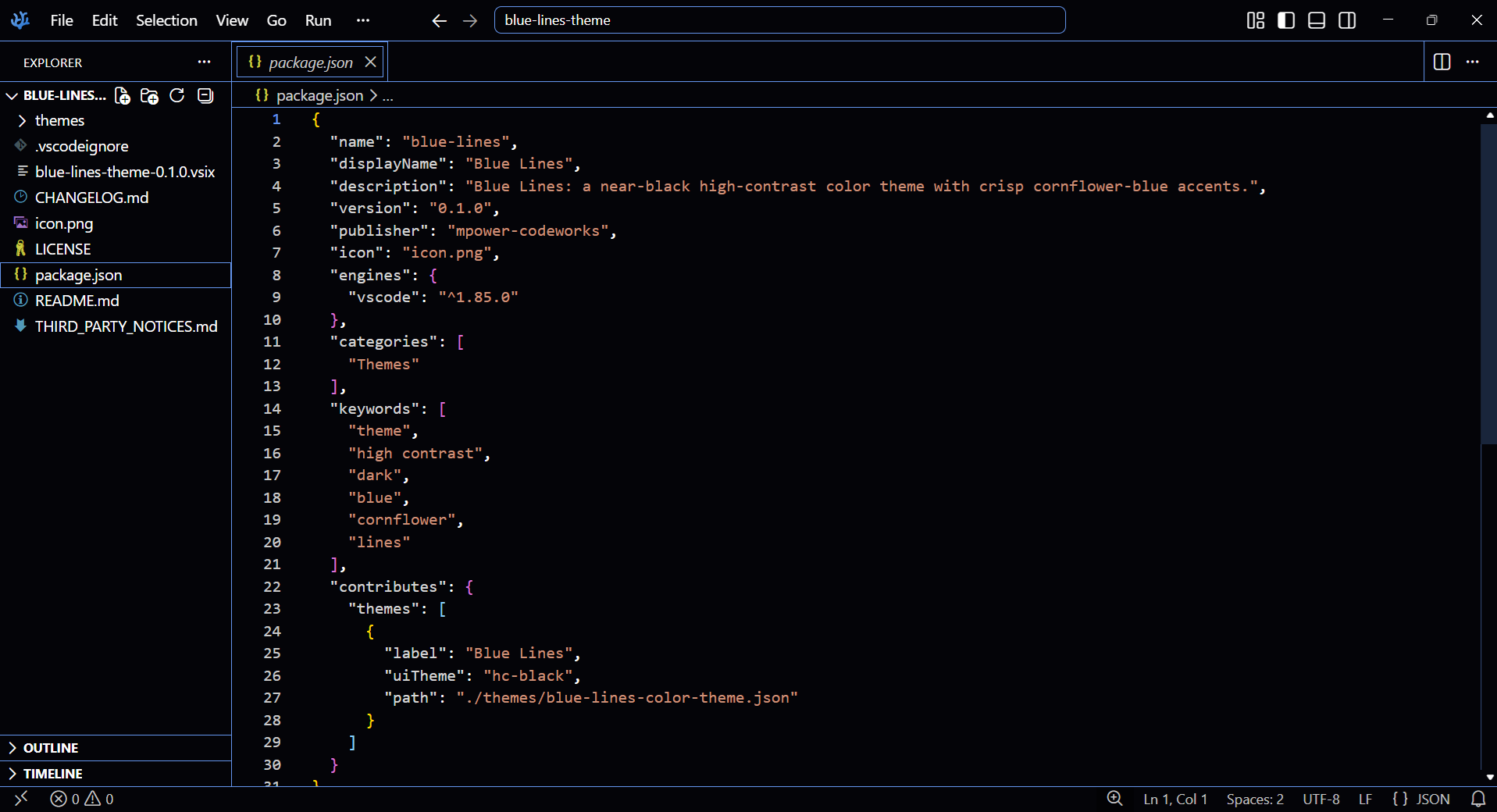
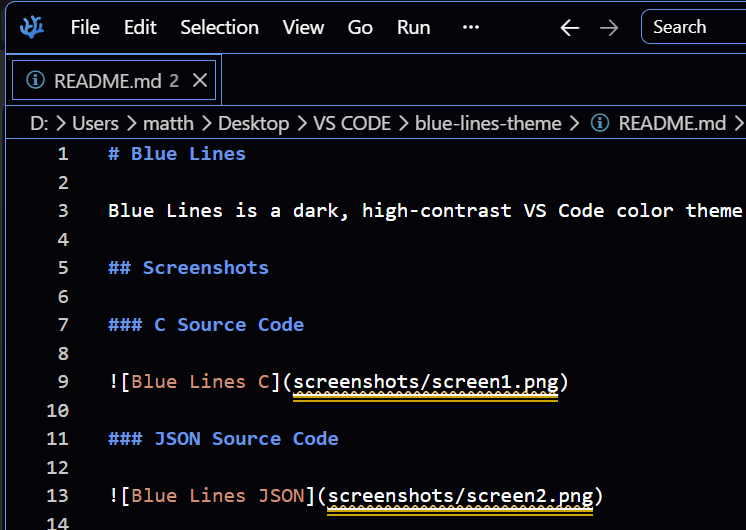
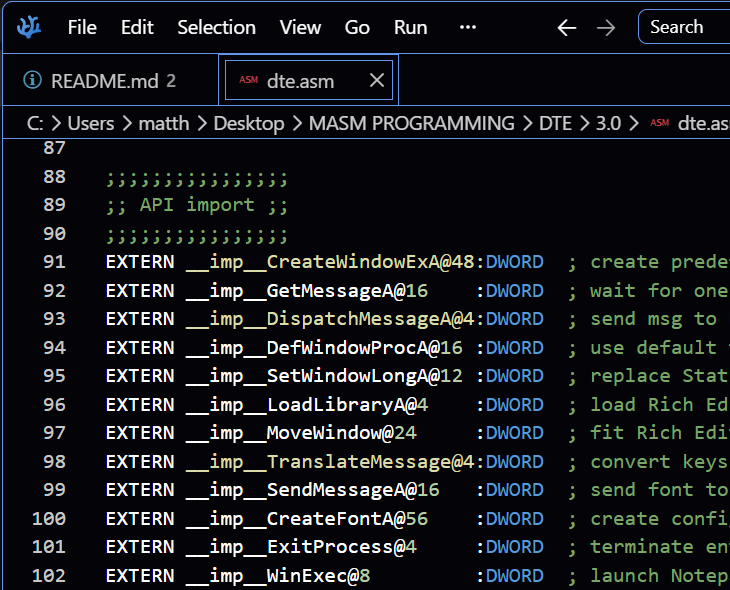
Blue Lines is a dark, high-contrast VS Code color theme using near-black surfaces and vivid blue borders.

Palette

- Background:         `#040408`
- Accent and borders: `#6495ED`
- Interface text:     `#C8C8C8`
- Selection:          `#324A76`
- Scrollbar:          `#19253B`

Screenshots

Blue Lines – C source code

Blue Lines – JSON source code

Blue Lines – Markdown editing

Blue Lines – x86 assembly

Its syntax colors are based on VS Code's built-in Default High Contrast theme.

Attribution

The original syntax-color rules were taken from Microsoft's VS Code Default High Contrast theme hc_black.json, distributed under the MIT License. See THIRD_PARTY_NOTICES.md.

ⓜⓟⓞⓦⓔⓡ-ⓒⓞⓓⓔⓦⓞⓡⓚⓢ

  • Contact us
  • Jobs
  • Privacy
  • Manage cookies
  • Terms of use
  • Trademarks
  • Your Privacy Choices
  • Consumer Health Privacy
© 2026 Microsoft