One more markdown editorWrite Markdown visually. Maintain tables, explore Mermaid and draw.io diagrams, and keep your source in sync. Installation Launch VS Code Quick Open ( Ctrl+P), paste the following command, and press enter.Copied to clipboard |

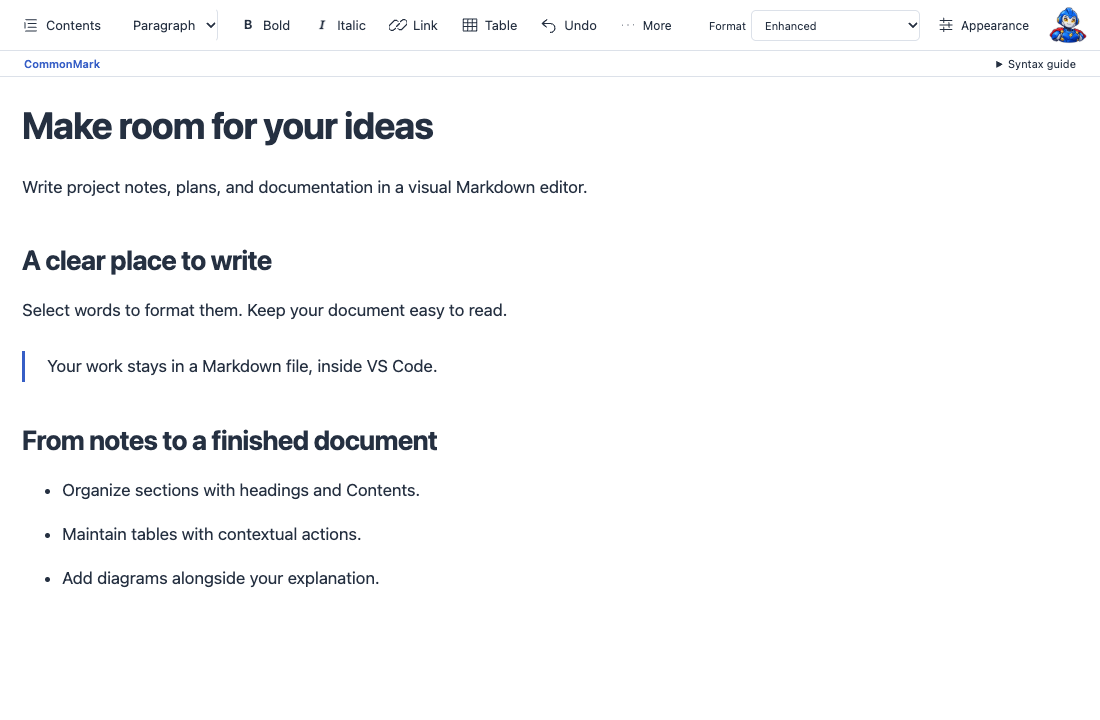
One more markdown editorWrite Markdown like a document, inside VS Code. Format text where you write it, maintain tables with contextual controls, and explain ideas with diagrams. Your work stays in a Markdown file, with the source available whenever you need it.
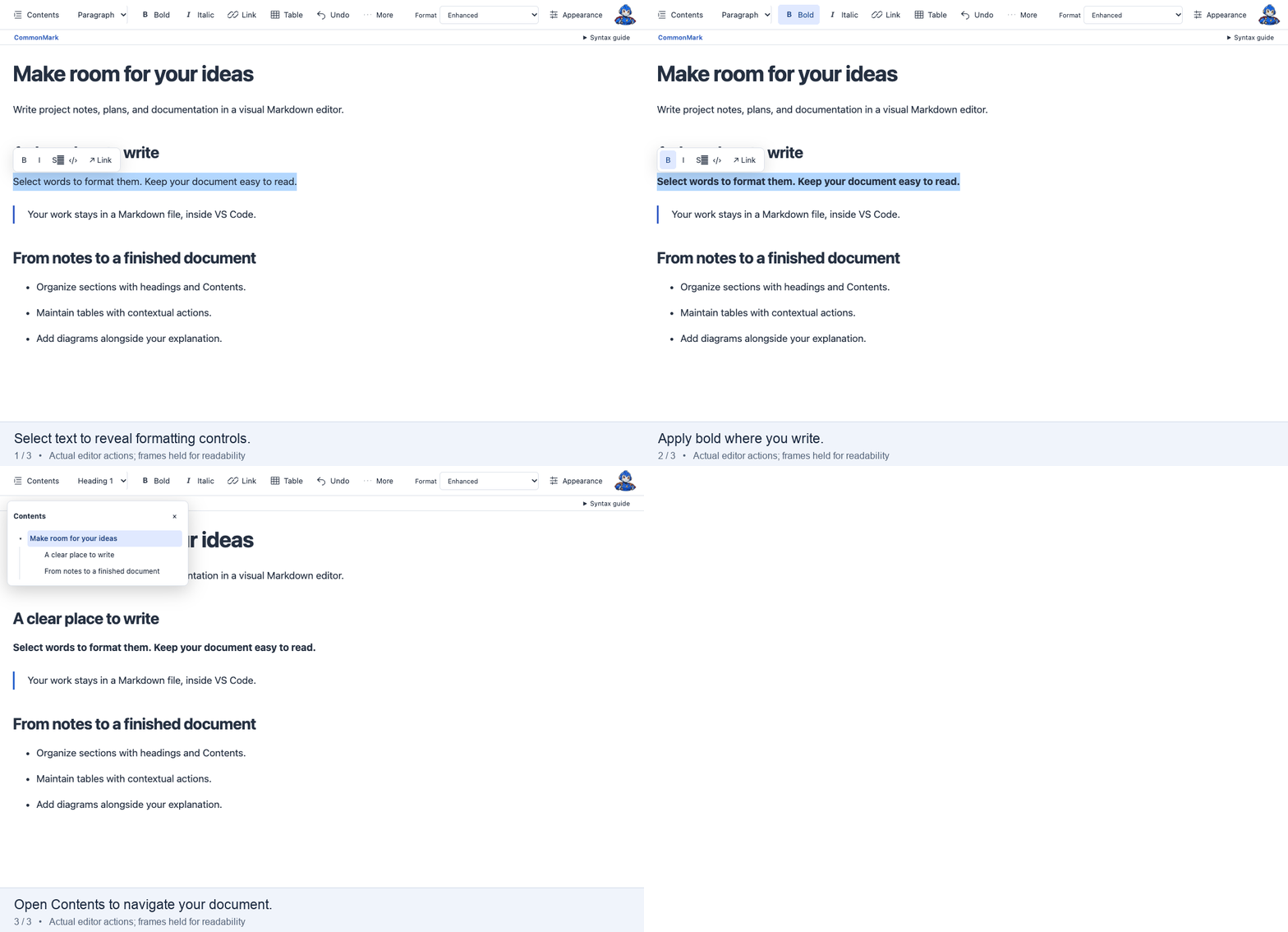
Write and navigate visuallySelect text for bold, italic, links, or inline code. Use headings, lists, checkboxes, quotes, and code blocks to give your document structure. Open Contents to jump between sections. Choose your font, text size, theme, and Page or Full width view in Appearance. The toolbar supports icons, labels, or both, and moves extra controls into More on narrow windows.
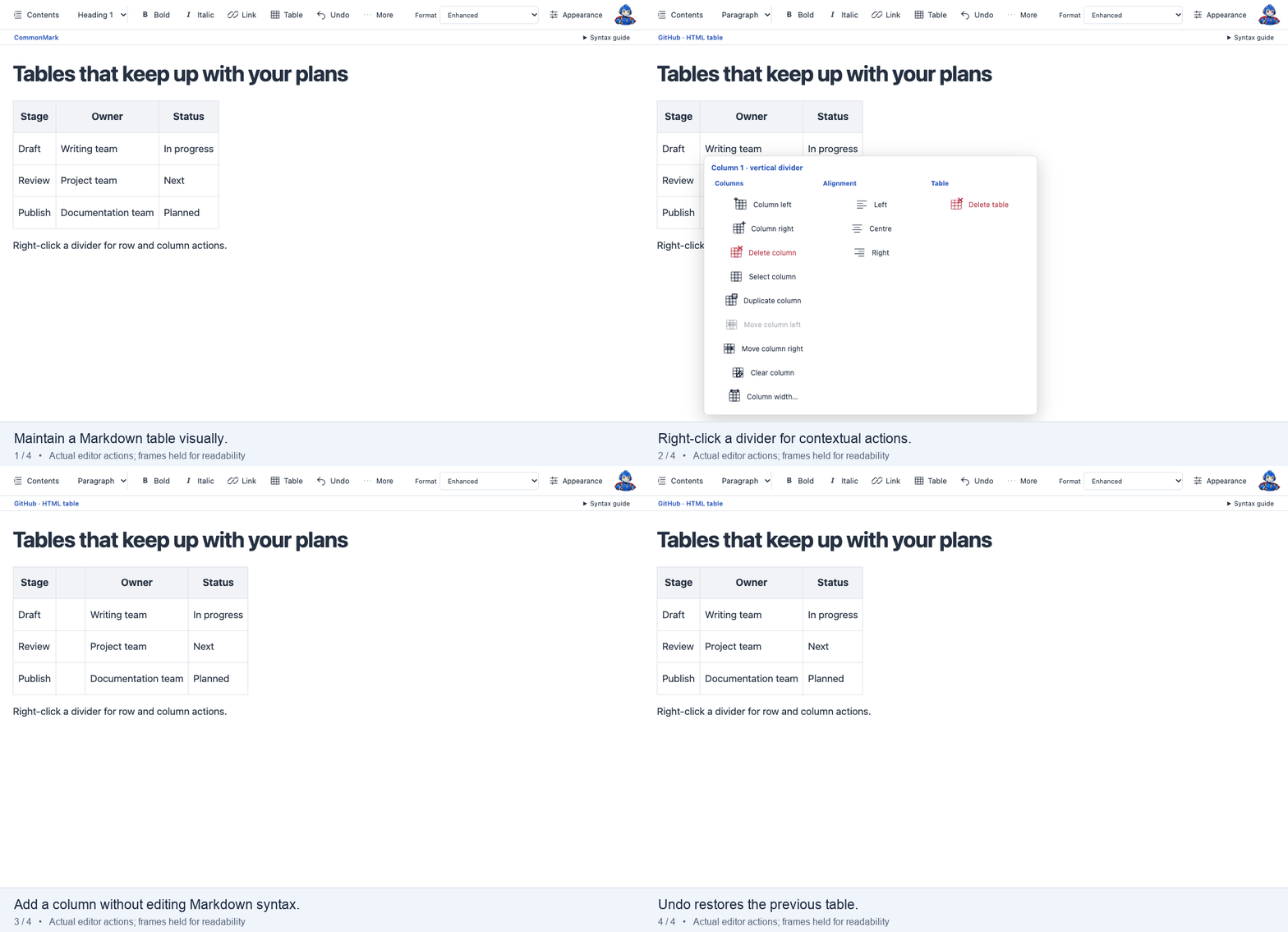
Maintain tables without the Markdown plumbingRight-click a table divider to add, remove, duplicate, or move rows and columns. Illustrated actions show what each operation changes. GitHub Markdown supports ordinary tables and column alignment; Enhanced adds saved column widths, merged cells, and nested tables.
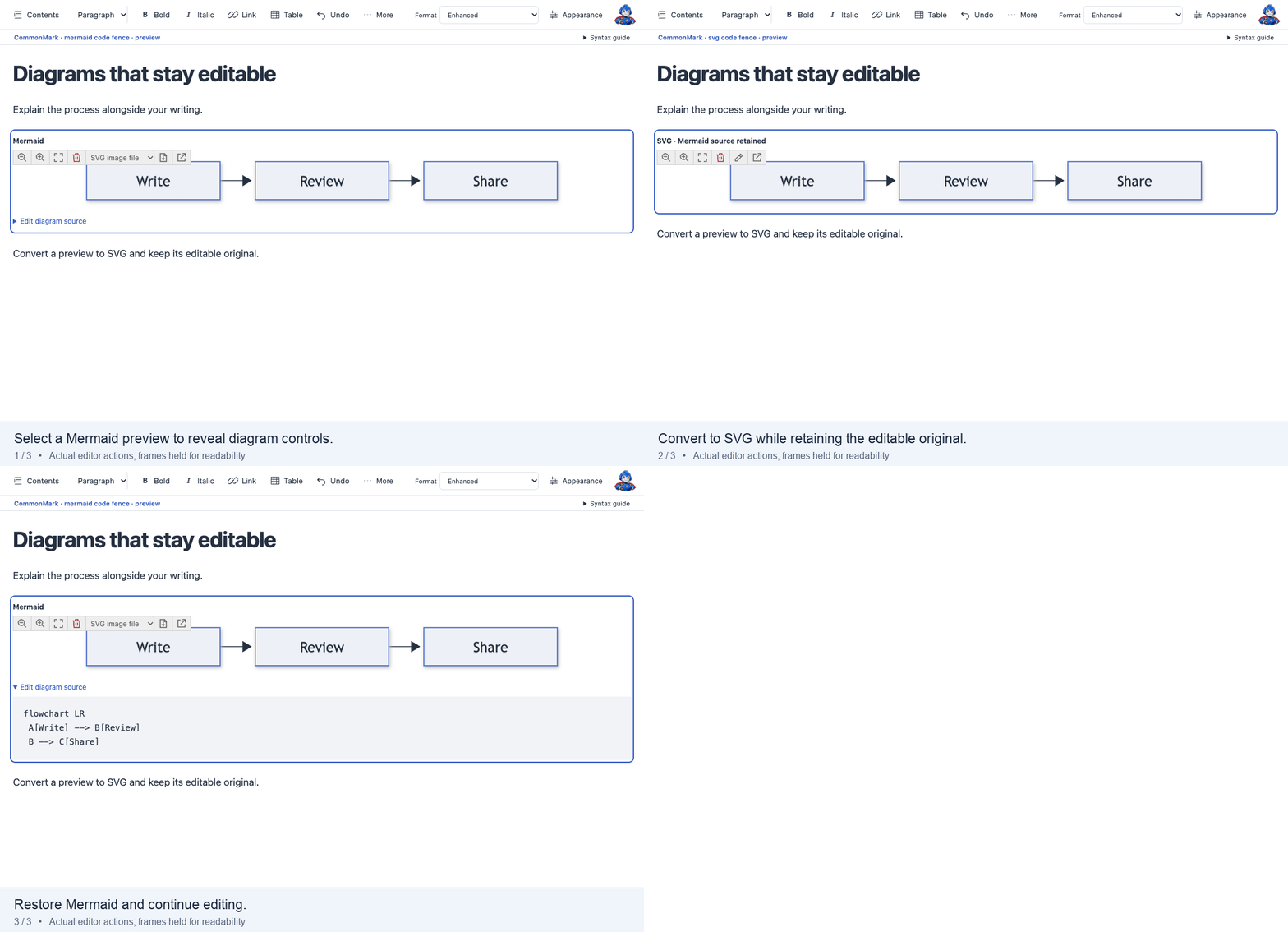
Put diagrams beside your explanationRender Mermaid, draw.io, and SVG in the document. Zoom, pan, or fit a preview to inspect it. Click a diagram to see its selection boundary; Delete diagram removes the block and keeps its source file. Undo restores the block.
Mermaid and draw.io previews render locally. Editing embedded draw.io source opens the online diagrams.net canvas. Linked drawings can use a compatible companion extension, such as Draw.io Integration, for offline editing. Available actions depend on the chosen document format. Choose the format your document needs
The editor hides controls that are unavailable in the selected format. Switching to a simpler format converts incompatible content: unsupported structures become readable source blocks, completed tasks retain their status as text, and unsupported styling is removed. Diagram conversion creates SVG images where needed and retains editable source. A spinner and stage messages show conversion progress. Rendering differs between Markdown viewers. Check your intended destination before sharing, especially for Enhanced layouts and linked diagram files. Keep the source close. Share the finished document.Appearance → Split source below opens the same file in VS Code's native text editor. Both views use VS Code's document model, with version checks and conflict protection. Syntax the visual editor cannot safely edit is protected or retained as source. Use print preview for page setup and PDF output, or export HTML with rendered diagram snapshots. For agent-driven exports, enable One more markdown editor: Enable AI Export Automation and choose Copy export command. The included Start writing
To use it by default, choose Configure default editor for… in the Reopen Editor menu. You can return to Text Editor at any time. Questions and feedbackUse the Marketplace Q & A tab. For a bug report, include a small, non-sensitive example and the version/build from the editor footer; click the version label to copy it. Hover over the superhero robot for extension information. If diagram insertion fails, open View → Output → One more markdown editor for persistent events and errors. Run One more markdown editor: Copy Editor Diagnostics immediately after the failure to copy editor state and recent errors for a bug report. The report does not copy the document body. Core editing requires no account or API key. The extension has no telemetry collector. External images, links, and the online drawing editor contact their respective services when accessed. Free for personal and commercial use under the included license. Your documents and exports remain yours. Third-party components retain their own terms; see |