vimcoach (for VSCodeVim)
Watches how you edit in VSCodeVim and shows you shorter Vim motions for what you just did.
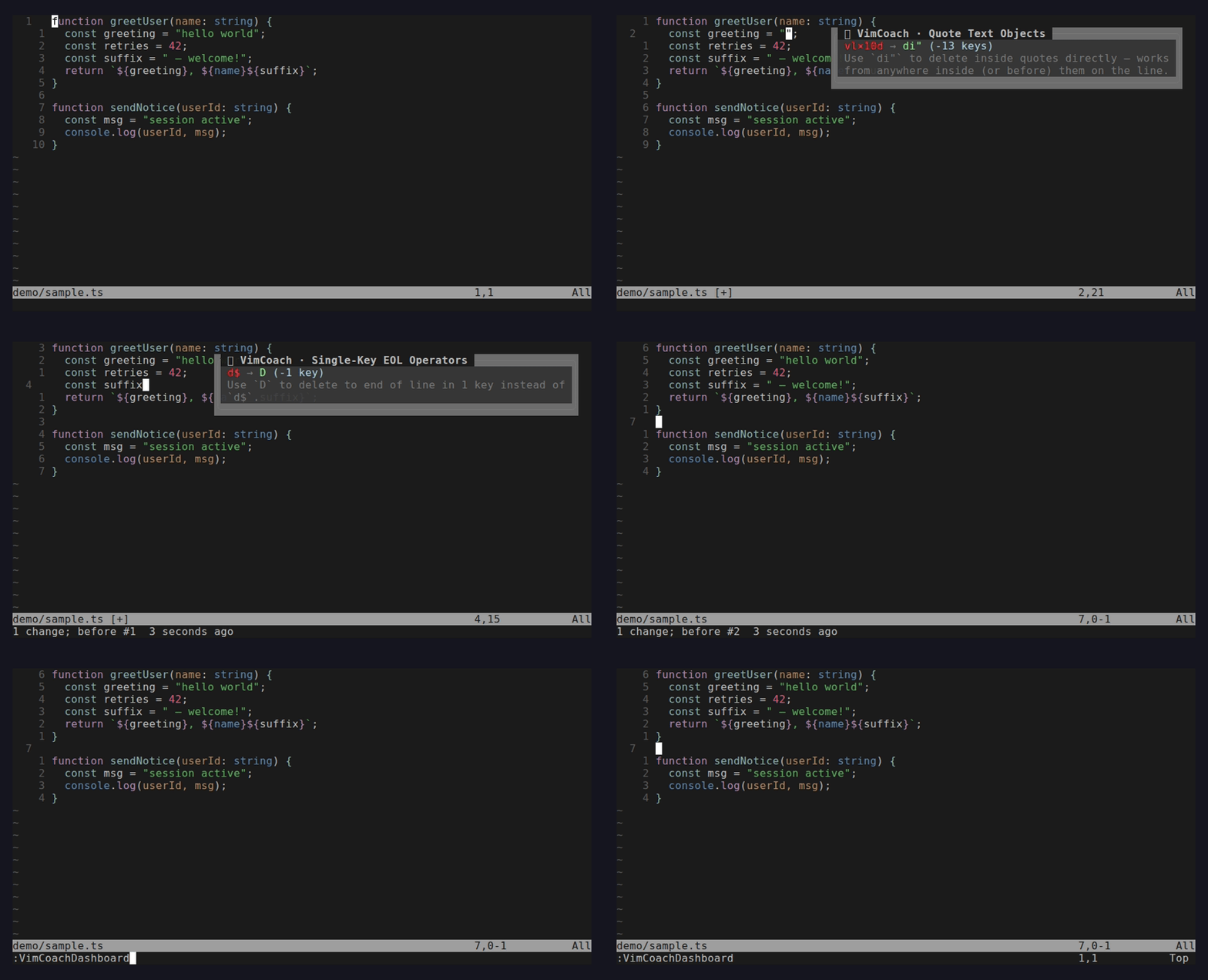
vimcoach looks at your buffer, cursor jumps, and before/after edits rather than just counting repeated keys. It sticks to practical motions you'd actually use (won't nag jjj or suggest 4fe), ignores pauses while you're reading, and tracks your habits in a sidebar dashboard.
A few things it catches:
- Text objects instead of visual stepping (
vllllld → di", vwwc → ci(, vi"d → di")
- Direct jumps instead of walking (
0/^/$, %, f/t, {/}, gg/G, <C-d>/<C-u>, <C-o>)
- Shorter editing combos (
d$ → D, dw+i → cw, dd+O → cc, ^i → I, A<CR> → o, ~, <C-a>, J)
- Repetition and search (
., */#, cgn)
- Insert mode habits (mashing
<BS> → <C-w>/<C-u>, arrow keys)
Requirements
- VSCodeVim (
vscodevim.vim) installed and enabled.
Hints show up inline at the end of the line (hover for details) and briefly in the status bar, without overriding VSCodeVim's keybindings. If you use vscode-neovim instead, this extension stays quiet; use the Neovim plugin from monroedean/vimcoach directly.
Commands
Open the Command Palette (Cmd+Shift+P / Ctrl+Shift+P), click the status bar item, or open the sidebar icon:
| Command |
Action |
VimCoach: Open Mastery Dashboard |
Open the sidebar dashboard |
VimCoach: Toggle Enable/Disable |
Pause or resume |
VimCoach: Cycle Mode (Coach / Adaptive / Strict) |
Switch between coach, adaptive, and strict |
VimCoach: Set Mode |
Pick a mode directly |
VimCoach: Show Status |
Print a quick summary |
VimCoach: Trigger Sample Hint |
Preview the inline and status bar hint |
VimCoach: Reset Stats |
Clear saved stats |
Settings
Settings live under vimcoach.* in VS Code Settings (vimcoach.mode, vimcoach.style, vimcoach.practicalOnly, vimcoach.disabledRules, vimcoach.onlyWhenVSCodeVimActive, etc.).
| |

