PromptVault AI Productivity
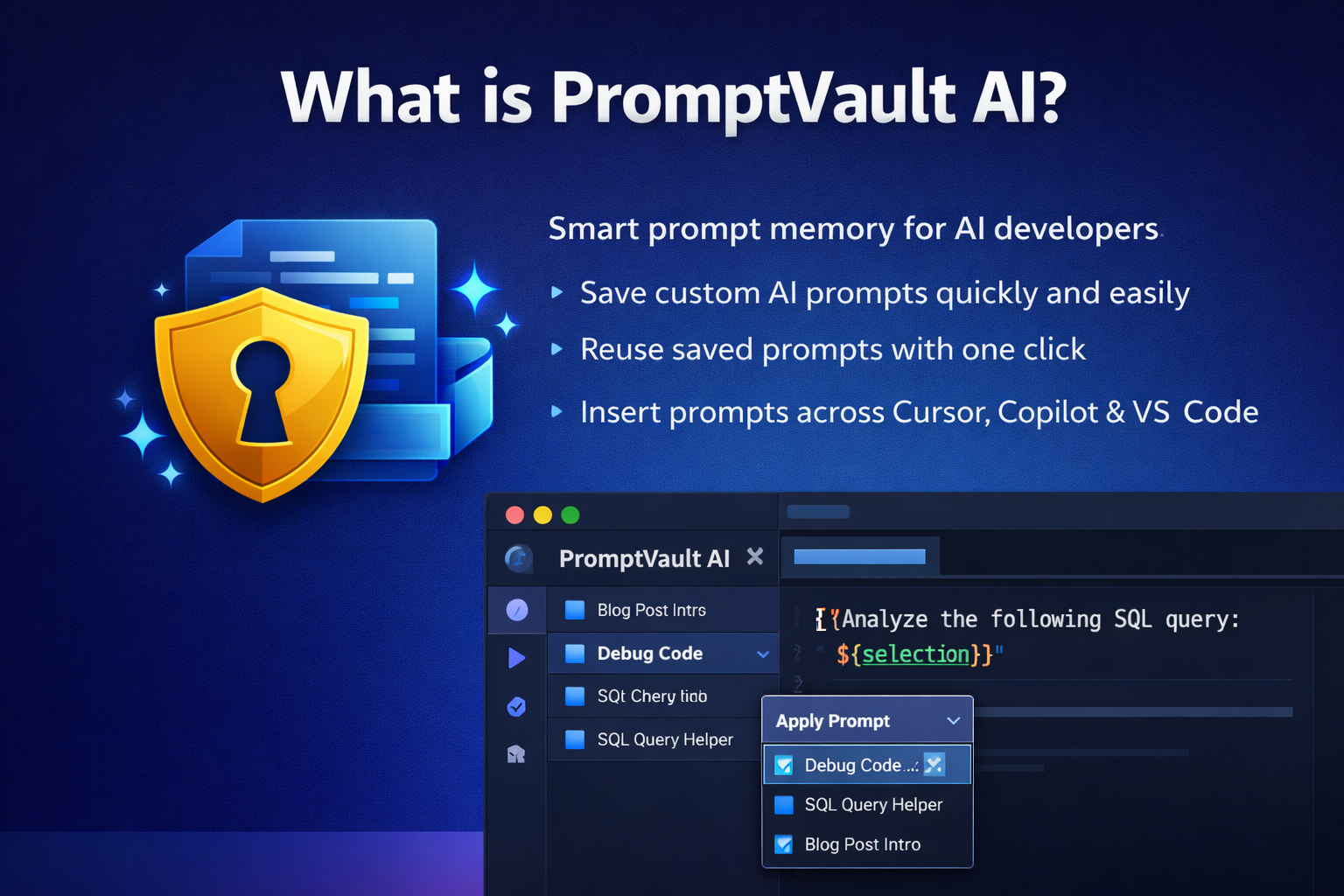
PromptVault AI Productivity is a workspace-aware prompt memory extension for Cursor and VS Code. It helps developers save, organize, search, favorite, reuse, export, and import high-quality prompts, then copy processed prompts into Codex, Cursor chat, Claude, ChatGPT, or any other AI tool.
PromptVault AI Productivity is intentionally lightweight:
- Native VS Code extension APIs only
- Sidebar powered by
TreeDataProvider
- Local JSON storage in extension global storage
- No webview
- No external service dependency
🚀 What is PromptVault AI Productivity?
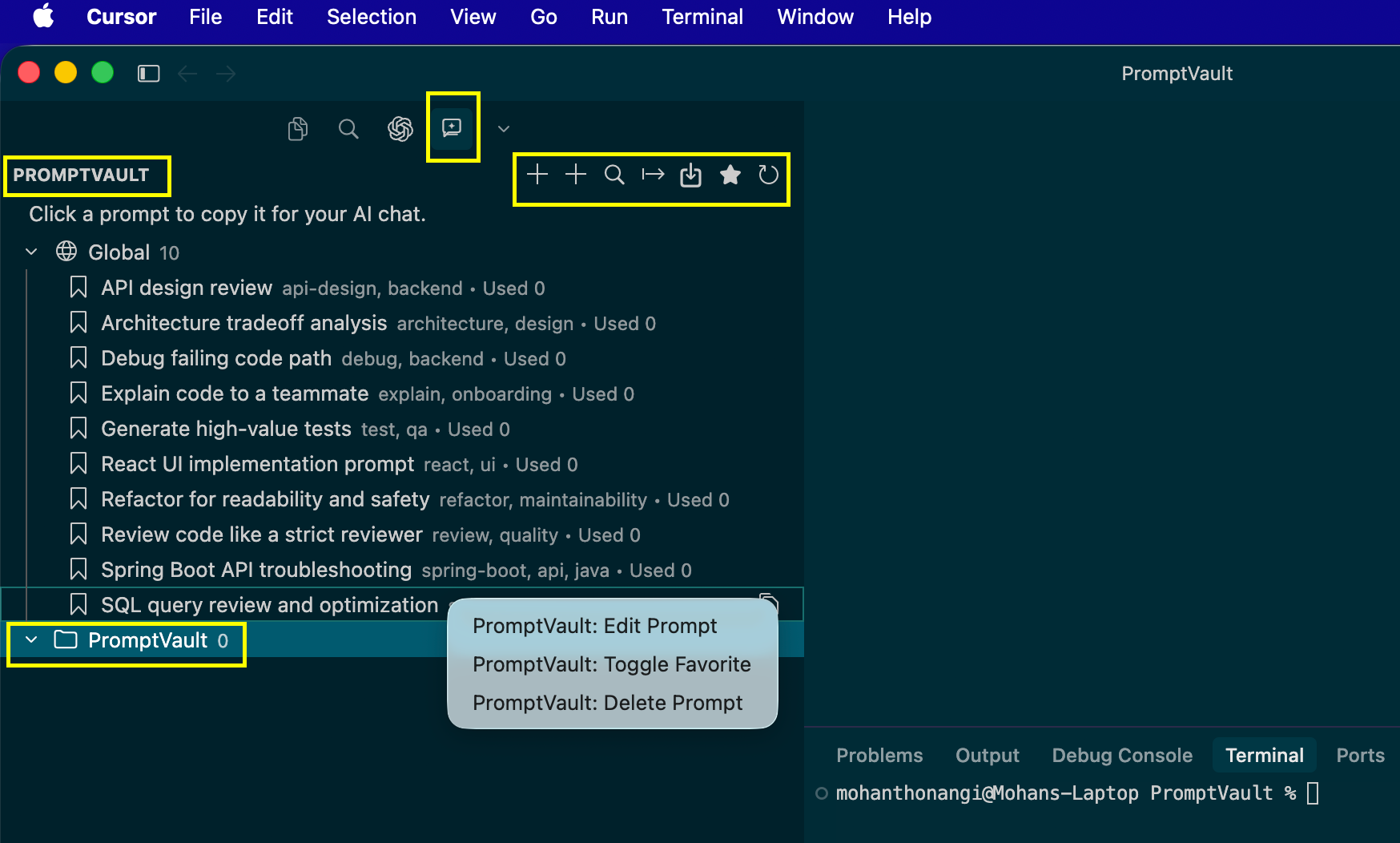
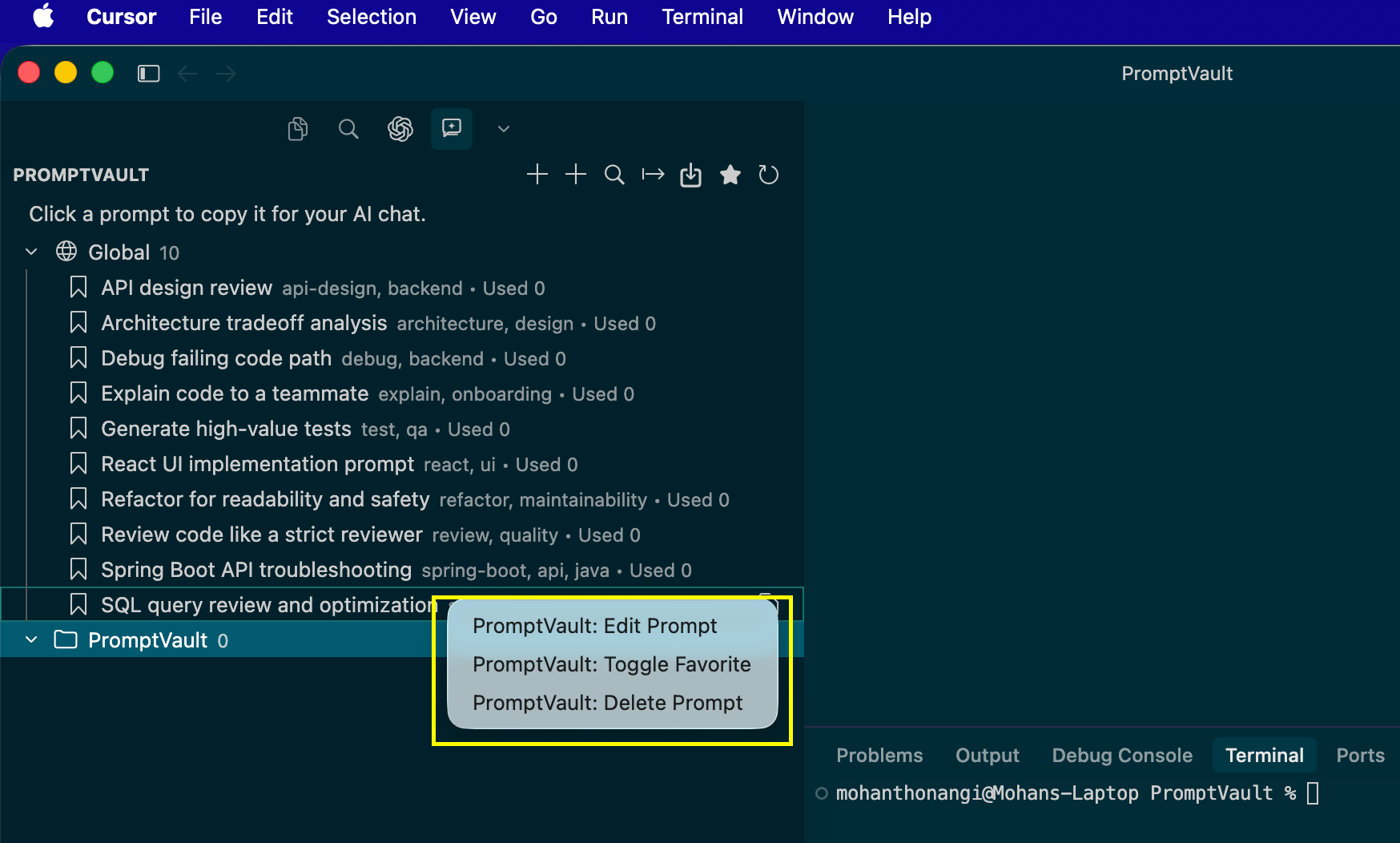
Screenshots
Marketplace-style feature list
- Workspace-aware prompt library with automatic
Global fallback
- Favorites and favorites-only view
- Fast prompt search with quick pick
- Prompt variables:
${selection}, ${file}, ${filename}
- Clipboard-first apply flow for AI chats
- Built-in starter prompts on first run
- Import and export prompt collections as JSON
What PromptVault AI Productivity does
PromptVault AI Productivity stores reusable prompts locally and organizes them by workspace/project. When you apply a prompt, PromptVault AI Productivity resolves supported variables from the current editor when possible, copies the final result to your clipboard, and lets you paste it directly into your AI chat.
Each prompt stores:
idtitlecontenttagsworkspaceNamefavoritecreatedAtupdatedAtlastUsedAtusageCount
Key features
- PromptVault AI Productivity Activity Bar view and sidebar
- Save prompts manually or from the current editor/selection
- Edit prompt title, content, and tags
- Favorite prompts and filter to favorites only
- Search prompts by title, tags, and workspace
- Apply prompts from the sidebar, command palette, or editor right-click menu
- Resolve prompt variables from the active editor
- Export and import prompt collections
- Local-first storage with automatic first-run initialization
How to use PromptVault AI Productivity
Save prompt
- Run
PromptVault: Save Prompt to create a prompt manually
- Run
PromptVault: Save Current Prompt to save prompt text from the current editor, selection, or clipboard
- PromptVault AI Productivity automatically associates the prompt with the current workspace name when available, otherwise
Global
Edit prompt
- Right-click a prompt in the sidebar and choose
Edit Prompt
- Or run
PromptVault: Edit Prompt from the command palette and select a prompt
Favorite
- Toggle favorites from the prompt context menu
- Use
PromptVault: Show Favorites Only to focus the tree on favorites
Search
- Run
PromptVault: Search Prompts
- Search matches title, tags, and workspace
- Choosing a result immediately applies the prompt
Apply prompt
- Click a prompt in the sidebar
- Or select code and use the editor right-click action
PromptVault: Apply Prompt
- Or run
PromptVault: Search Prompts and choose a prompt
PromptVault AI Productivity copies the final processed prompt to your clipboard and shows a confirmation message. It does not insert prompt text into source files.
Variables
Supported variables:
${selection}: current editor selection, or empty string${file}: full file content, or empty string${filename}: current file name, or empty string
If no editor context exists, PromptVault AI Productivity still copies the prompt safely and unresolved variables become empty strings.
Export and import
PromptVault: Export Prompts exports all prompts to a JSON filePromptVault: Import Prompts imports prompts from a JSON file and merges them into local storage- Existing prompts are preserved
- Duplicate IDs are regenerated during import
v2.0.0 changelog
- Added workspace-aware prompt grouping
- Switched PromptVault AI Productivity to a clipboard-first apply flow
- Added prompt variables support
- Added editor context action for applying prompts from selected code
- Added favorites-only filtering
- Added quick-pick prompt search
- Added prompt editing
- Added prompt export and import
- Improved first-run storage initialization and icon wiring

