Skip to content
| Marketplace
Sign in
Visual Studio Code>Other>CalmCoderNew to Visual Studio Code? Get it now.
CalmCoder

CalmCoder

mohanthonangi

|
2 installs
| (0) | Free
Smart break reminders for focused and mindful developers.
Installation
Launch VS Code Quick Open (Ctrl+P), paste the following command, and press enter.
Copied to clipboard
More Info

CalmCoder

CalmCoder helps you avoid burnout while coding by enforcing small, mindful breaks directly inside your editor.

CalmCoder is a mindful break reminder extension for VS Code and Cursor. It provides a premium break screen, soft focus timer, sound alert, and daily break stats—without being intrusive.

CalmCoder Icon

Code better. Pause smarter. Stay calm.

Why CalmCoder?

Developers often work for long hours without noticing fatigue, eye strain, or mental overload. CalmCoder introduces gentle, well-designed breaks directly inside your editor without being annoying.

It is lightweight, clean, and built to feel calming rather than distracting.

Features

Mindful Break Reminders

Start CalmCoder and it will remind you to take short breaks at your chosen interval.

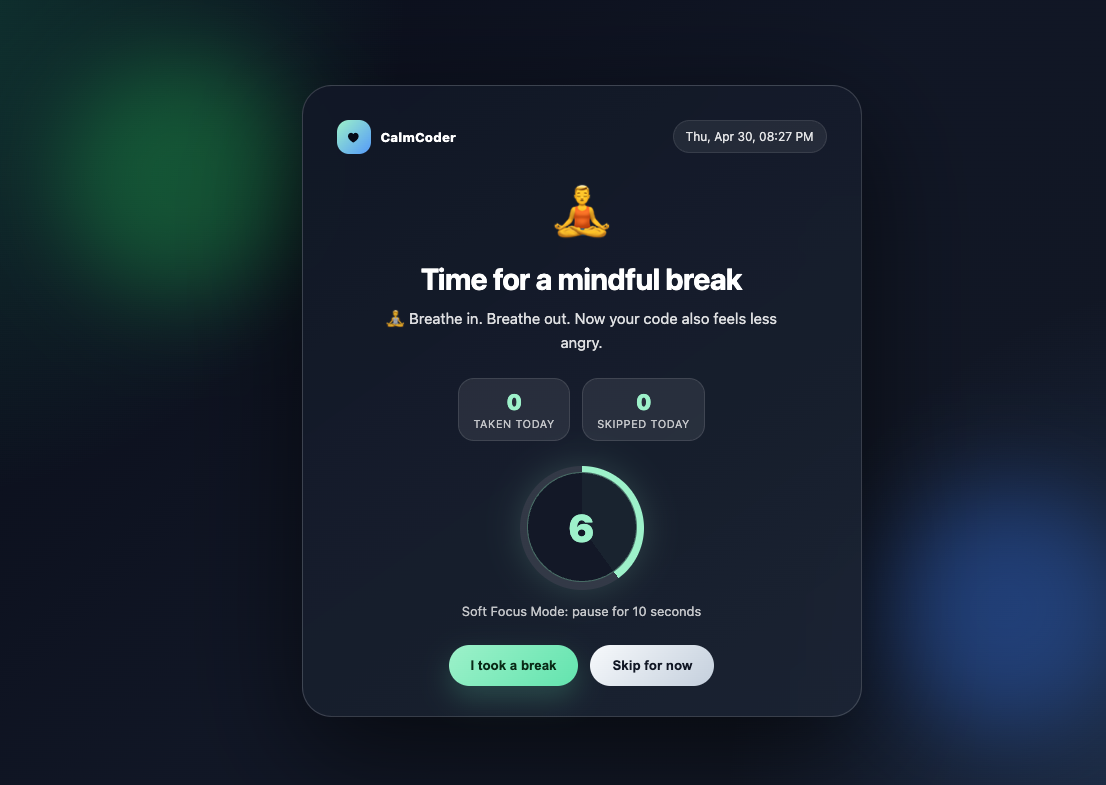
Beautiful Center Break Screen

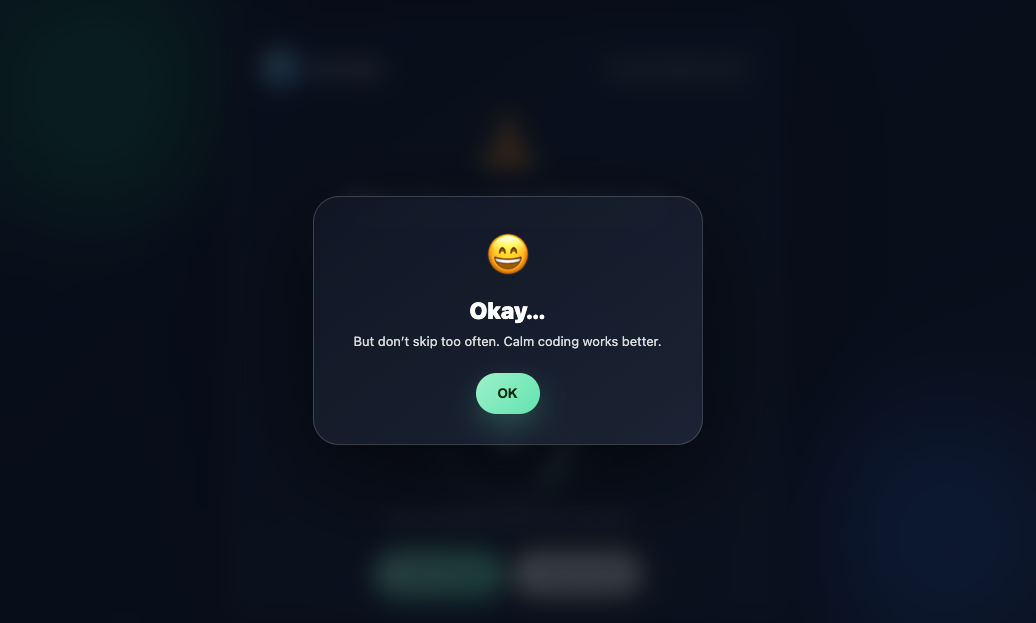
A premium, centered break screen with a calm dark gradient UI instead of small intrusive notifications.

Soft Focus Mode

A short countdown encourages you to pause before returning to code.

Supported durations:

  • 10 seconds
  • 20 seconds
  • 30 seconds

Break Stats

Track your daily coding wellness habits:

  • Breaks taken today
  • Breaks skipped today

Sound Alert

A gentle sound plays when the break reminder appears.

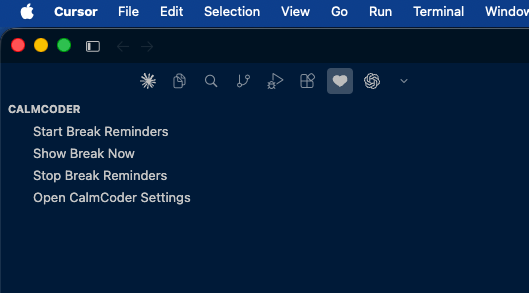
Sidebar Integration

CalmCoder adds a dedicated Activity Bar panel for quick actions:

  • Start Break Reminders
  • Show Break Now
  • Stop Break Reminders
  • Open CalmCoder Settings

Works in VS Code and Cursor

CalmCoder is built using the VS Code Extension API, so it works in both VS Code and Cursor.

Screenshots

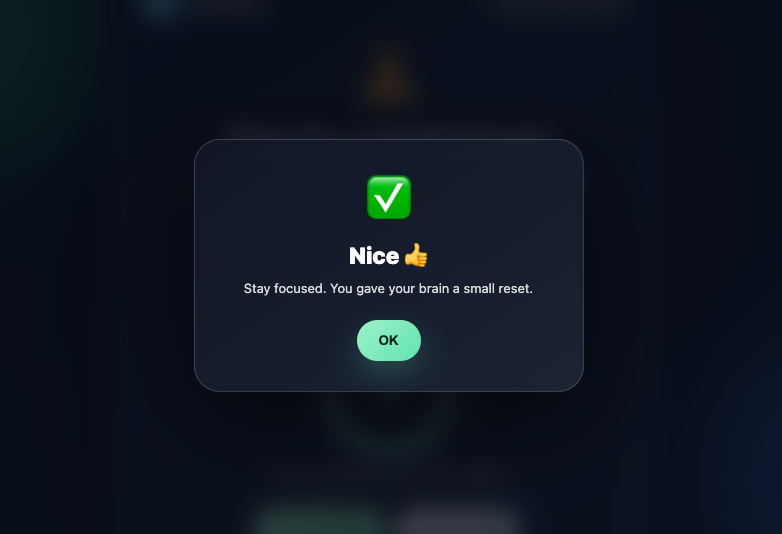
CalmCoder screenshot one CalmCoder screenshot two

CalmCoder screenshot three CalmCoder screenshot four

Clean UI • Soft focus timer • Developer-friendly experience

Commands

Command Description
CalmCoder: Start Break Reminders Starts mindful break reminders
CalmCoder: Stop Break Reminders Stops active break reminders
CalmCoder: Show Break Now Opens the break screen immediately
CalmCoder: Open Settings Opens CalmCoder settings

Settings

{
  "calmCoder.intervalMinutes": 60,
  "calmCoder.snoozeMinutes": 10,
  "calmCoder.autoStart": false,
  "calmCoder.enableFunnyMessages": true,
  "calmCoder.focusSeconds": 10,
  "calmCoder.focusModeEnabled": true
}
Setting Description Default
calmCoder.intervalMinutes Reminder interval in minutes 60
calmCoder.snoozeMinutes Snooze duration in minutes 10
calmCoder.autoStart Start CalmCoder automatically when the editor opens false
calmCoder.enableFunnyMessages Show friendly developer-focused messages true
calmCoder.focusSeconds Soft Focus Mode countdown duration 10
calmCoder.focusModeEnabled Enable or disable Soft Focus Mode true

How to Use

  1. Install CalmCoder.
  2. Open the Command Palette using Cmd + Shift + P or Ctrl + Shift + P.
  3. Run CalmCoder: Start Break Reminders.
  4. Configure reminder interval, focus seconds, and Soft Focus Mode from settings.
  5. Use the CalmCoder sidebar for quick actions.

Privacy

CalmCoder does not collect, store, or send any user data.

Zero Distraction Promise

  • No popups outside editor
  • No ads
  • No tracking
  • No external API calls

Just calm, helpful reminders.

Author

Built by Mohan Thonangi.

License

MIT

  • Contact us
  • Jobs
  • Privacy
  • Manage cookies
  • Terms of use
  • Trademarks
© 2026 Microsoft