
Night Veil DarkA deep, atmospheric dark theme with soft purple accents, blue functions, and warm amber strings — Night.js inspired palette. Installation Launch VS Code Quick Open ( Ctrl+P), paste the following command, and press enter.Copied to clipboard |

Night Veil DarkA deep, atmospheric dark theme with soft purple accents, blue functions, and warm amber strings — designed for an elegant and comfortable coding experience.
Features
Installation
Recommended SettingsFor the best experience, we recommend adding the following settings to your |
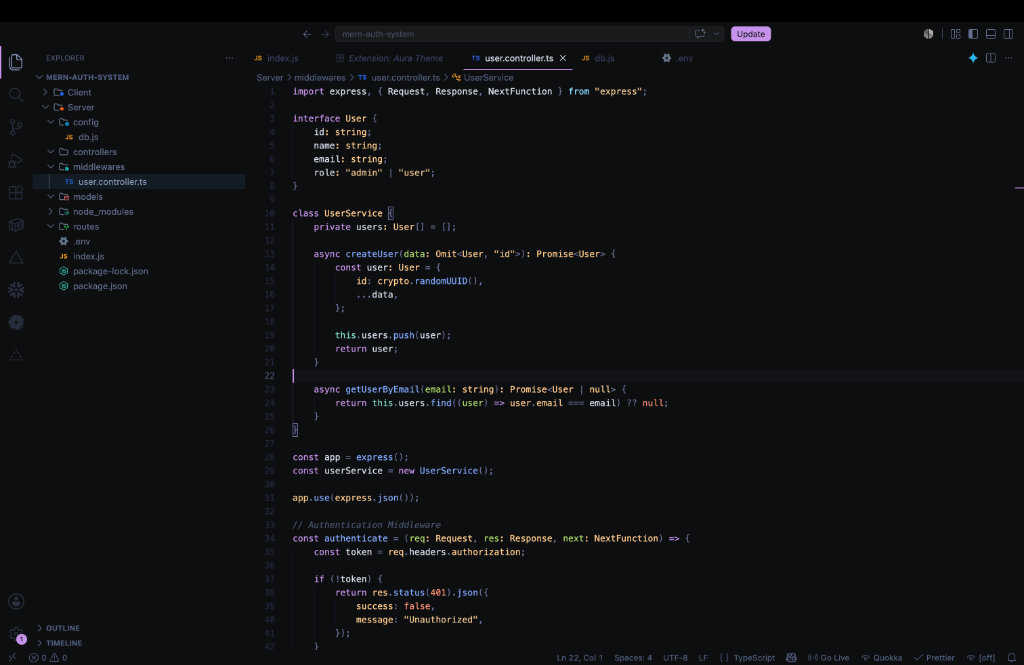 (Screenshot featuring Node/Express API code snippet)