silmari
Keep your docs talking to each other.
Checks the flow and data between md documents and shows them as a graph. Agent md files are the source, silmari is the compiler, and AI is the runtime.
What you get
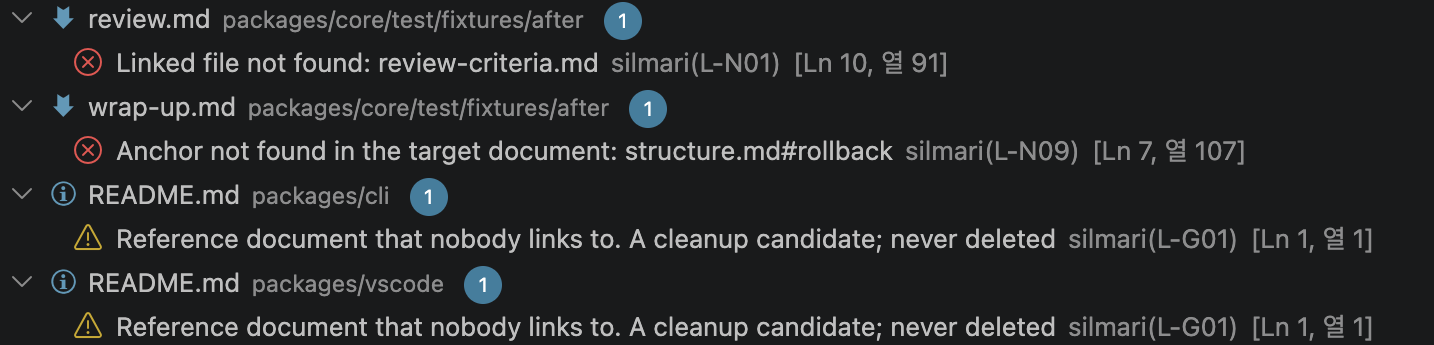
- Squiggles while you edit. Missing files (L-N01), missing anchors (L-N09), data without a link (L-N13), values sent that the callee does not take (L-C01), reference documents nobody links to (L-G01), and more. Same rules as
sil lint.
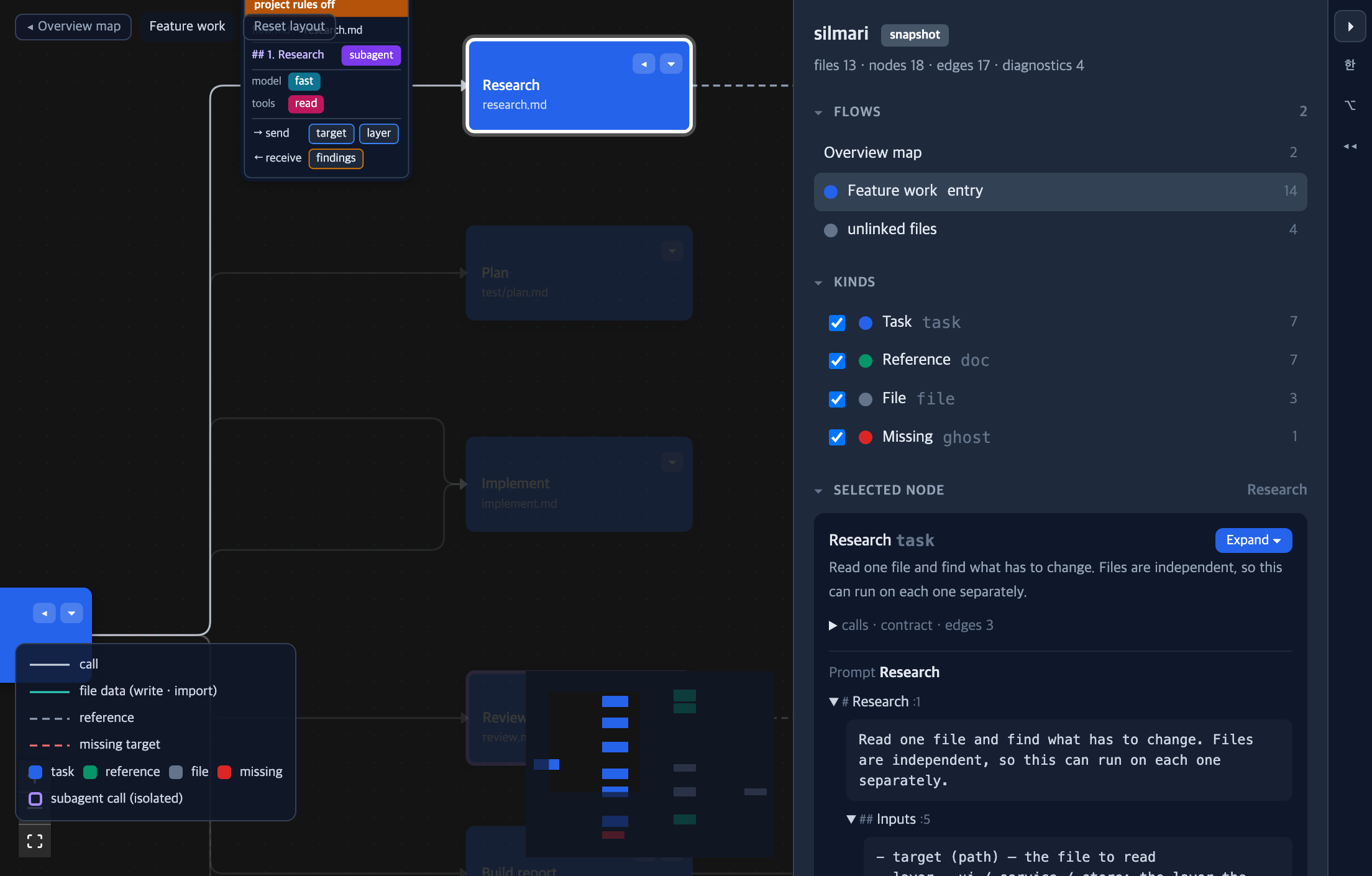
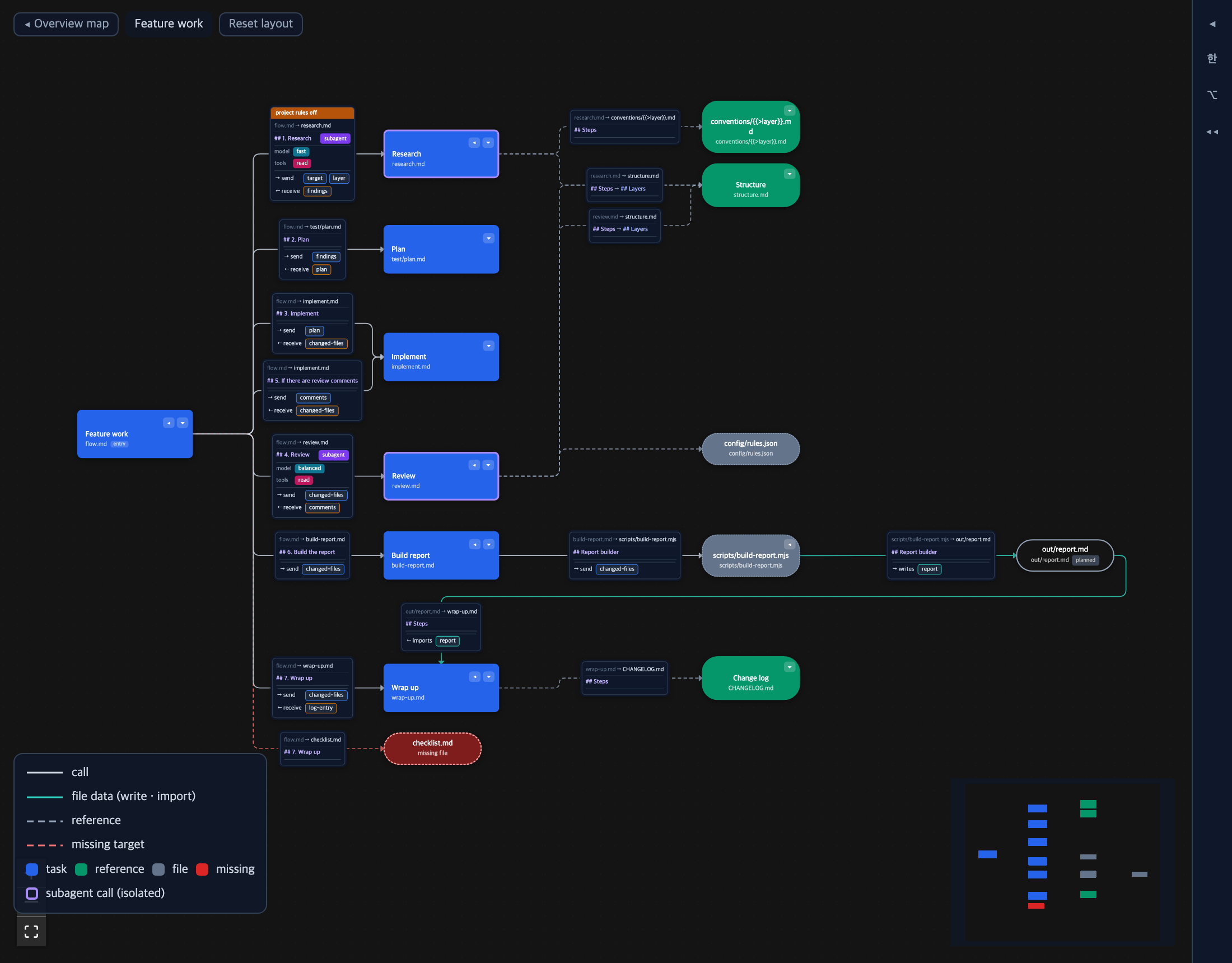
silmari: Show graph. Calls, send/receive, conditions and subagent calls between documents on one screen, beside the editor.
The graph
Flows (documents that link to each other) start as an overview map. Open one and it comes folded to its first level: ▸ shows the children of a node, ▸▸ everything below it, ◂ folds it again. Click a node to read its prompt on the right. Edit changes heading bodies one by one; Raw edits the whole file. Both write through a hash-checked writer that never touches bytes outside what you changed.
Notation
A standard Markdown link is a call. Add values after the link: {{>send}} and {{<receive}}. A heading is a condition. A double-parenthesis label at the end of a heading, such as ((use a subagent)), isolates the calls in that section. An md file without notation is not an error; adopt it one file at a time.
## 1. Research ((use a subagent))
For each target file, call [research](https://github.com/mogiyoon/silmari/blob/HEAD/research.md) with {{>target}} and receive {{<findings}}.
Full guide: https://github.com/mogiyoon/silmari
Settings
Installing the extension turns on VS Code's Markdown link validation (markdown.validate.enabled) through configurationDefaults. Your settings.json is not touched. Contract heading words and the entry document come from the project's .sil/config.yaml.

