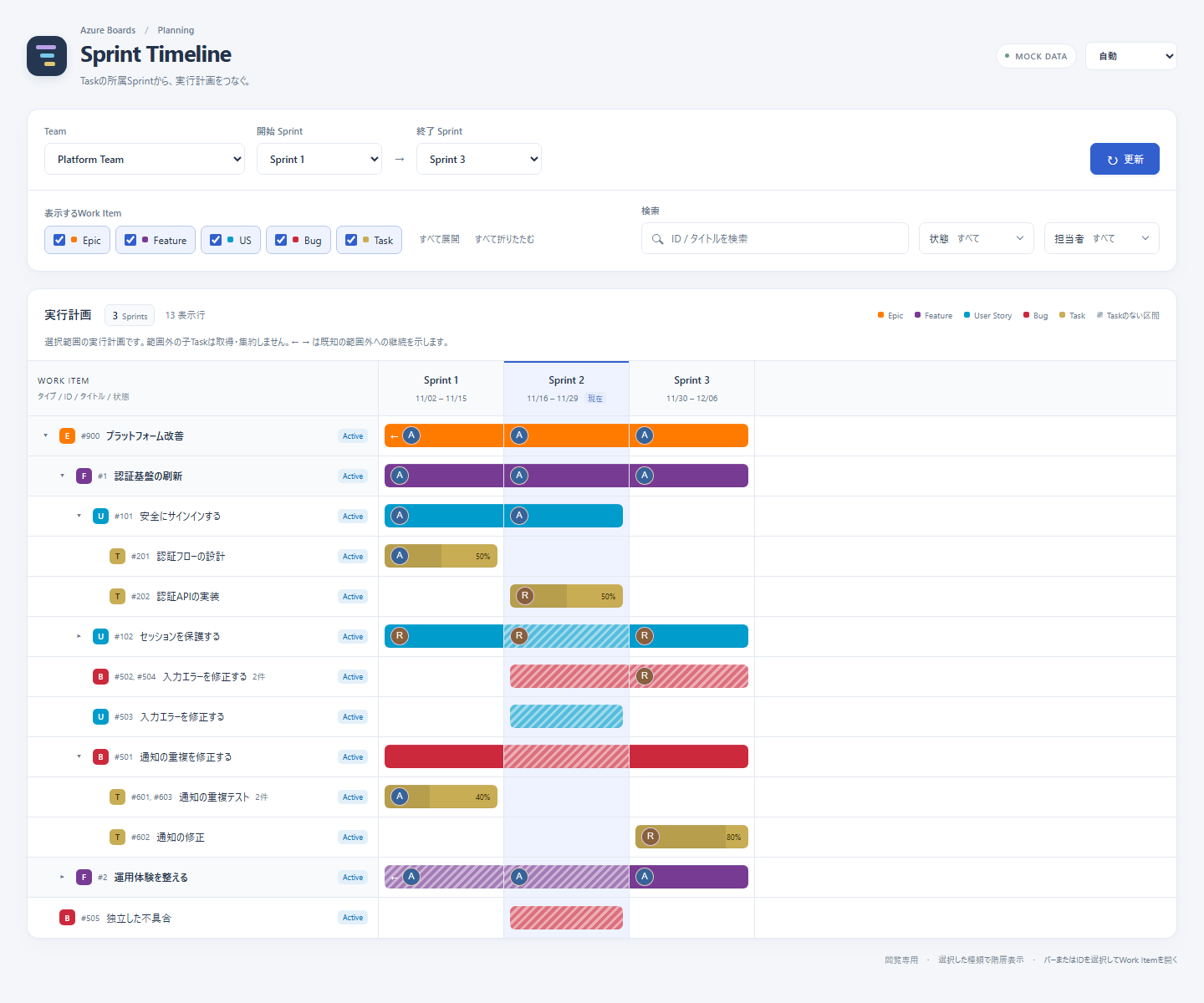
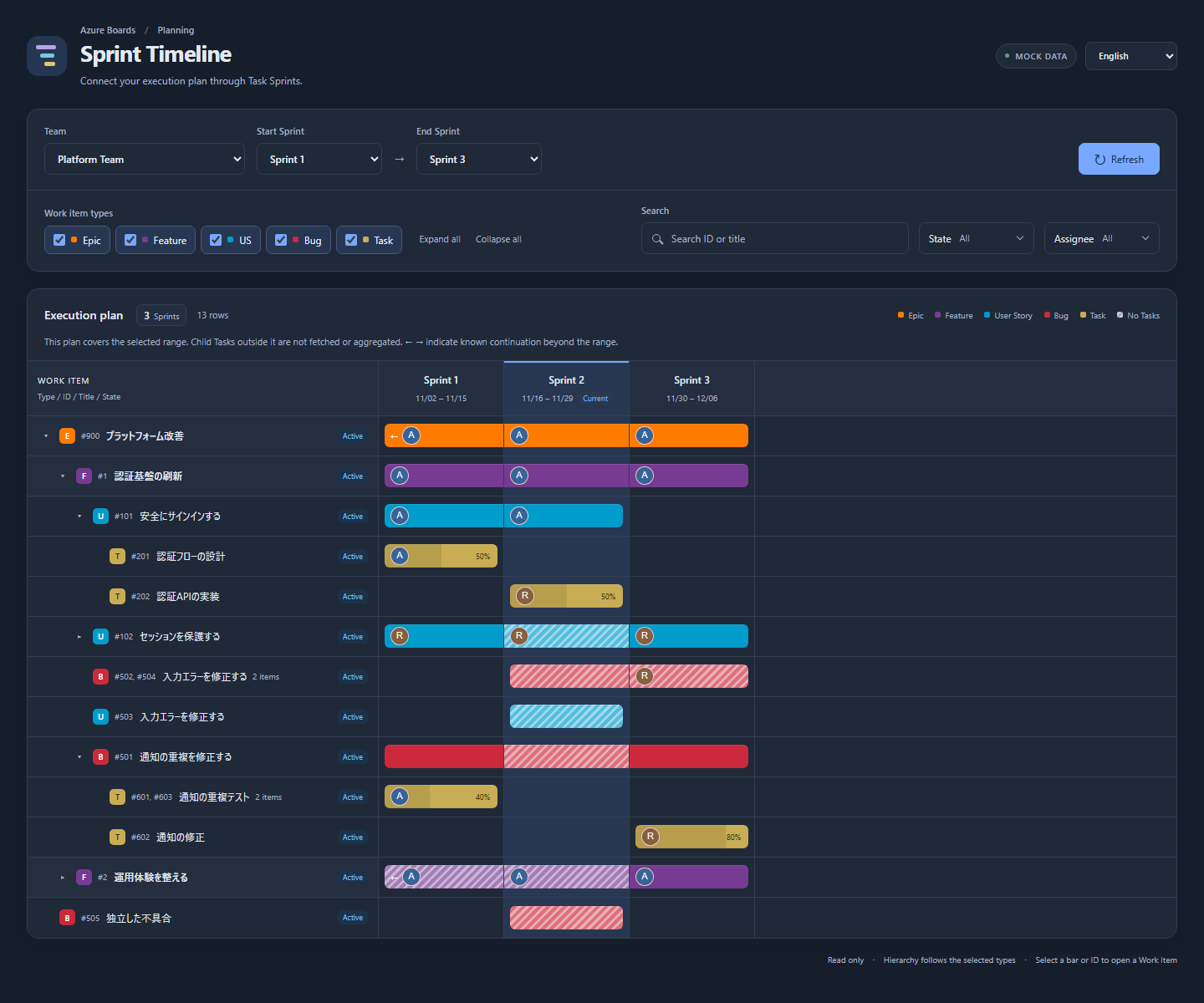
Sprint TimelineView your Azure Boards work across Sprints. Sprint Timeline brings Epics, Features, User Stories, Bugs, and Tasks into one read-only timeline, with one equal-width column per Sprint. A Story's period includes its child Tasks' Sprints, even when the Story itself is unplanned or assigned to a different Sprint.
Install and openInstall Sprint Timeline from Visual Studio Marketplace into your Azure DevOps organization. Installation requires an authorized administrator. Open an Agile project and choose Boards → Sprint Timeline. Select a Team, a start Sprint, and an end Sprint. Explore your plan
The timeline follows Azure DevOps light and dark themes. Use the language menu at the top right to choose 日本語, English, or Automatic. Automatic follows your Azure DevOps display culture, falling back to the browser language; unsupported languages use English. Switching languages preserves your current plan and filters. Your language preference is saved in this browser when storage is available.
Read the barsA Task occupies its assigned Sprint. Stories and Bugs span their own valid Sprint and the Sprints of their fetched child Tasks. Bugs appear alongside Stories under Features. Features and Epics inherit their descendants' periods; their own Iteration Paths do not determine their bars. Hatching marks Sprints without fetched Tasks within an aggregated period. A Story or Bug with no fetched Tasks still appears in its own Sprint, with a hatched bar. Arrows indicate known continuation beyond the selected range. Each Sprint has the same column width, regardless of its duration. The plan covers the selected team's Areas and Sprint range. Tasks outside that range and unplanned siblings are not fetched. Filtering or collapsing rows does not recalculate the periods. If some data cannot be retrieved, available items remain visible with a warning. Compatibility and privacySupports Azure DevOps Services, one project and team at a time, and the standard Agile Epic → Feature → User Story / Bug → Task hierarchy. Scrum, Basic, and custom work item types are not supported. The extension requests read-only Work Item and project access. It does not modify Work Items, require a PAT, cache Work Item contents or tokens, send work data to an external backend, or collect telemetry. Language and filter preferences are stored only in your browser, including the IDs and display names of selected assignees. For help, report an issue. See the changelog for updates. Independent project; not affiliated with or endorsed by Microsoft. MIT License. |