Skip to content
| Marketplace
Sign in
Visual Studio Code>Programming Languages>Mistral Vibe VS CodeNew to Visual Studio Code? Get it now.
Mistral Vibe VS Code

Mistral Vibe VS Code

Mistral AI

mistral.ai
|
73 installs
| (3) | Free
Mistral Vibe is an AI coding agent for VS Code that works across your whole project.
Installation
Launch VS Code Quick Open (Ctrl+P), paste the following command, and press enter.
Copied to clipboard
More Info

Mistral Vibe VS Code

Agentic coding with full codebase context, right inside your editor. Write, test, and refactor in natural language without breaking flow.

Keep shipping.

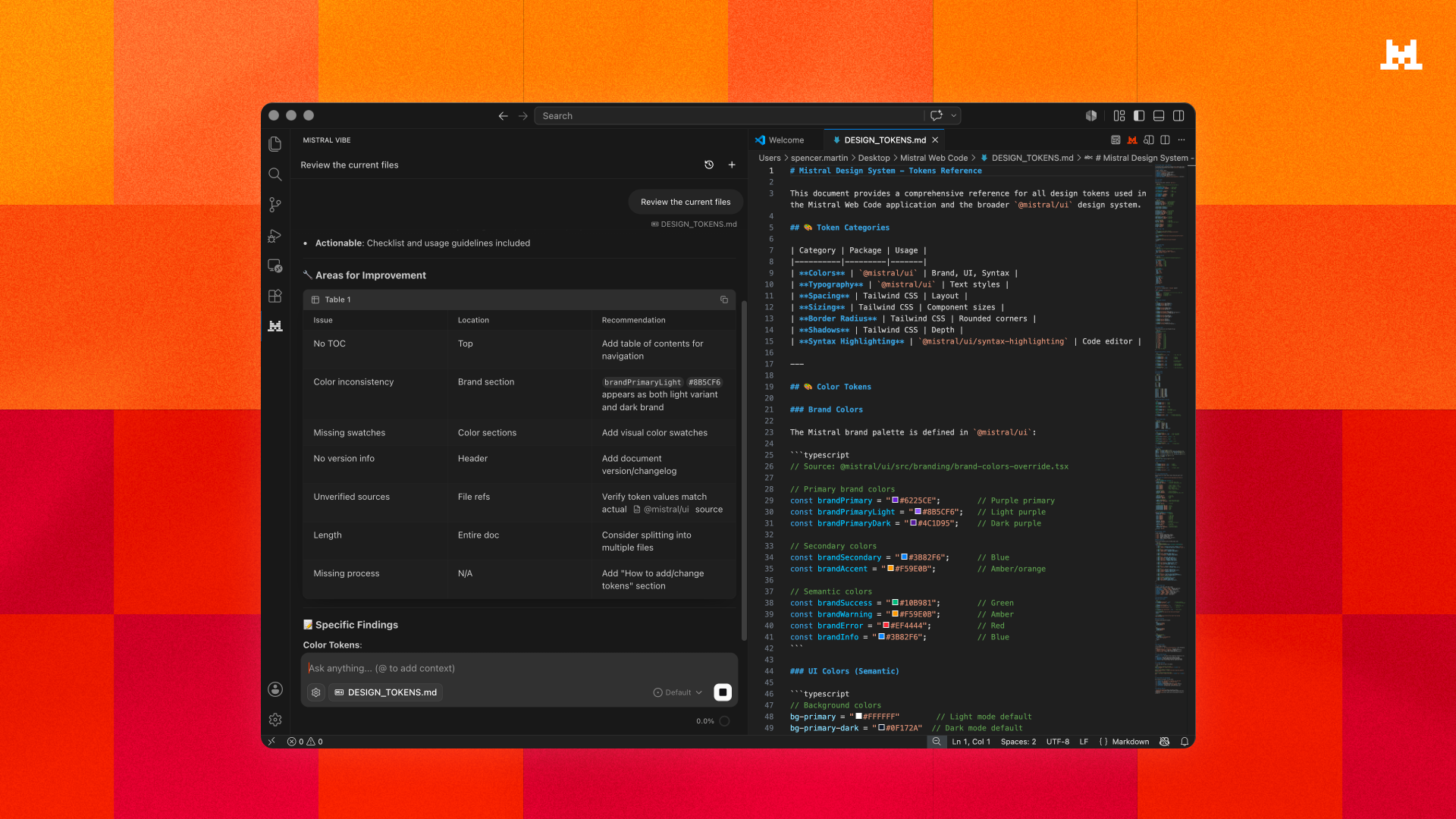
Mistral Vibe running in VS Code


What you get

Vibe runs in a panel in your editor where you chat, edit, and preview changes in one place. Give it a task in plain language and it works across your project to carry it through, with you approving as it goes.

  • Agentic execution: Vibe explores your repository, edits files, and runs commands. It previews every change and asks first, so you allow once, for the session, or always.
  • Multi-file orchestration: Architecture-level reasoning across your entire codebase, not just the file you're in.
  • Context-aware chat: The file you're in is attached automatically, with the line range when you've made a selection. Pull in more with @ mentions, or paste a snippet and it becomes a clickable reference.
  • Code editing: Propose, preview, and accept direct changes to your files.
  • Agent skills: Extend Vibe with custom skills via open standards to automate repeatable workflows.
  • Connects to your stack: Pull context from GitHub, GitLab, Jira, or Linear into your workflow.

Requirements

An active Vibe subscription (Pro or Team), or API access via Mistral Studio, or the Experiment plan at console.mistral.ai


Resources

  • Documentation
  • @mistralvibe on X
  • Discord community
  • Mistral on Reddit
  • Contact us
  • Jobs
  • Privacy
  • Manage cookies
  • Terms of use
  • Trademarks
© 2026 Microsoft