Meridian
Team documentation that lives in your editor.
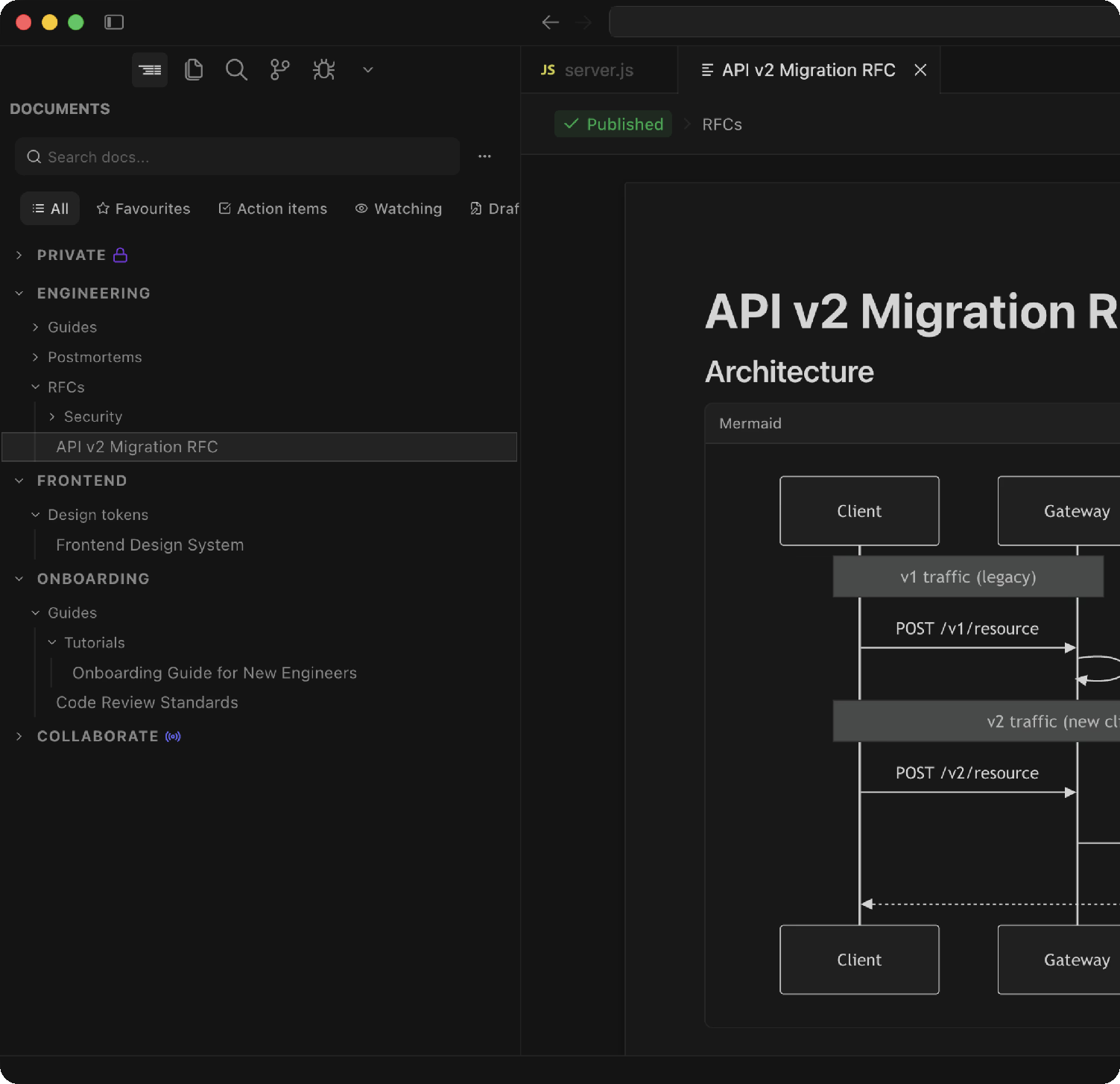
Meridian puts a Notion-style editor, your team's knowledge base, and an MCP
server for AI agents inside VS Code, Cursor and Windsurf. Docs sit next to the
code they describe, sync to teammates in seconds, and are readable by the
agents you already run in the same window.
What you get
- Docs in the sidebar. Spaces, folders, teams and projects, with search,
favourites and recent docs one keystroke away.
- A real editor. Rich text, tables, code blocks with syntax highlighting,
Mermaid diagrams, interactive artifact blocks, whiteboards and images, all
rendered natively in an editor tab.
- Drafts and edit sessions. Write privately, then publish. Editing a
published doc opens a session only you see until you publish it back.
- Verification. Mark a doc as verified for a set period so readers know
what is still true, and get reminded when it expires.
- Stickies. Quick notes pinned to files and lines that travel with the
code they are about.
- Code references. Link a passage in a doc to a function, class or block
in your repository. Meridian tracks the code on your default branch and
tells you when it drifts.
- Live docs. Real-time collaborative documents for pairing, incident
channels and meeting notes.
- Inbox. Comments, mentions and verification reminders, in the editor
rather than in email.
- Built for AI agents. Meridian is an MCP server. Install it into Cursor,
Claude Code, Windsurf, Gemini CLI or Claude Desktop from the sidebar and
your agents can search, read, create and update docs, leave comments, and
hand you links that open the doc as an editor tab. A local, read-only
mirror of your docs lets agents read them through plain file tools too.
Getting started
- Install the extension and open Meridian from the activity bar.
- Sign in with GitHub. Meridian uses your GitHub organization for identity,
so pick the organization your team works in.
- Create a space, write your first doc, and publish it. Teammates see it in
their sidebar right away.
- Optional: open Settings → AI clients in the sidebar to add Meridian to
the AI tools you use.
Requirements
- VS Code 1.85 or later, Cursor, or Windsurf.
- A GitHub account that belongs to the organization you want to document.
- Node.js, only if you add Meridian to Claude Desktop (it needs a small stdio
bridge).
Keyboard shortcuts
| Action |
macOS |
Windows / Linux |
| Create a code reference from a selection |
⌘⇧M |
Ctrl+Shift+M |
| Open a recent doc |
⌘⌥P |
Ctrl+Alt+P |
Your data
Documents are stored in the hosted Meridian service. On your machine the
extension writes a read-only mirror of the docs you can see, for AI agents
to read; an entry for Meridian in your AI clients' MCP configuration files
when you ask it to; a small .mrdoc pointer file when you drag a doc into a
repository; and a global gitignore rule for those pointers only if you opt
in during setup. Nothing else touches disk.
Links
| |

