Markdown to Image
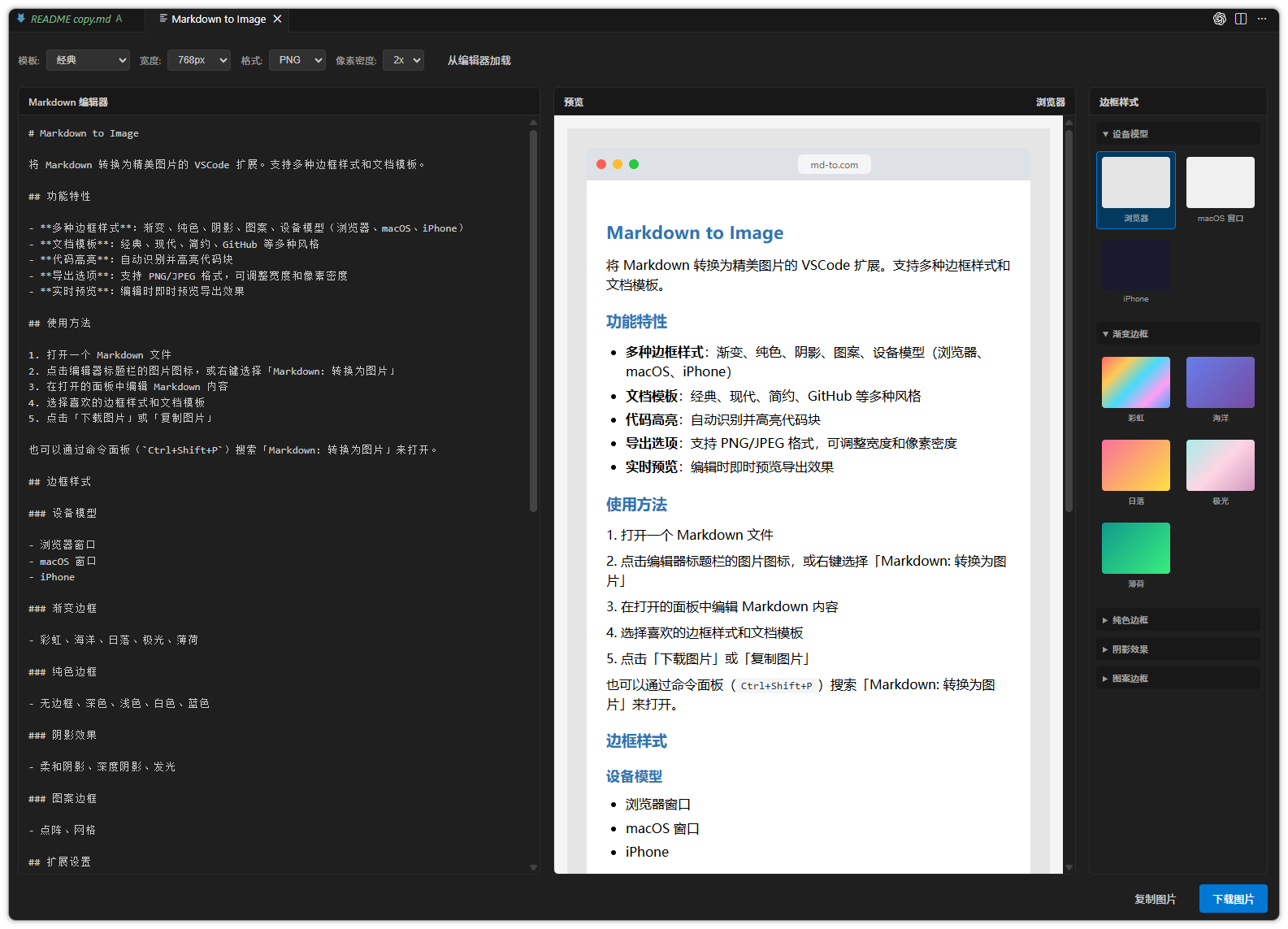
A beautiful VSCode extension that converts your Markdown content into stunning images with various border styles and document templates.
Features
- Rich Border Styles: Gradient, solid, shadow, pattern, and device frames (Browser, macOS, iPhone)
- Document Templates: Classic, Modern, Minimal, GitHub, and more
- Syntax Highlighting: Automatic code block detection and highlighting
- Export Options: PNG/JPEG formats with adjustable width and pixel density
- Real-time Preview: Instant preview as you edit
Usage
- Open a Markdown file
- Click the image icon in the editor title bar, or right-click and select "Markdown: Convert to Image"
- Edit your Markdown content in the opened panel
- Choose your preferred border style and document template
- Click "Download Image" or "Copy Image"
You can also open it via the Command Palette (Ctrl+Shift+P / Cmd+Shift+P) by searching for "Markdown: Convert to Image".
Border Styles
Device Frames
- Browser Window
- macOS Window
- iPhone
Gradient Borders
- Rainbow, Ocean, Sunset, Aurora, Mint
Solid Borders
- None, Dark, Light, White, Blue
Shadow Effects
- Soft Shadow, Deep Shadow, Glow
Pattern Borders
⚙️ Settings
This extension provides the following settings:
md-to-com.defaultTemplate: Default document template (classic/modern/minimal/github)md-to-com.defaultFrameStyle: Default border stylemd-to-com.defaultWidth: Default image width (640/768/1024/1280)md-to-com.defaultPixelRatio: Default pixel density (1/2/3)md-to-com.defaultFormat: Default image format (png/jpeg)
🛠️ Development (for contributors)
### Install dependencies
pnpm install

### Compile
pnpm run compile

### Watch mode
pnpm run watch

### Build
pnpm run package

### Package as .vsix
npx vsce package

### Or
pnpm run package && npx vsce package --no-dependencies
Acknowledgments
This extension is based on the functionality from MD-To.com.
| |

