Skip to content
| Marketplace
Sign in
Visual Studio Code>Debuggers>SnifferNew to Visual Studio Code? Get it now.
Sniffer

Sniffer

mcbookshelf

| (0) | Free
Debug adapter for Minecraft datapacks.
Installation
Launch VS Code Quick Open (Ctrl+P), paste the following command, and press enter.
Copied to clipboard
More Info

Sniffer

Tests   VS Code Marketplace   Discord

Sniffer turns a running Minecraft game into a debugger for your .mcfunction datapacks. This extension is the VS Code side of it: it attaches to a game running the Sniffer mod over the Debug Adapter Protocol, so breakpoints, stepping and variable inspection work in .mcfunction files the way they do in any other language.

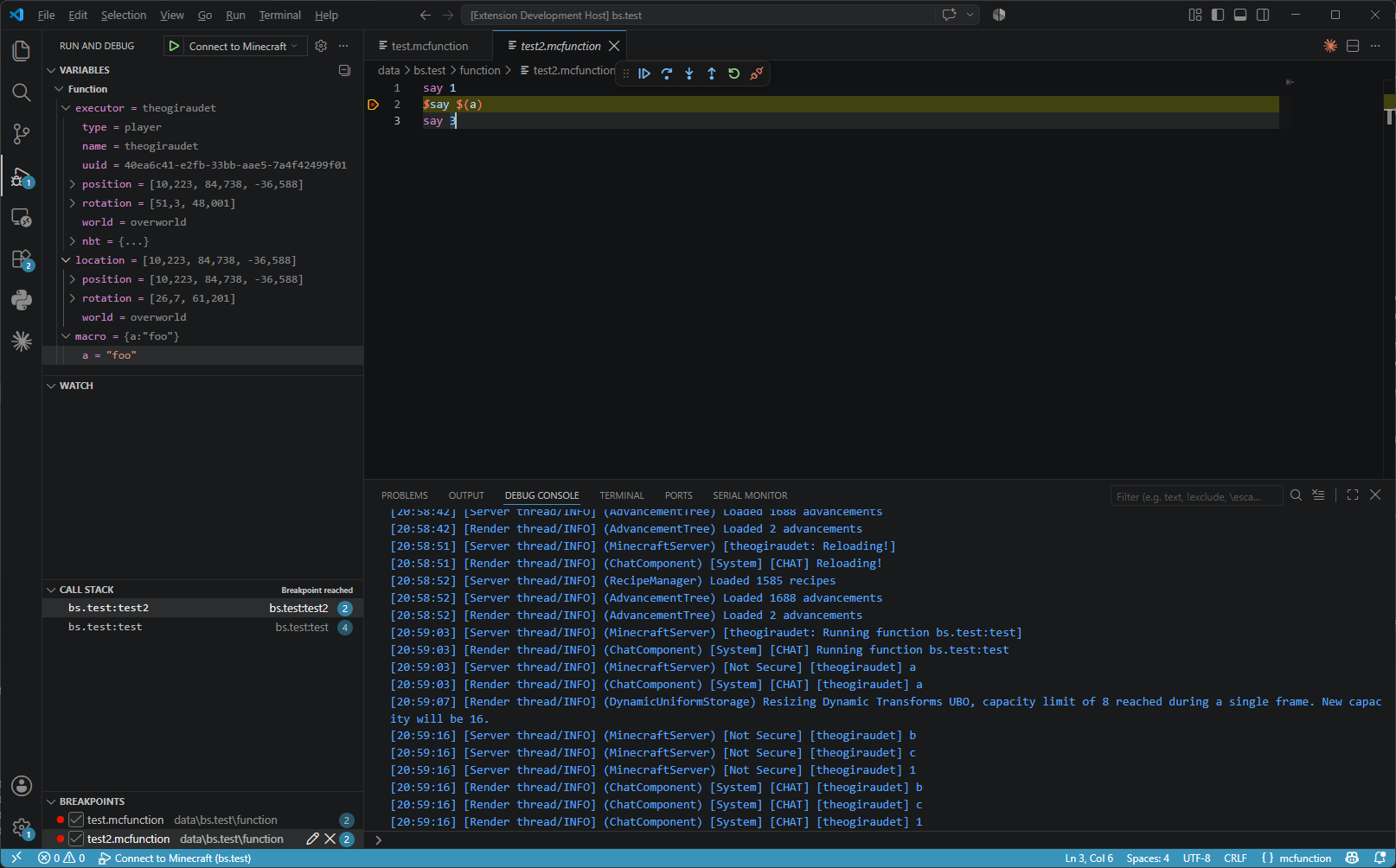
A function paused on a breakpoint

Requirements

Minecraft with Fabric Loader, the Sniffer mod, Fabric API, Fabric Language Kotlin and Cloth Config.

Getting started

Open your datapack, the folder containing pack.mcmeta, and accept the notification offering to add a debug configuration:

{
  "type": "sniffer",
  "request": "attach",
  "name": "Connect to Minecraft",
  "address": "ws://localhost:25599/dap"
}

Load your world, run Connect to Minecraft from the Run and Debug view, and accept the authorization dialog that pops up in game. Set a breakpoint in a .mcfunction file, call that function with /function, and the execution halts before the marked command.

address must match the port and path configured in the mod, 25599 and /dap by default. On a multiplayer server, add "user" with your Minecraft username: that player is the one prompted to accept the session, and must be an operator.

Documentation

The VS Code guide covers the launch configuration, the debug toolbar, the variables and the supported breakpoint kinds. The commands reference covers what the mod adds in game.

License

MPL-2.0

  • Contact us
  • Jobs
  • Privacy
  • Manage cookies
  • Terms of use
  • Trademarks
© 2026 Microsoft