| Mayur Patel's AlgolensInteractive Algorithm Analysis and Visual Chalkboard Trace Installation Launch VS Code Quick Open ( Ctrl+P), paste the following command, and press enter.Copied to clipboard |

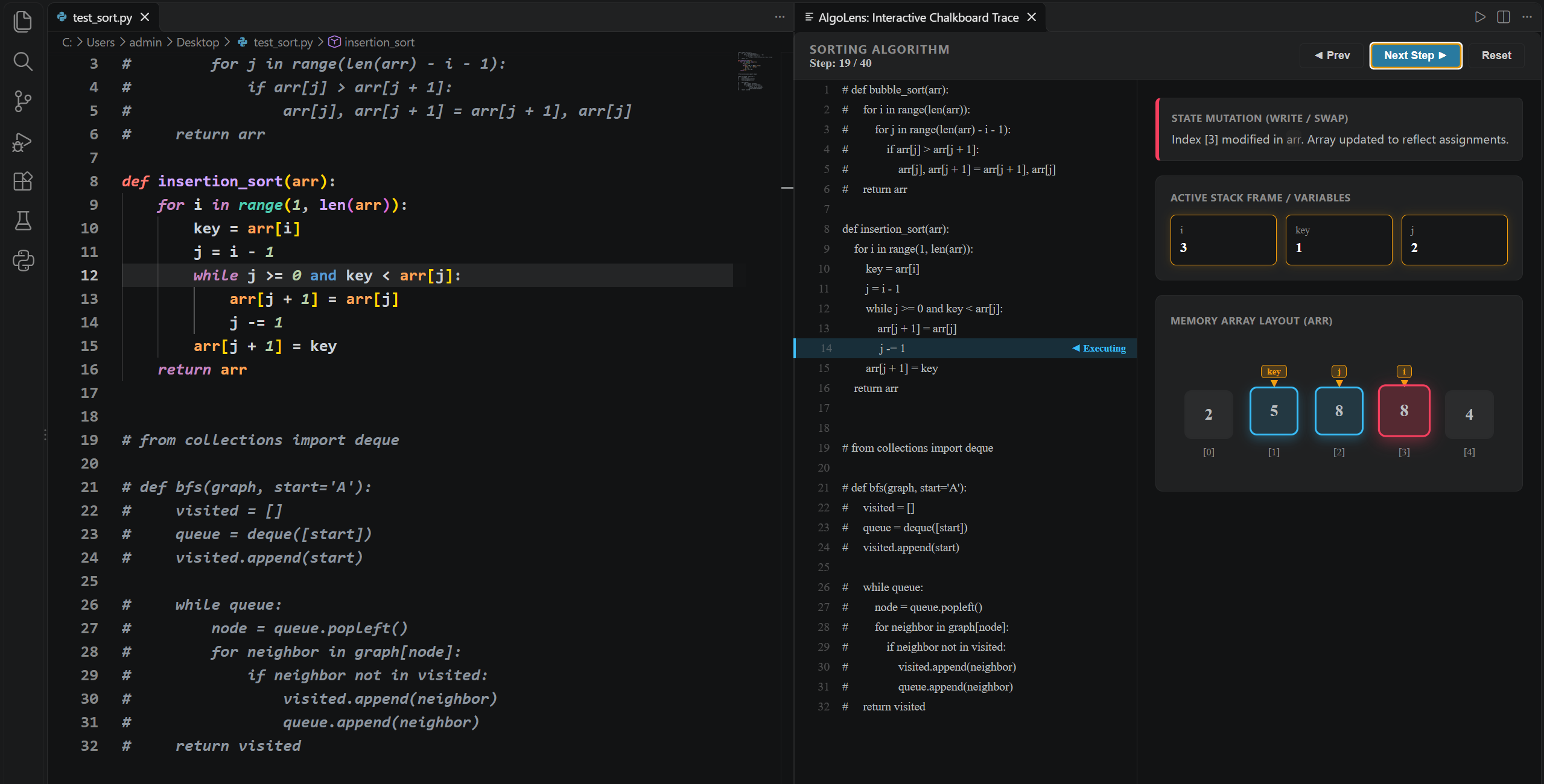
Mayur Patel's AlgoLens 🔍AlgoLens is an interactive execution tracer and visual algorithm chalkboard for Visual Studio Code. Instead of staring at terminal print statements or setting breakpoints in a debugger, AlgoLens turns your Python code into an interactive, side-by-side walkthrough that visually illustrates what the algorithm is doing at each step. Visual Previews1. Array & Sorting Visualization (Insertion Sort, Bubble Sort)Track pointers (
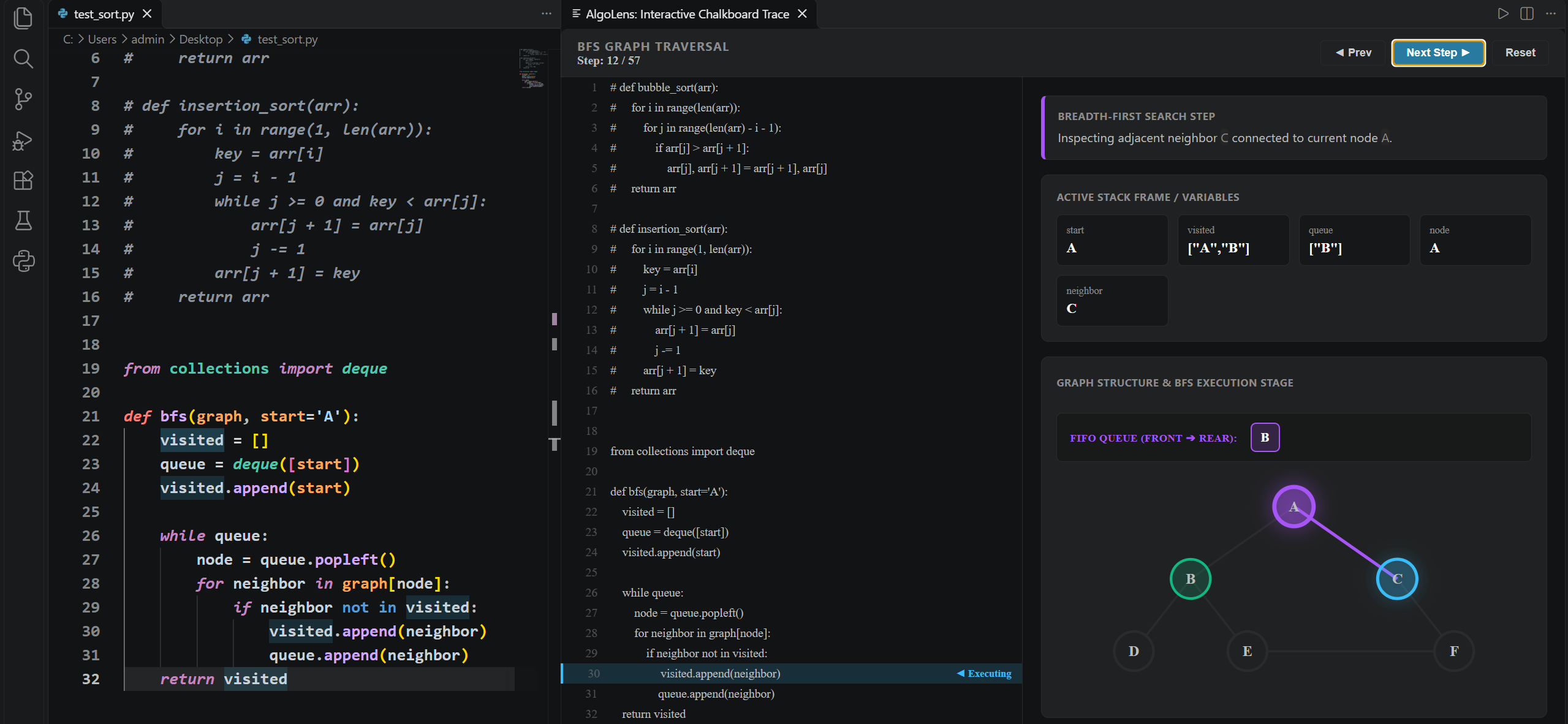
2. Graph & Tree Traversal (Breadth-First Search)Watch nodes light up as they are visited and observe elements entering and leaving the internal queue in real time.
Getting StartedPrerequisites
How to Use
|