Velvet Dusk
A soft dark VS Code theme with muted purple, teal, and blue-gray tones for long coding sessions.
Calm colors, gentle contrast, and a smooth coding experience for developers who prefer darker themes without harsh brightness.
About the theme
Velvet Dusk was created to offer a darker interface that feels elegant, soft, and readable.
Instead of strong contrast and overly saturated colors, it focuses on balance:
- muted purples for warmth
- teal accents for freshness
- blue-gray surfaces for a calm background
This makes it especially good for long coding sessions and everyday development work.
Highlights
- Soft dark palette
- Comfortable for long sessions
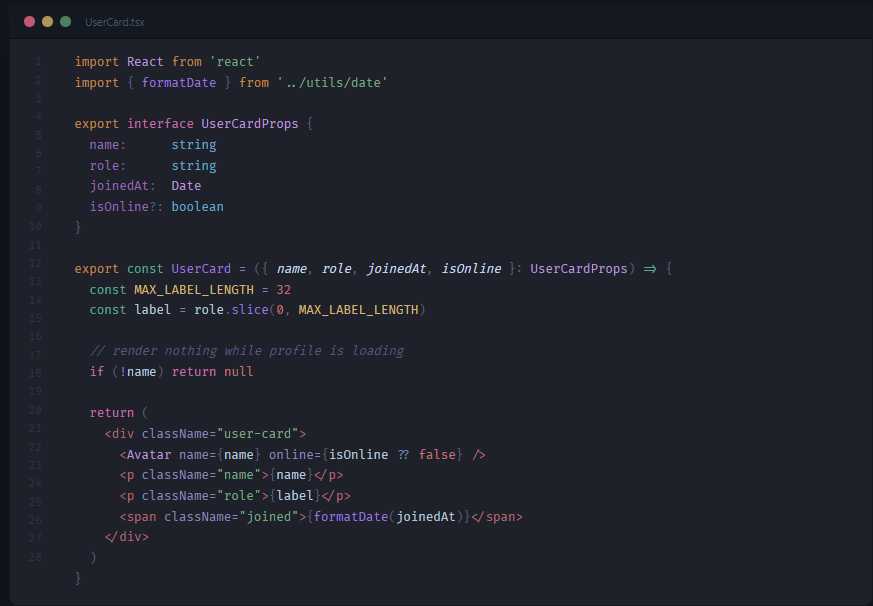
- Clear syntax highlighting
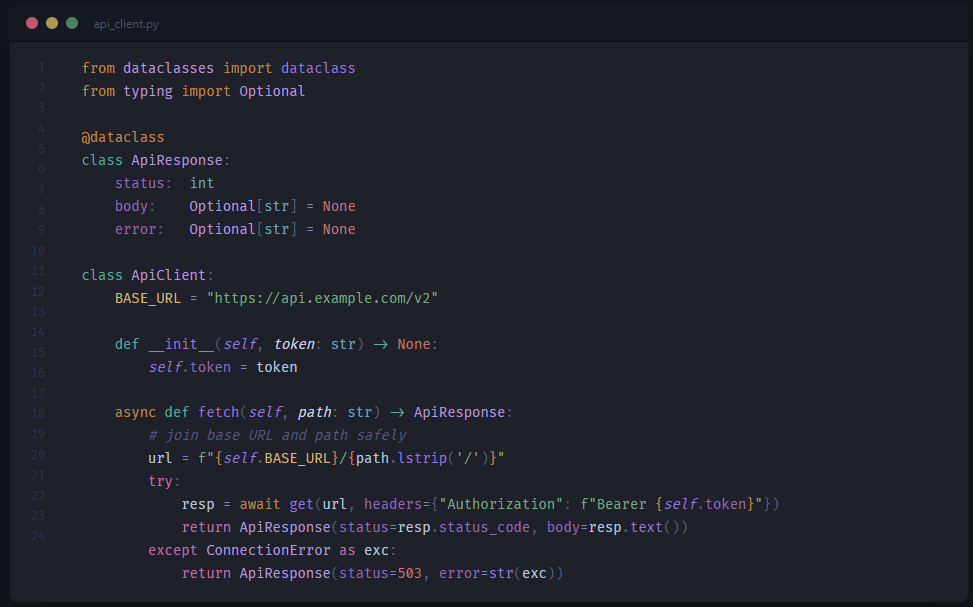
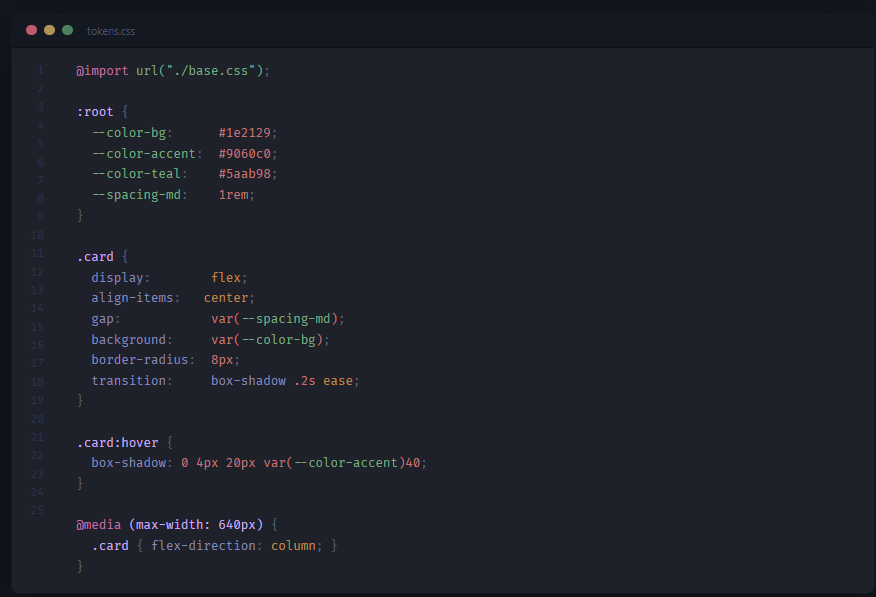
- Great for TypeScript, React, Python, and CSS
Preview
TypeScript / React
Python
CSS
Color palette
| Token |
Color |
Hex |
Keywords — control flow (if, return, for) |
Mauve |
#c070a8 |
Storage type (const, let, var, function) |
Teal |
#5aab98 |
Modifiers (export, import, async) |
Amber |
#c08848 |
| Functions |
Purple |
#9878d8 |
| Strings |
Sage green |
#7aaa80 |
| Types / Classes |
Lavender |
#b898d8 |
Type primitives (string, number, boolean) |
Steel blue |
#6aa8c8 |
| Constants |
Gold |
#d4b878 |
| Numbers / Booleans |
Coral |
#c07878 |
| Comments |
Muted purple |
#5a5880 |
| Variables |
Blue-white |
#b8c8de |
Installation
Search for Velvet Dusk in the VS Code Extensions Marketplace and install it.
Or install directly from the Marketplace:
Velvet Dusk on VS Code Marketplace
Features
- Hue-based token separation — each token category lives in its own color family, not just a different shade of the same color
- Semantic highlighting — TypeScript and Python LSPs contribute extra precision:
const variables in gold, readonly properties, self/cls in italic
- GitLens — inline blame styled to blend with the background, visible when you want it
- Bracket pair colors — 6 colors drawn from the theme palette
- CSS in HTML — selectors, properties, values, custom properties, and at-rules each get a distinct color
- Python — decorators, built-ins, f-strings, lambda, type hints all covered
Optional: GitLens colors
GitLens colors can't be set by a theme directly. To match the Velvet Dusk palette, add this to your settings.json (Ctrl+Shift+P → Open User Settings JSON):
"workbench.colorCustomizations": {
  "[Velvet Dusk]": {
    "gitlens.gutterBackgroundColor":            "#1e212900",
    "gitlens.gutterForegroundColor":            "#3a4055",
    "gitlens.gutterUncommittedForegroundColor": "#5aab9888",
    "gitlens.trailingLineBackgroundColor":      "#00000000",
    "gitlens.trailingLineForegroundColor":      "#3a405599",
    "gitlens.lineHighlightBackgroundColor":     "#9060c010",
    "gitlens.lineHighlightOverviewRulerColor":  "#9060c060"
  }
}
Feedback
Suggestions and issues are welcome on GitHub.
License
MIT

