Jai for Visual Studio Code
Language support for Jai, backed by the jaic toolchain: the jailsp language server, jailint lints and fixes, jaifmt formatting and syntax highlighting.
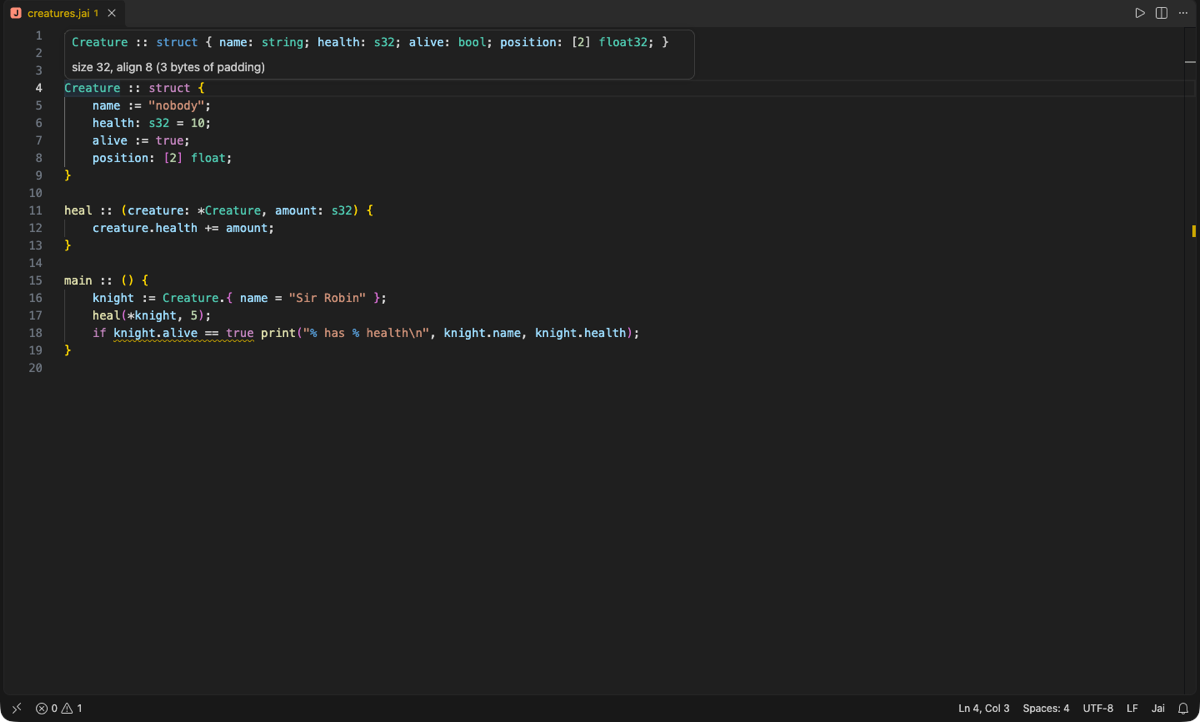
Features
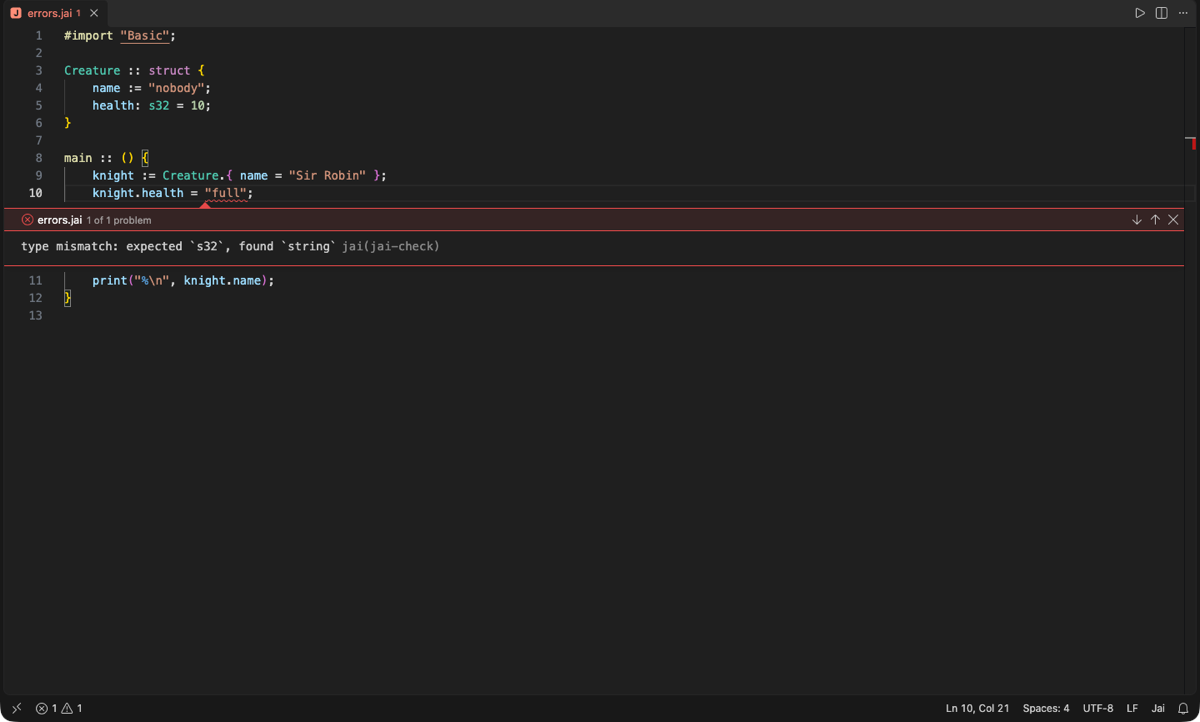
Errors as you type from the real compiler, with hover (types, values, memory layout), completion, go to definition, references, rename, inlay hints, signature help, code lenses, #insert/#run/macro expansions and Add #import fixes.
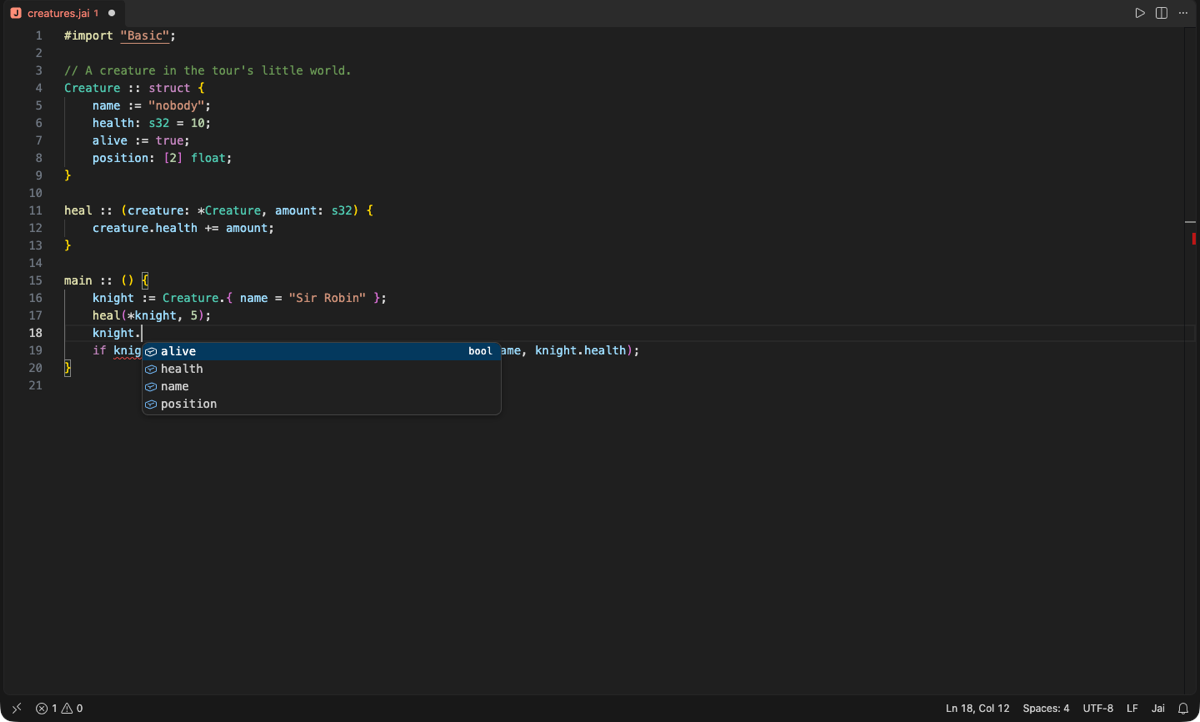
Completion of members, procedures, modules and directives, with auto-import: prin offers print and adds #import "Basic"; when accepted (likewise for your own modules, and #load for your project's other files; jai.completion.autoImport). A jai.toml at the project root can name its build files and module folders.
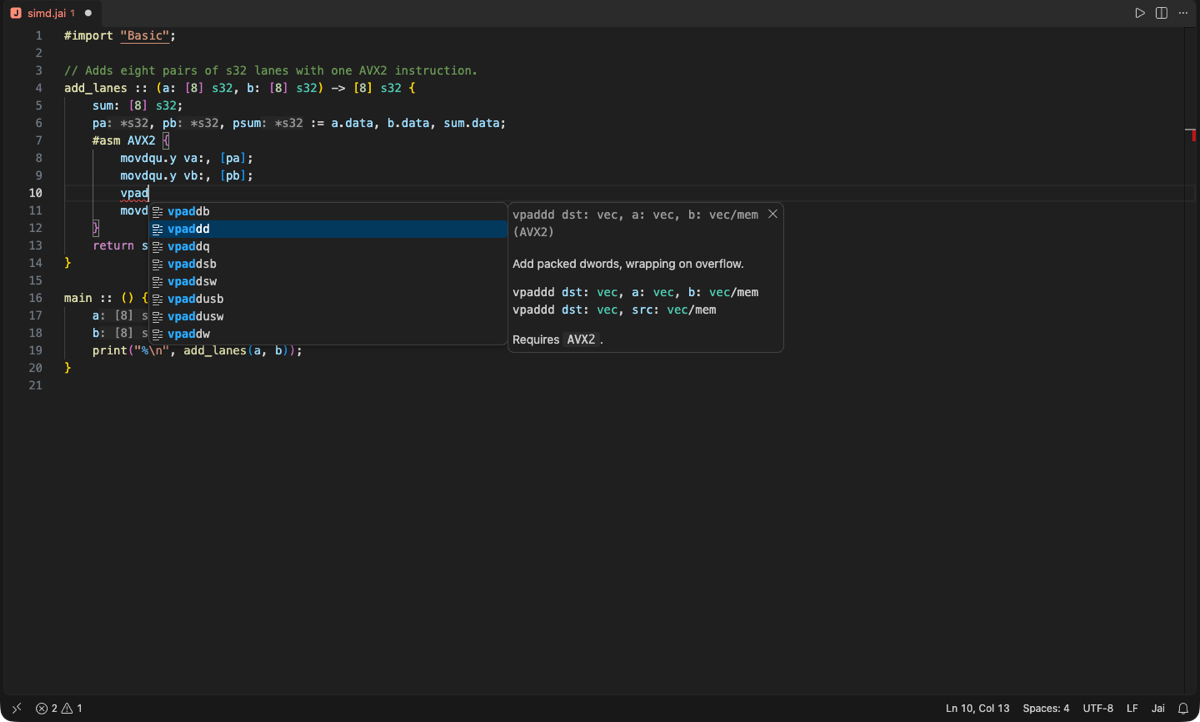
Inline assembly help: inside #asm blocks, completion and hover for every instruction jaic accepts, with its operand forms and the CPU feature it needs, and signature help for its operands.
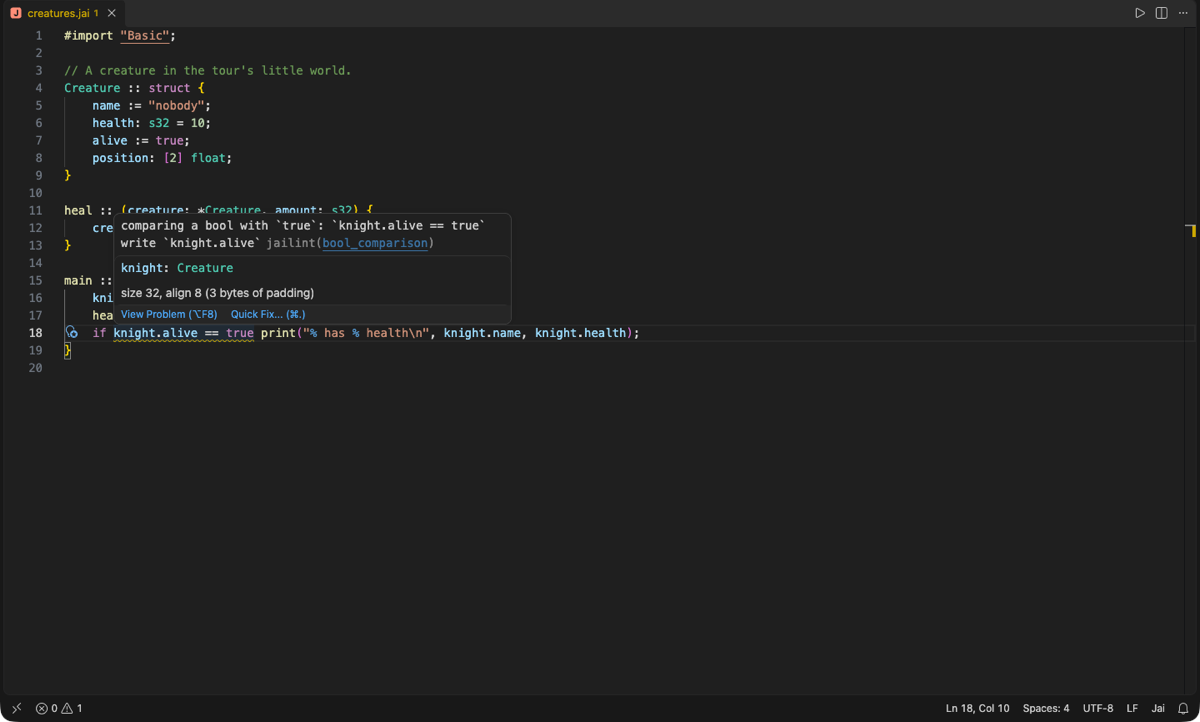
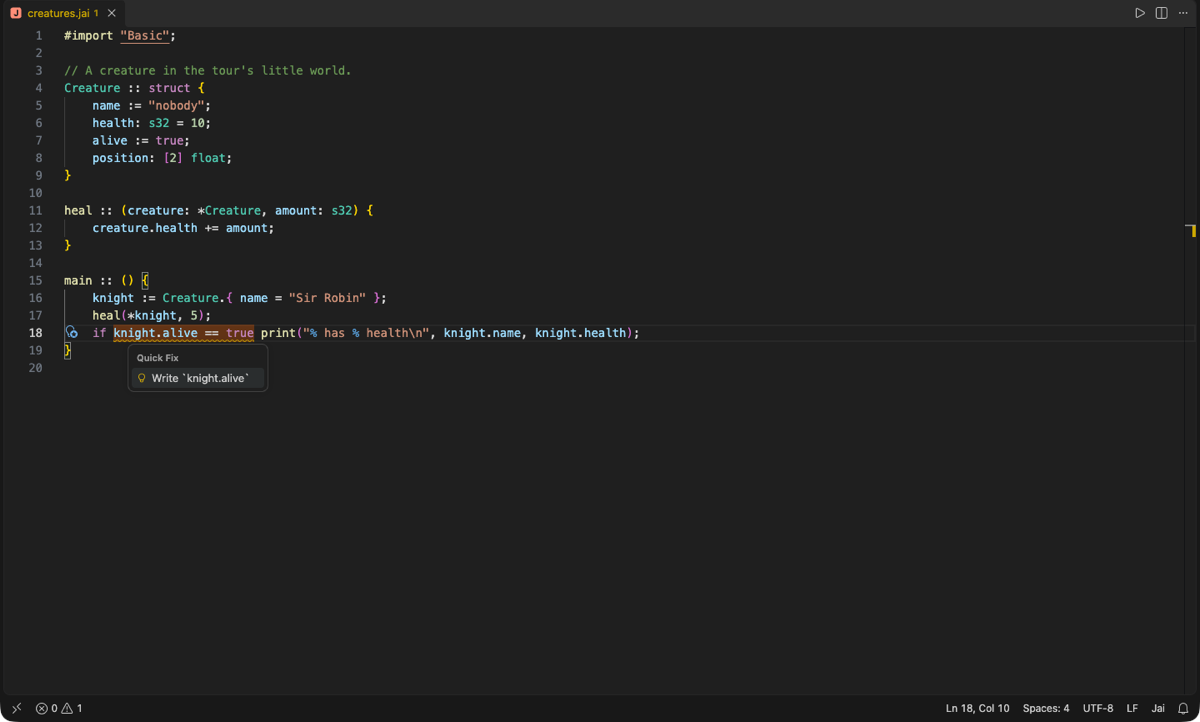
Lints from jailint with quick fixes; source.fixAll.jailint applies every safe fix, on demand or on save. Unsaved edits to jailint.toml apply at once.
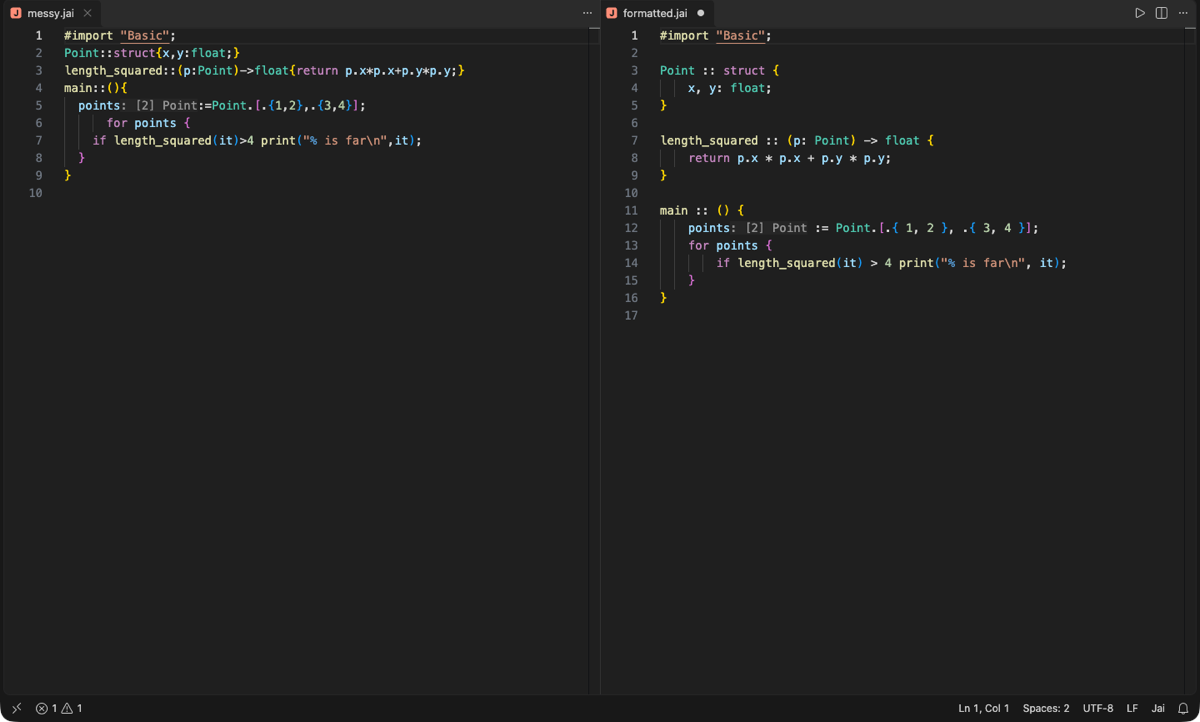
Formatting with jaifmt, honouring jaifmt.toml (including its ignore globs); works with editor.formatOnSave.
Highlighting: a TextMate grammar for keywords, directives, here-strings, numbers (0x, 0b, 0h, _), nested comments, declarations and $T/$$x polymorph variables, refined by the server's semantic tokens.
Embedded languages: a here-string whose terminator names a language is highlighted as that language: #string WGSL, GLSL, HLSL, SQL, JSON, HTML, CSS, JS, TS, PY, SH, C, CPP, RUST, YAML, TOML, JAI and more (ignoring case). A WGSL grammar is bundled; GLSL and Metal need an extension that provides their grammar. Other terminators (END) stay plain strings.
Commands: Jai: Run File, Build File and Check File (jaic run|build|check in a terminal), Restart Language Server, Download Toolchain.
Snippets, bracket and comment configuration, a file icon, and schemas for jailint.toml/jaifmt.toml/jai.toml (validated by TOML extensions that read tomlValidation, such as Even Better TOML).
The extension looks for jailsp in jai.server.path, then on PATH, then next to jai.compiler.path or the jaic on PATH. If none is found it asks before downloading the release that matches its own version (jaic, jailsp, jailint, jaifmt and the standard library) from github.com/matteopolak/jai/releases, and checks it against SHA-256 checksums pinned into the extension. Set jai.toolchain.autoDownload to never to turn this off, or always to skip the question. Prebuilt toolchains exist for macOS, Linux and Windows, each on x86-64 and arm64; elsewhere, build from source and set the paths.
Settings
{
  "jai.server.path": "",            // jailsp
  "jai.compiler.path": "",          // jaic (Run/Build/Check)
  "jai.formatter.path": "",         // jaifmt
  "jai.stdlib.path": "",            // passed as JAIC_STDLIB
  "jai.toolchain.autoDownload": "prompt",
  "jai.run.arguments": [],          // extra jaic arguments, such as "-O2"
  "jai.completion.autoImport": true, // offer names from modules and files not imported yet
  "[jai]": {
    "editor.formatOnSave": true,
    "editor.codeActionsOnSave": { "source.fixAll.jailint": "explicit" }
  }
}
See the extension's documentation for how it works and how to change it.
| |

