Fleet for Claude Code
Unofficial. Fleet is a third-party tool. It is not affiliated with, endorsed by, or
sponsored by Anthropic. "Claude", "Claude Code", and "Anthropic" are trademarks of
Anthropic, PBC. Fleet is built on the Claude Agent SDK and uses your own Claude login.
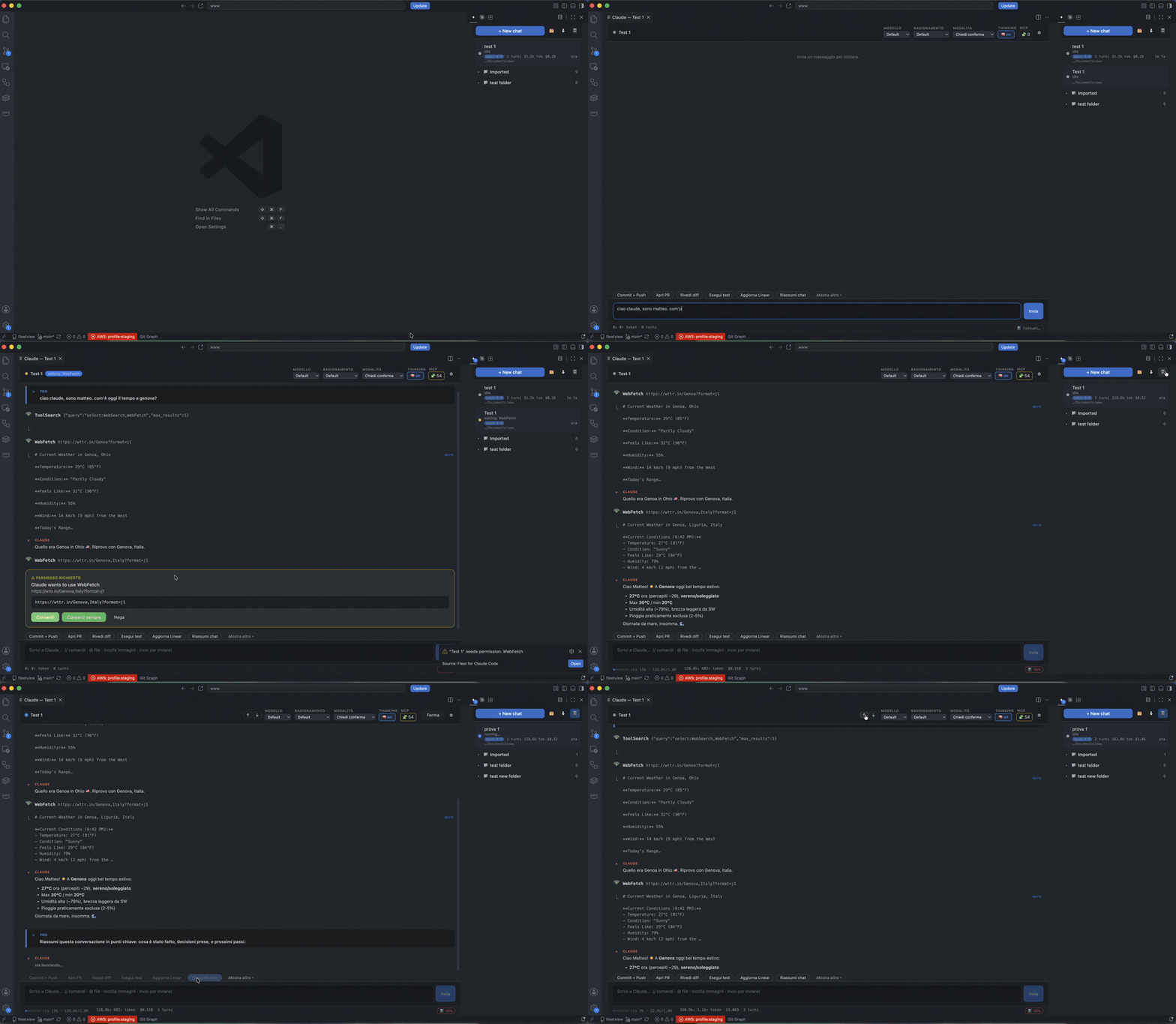
A VS Code extension to run and monitor N concurrent Claude Code sessions from one place.
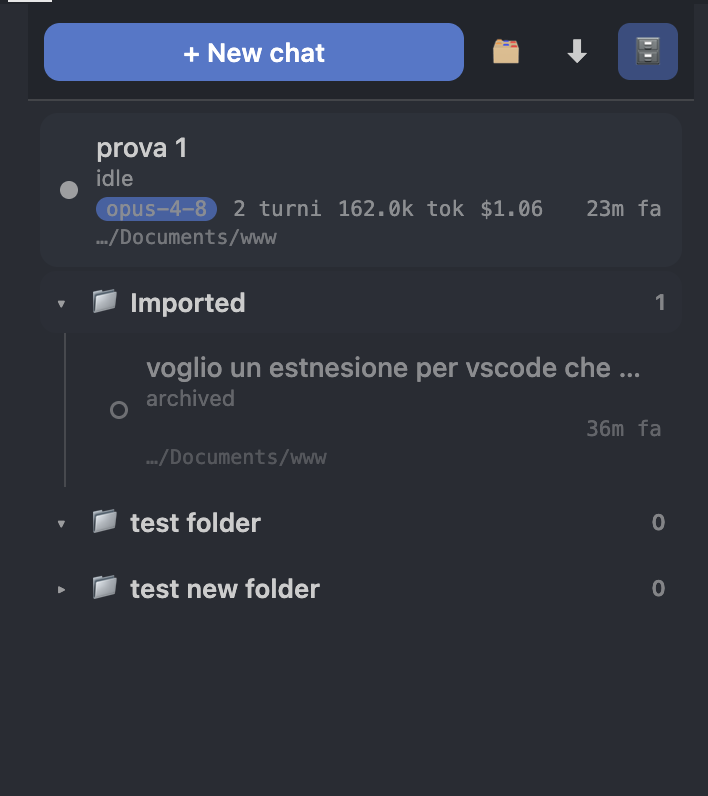
A sidebar lists your chats (organized into folders) with a live status badge each
— idle / running / needs-permission / error — and a panel lets you chat, watch the
response stream, and approve or deny tool permissions.
It uses the Claude Agent SDK
under the hood — the same engine as Claude Code — so you get real tools, permissions,
skills and MCP, not a reimplementation.
Demo
Screenshots
|
|
Sessions panel — live status per chat
 |
Chat view — streaming, rich markdown, tools
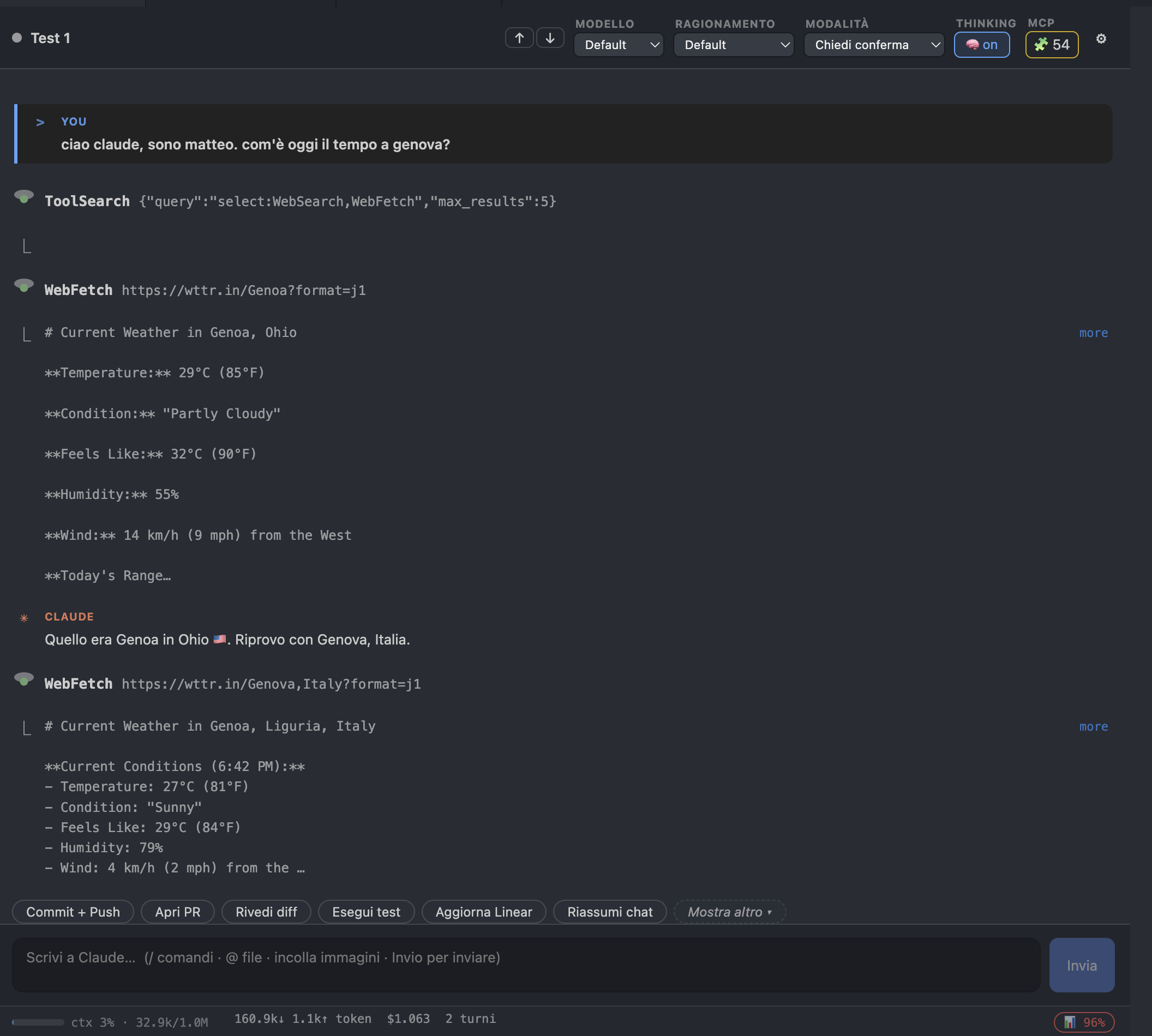 |
Model / reasoning / mode selectors
 |
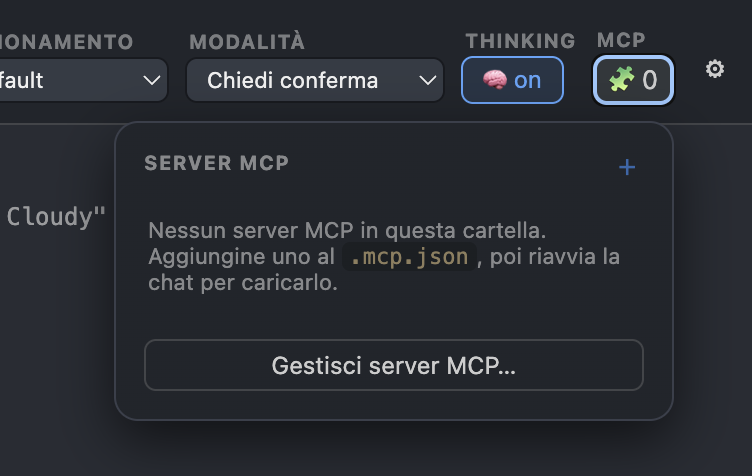
Usage & MCP — plan usage + MCP status
 |
Auth: uses your Claude subscription (not API billing)
The extension deliberately removes ANTHROPIC_API_KEY / ANTHROPIC_AUTH_TOKEN from
the session environment so the SDK falls back to your logged-in Claude subscription
(Pro/Max/Team/Enterprise). Verified on this machine: apiKeySource = none.
If chats fail to authenticate, run claude login in a terminal once, or set
claudeFleet.pathToClaudeExecutable to a logged-in claude binary. (The SDK also ships a
bundled binary, which is enough on most machines.)
Architecture
src/
  core/
    ChatSession.ts     one SDK query() as a long-lived interactive chat
                       - streaming-input mode (AsyncIterable prompt) so we can
                         send many turns + use interrupt()/setPermissionMode()
                       - state machine: idle → running ⇄ waiting-permission → idle/error
                       - canUseTool → surfaces permission prompts to the UI
                       - loads the pure-ESM SDK via dynamic import()
    SessionManager.ts  owns all live ChatSessions; re-emits per-chat updates
    AuthPreflight.ts   strips API key, locates a claude binary
  extension/
    extension.ts       activation, commands, rehydrate persisted chats on startup
    FolderStore.ts     folders + chat metadata persisted in globalState
                       (survives across windows/workspaces; migrates old workspaceState)
    SidebarProvider.ts  sidebar webview with live status badges
    ChatPanel.ts       webview host: binds the selected chat, relays messages
webview/               React + Vite chat UI (transcript, streaming, permission cards)
shared/protocol.ts     wire types shared by extension host and webview
The extension bundle keeps the SDK external (it ships a per-platform native binary
resolved at runtime) and loads it with a real dynamic import().
Develop
npm install
npm run build      # builds webview (Vite) + extension (esbuild)
Then press F5 in VS Code (or run the "Run Claude Fleet" launch config) to open an
Extension Development Host with Claude Fleet in the activity bar.
- New Chat / New Folder — from the view title bar
- Click a chat to open its panel; type and press Enter to send
- When a chat needs a tool permission it turns yellow and shows an Allow / Deny card
- Stop interrupts a running turn
Status / roadmap
Working: multi-session, live status, folders, streaming, permissions, subscription auth,
session resume across restarts.
Not yet: drag-and-drop reordering into folders, a grid "dashboard" of all chats at once,
"remember this permission" rules, and restoring past transcript text on resume (currently
resume continues the SDK session but the panel starts with an empty transcript until the
next turn).

