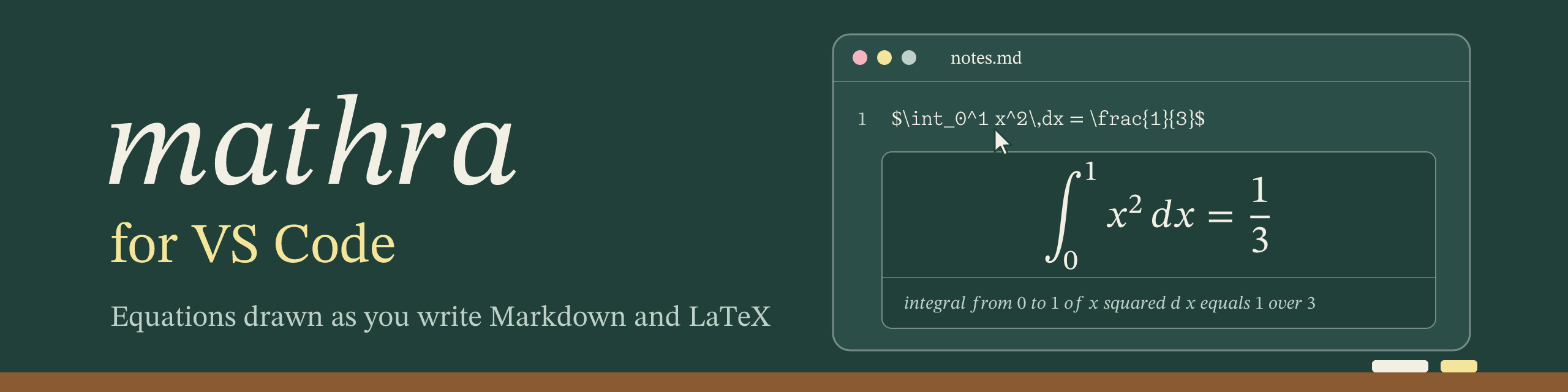
mathra for VS Code
See the math you write. In Markdown and LaTeX files, mathra draws each equation as you hover over it and in the Markdown preview, lets you build formulas in a visual editor, and gives each equation as LaTeX, SVG, PNG, MathML, speech or braille. Chemistry (\ce, \chemfig) and commutative diagrams included, with no TeX install: everything runs inside VS Code, on mathra's WebAssembly, and nothing is sent anywhere.
What you can do
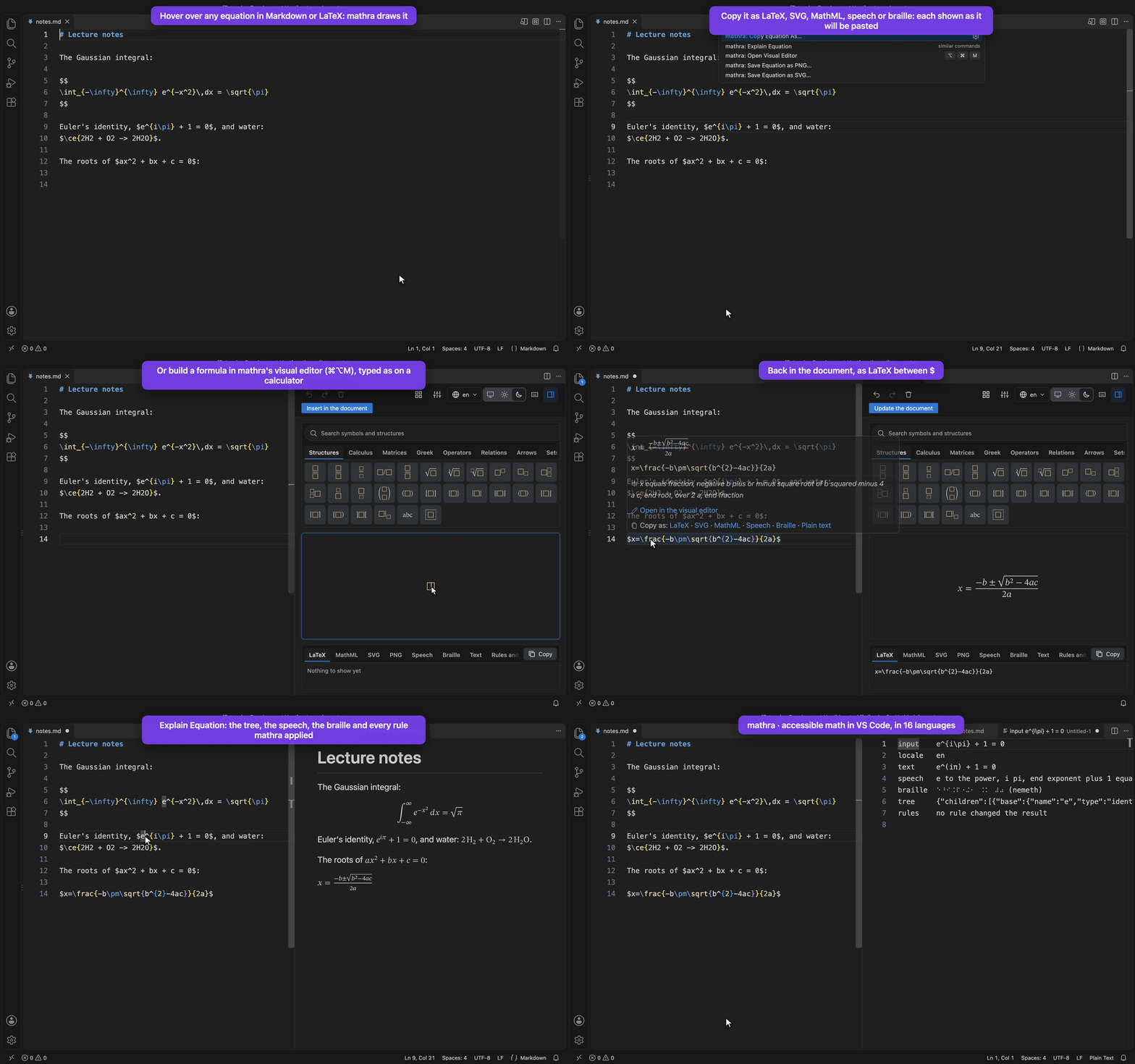
See an equation by hovering over it. Put the mouse over any $…$, $$…$$, \(…\), \[…\], ```math block or LaTeX environment (equation, align, gather…). The hover shows the equation drawn over its LaTeX (its copy button copies the LaTeX), then the sentence a screen reader says, anything mathra had to fix (an unclosed brace, an unknown command), and links to edit or copy it.
Read the Markdown preview with its math. Open the preview (Cmd/Ctrl+Shift+V, or Cmd/Ctrl+K V beside the file) and every equation is drawn by mathra in the color of the text, chemistry included. Each one keeps what a screen reader says, so the page stays readable without seeing it.
Build a formula without writing LaTeX. mathra: Open Visual Editor (Cmd/Ctrl+Alt+M, the right-click menu, or the hover's link) opens mathra's editor beside the file. Type as on a calculator (sqrt, pi, / for a fraction, ^ for a power) or use the palettes: matrices, integrals, chemistry, diagrams. Insert in the document (or Cmd/Ctrl+S) writes the LaTeX back: over the equation you opened it on, or at the cursor between $.
Copy or save an equation in the form you need. mathra: Copy Equation As… lists LaTeX, SVG, MathML, speech, braille and plain text, each with what will land in the clipboard shown under it. Save Equation as SVG… and as PNG… write a file next to the document, for slides or a page.
See why it is drawn that way. mathra: Explain Equation opens what mathra read: the plain text, the speech, the braille, the tree of meaning and every numbered rule that changed the result.
In your language. Speech, braille and numbers follow mathra.locale, in 16 languages: in Portuguese 3,14 is one number and \sin x is read seno de x.
Settings
| Setting |
Default |
|
mathra.locale |
auto |
How equations are read, written and spoken, in 16 languages: in pt-BR 3,14 is one number and \sin is sen. auto follows the language of VS Code. |
mathra.hover.enabled |
true |
The hover over equations. |
mathra.preview.enabled |
true |
mathra in the Markdown preview. |
The extension turns VS Code's built-in preview math (markdown.math.enabled) off by default, so the two do not compete for the same $…$; turning it back on leaves the preview's math to whichever plugin reads it first.
Developing
From the repository, with npm/pkg and the editor built (npm/build.sh, then pnpm build in editor/):
cd vscode
pnpm install
pnpm test        # the tests; `pnpm coverage` asks every line, branch and function of src/ to run
pnpm typecheck
pnpm package     # mathra-<version>.vsix, to install with `code --install-extension`
To try it while changing it, open the repository in VS Code and press F5 (mathra: run the VS Code extension): a second window opens on vscode/demo/ with the extension loaded from source, and a watch task rebuilds it on each save; Cmd+R in that window reloads it.
node scripts/banner.mjs makes media/banner.png and media/icon.png from docs/vscode-banner.svg and docs/vscode-icon.svg, which mathra draws (cargo run -p mathra --example banner): the Marketplace takes no SVG in a README, and an extension's icon is a PNG. node scripts/record-demo.mjs records media/demo.gif again: a VS Code of its own (its settings, no other extension) with this extension, driven step by step, with the captions; it needs ffmpeg and pnpm build.
src/extension.ts and src/panel.ts (the visual editor's webview) are the files that know VS Code; webview/ is the editor's page, run in the webview; find.ts (where the math of a document is), draw.ts (mathra's outputs as hovers and HTML) and markdown.ts (the preview's markdown-it plugin) are plain TypeScript. The tests run them in Node, extension.ts against a stand-in for the vscode module (test/vscode.ts).

