MareArts IDE Looks
Make VS Code feel like the IDE your hands already know. Pick Visual Studio, IntelliJ / PyCharm, Xcode, Eclipse, Sublime, Turbo Pascal or any of 137 looks. IDE Looks moves the panels and sets the shortcuts in one click, and one more click puts everything back.
Colours stay with your colour theme. IDE Looks only changes layout and keys. (For colours, try MareArts Themes.)
How the looks were chosen, what each one changes and how it stays safe: IDE Looks on MareArts Open Lab
See it
Each picture is a real VS Code window with that look applied. Your own colour theme stays; only the layout and the keys change.
|
|
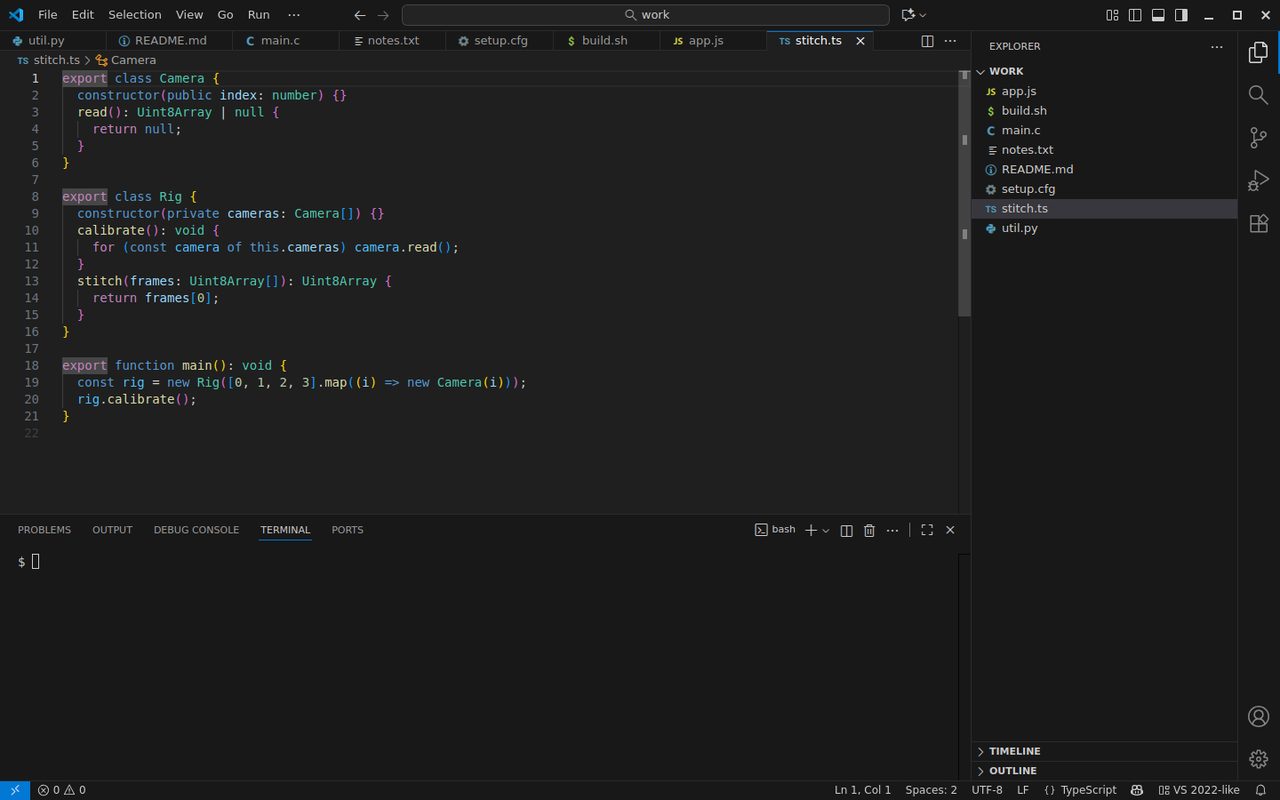
VS 2022-like |
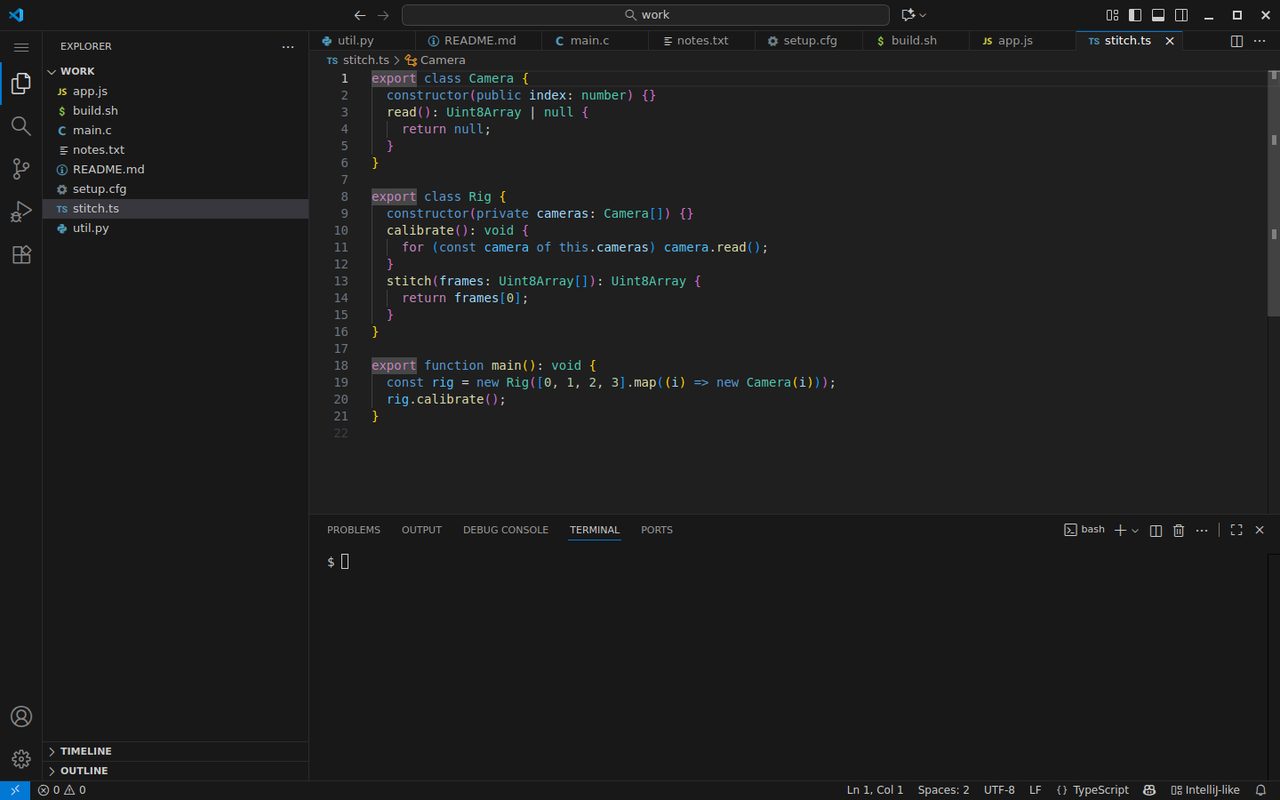
IntelliJ-like |
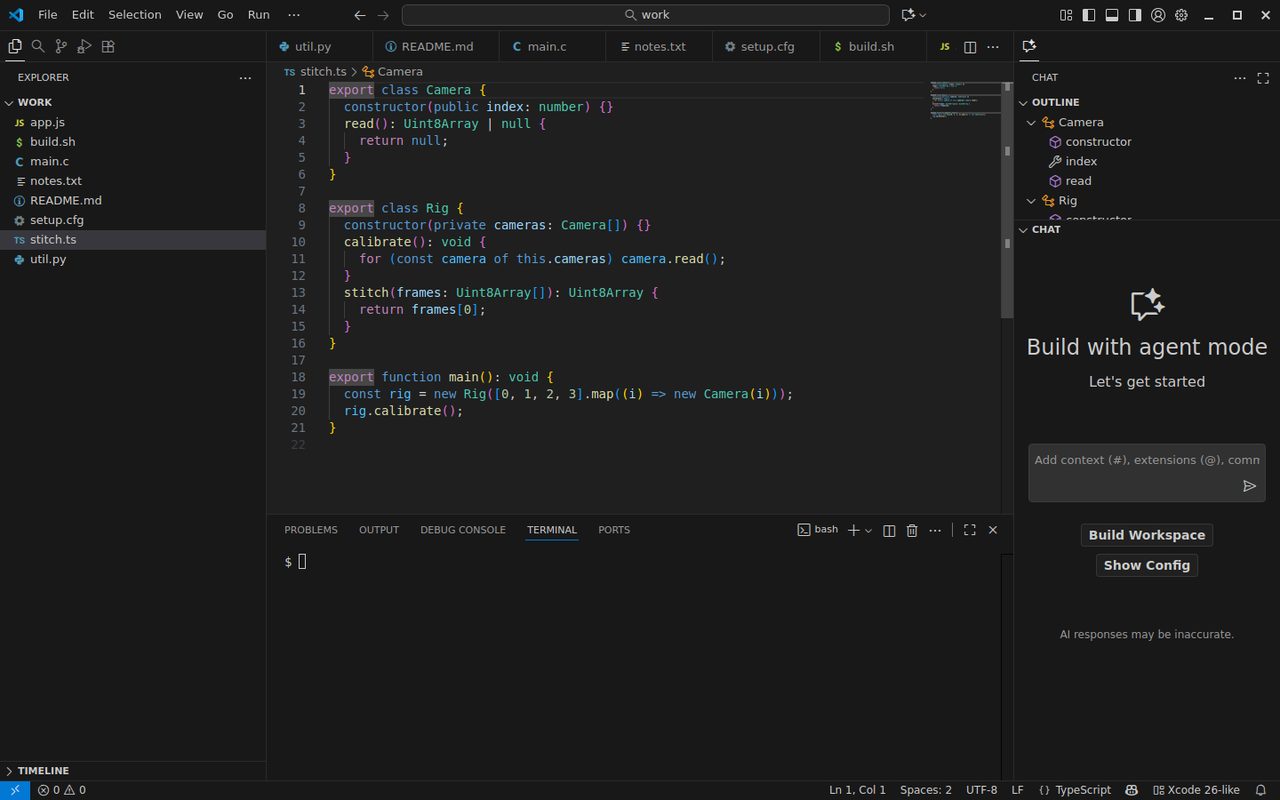
Xcode 26-like |
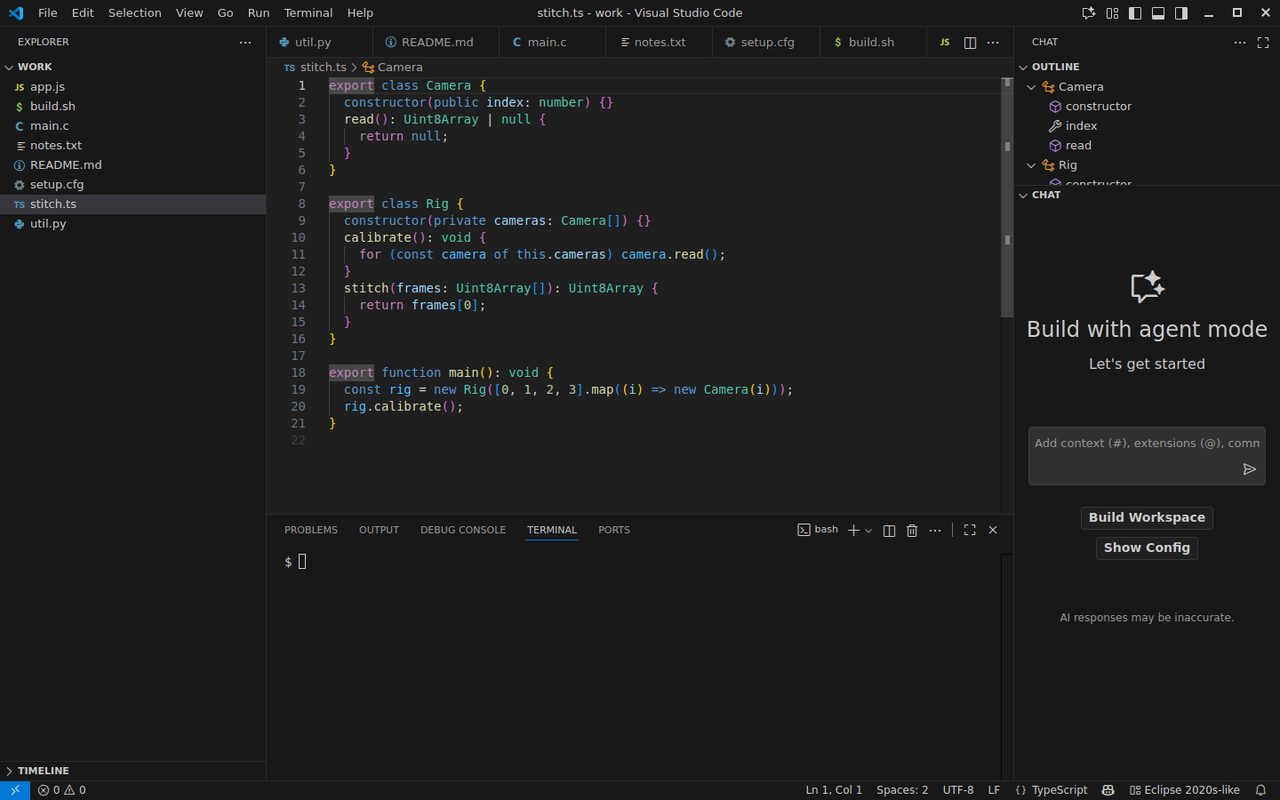
Eclipse-like |
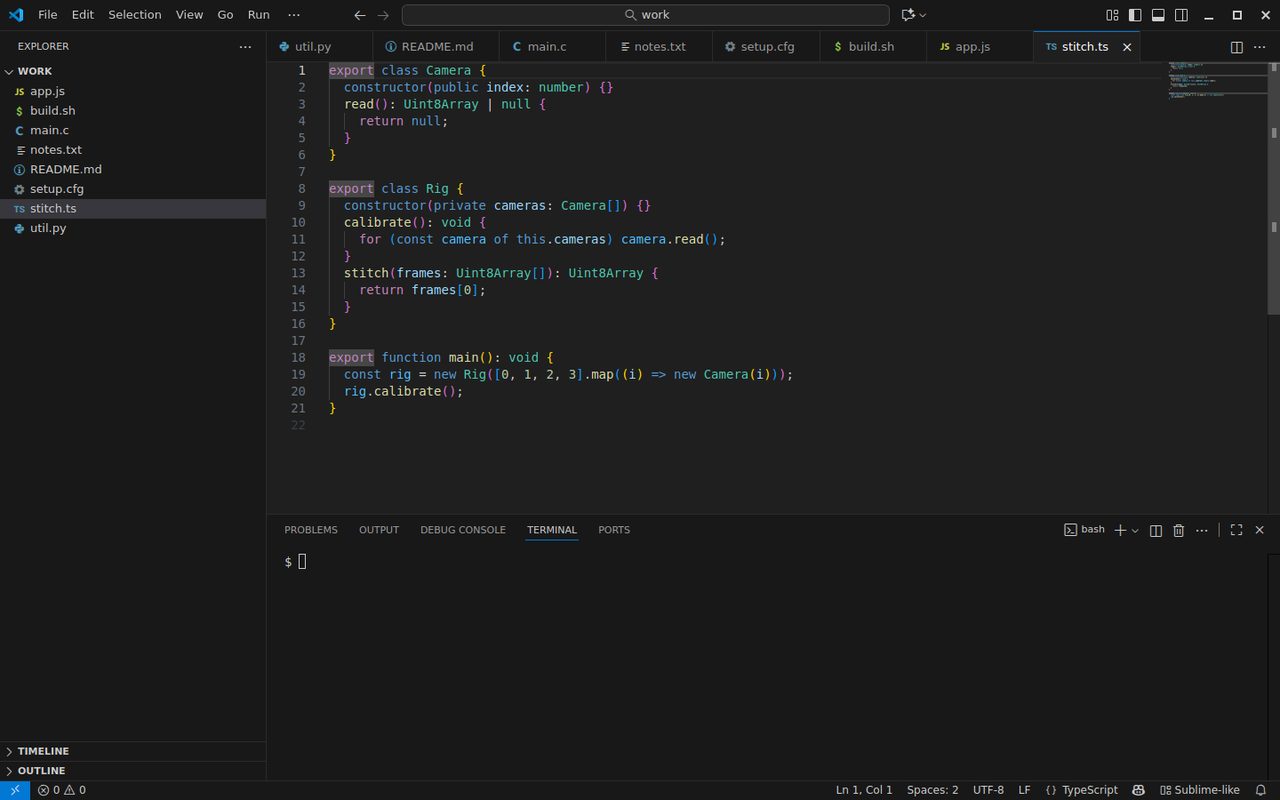
Sublime-like |
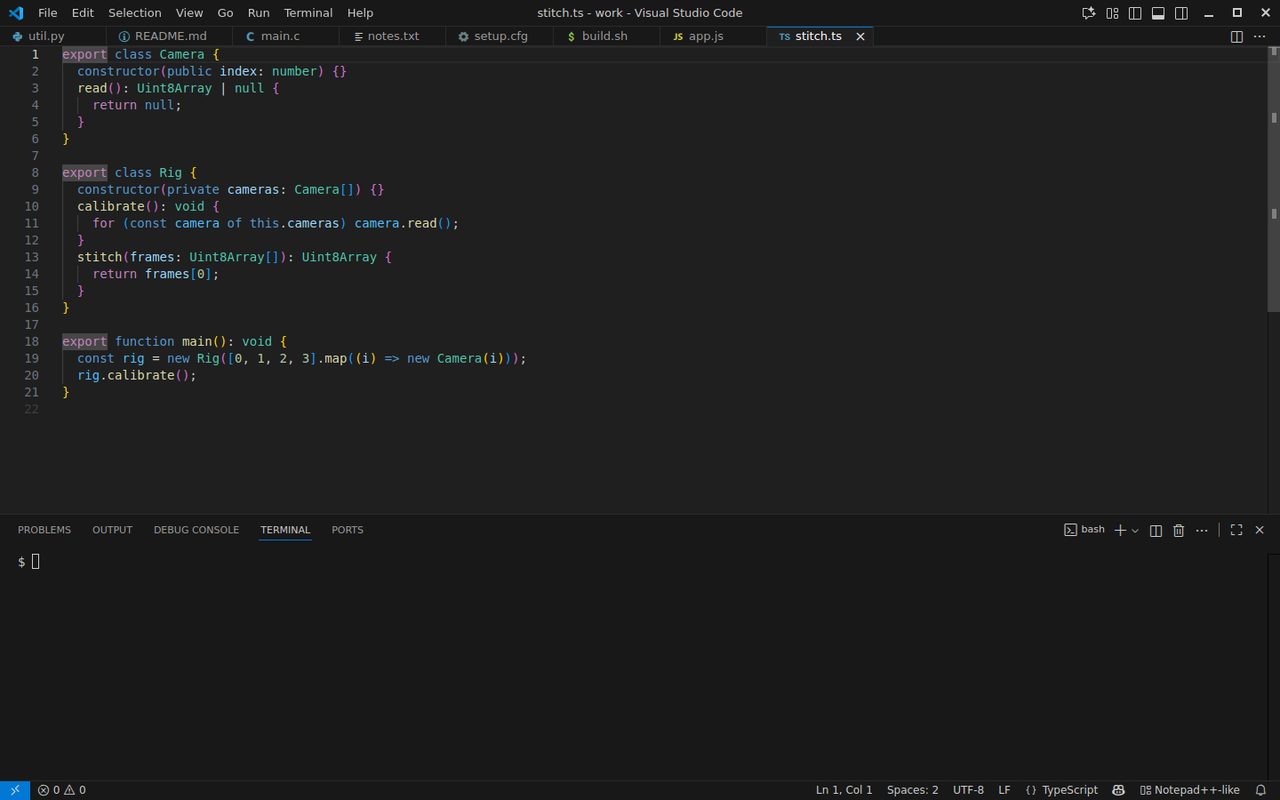
Notepad++-like |
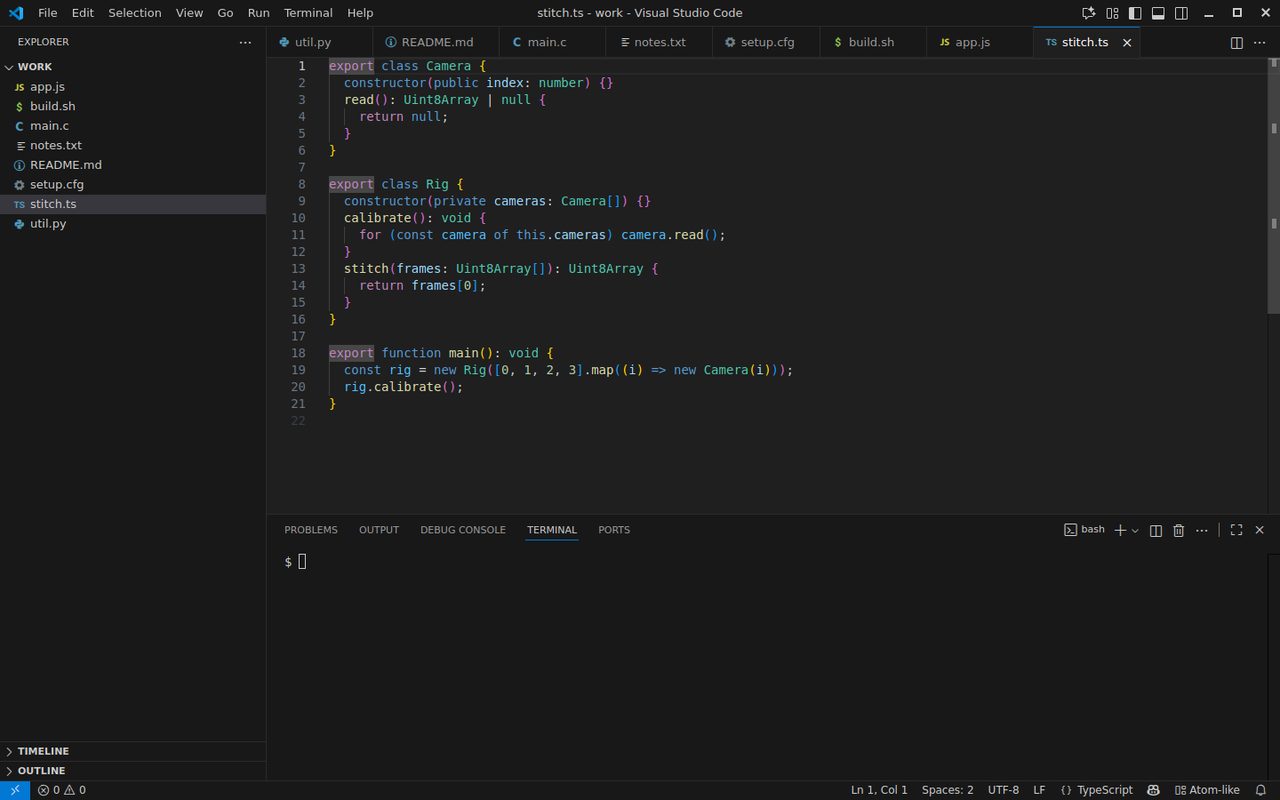
Atom-like |
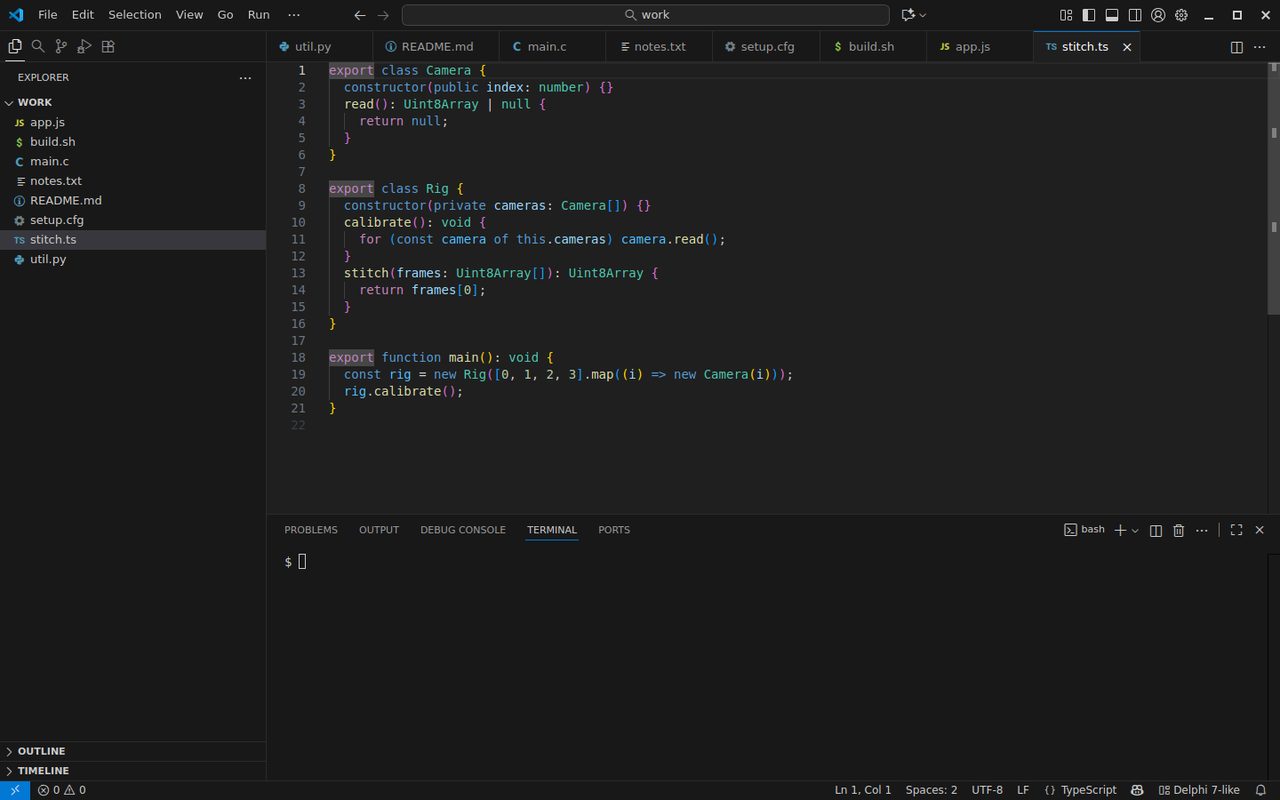
NetBeans-like |
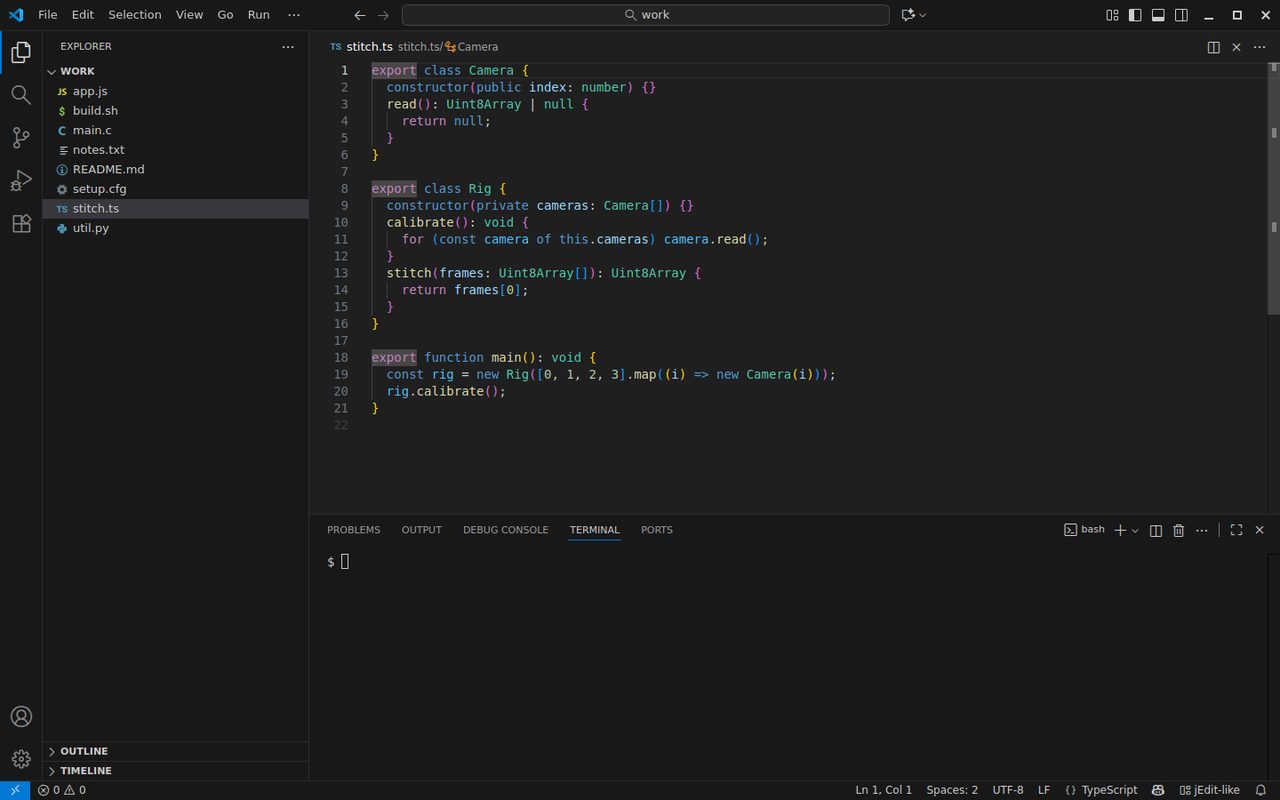
Qt Creator-like |
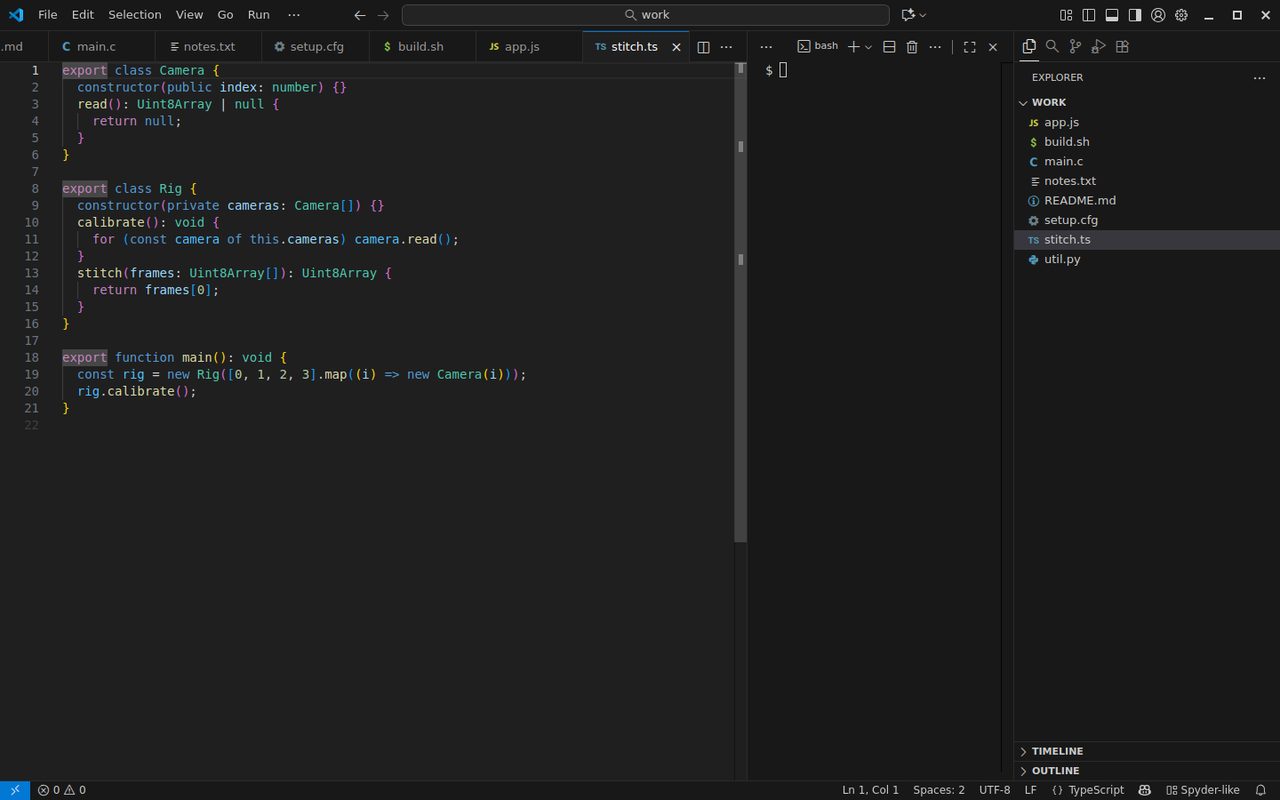
Spyder-like |
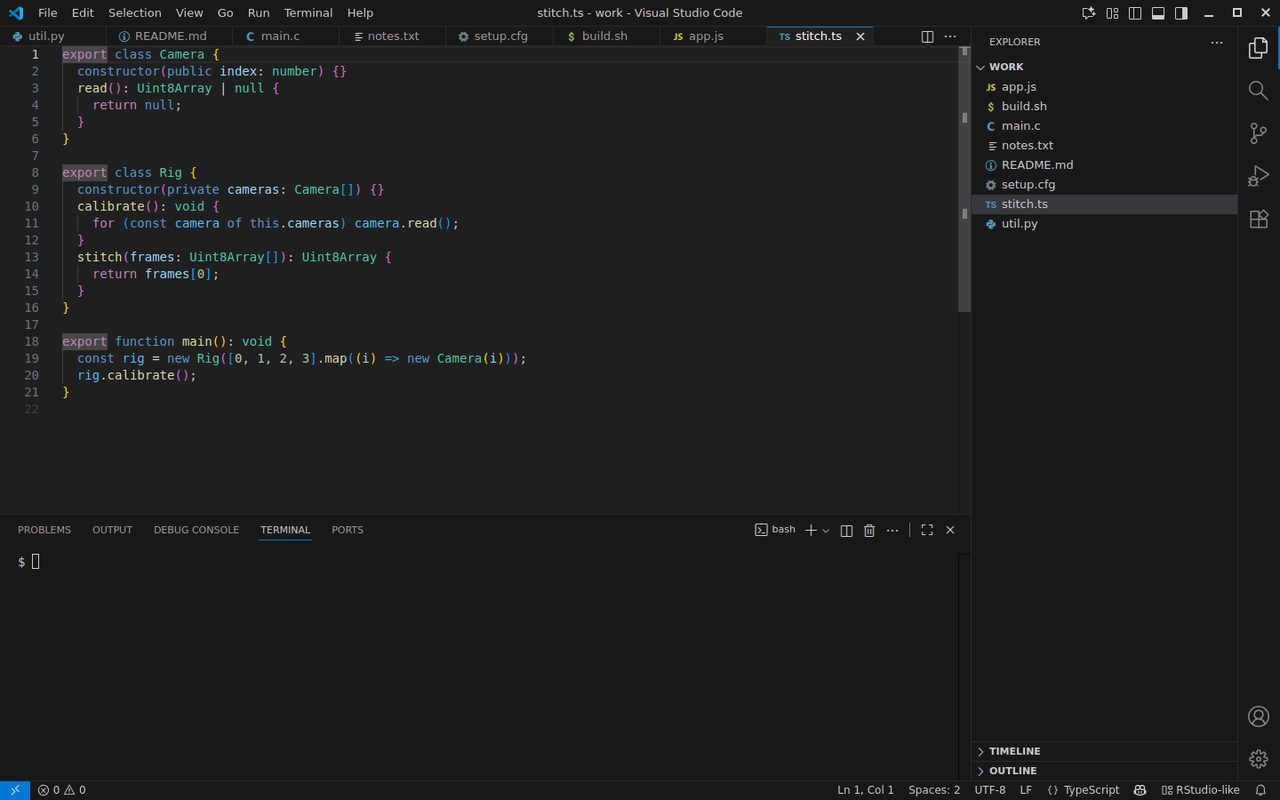
RStudio-like |
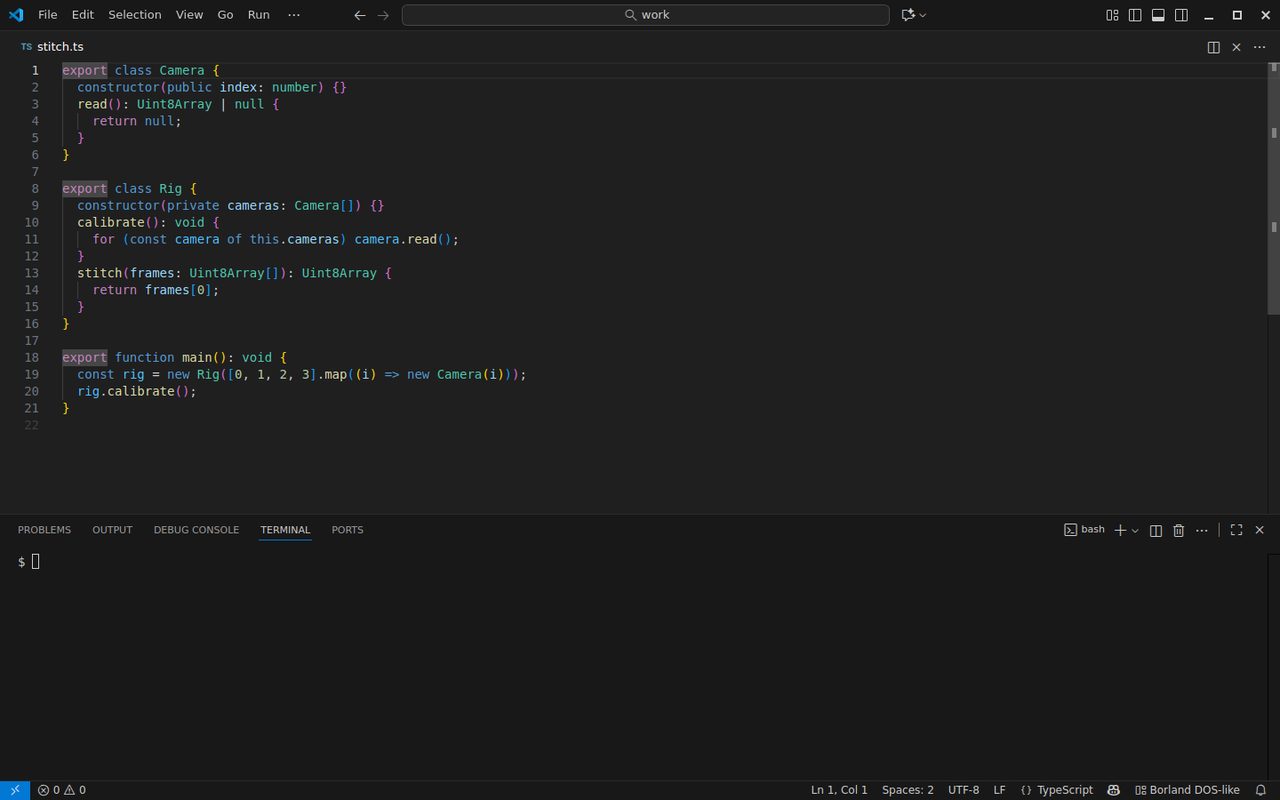
Turbo Pascal / Turbo C-like |
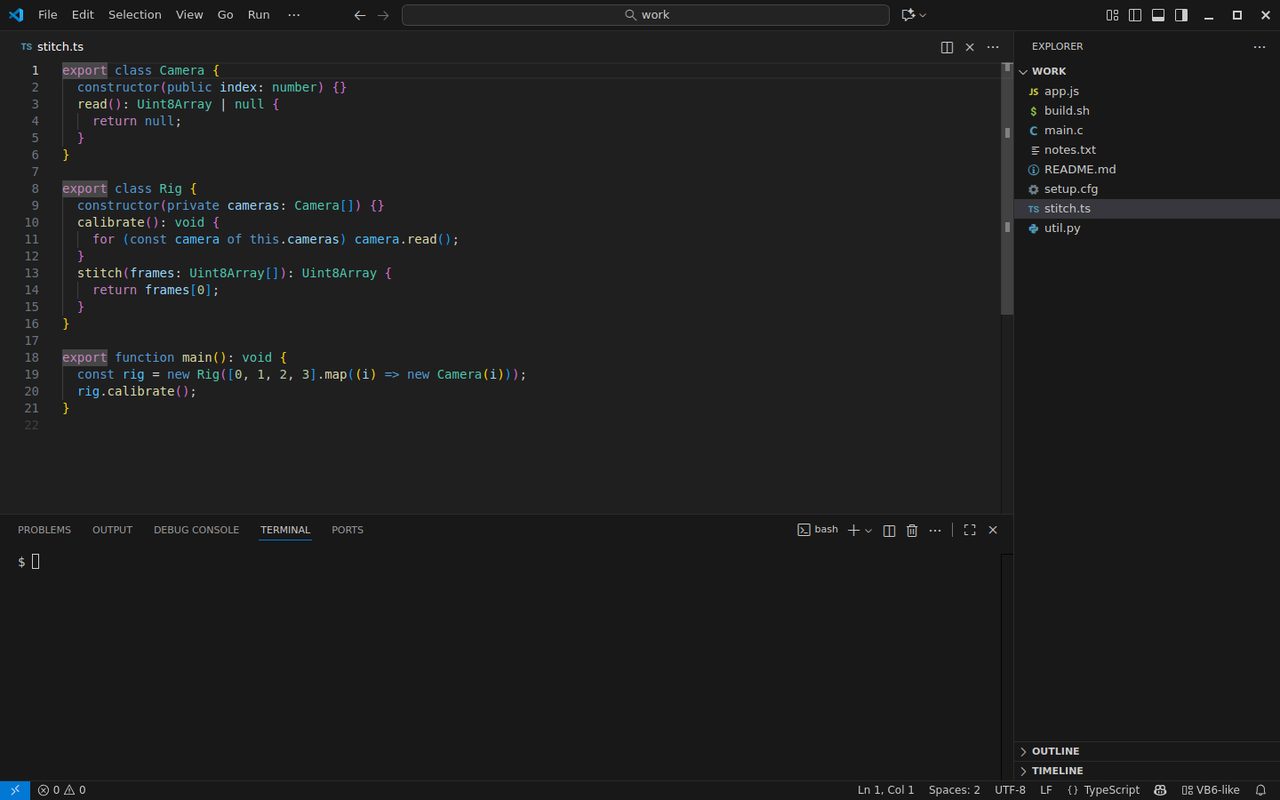
Visual Basic 6-like |
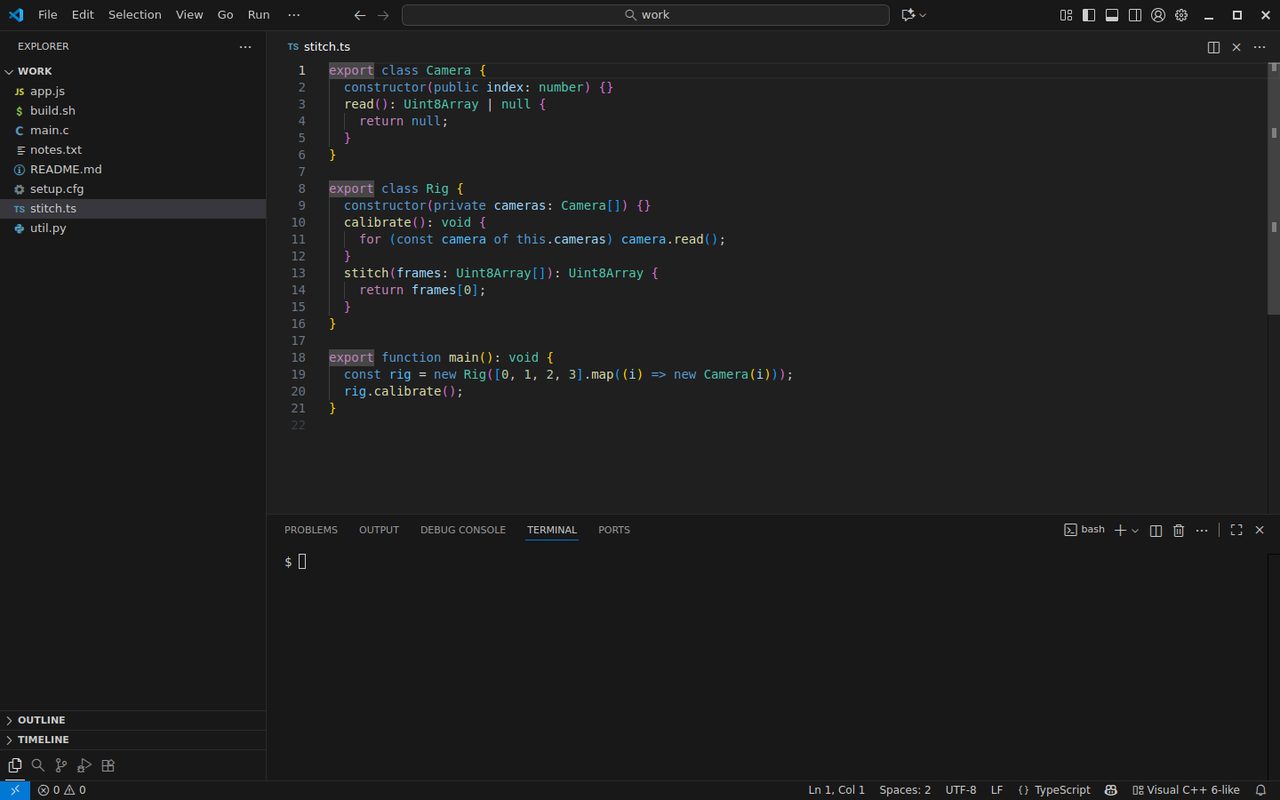
Visual C++ 6-like |
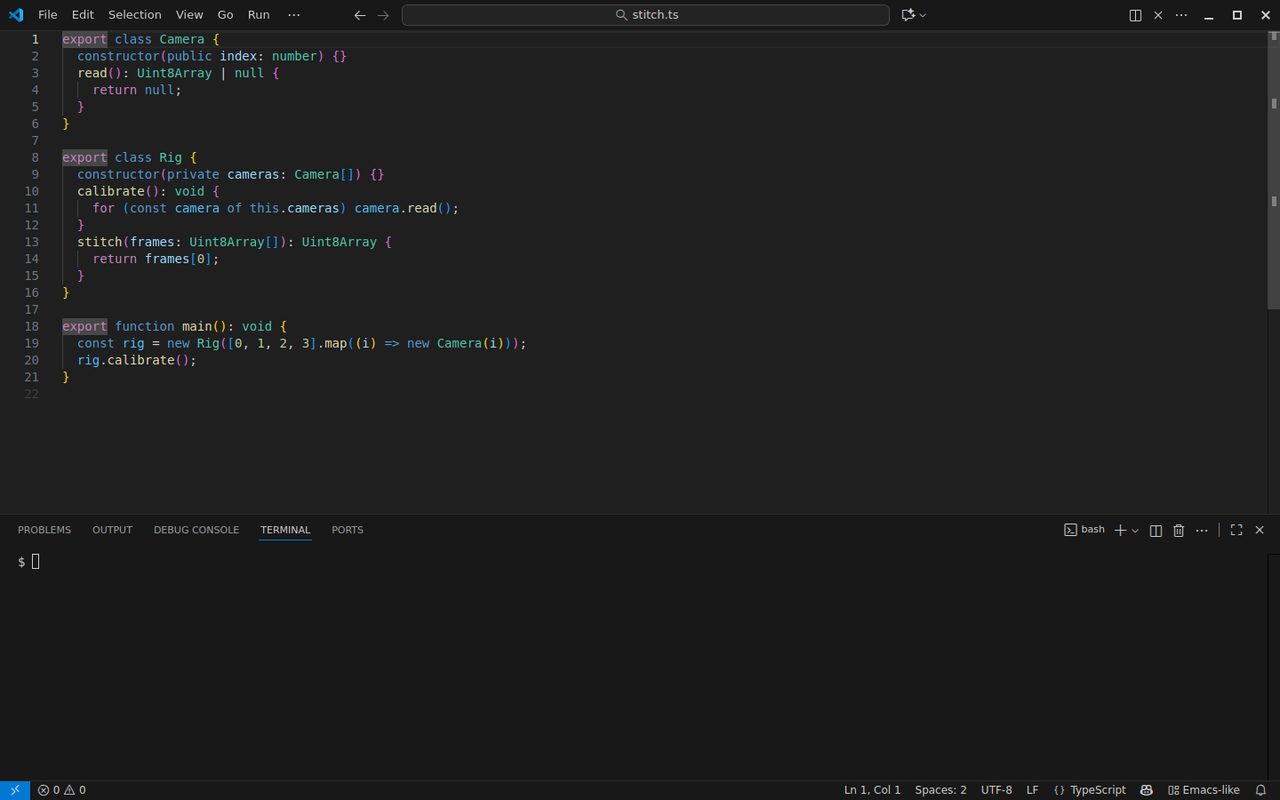
Emacs-like |
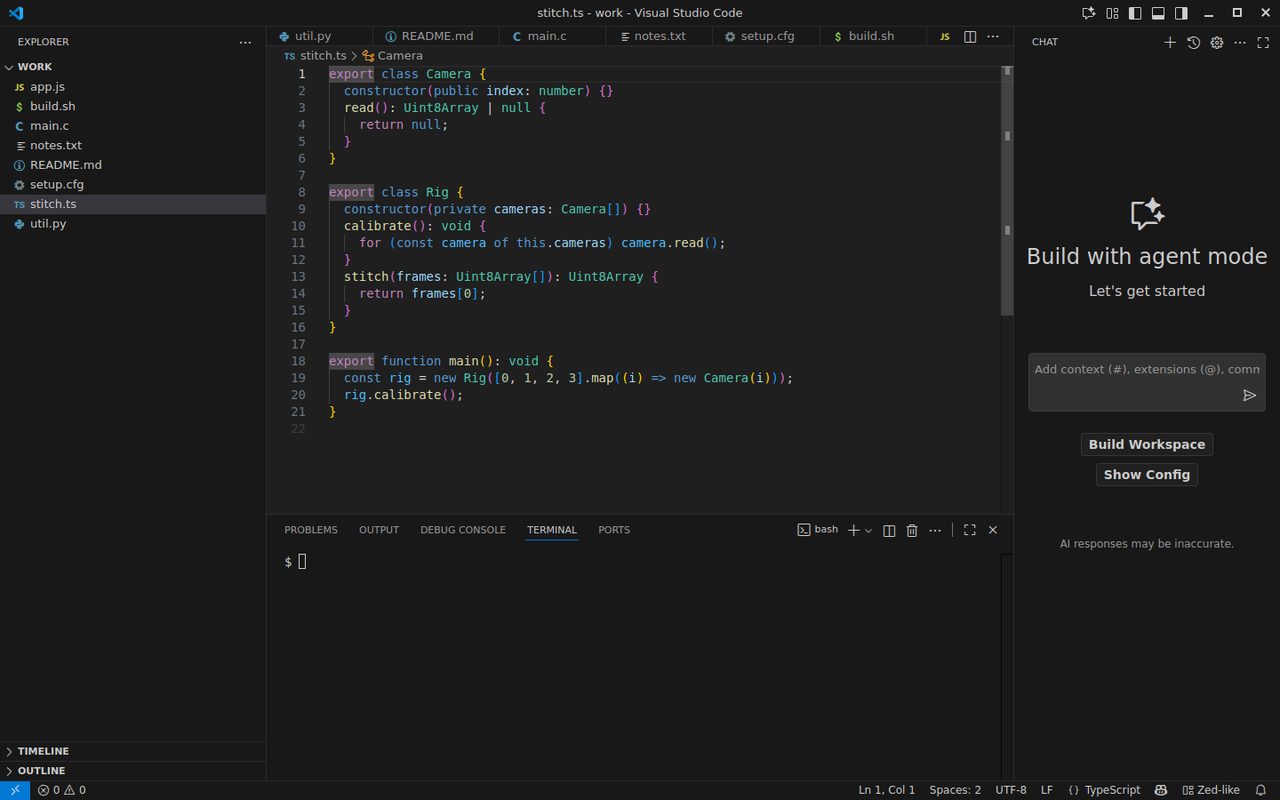
Zed-like |
The extension shows the real picture of all 137 looks inside VS Code, grouped by what they change.
What a look changes
|
Example: VS 2022-like |
| Side bar |
Explorer on the right, like Solution Explorer |
| Tabs |
Wrap to more rows instead of scrolling sideways; pinned tabs on their own row |
| Panel |
Terminal and output at the bottom, or on the right for Spyder / RStudio-style looks |
| Outline |
Moved to the right-hand side bar for Xcode- and Eclipse-style looks |
| Activity bar, menu bar, minimap, breadcrumbs, tab height |
Set the way that IDE has them |
| Shortcuts |
F5 / F10 / F11 / F12, Ctrl+K Ctrl+C … from that IDE (optional) |
137 looks, from 1976 to today
- Full (46): layout and verified shortcuts. Visual Studio 2008 / 2010 / 2013 / 2022 / 2026, IntelliJ (New UI and Classic), PyCharm, Android Studio, Xcode, Eclipse, NetBeans, Sublime, Notepad++, Atom, Qt Creator, RStudio, Spyder, MATLAB, Arduino, Turbo Pascal / Turbo C, QuickBASIC, Visual Basic 6, Visual C++ 6, Delphi, Emacs, Vim, Cursor, Windsurf, Zed, LazyVim and more.
- Classic (53): layout, plus shortcuts where we could verify them. BRIEF, WordStar, dBASE, THINK C, CodeWarrior, AMOS, Komodo, Coda, Fleet, Nova, Helix…
- Museum (38): the layout and the story of IDEs that are gone, such as Zortech C++, Prograph, Visual Café, Intype or Kite.
How to use
- First run: a small note asks which IDE you come from. Or run IDE Looks: Which IDE Are You Coming From?
- Quick switch: click IDE Looks in the status bar, or run IDE Looks: Switch Look…. The arrow keys preview each look live, Enter keeps it and Esc puts everything back.
- Gallery: IDE Looks: Open Gallery shows every look with a picture of its layout. You can search by name or era.
- Make your own: start from any look, change the side bar, tabs, panel, outline and keymap, then save it. Export writes one small
.json file that a teammate can Import.
- Undo: IDE Looks: Undo brings back exactly the settings you had before your first look.
Safe by design
- Official settings only. IDE Looks does not patch VS Code and does not inject CSS, so there is no "installation is corrupt" warning and nothing breaks when VS Code updates.
- Only layout keys. A look can touch about a dozen layout settings and one keymap choice. Look files that try to set anything else (a terminal shell, a path, a task) are refused, and nothing changes.
- Your settings are saved first. Undo restores each value exactly; a key you had never set is removed again.
- Shortcuts stay off until you pick them. Every shortcut is tied to its keymap, so installing IDE Looks changes no keys.
- No network, no telemetry, no account.
Works in
VS Code 1.90 and later, and Cursor. Each release is tested in a real VS Code and a real Cursor: every look is applied, a bad look file is refused, and Undo restores the settings. A setting that an editor does not have is skipped without a warning. Cursor, for example, has no default for the secondary side bar.
Limits, honestly
VS Code is not Visual Studio, Xcode or IntelliJ. IDE Looks makes the layout and the keys feel familiar. It cannot redraw toolbars, ribbons or the window frame, and modal editors (Vim, Helix, Kakoune) need a dedicated extension for their key modes. If a workspace overrides a layout setting, the workspace wins, and IDE Looks tells you so.
Product names are used only to describe a layout style. MareArts is not affiliated with Microsoft, JetBrains, Apple, the Eclipse Foundation or any other IDE maker.
Licence
Free under the MIT licence.
About MareArts
MareArts · Computer Vision Lab is a computer vision research lab. We teach machines to see: to find and read what is in images and video, to join many cameras into one live picture, and to run vision AI fast on everyday computers. We turn that research into tools for people and for the AI agents they work with.
| |

