Midnight Theme Studio
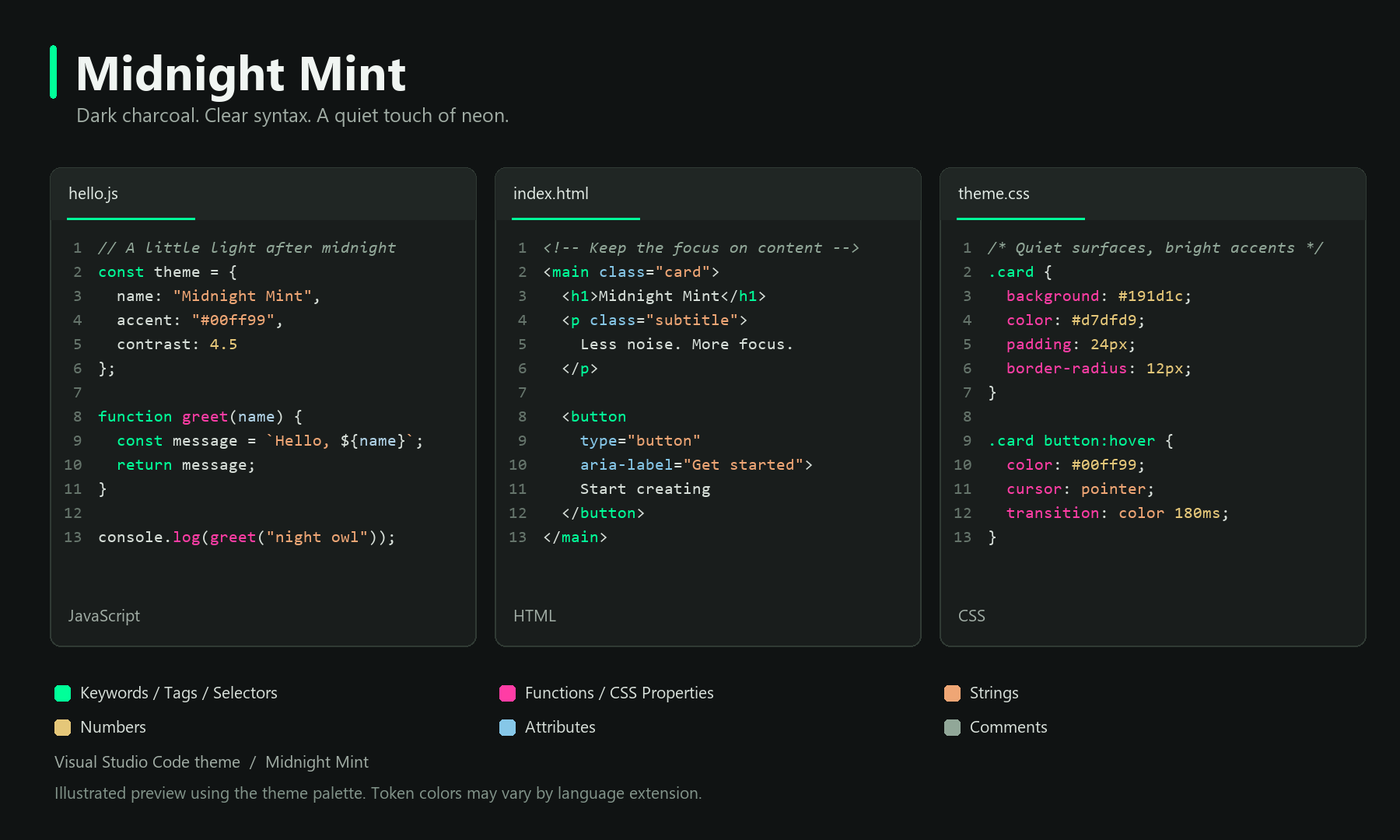
Midnight Mint
Midnight Mint Soft
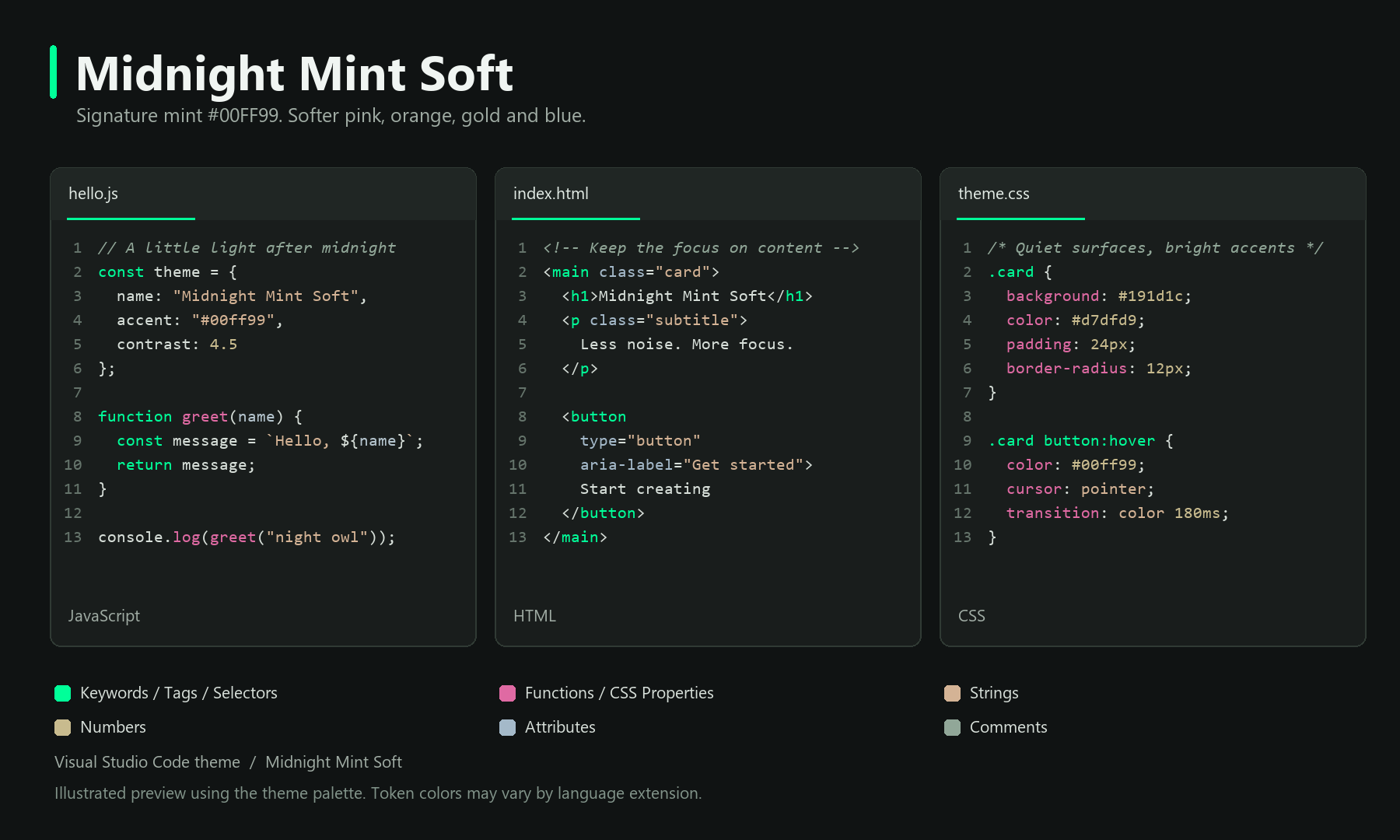
Illustrated previews with JavaScript, HTML, and CSS. Actual highlighting can vary by language extension.
Dark Visual Studio Code themes with clear syntax colors, mint #00FF99 accents, and vibrant or soft palettes.
Two variants are included: Midnight Mint with hot pink accents and Midnight Mint Soft with gentler complementary syntax colors. Both keep signature mint #00FF99 and the same dark interface.
The interface uses quiet charcoal surfaces. Mint stands out in common code structures; complementary colors help separate functions, strings, attributes, and numbers.
Syntax palette
| Element |
Color |
Main palette value |
| Keywords, types, classes, HTML tags, CSS selectors |
Mint |
#00FF99 |
| Functions, methods, decorators, CSS property names |
Hot pink |
#FF3DA5 |
| Strings and CSS keyword values |
Warm orange |
#EFA675 |
| Numbers and recognized constants |
Gold |
#E5C779 |
| Attributes and namespaces |
Light blue |
#86C7E8 |
| Parameters and CSS variables |
Pale blue |
#AFD1E5 |
| Object properties |
Soft pink |
#F378B8 |
| Boolean and null literals (TextMate rule) |
Lavender |
#C2A4E8 |
| Comments |
Muted gray-green, italic |
#91A798 |
| Ordinary variables and text |
Off-white |
#D7DFD9 |
TextMate rules and semantic token colors are included. These are the configured palette values, not a guarantee that every token will use them: more specific grammar rules, semantic classification, and personal overrides can change the result.
Language overview
The following overview was checked against the theme file. The examples have not all been visually tested in a running VS Code editor. JavaScript/TypeScript, HTML/JSX, and CSS have additional language-specific rules; Python and JSON use shared syntax rules, and Markdown has dedicated markup rules.
| Language |
Configured highlights |
Coverage |
| JavaScript / TypeScript |
Mint declarations and keywords; pink functions; orange strings; gold numbers; pale blue parameters |
Shared rules, semantic tokens, and explicit JS/TS declaration rules |
| HTML / JSX / TSX |
Mint tags and components; light blue attributes; orange quoted values |
Explicit tag and attribute rules; embedded code follows its own language |
| CSS / SCSS / Less |
Mint selectors; pink property names; orange keyword values; pale blue variables |
Explicit selector, property, value, and variable rules; some inherited grammar rules also apply |
| Python |
Mint keywords and semantic classes; pink functions and decorators; orange strings; gold numbers; pale blue parameters |
Shared TextMate and semantic rules; some inherited Python-specific rules can use other colors |
| JSON / JSONC |
Orange string values; gold numbers; lavender boolean/null literals; light blue keys when classified as attributes |
Shared grammar rules; JSONC comments use the comment palette |
| Markdown |
Mint bold headings; pale bold text; muted italic text; soft mint links; warm inline code |
Dedicated markup rules; rendered Markdown preview is separate from editor highlighting |
Other languages can use the shared rules when their grammar or language extension reports matching token types. They are not individually verified here.
Midnight Mint Soft
Soft keeps keywords, tags, and selectors in the original mint. Functions and CSS property names use soft pink #DF6AA3; strings use muted orange #D4B395, numbers use soft gold #C8BB8E, and attributes use muted blue #A4B9C9. Parameters use pale blue #B4C4CD, and properties use soft pink #D999B9. Comments retain their muted gray-green.
Activate the theme
- Install Midnight Theme Studio.
- Open the Command Palette with
Ctrl+Shift+P on Windows/Linux or Cmd+Shift+P on macOS.
- Run Preferences: Color Theme and choose Midnight Mint or Midnight Mint Soft.
Use it across devices
After installing the Marketplace version, enable VS Code Settings Sync with the same Microsoft or GitHub account on your devices. Include both settings and extensions in synchronization.
Customization
You can override individual colors through workbench.colorCustomizations, editor.tokenColorCustomizations, or editor.semanticTokenColorCustomizations. Existing overrides can affect how this theme looks.
Work on the theme
Use Node.js 24 and npm to install the packaging tool with npm ci. Run npm run package to create a VSIX in the repository root. Generated VSIX files and installed dependencies are excluded from Git.
Edit themes/midnight-mint-color-theme.json for the original variant or themes/midnight-mint-soft-color-theme.json for Soft. Keep the extension name midnight-theme-studio and publisher marcimoto unchanged so Marketplace updates continue to match the existing extension. Increase the version in package.json and update CHANGELOG.md before uploading a new VSIX.
icon.png is the Marketplace icon. images/ contains the illustrated previews. Their source is scripts/render-previews.py; it requires Python, Pillow, and Windows fonts (Segoe UI and Consolas). Run it from the repository to regenerate both images, then review the results. Syntax examples use explicit token spans, so new token roles or palette changes may also require changes to the renderer.
Use python scripts/render-previews.py for the original variant and python scripts/render-previews.py --soft for Soft. README image links point to specific Git revisions to prevent stale previews; update the corresponding links after committing changed images.
Packaging only creates the file; it does not publish it. Upload the resulting VSIX as an update through the Marketplace publisher management page.
Credits
Created by Marcimoto. Baseline colors and TextMate rules include material from Microsoft Visual Studio Code. Its MIT license notice is included in THIRD-PARTY-NOTICES.txt.
The Midnight Mint icon and Marcimoto branding are excluded from the theme's MIT license. See LICENSE.txt for usage terms.

