CodeCook
A powerful coding add-on for VS Code.
Keep the quality. Cut the cost.
Bring your own key and build with bigger models, without the token anxiety.
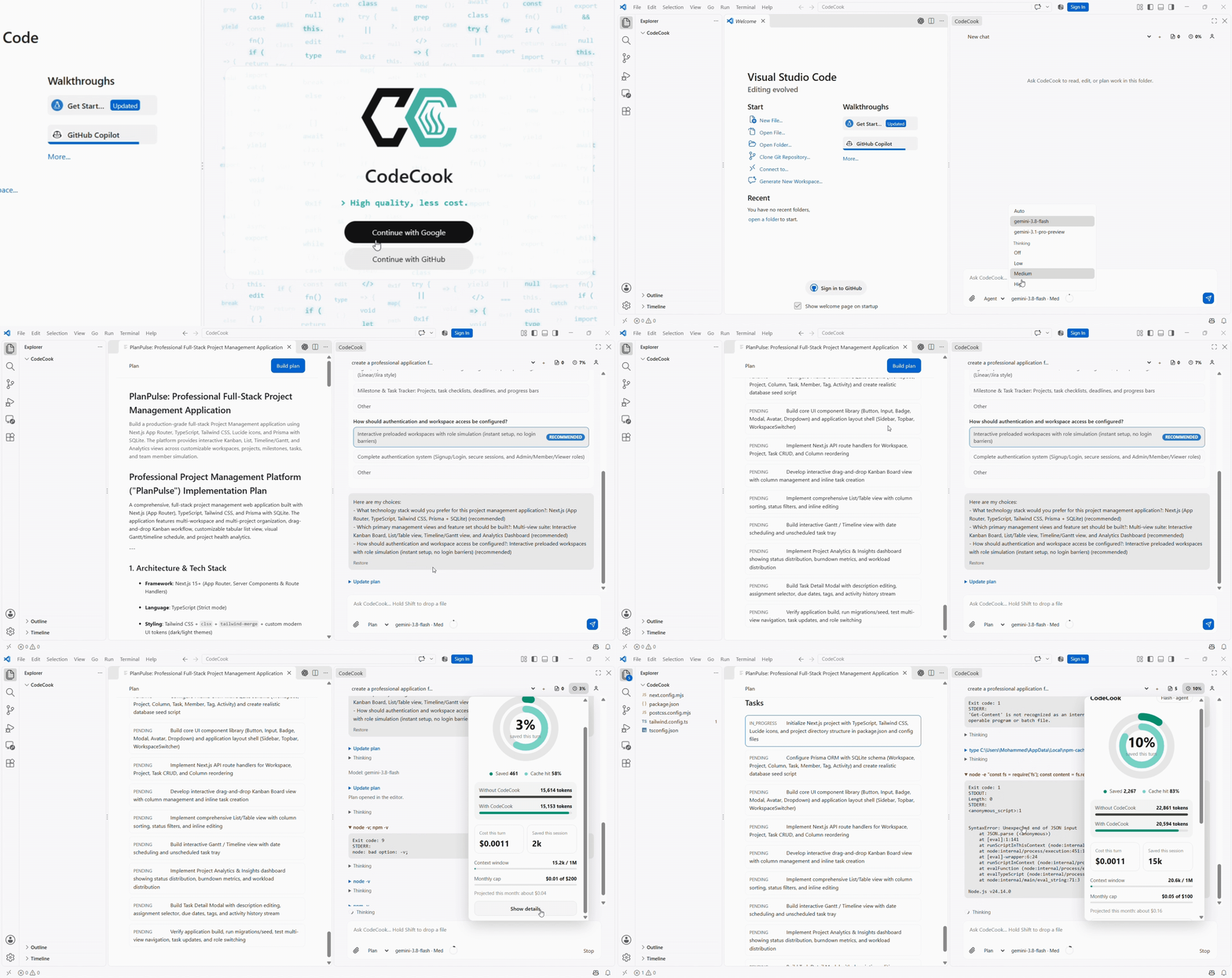
Why I built CodeCook
I wanted to spend more time building. Not worrying about tokens.
Long chats resend everything you already paid for: every old message and every tool output, on every turn. The bill keeps growing even when the work doesn't.
CodeCook fixes that at the source. It summarizes the older turns, keeps your plan in reach, and shows what each turn will cost, so you can use the bigger models you actually want.
What you get
|
|
| Less repetition |
Older turns and bulky tool output are compressed into a short summary instead of being resent every time. You pay for new work, not old work.
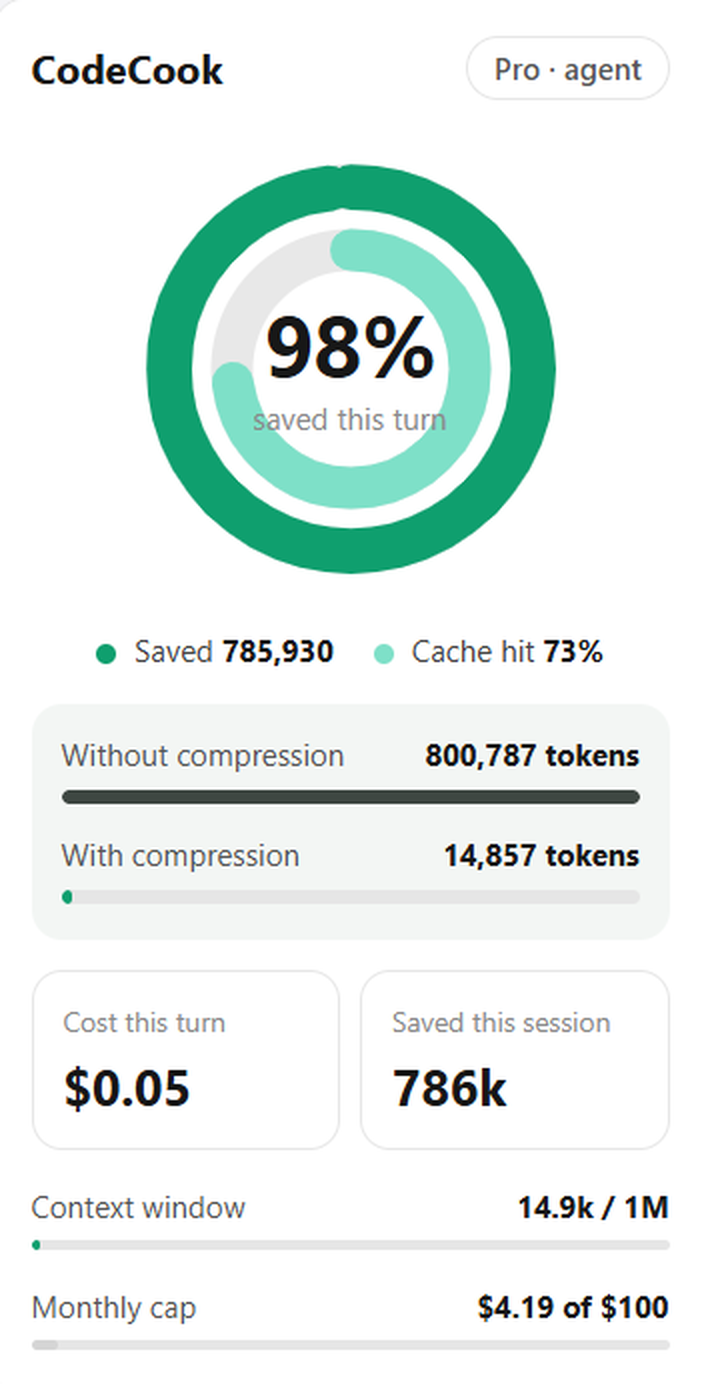 800,787 → 14,857 tokens 800,787 → 14,857 tokens
One turn in a long agent session, after CodeCook's compression. That is about 98% fewer tokens on that turn, with the plan and the work intact. |
| Your plan stays in reach |
Plans survive summarization. Build one, reopen it from the command palette, and the agent keeps following it in long sessions. |
| See the cost |
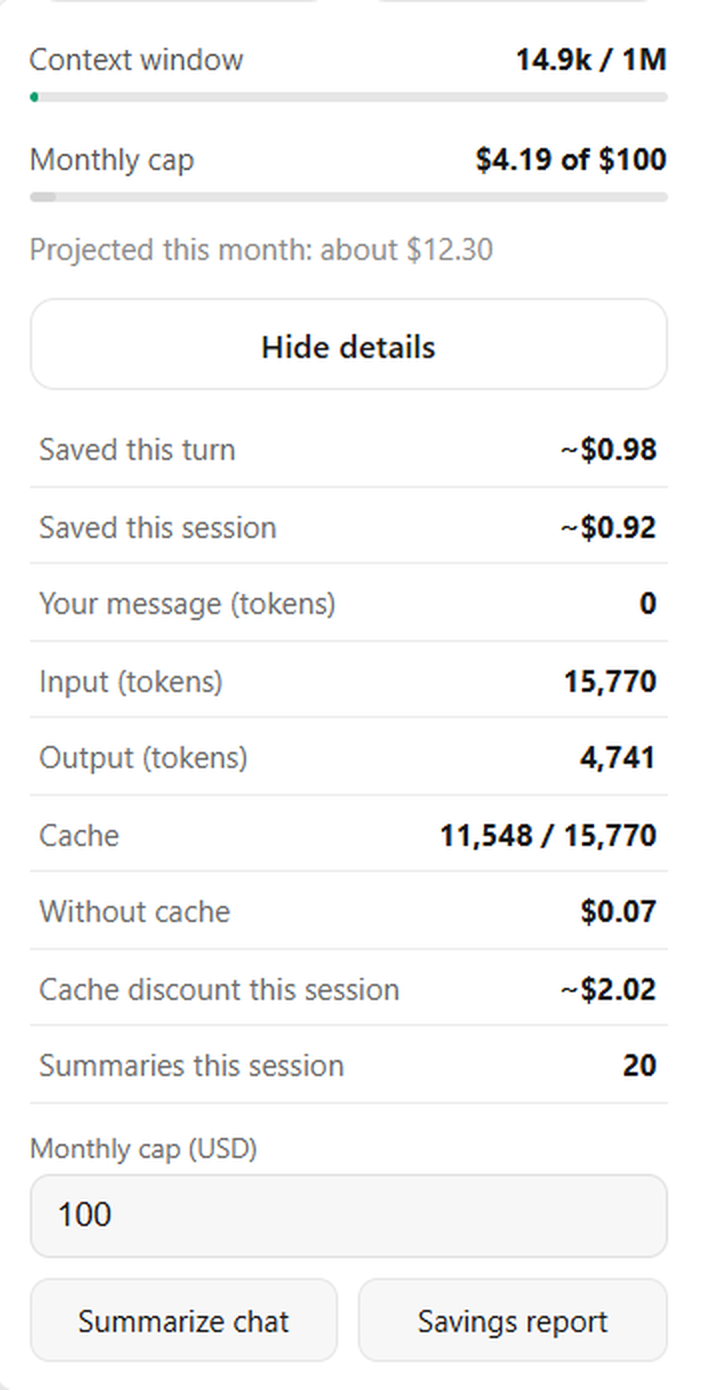
A token optimizer, savings report, and spend estimates for Gemini Flash and Pro. Set daily, weekly, or monthly caps so a long session never surprises you.
 |
| Version control for every turn |
Each turn is checkpointed. Review native diffs, keep all edits, revert them, or rewind to an earlier turn and restore your files. |
Built for real work
- Chat in the sidebar. Start a new chat, cancel a running turn, or summarize a long conversation on demand.
- Review before you commit to anything. Every changed file is listed. Open one diff, open all diffs, keep all, or revert all.
- Context from where you work. Highlight code in the editor, or text in the terminal, and choose Add to Chat.
- Bring your own key. You pick the provider and pay it directly. No markup and no lock-in.
- Bigger models, calmer budget. Smart compression plus visible costs mean you can reach for the strongest model without flinching.
Works with the models you already use
| Provider |
How you connect |
| Google Gemini |
Google Cloud (Vertex AI) with gcloud login, or a Gemini API key |
| OpenAI / ChatGPT |
API key, or your ChatGPT plan |
| Anthropic Claude |
API key |
| Azure OpenAI |
Endpoint and API key |
| AWS Bedrock |
Access key, secret, and region |
You only need one. Gemini on Vertex AI is the default setup.
Get started in a minute
- Install CodeCook and open its icon in the activity bar.
- Sign in with Google or GitHub. This creates your CodeCook account, stored locally in VS Code. It is separate from your model provider and gives CodeCook no access to your repositories.
- Connect one provider from the table above.
- If you use Vertex AI, set Settings → CodeCook → Gcp Project (
codecook.gcpProject).
- Ask the agent to work on your workspace, and review what it changes.
Requirements: VS Code 1.85 or newer, and either a Google Cloud project with Vertex AI (gcloud auth application-default login) or an API key for a supported provider.
Most-used commands
Open the command palette and type CodeCook to see them all.
| Command |
What it does |
| CodeCook: Open Chat |
Focus the chat sidebar |
| CodeCook: New Chat |
Start a fresh conversation |
| CodeCook: Show Changes |
List the current turn's file changes |
| CodeCook: Keep All Changes / Revert All Changes |
Accept or undo the turn's edits |
| CodeCook: Token Optimizer |
View token usage and savings |
Settings
| Setting |
Purpose |
codecook.gcpProject |
Google Cloud project for Vertex AI |
codecook.gcpLocation |
Vertex AI location (global uses the shared endpoint) |
codecook.model |
Model used for agent turns |
codecook.summaryModel |
Model used to summarize long chats |
codecook.spendLimitDailyUsd |
Estimated daily spend cap. 0 means no cap |
codecook.spendLimitWeeklyUsd |
Estimated weekly spend cap. 0 means no cap |
codecook.spendLimitMonthlyUsd |
Estimated monthly spend cap. 0 means no cap |
Token budgets, tool-result limits, and per-million token prices are also configurable under CodeCook in Settings.
Privacy
- Your CodeCook account is stored only in your local VS Code install.
- GitHub sign-in uses the device-code flow and sends no client secret.
- Google sign-in uses a desktop OAuth client. Google requires that client's secret on the token request, and for desktop apps it is not treated as confidential. It identifies the CodeCook app, not you, and does not grant access to your account.
License
Released under the MIT License.
Spend more time building. Not worrying about tokens.
| |

