
RTL for ClaudeRight-to-left text + the Vazirmatn font in the Claude Code chat — and, if you opt in, the Codex chat too. For Persian, Arabic, Urdu and every RTL language. Auto-applies and survives updates. Installation Launch VS Code Quick Open ( Ctrl+P), paste the following command, and press enter.Copied to clipboard |

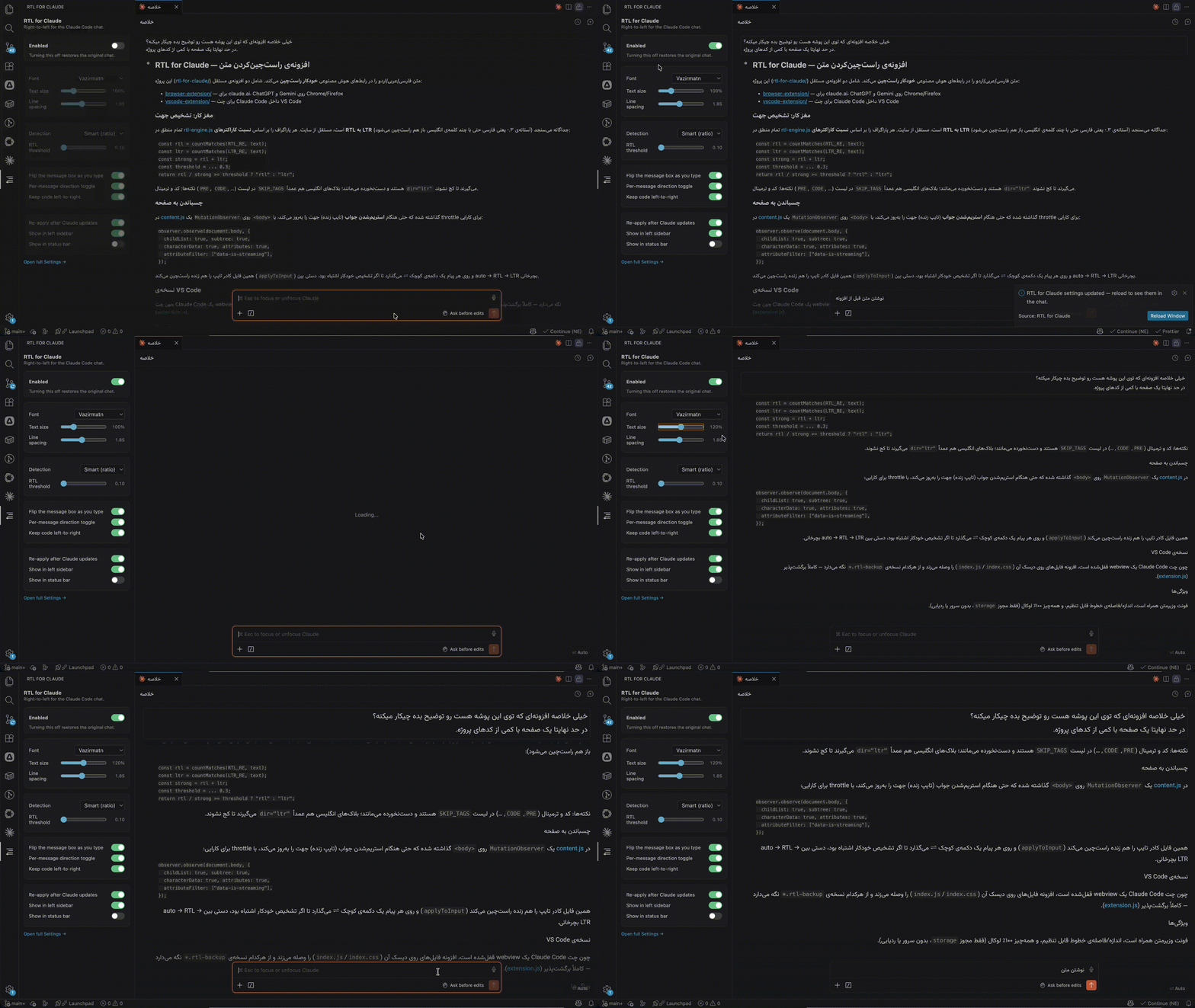
RTL for ClaudeFinally — Persian, Arabic, Urdu and every right-to-left language read correctly in the Claude Code chat. Automatic, per-paragraph right-to-left + the gorgeous Vazirmatn font. Your code and English stay exactly as they are.
✨ Features
Install
That's it — the Claude chat now reads right-to-left. Fine-tune everything from the RTL for Claude panel in the left sidebar, or the quick menu on the status bar. Without installing the extensionRather not install anything from the Marketplace? The same patch is available two other ways — the quick one: or entirely by hand, from a clone of the
repository, so you can read
what runs before it runs: The extension is still the better option — it re-applies itself after every Claude Code update, while these patches have to be re-run by hand. Settings
Commands (
|



| Shortcut | What it does |
|---|---|
Cmd/Ctrl + Shift + 9 |
Cycle the whole chat: Auto → RTL → LTR (works inside the chat itself). |
Cmd/Ctrl + Shift + 8 |
Turn RTL for Claude on / off. |
Cmd/Ctrl + Shift + 7 |
Re-apply to the chat now. |
The last two are normal VS Code keybindings — rebind them in Keyboard Shortcuts. The first one lives inside the chat webview (that's where the direction pin is kept, out of reach of the extension host), so it works whenever the chat has focus.
Turning it off / uninstalling
The clean way: toggle Enabled off (or run Restore original chat) — the chat reverts instantly. It's best to do this before you uninstall.
A live chat only updates after a window reload, so uninstalling won't change an already-open chat until you reload. Uninstall attempts an automatic restore on that next reload, but toggling off first is the sure way.
How it works (full transparency)
The Claude chat is a sandboxed webview no extension can reach into at runtime, so
RTL for Claude patches Claude Code's own webview/index.css + index.js,
compiling your settings into the styles and the RTL engine it injects. Everything
runs locally inside the webview — no remote code, no telemetry. Each original
file is backed up (*.rtl-backup) and fully restorable. Works with VS Code,
Cursor and Windsurf.
With rtlForClaude.codex.enabled, the same treatment covers the Codex
extension: a marked, fully reversible block in its webview/index.html loads
the same RTL engine. A patch applied with the standalone script is recognised
and never removed unless you opt in.
Privacy
100% local. No servers, no analytics — nothing ever leaves your machine.
License
MIT. Bundled Vazirmatn font under SIL OFL 1.1. Source & a no-install script: github.com/mahdigh99/rtl-for-claude.