Darker
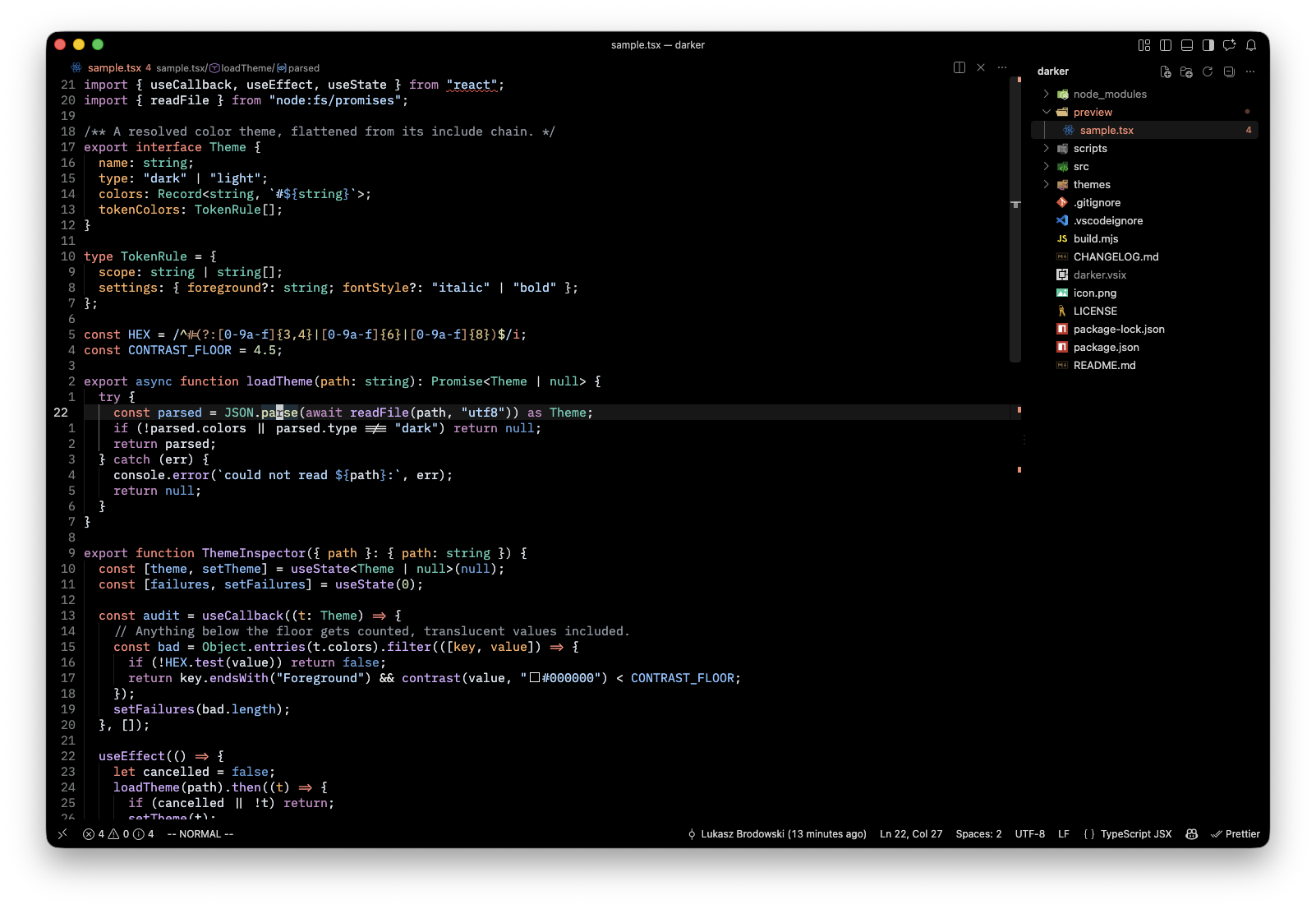
A fork of VS Code's built-in Dark (2026) theme, taken to true #000000 backgrounds with a handful of values tuned to taste. Same accent, same syntax palette, same layout — just black.
Install
Search for Darker in the Extensions view, then select it from Preferences: Color Theme (⌘K ⌘T).
What changed vs. Dark (2026)
| Role |
Dark (2026) |
Darker |
| Editor + workbench chrome (sidebar, tabs, status/title bar, terminal) |
near-black ramp |
#000000 |
| Overlays & dropdowns (menu, quick input, suggest, hover) |
#202122 |
#000000 |
| Borders / layout seams |
#2A2B2C |
none |
| Input & dropdown borders |
#333536 |
#2A2A2A |
A few deliberate tweaks on top:
- Find matches get an amber border, borrowed from Pitch Black, so they don't vanish on black.
- Depth comes from shadows instead of borders, since there are no borders left to carry it.
- Near-white text is lifted slightly (~0.05 Oklab lightness) so it doesn't read as grey against true black.
- Bracket pair colors are neutral instead of VS Code's default rainbow.
- A couple of upstream contrast bugs are fixed (a navy
header scope, a white-on-salmon error badge) — found with npm run contrast.
Syntax colors are otherwise Dark (2026)'s, give or take the header fix, the near-white lift, and whatever offsets src/tuning.json carries.
Recommended settings
{ "window.titleBarStyle": "custom" }
The title bar only goes black with VS Code's custom title bar enabled.
Development
Three inputs; nothing else is hand-edited:
| File |
What it is |
src/base.json |
frozen Dark (2026) originals — written only by npm run sync |
src/tuning.json |
lightness offsets — edited by hand or npm run lum |
build.mjs |
REMAP / OVERRIDES / TOKEN_OVERRIDES that turn it black |
npm install
npm run build      # regenerate themes/darker-color-theme.json
npm run sync       # re-vendor Dark (2026) from your local VS Code install
npm run contrast   # WCAG audit; exits 1 on failures, add --all for every color
npm run build alone changes nothing visible. VS Code reads its own copy of the extension under ~/.vscode/extensions/, not this repo — run npm run install-local, then Developer: Reload Window, to actually see a change.
VS Code profiles keep separate extension sets. Working in a named profile requires npm run install-local -- --profile <name>; skip it and the theme silently never appears in that profile's picker, with no error.
src/base.json is frozen — npm run lum -- --reset always restores the vendored originals exactly, no matter how much tuning has been layered on.
Syntax palette
syntaxPalette in src/tuning.json defaults to "mixed", which renders exactly what Dark (2026) does. "2026" uses only 2026's own rules for one consistent palette, but reads noticeably more red — tried, and dropped in favor of "mixed".
Tuning
npm run lum -- --by 0.04             # syntax colors lighter
npm run lum -- --by -0.03            # syntax colors darker
npm run lum -- --by 0.04 --scope fg  # workbench text too
npm run lum -- --by 0.02 --scope bg  # chrome and surfaces
npm run lum -- --show                # print current offsets
npm run lum -- --reset               # back to the vendored originals
Screenshots
screenshots/ is excluded from the packaged .vsix (see .vscodeignore), so this README embeds the preview with a full raw.githubusercontent.com URL — a relative path wouldn't render on the Marketplace page.
Publishing
npx vsce login ${USERNAME}   # needs an Azure DevOps PAT with Marketplace scope
npm run publish
Credits
- Dark (2026) by Microsoft (MIT).
- Pitch Black by Viktor Qvarfordt (MIT), for inspiration and the find-match treatment.
License
MIT

