Seoul Theme for VS Code
Seoul Theme is a color suite for VS Code-compatible editors, inspired by traditional Korean colors and the official Seoul color palette. It offers three distinct moods while aiming for comfortable visual hierarchy during extended use.
🎨 Themes
1. Seoul Dancheong (단청)
The Vivid Palace.
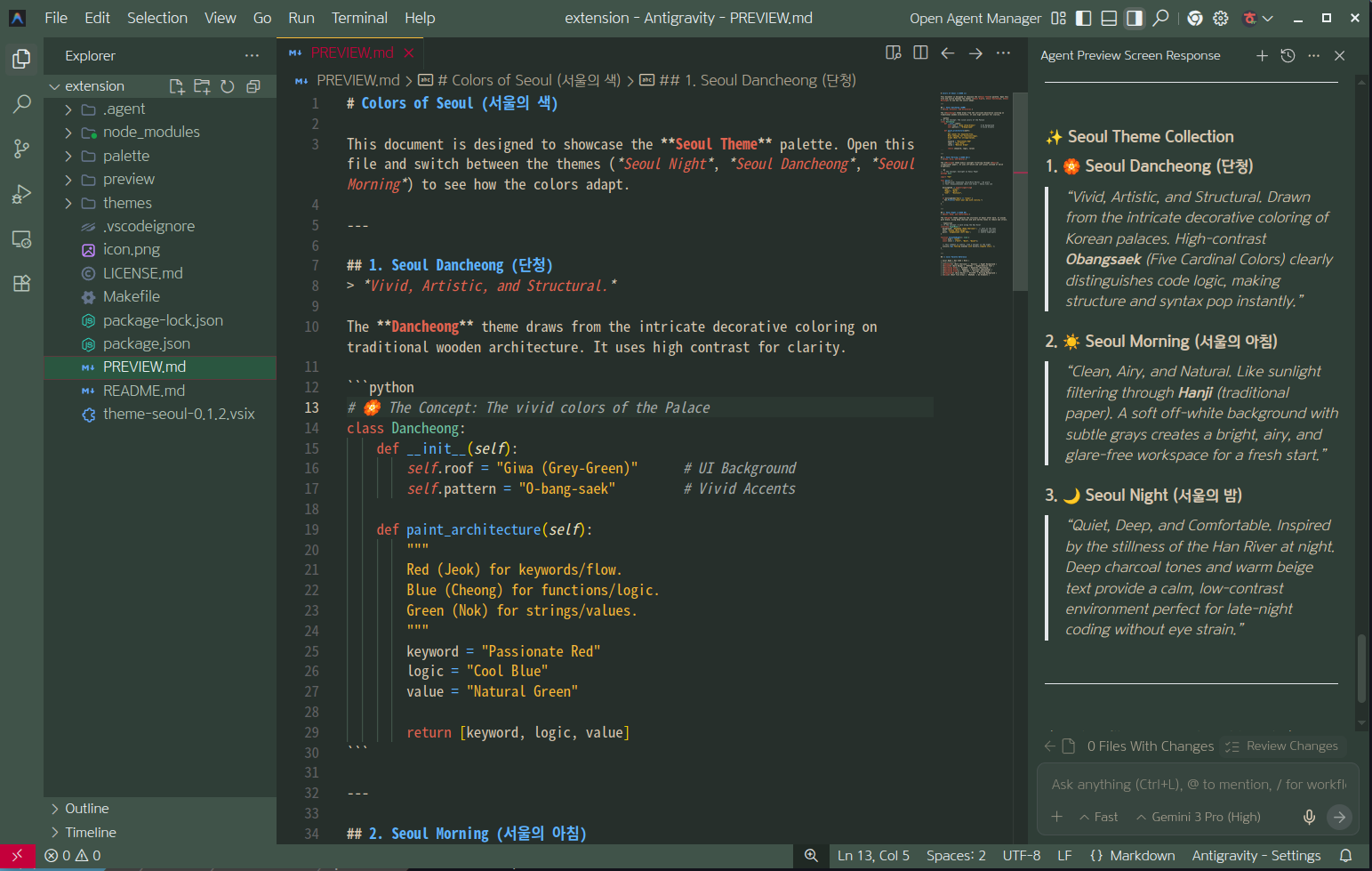
- Mood: Structural, Vivid, Balanced.
- Concept: Inspired by the vibrant decorative coloring on Korean wooden architecture (Dancheong).
- Design:
- A deep green-grey editor surrounded by brighter
Giwajinhoesaek-derived UI surfaces.
Damjusaek for keywords, Seoul Sky Blue for functions and properties, Jahwangsaek for strings, and jade-green tones for types.- Clear panel and group boundaries preserve a two-tone workspace without making the editor itself bright.
- Recommended For: General coding, presentations, and visually separating editor groups and panels.
2. Seoul Morning (서울의 아침)
The Paper Light.
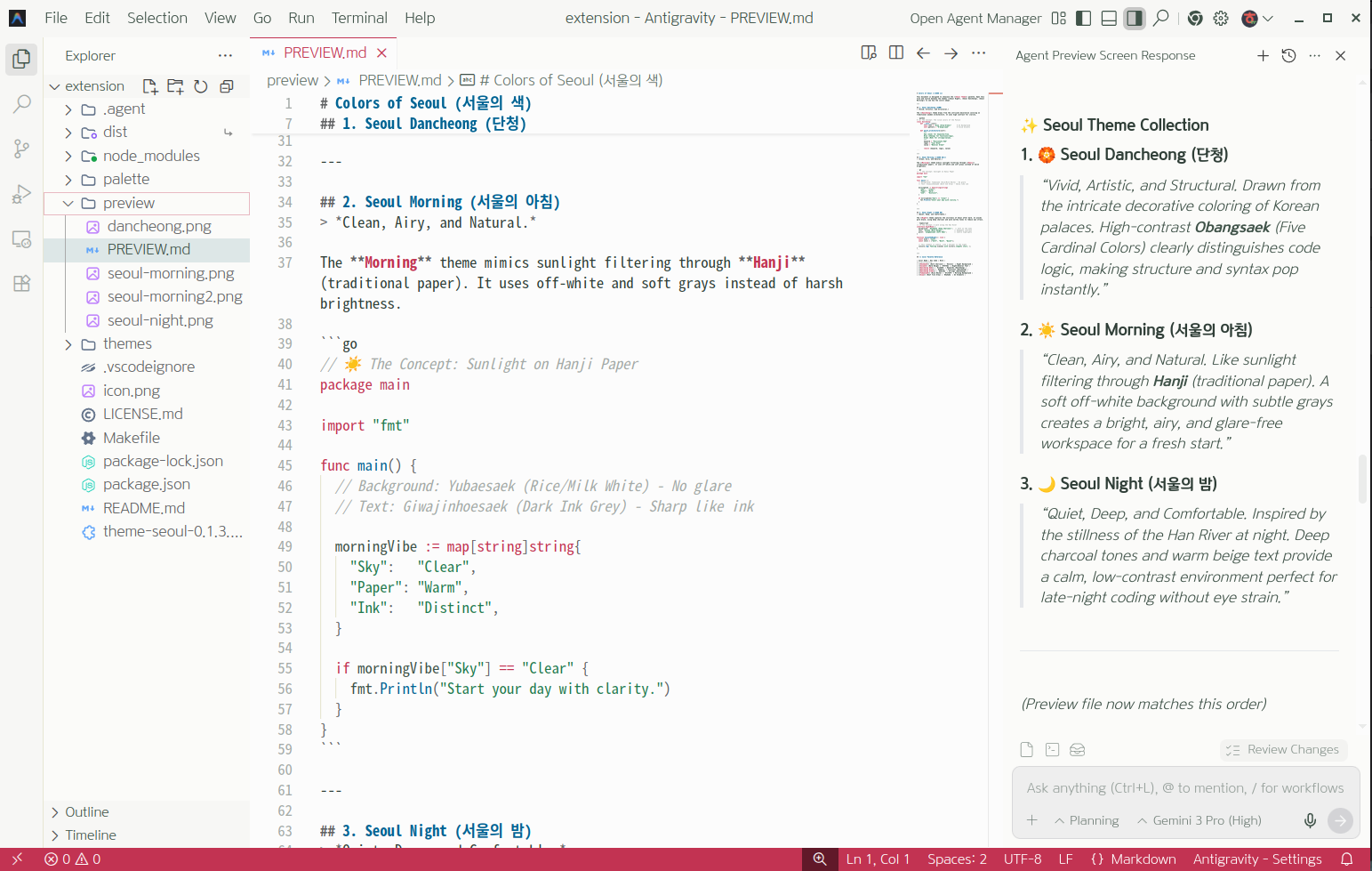
- Mood: Fresh, Clean, Soft.
- Concept: Sunlight filtering through Hanji (traditional Korean paper).
- Design:
- A near-white, paper-like background instead of a blue-white surface.
- Green-grey ink tones instead of pure black for primary text.
- Muted
Yubaesaek, red, blue, and green accents derived from the base palette.
- Recommended For: Bright environments, morning work, reading documentation.
3. Seoul Night (서울의 밤)
The Classic Dark.
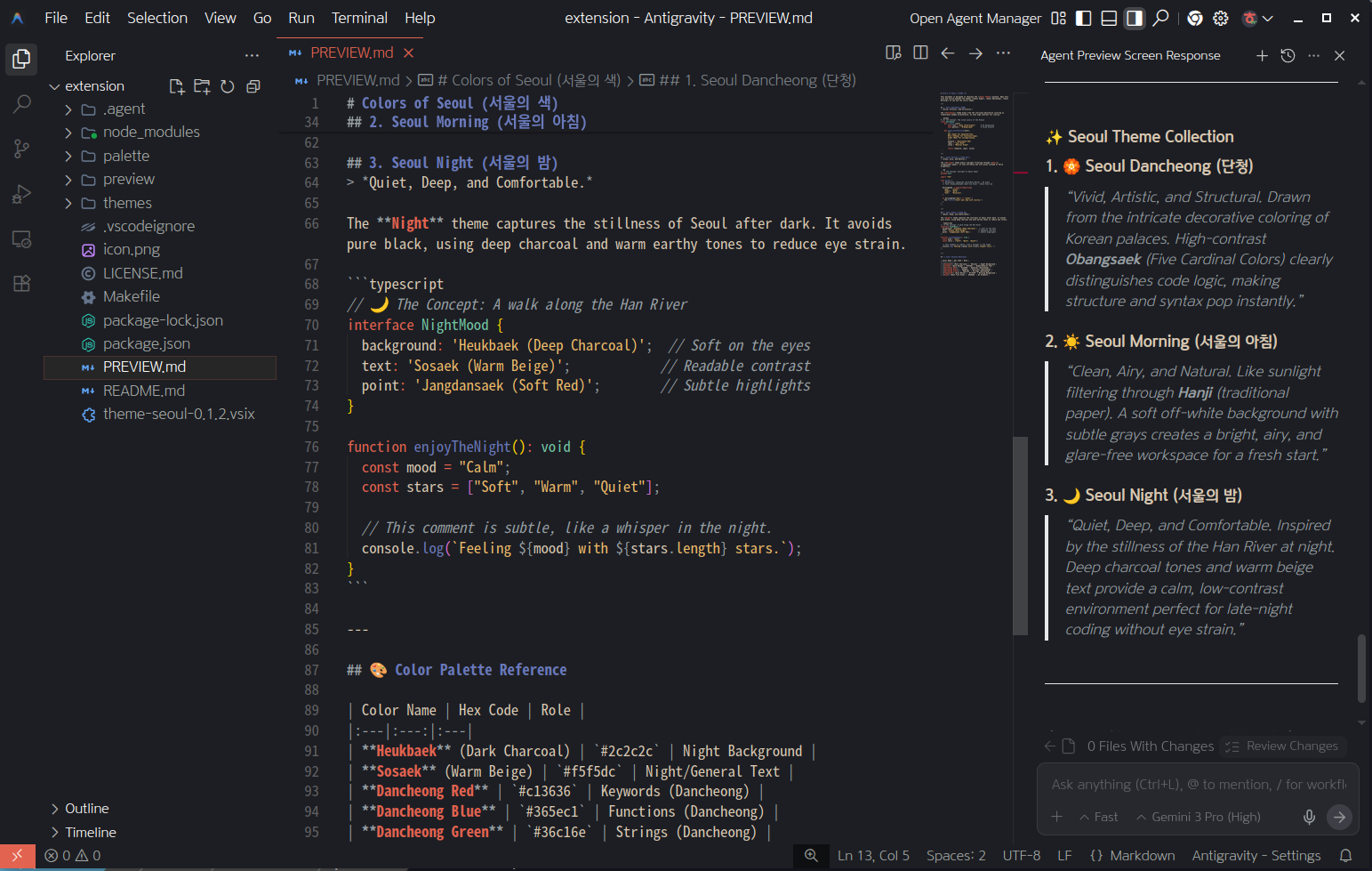
- Mood: Calm, Quiet, Deep.
- Concept: Like a quiet walk along the Han River at night.
- Design:
- A low-luminance
Heukbaek background with warm, readable foregrounds.
Sosaek, Jangdansaek, muted blue, jade, and amber accents.- Most large UI surfaces share one quiet base so syntax remains the primary focus.
- Recommended For: Night coding and low-light environments.
🌿 Philosophy: Visual Comfort
This theme is not a port. Its identity is anchored in palette/palette.json, which contains traditional Korean colors and official Seoul colors.
- Comfort before spectacle: Large dark surfaces avoid pure black, while the light theme uses softened paper-like neutrals. Pure white is reserved for small, high-priority UI text where needed.
- Readable hierarchy: Primary text receives strong contrast; comments, inactive tabs, guides, and borders are intentionally quieter.
- Controlled accents: Saturated colors are reserved for syntax roles, focus, status, and small interactive elements rather than large backgrounds.
- Palette-derived surfaces: Base accents come from
palette.json. Additional green-grey neutrals, brighter accessibility variants, and alpha overlays may be derived from them to maintain hierarchy and contrast.
- Host-aware theming: VS Code, Cursor, Antigravity, and third-party webviews may map theme variables differently. A webview can paint its own internal background after loading, beyond what a color theme can directly control.
The themes aim to reduce unnecessary glare and visual noise, but no color theme can guarantee the prevention of eye strain. Ambient light, display brightness, font size, viewing distance, and break habits remain important.
🛠 Installation
- Open Extensions sidebar in VS Code.
- Search for
Seoul Theme.
- Install and select your preferred mood: Night, Dancheong, or Morning.
Created by lovema-kr
| |

