Skip to content
| Marketplace
Sign in
Visual Studio Code>Other>NPM Quick RunNew to Visual Studio Code? Get it now.
NPM Quick Run

NPM Quick Run

LouisSilver777

|
3 installs
| (0) | Free
Execute npm scripts directly from the VSCode Explorer sidebar - faster than npm run!
Installation
Launch VS Code Quick Open (Ctrl+P), paste the following command, and press enter.
Copied to clipboard
More Info

NPM Quick Run

Logo

Features

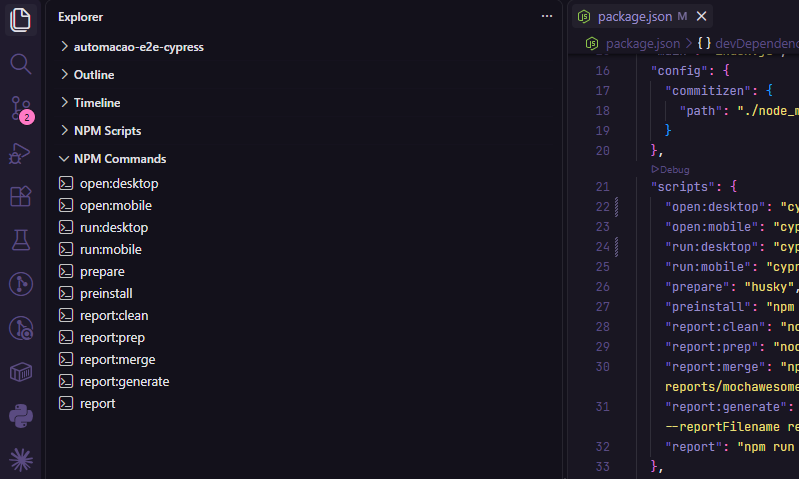
  • Direct access to npm scripts: All scripts from package.json are listed automatically in the "NPM Quick Run" tab in the Explorer
    • Double-click execution: Click any command to open a new terminal and execute it
    • Clean display: Only shows the script name (without "npm run")

Usage

Demo

  1. Open a project with scripts in package.json
  2. Click the "NPM Quick Run" tab in the Explorer sidebar
  3. Click any script to execute it

Requirements

  • VSCode >= 1.74.0
  • Node.js

Installation

Install from the VSIX file or publish to the VSCode Marketplace.

License

MIT

  • Contact us
  • Jobs
  • Privacy
  • Manage cookies
  • Terms of use
  • Trademarks
  • Your Privacy Choices
  • Consumer Health Privacy
© 2026 Microsoft