Local API Client
A free, local-first API client for VS Code. Your requests are plain files in your repository: no account, no limits on collections or requests, no telemetry, no server of ours. Write a request, press Send, read the answer next to it, and review the same files in a pull request.
The extension sends the requests you send and, for a request that uses OAuth 2.0, the requests to the token server and the sign-in you configured; when you import an OpenAPI description from an address, it makes that one GET request. Nothing else leaves your machine.
Preview. The file formats can still change between versions (the files carry schema: 1 and are migrated). Not affiliated with or endorsed by Thunder Client, Postman, REST Client, httpYac or JetBrains; their names only say which data formats are read or written.
Use it
- Open a folder and trust the workspace. The extension is off in Restricted Mode, in the browser and in virtual workspaces.
- Open API Client in the Activity Bar. New Collection..., then New Request... on it.
- Type an address and press Ctrl+Enter (Cmd+Enter on a Mac), or the Send button.
- New Environment... for
baseUrl and the like, and use {{baseUrl}}/pets in your requests. Pick the environment in the status bar.
- Commit the
api-client/ folder. Secret values are in *.local.yml files that the folder's own .gitignore keeps out of Git.
What you get
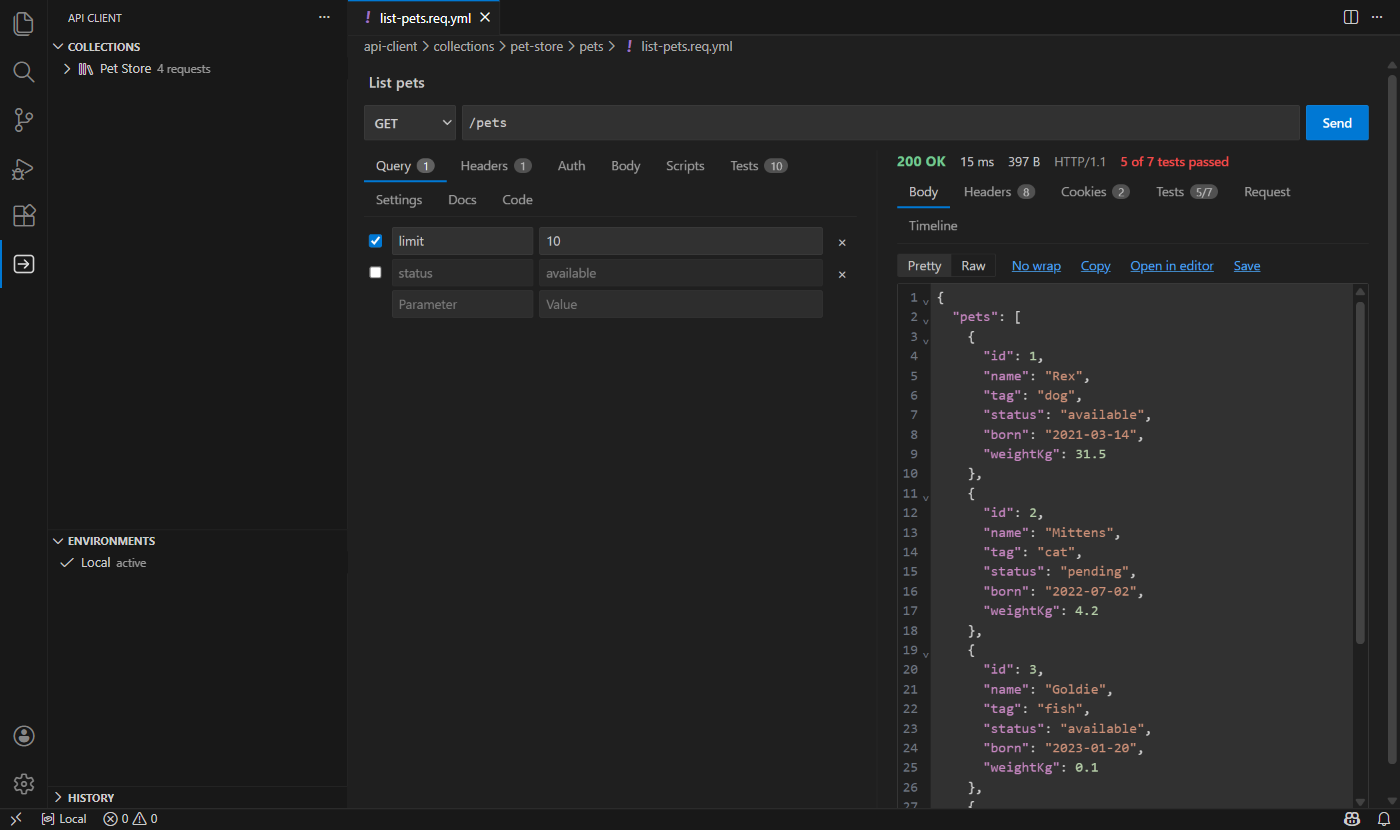
- A request editor with the answer beside it, or below it as in Postman (two buttons at the top of a request). Query, Headers, Auth, Body (JSON, text, XML, form, multipart with files, GraphQL, a binary file), Scripts, Tests, Settings, Docs and Code. The answer has the body (pretty or raw, pictures too), headers, cookies, tests, the console of your scripts, the request as it was sent and a timeline.
- Collections, folders and environments in native trees: drag and drop, rename, duplicate, move, filter. A folder or a collection sets what its requests share (base address, headers, authentication, variables, tests, scripts, settings), and the nearest one wins.
- Requests are files: one YAML file per request, readable in a diff. You can edit them by hand (Open as Text) and the editor follows. Next to each request a generated
.http copy is written for REST Client, httpYac and the JetBrains HTTP Client users (setting apiClient.mirror.mode).
- Variables and environments, with secret values kept in files that Git ignores and hidden wherever something is shown or written down.
- Authentication: inherit, none, bearer, basic, API key and OAuth 2.0 (client credentials, password, authorization code with PKCE, refresh). Tokens live in the secret storage of VS Code.
- Tests and captures in one line each (
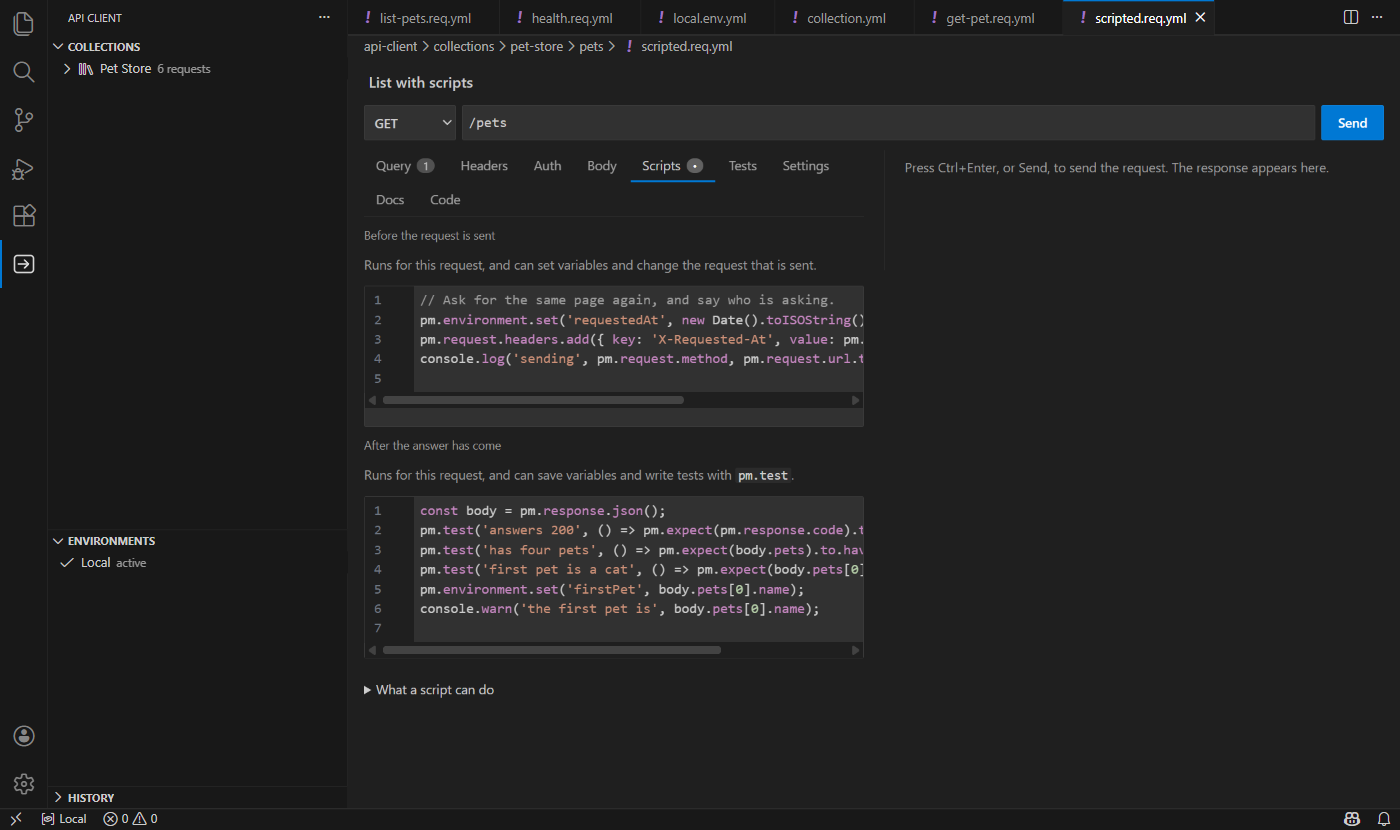
status == 200, json $.id exists, token = json $.access_token), and JavaScript scripts before and after a request (a subset of the Postman pm API) in a sandbox, only after you allowed the exact text.
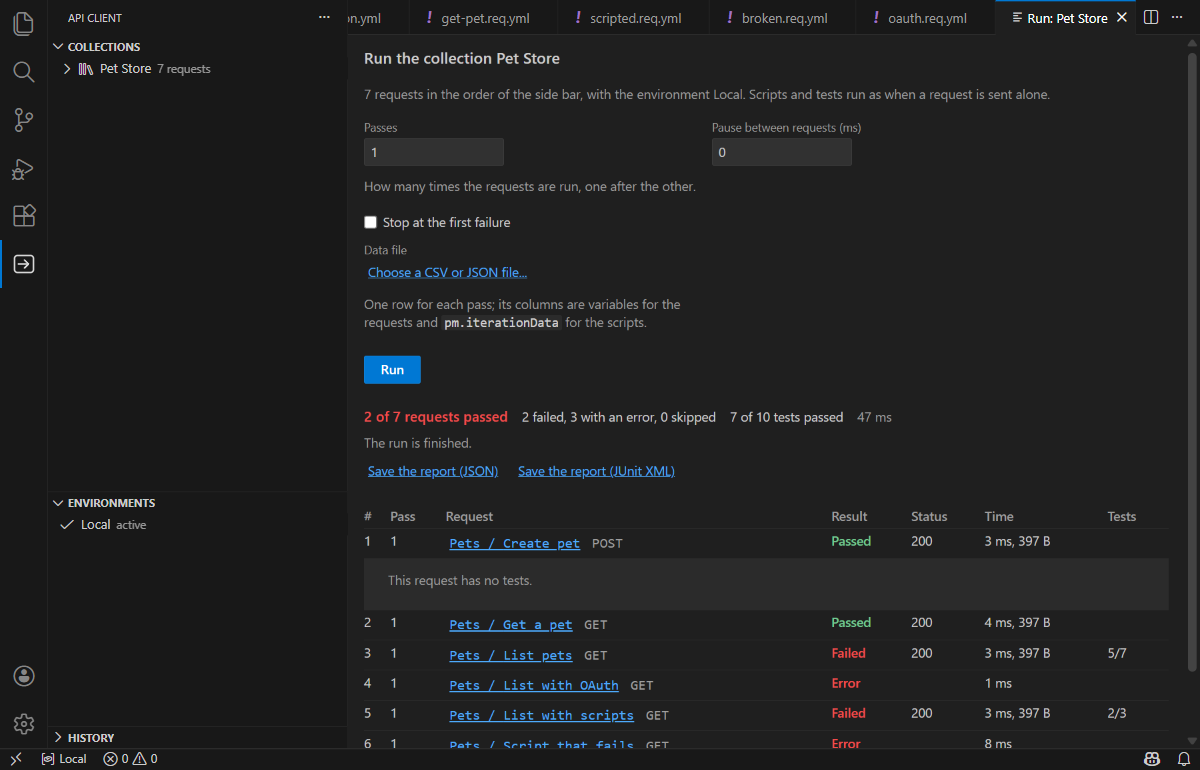
- A collection runner with passes, a pause, a CSV or JSON data file and a JSON or JUnit report.
- Imports from OpenAPI and Swagger (a file, or the address of a program that is running), from the routes of your own controllers, from Thunder Client, from Postman (collections and environments) and from cURL.
- The Code tab: the request as cURL, PowerShell, JavaScript (fetch or axios), Python, Go, C#, PHP or Java, with the secrets left out.
- Cookies, history (on this computer, a line for each send by default) and per-request settings for redirects, timeouts and TLS verification.
Scripts need your consent
A script can read every variable it is given, secrets included, and send them anywhere. So nothing runs until you have said yes to the exact text, in a question that shows each script. A pull, a branch switch or an edit asks again, and an import never grants it. Scripts run in QuickJS compiled to WebAssembly, in a worker thread, with limits on time, memory and output, and can reach nothing but a short list of operations that the extension checks. apiClient.scripts.enabled turns them off.
Safe with other people's files
A collection can come from anyone, so everything in it is treated as hostile. The files are read as data and never run; paths cannot leave the collection; a redirect never takes your credentials to another origin and never goes from the internet to your machine or network unless you allow it; secrets are covered by what they are and by what they are called; the pages have no network and a strict Content-Security-Policy. The security notes say what it defends against, what it does not, and how it was audited.
Settings
| Setting |
Meaning |
apiClient.root |
the folder of the workspace that holds the client's files (default api-client) |
apiClient.mirror.mode |
the .http copies: on (default), off, gitignored |
apiClient.layout |
the answer auto (the width decides), below (as in Postman) or beside the request |
apiClient.history.mode |
metadata (default), full, off |
apiClient.scripts.enabled |
run scripts after you allowed them |
Known limits
- HTTP/1.1 only for now; no WebSocket, server-sent events or gRPC; no digest, AWS or NTLM authentication; no client certificates; no SOCKS or PAC proxy (the proxy of VS Code and of the environment is used).
- Very large collections (ten thousand requests) pay for reading every file again when one changes.
- Remote SSH, WSL and containers have not been tried by hand.
More
| |

