Lineward for dbt™
Offline analysis engine for dbt™ on Snowflake
Catch the errors that fail your run — and the silent ones that don’t.
54 checks as you type and lineage read straight from your files — no dbt™ compile first. Offline, no account, works on
dbt™ OSS.
- Errors that fail the run: GROUP BY mistakes, wrong arguments, types Snowflake refuses — flagged before dbt™ run.
- Silent wrong numbers: Time-zone casts, dropped offsets, an alias GROUP BY ignores — Snowflake runs them all
without a word.
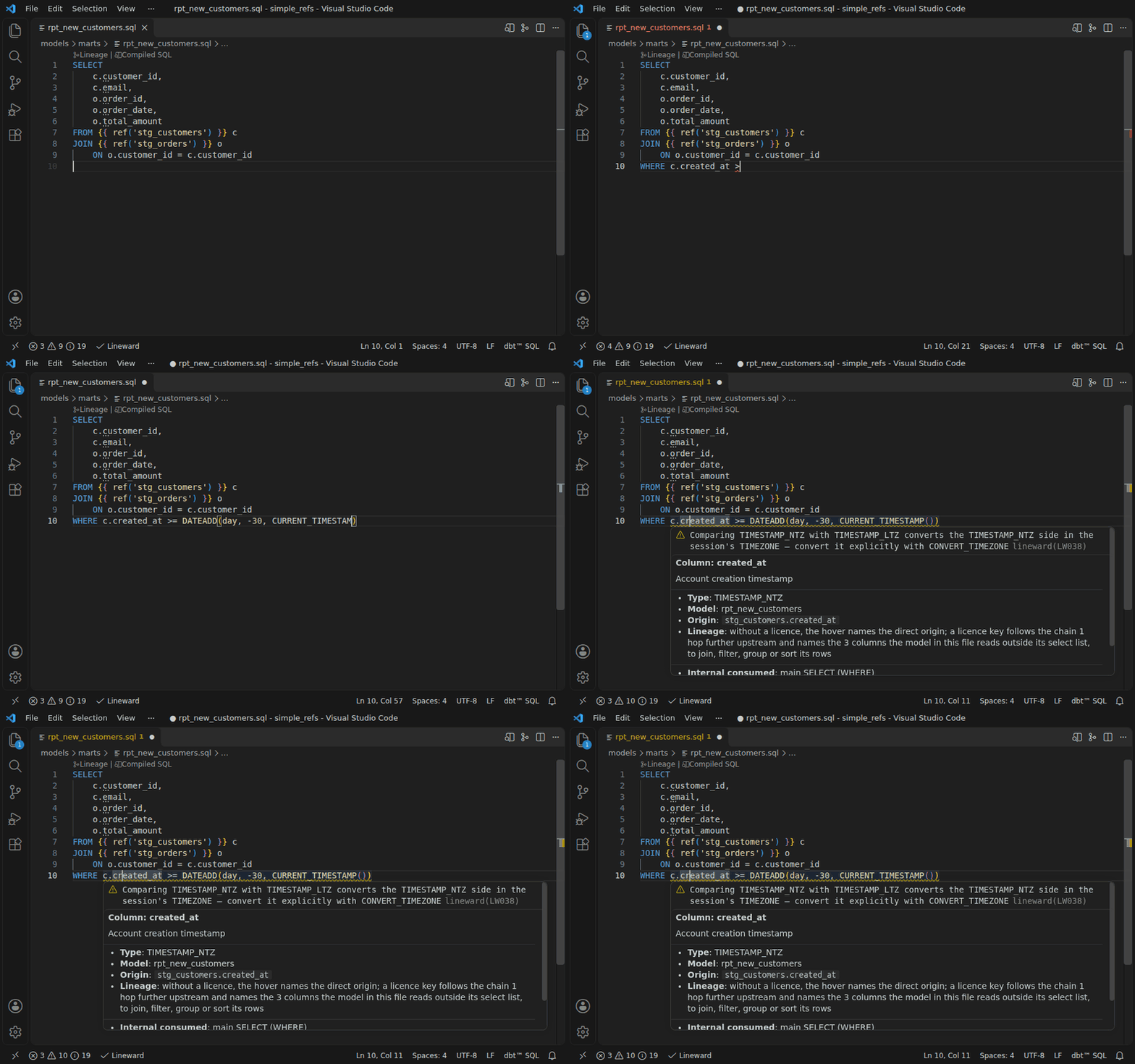
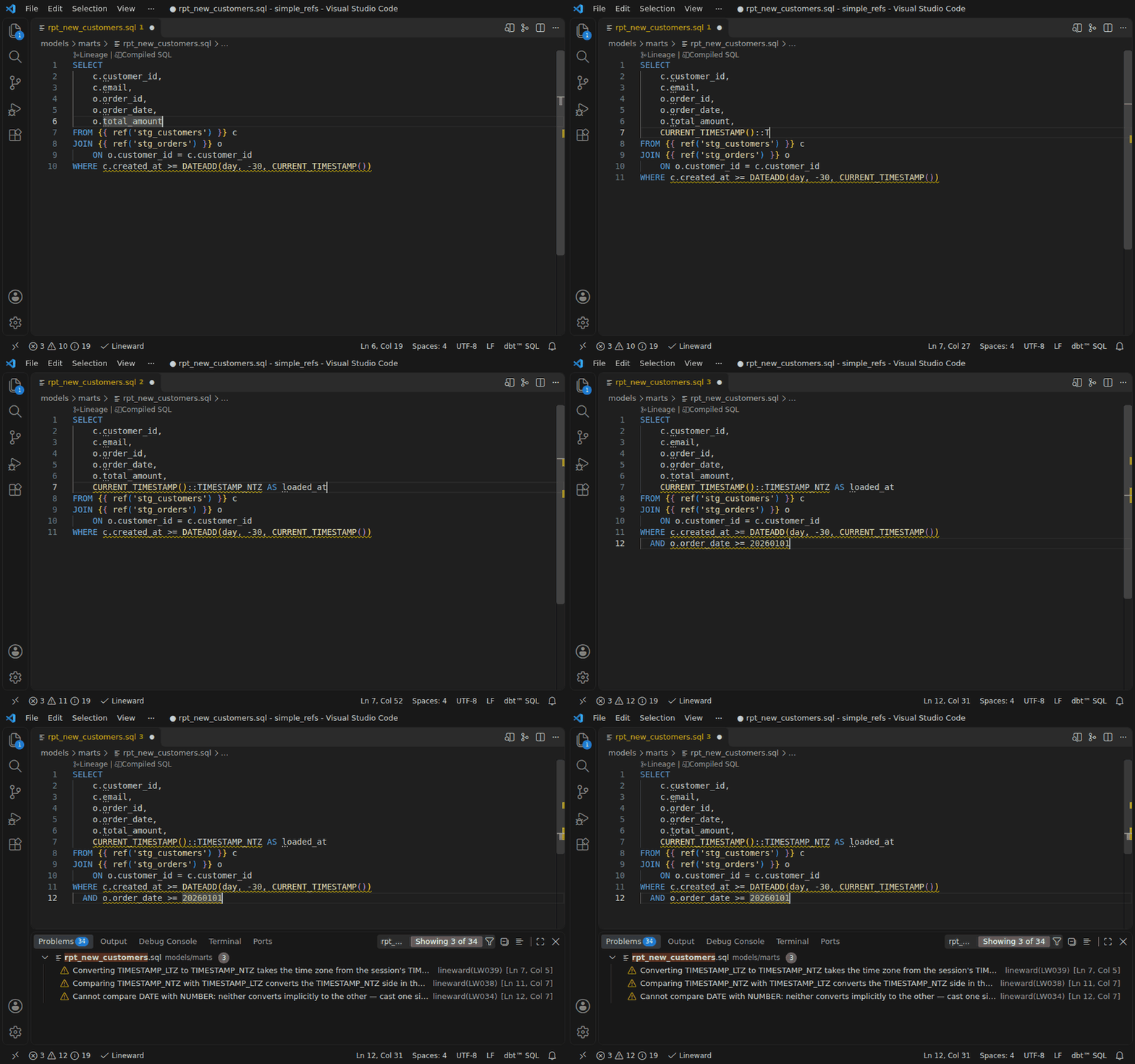
Recorded in the extension. No dbt™, no warehouse, no network.
✨ Free Features
Everything in this section works without a licence key.
🛡️ Deep Project Health Diagnostics
Catch errors before you even run dbt build. We provide 54 distinct diagnostic checks, including:
- Code Errors: Invalid
ref()/ source(), SQL syntax errors, missing GROUP BY columns, and Snowflake function
signature validation.
- Project Health: Detect unused (orphan) staging models, unused sources, undocumented models, and missing test
coverage.
- dbt™ Best Practices: Flag hardcoded
schema.table references that bypass ref()/source(), calls to undefined
macros, and models that reference themselves.
- Schema Validation: Spot column drift between your
.sql and schema.yml, duplicate model names — a model two
.sql files define or two schema files describe, which dbt™ refuses to parse, included — undeclared
SELECT columns, and a key repeated in one YAML mapping, where dbt™ silently keeps the last value.
- Type Checks: Flag a
schema.yml data_type that disagrees with the type the SQL produces, and SQL that
combines types Snowflake never converts — a function argument matching none of its signatures, a comparison or JOIN
key, arithmetic, UNION branches or CASE results — only when every type involved is known.
- Time Zones: Flag a timestamp that takes its time zone from the session's
TIMEZONE, which differs between the
accounts and users that run a model — a TIMESTAMP_NTZ or DATE compared with a TIMESTAMP_LTZ or TIMESTAMP_TZ,
or a cast that drops a TIMESTAMP_TZ offset or reads a value in the session's zone — and a schema.yml column
whose meta: {time_zone: …} differs from the zone its SQL shows, or names it otherwise.
- CTEs: Flag a CTE, or a column of one, that nothing later in the query reads, and a CTE over a model or a
source that readers filter differently: Snowflake computes it once for all of them, so their filters cannot reduce
what it scans.
- Test & Sample Validation: Identify models missing dbt™ tests or missing
tests/samples/ / tests/expects/ CSV
fixtures.
- Profile & Environment: Warn when
profiles.yml is missing, or lacks the profile or the target the project
selects, flag a DBT_ENV_SECRET_* variable read where dbt™ refuses to render it, and an env_var() with no default
of a variable neither your environment nor the project's .env sets; and note a require-dbt-version that no dbt™
Lineward is tested against satisfies.
A 500-model project is loaded and fully diagnosed in under a second.
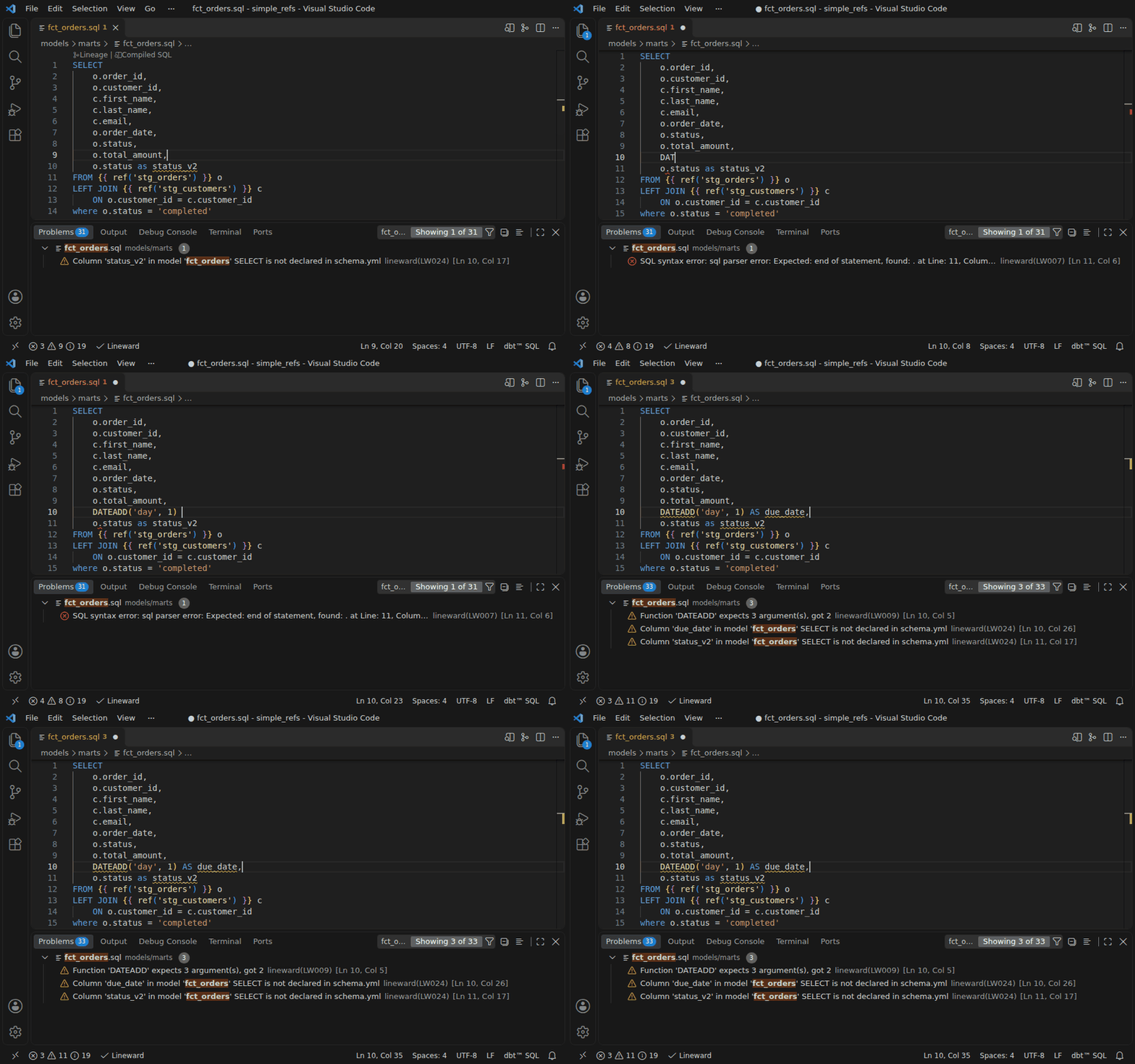
🛠️ Refactoring & Quick Fixes
- Workspace-wide Rename: Press
F2 on a model, source, or column to rename it everywhere across SQL and YAML
files. Our graph-aware engine ensures only true downstream consumers are updated.
- Quick Fixes: Automatically fix invalid
ref() calls with fuzzy matching, auto-add missing columns to your
GROUP BY clause, replace CURRENT_TIMESTAMP()::TIMESTAMP_NTZ with SYSDATE(), the current time in UTC, or qualify
an ambiguous column by the relation you choose, at one read or at every read of its SELECT. On a finding of a
model dbt™ does not build, turn that code off on disabled models, or report nothing on them, written to
lineward.toml.
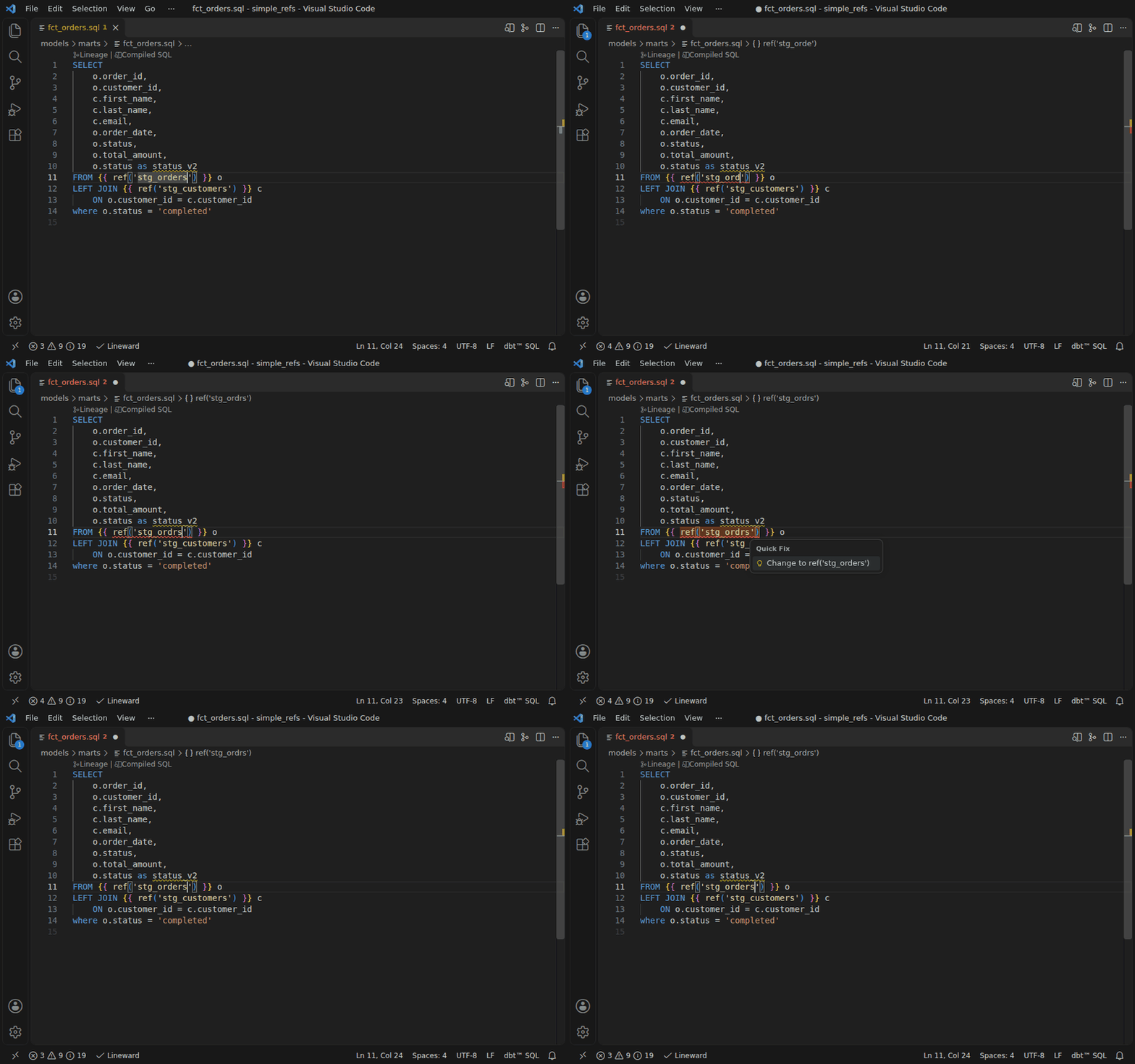
🚀 Completion, Hover & Navigation (Zero Compile Required)
Get completions, hovers, and navigation without waiting for a full project compile:
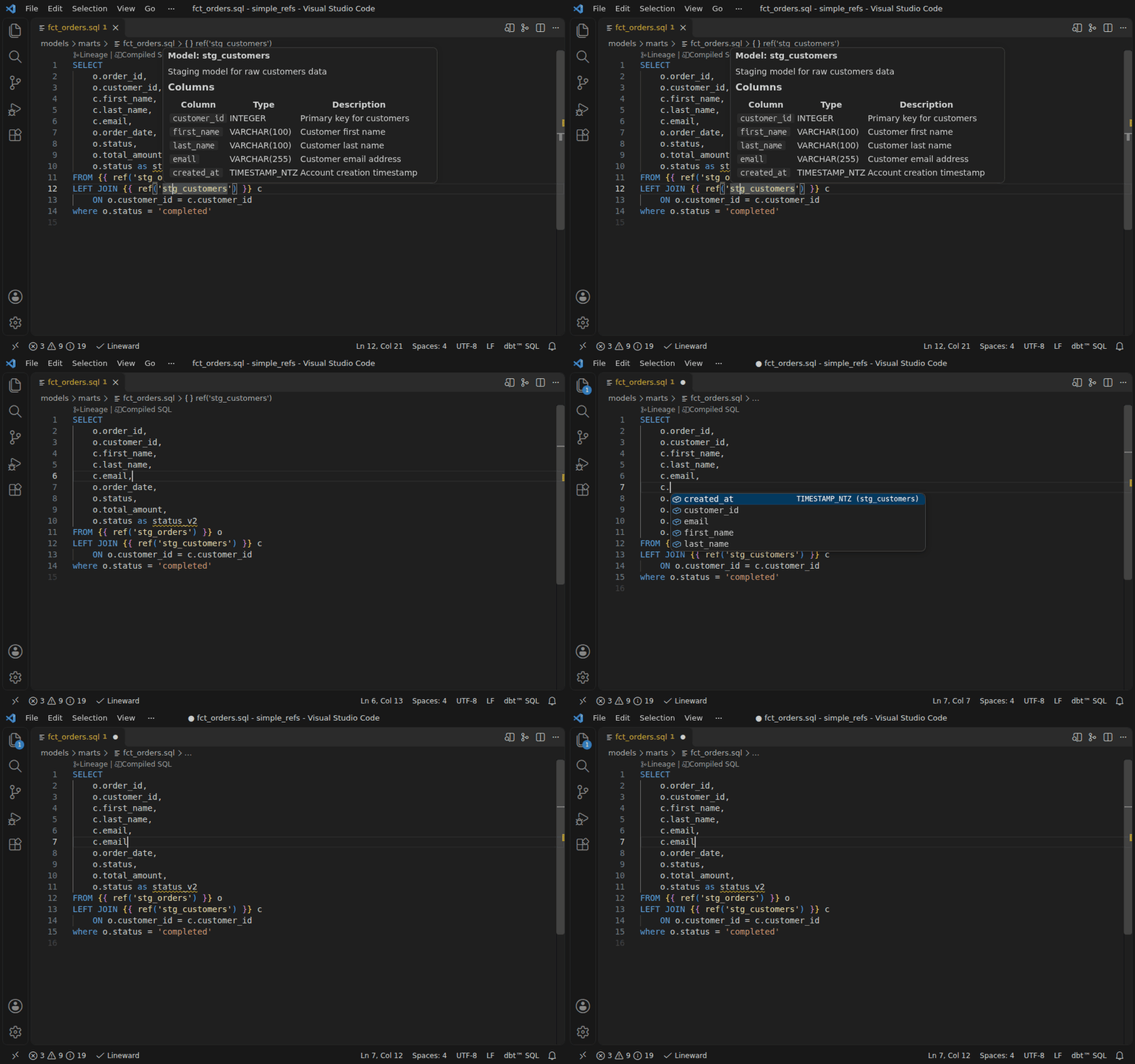
- Autocomplete:
ref(), source(), config(), column names (inferred from SQL AST and YAML), Snowflake
built-in functions, and macro calls in Jinja — each macro once, with the package it resolves to.
- Hover Documentation: See model descriptions, column types, source metadata, macro signatures, and even CTE output
columns — and every Snowflake built-in's forms and typed overloads.
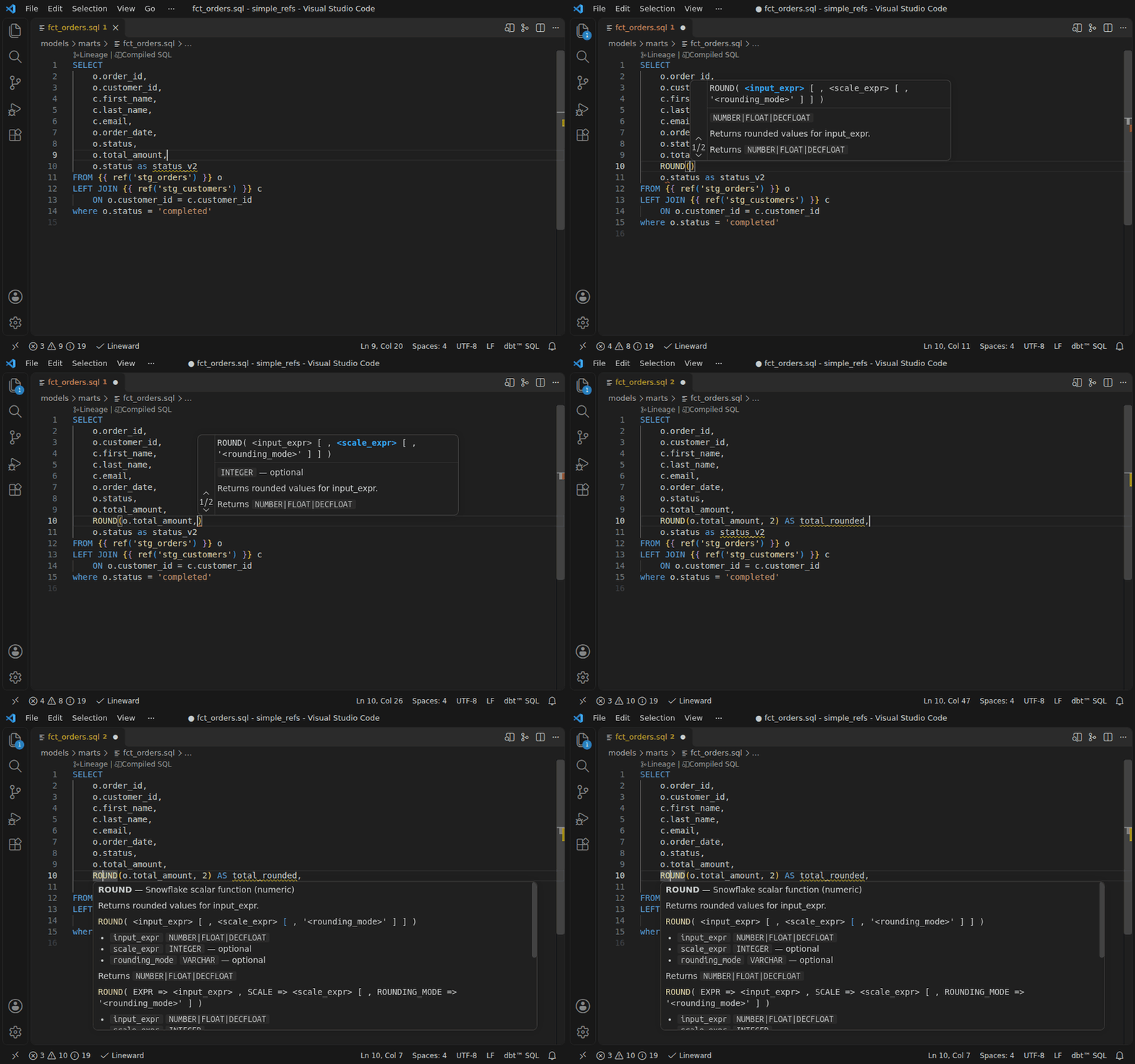
- Signature Help: Typing a Snowflake function call shows its forms and highlights the argument you are on.
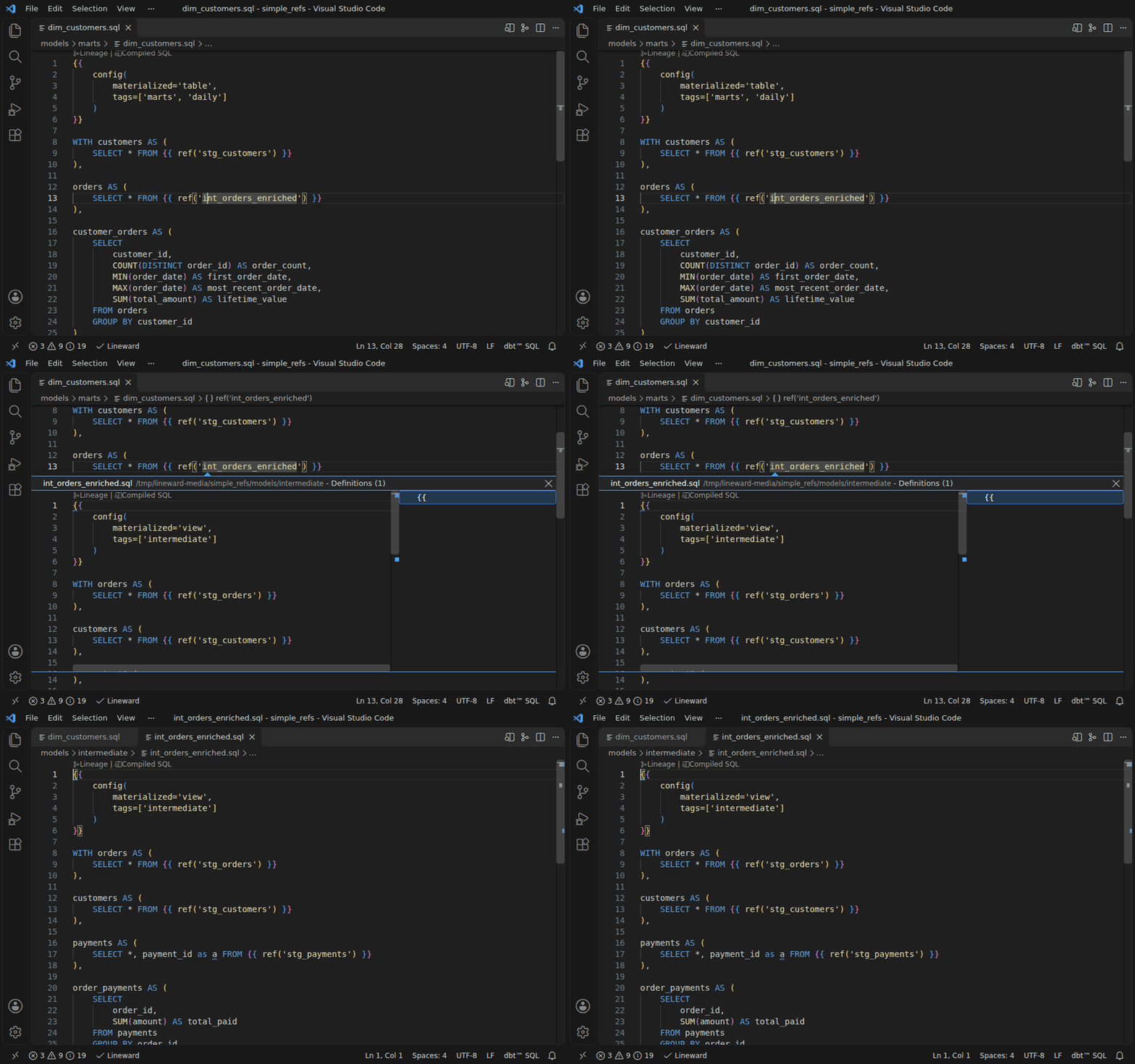
- Navigation:
Ctrl+Click on any ref(), source(), column name, or macro to jump straight to the definition—even
for nodes defined in YAML files.
- Find References: See everywhere a model or source is used across SQL and YAML, and the models that read a
column; following a column further downstream is Pro.
📊 Visual Lineage & Compiled SQL
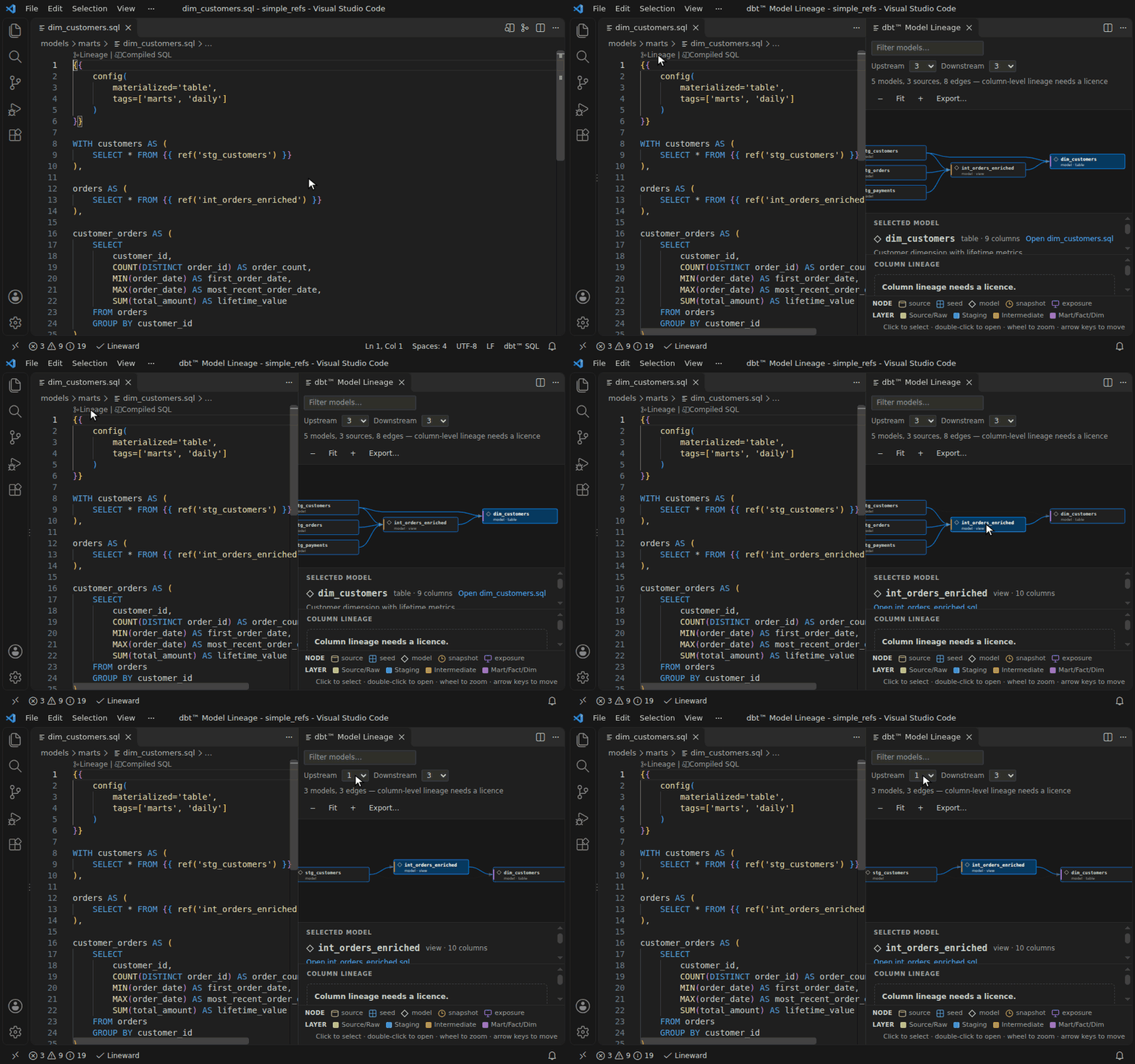
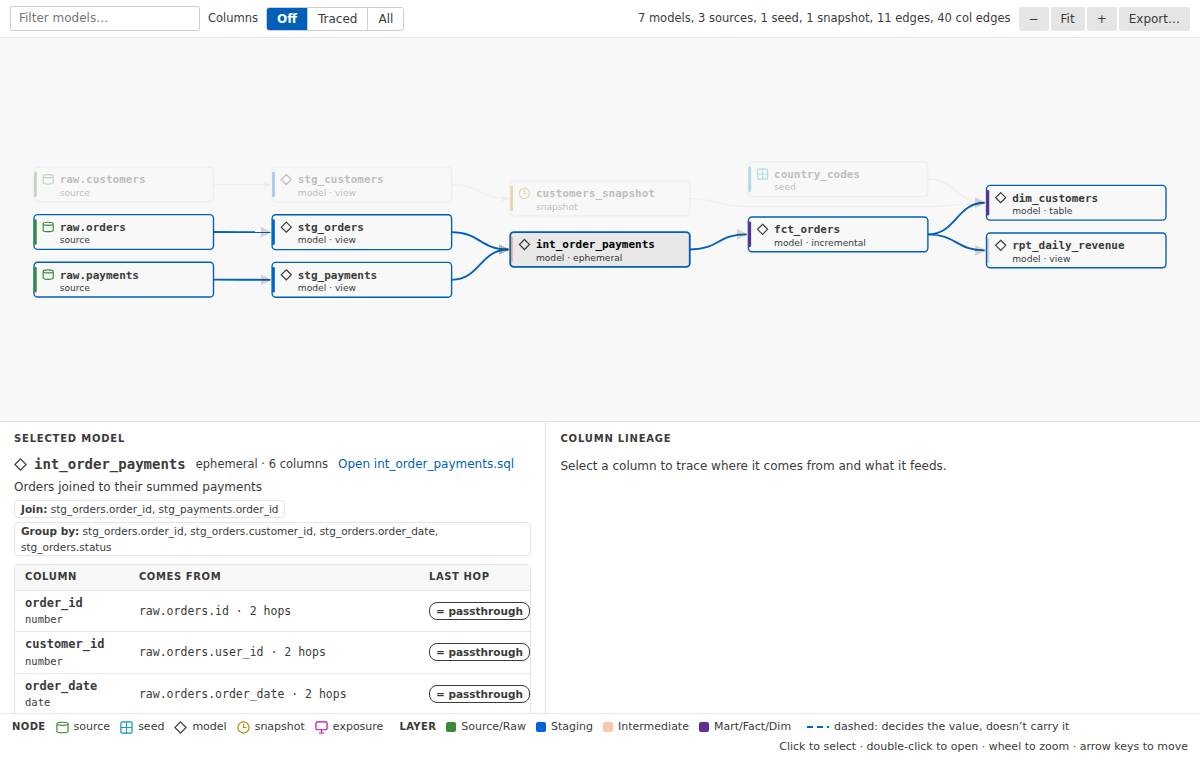
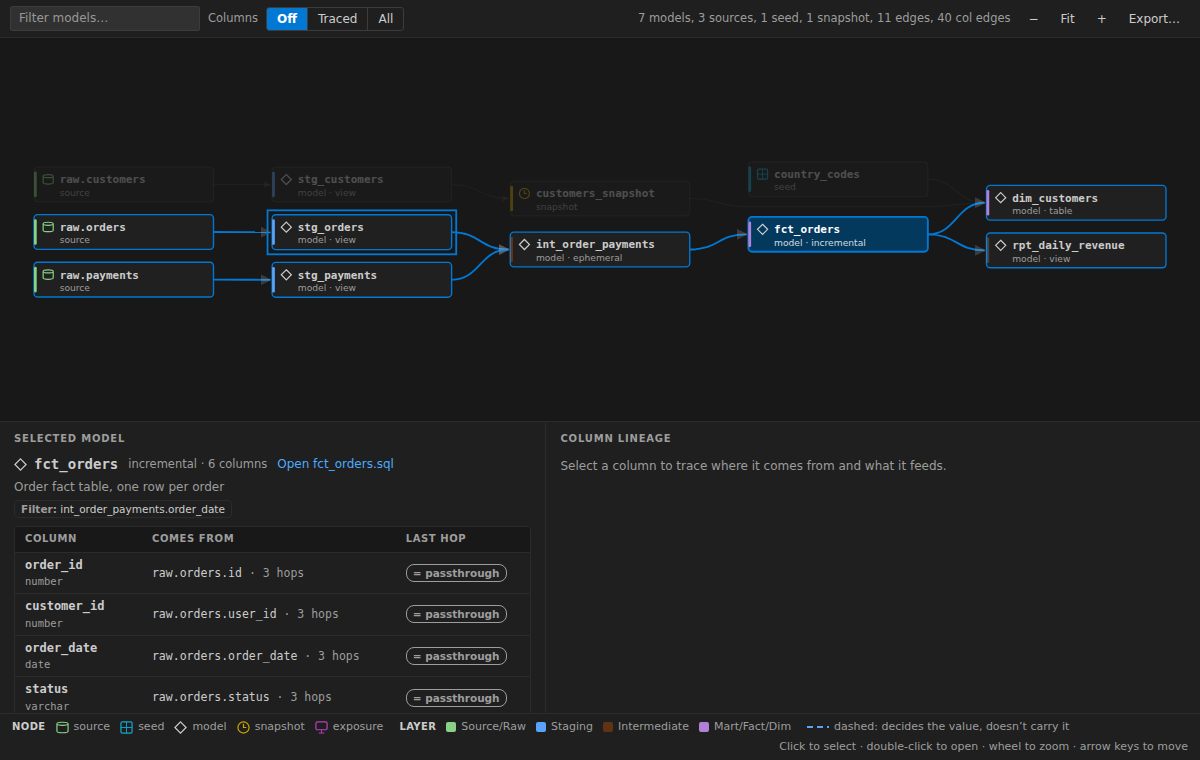
- Interactive DAG Webview: Visualize your table-level lineage with pan, zoom, search, and click-to-open
functionality; column-level lineage is Pro.
- Readable graph: edges run between the models, never over them, in an order that keeps crossings low.
- Built for daily use: choose the upstream and downstream depth, right-click a model to open it, copy its name or
re-focus, export the graph as SVG or PNG, and move through it with the keyboard (arrow keys, Enter, Shift+Enter).
The page keeps its selection and zoom, refreshes after each save, and follows the editor's font size.
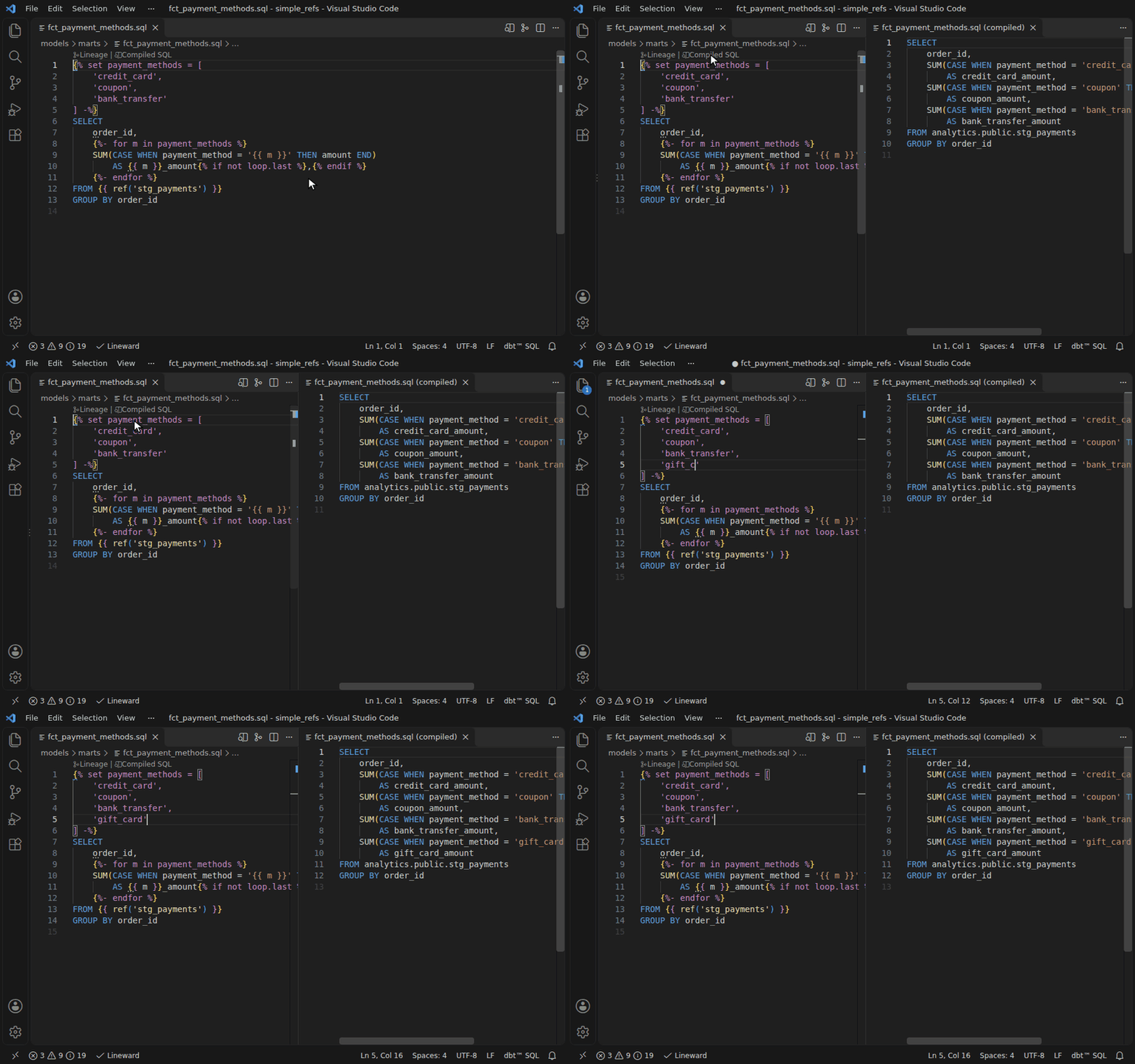
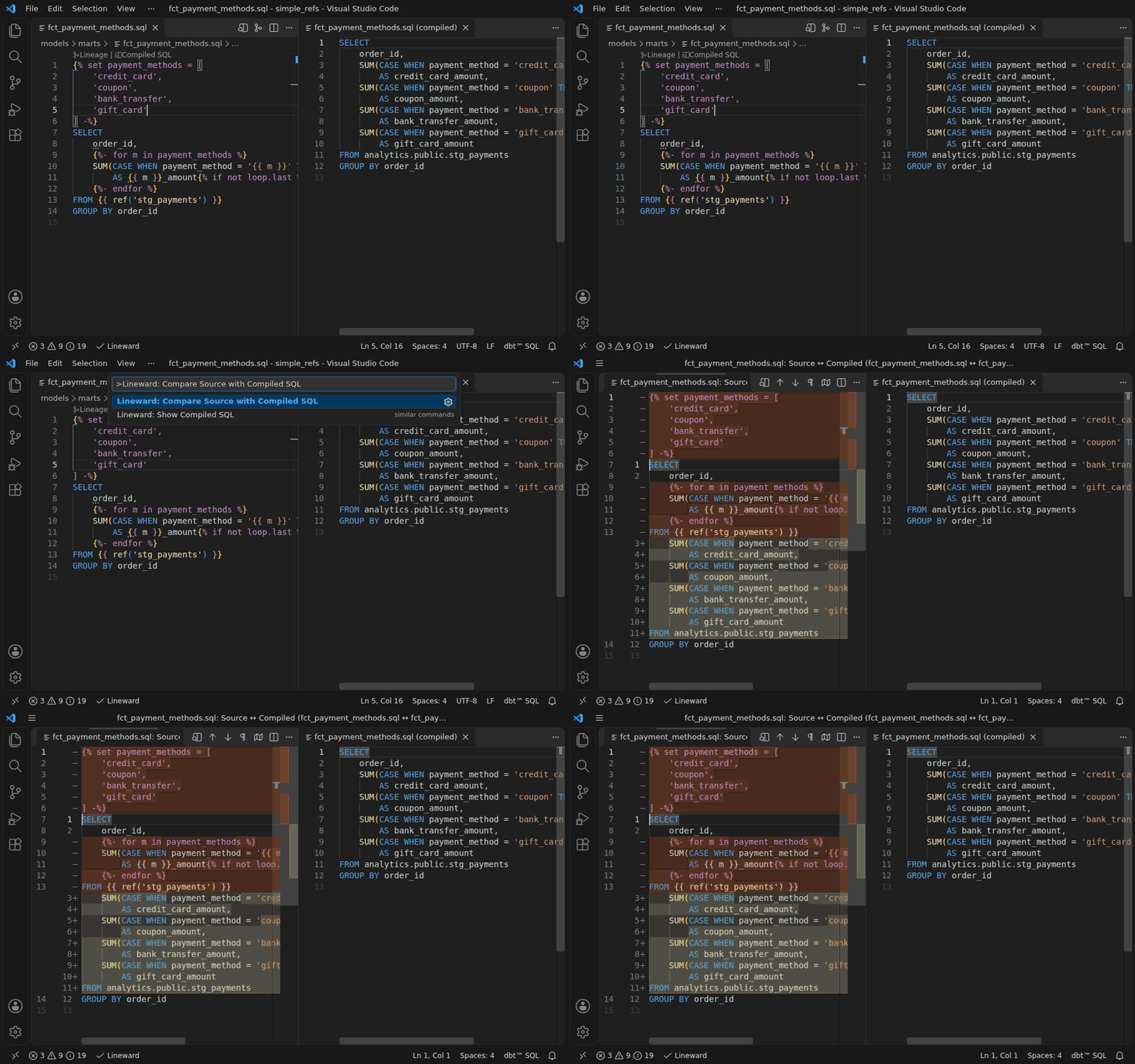
- Offline Compiled SQL: Open a model's compiled SQL in a read-only editor beside it, or compare the two in the
editor's own diff; it follows every save. Our offline Jinja renderer expands
ref(), source(), var(), macros,
and evaluates if/ for loops—no warehouse needed.
The pages follow the editor theme, Light and High Contrast included:
🔒 Privacy, Security & Independence
- 100% Offline: Zero network calls. No telemetry. No registration.
- Air-gap Ready: Every answer is computed from files on your machine: your schema and code never leave it, and
the MCP listener, when you turn it on, binds to the local machine only.
- dbt™ Core and dbt™ 2.0 Supported: Lineward reads projects written for dbt™ Core 1.10 through 1.12 and the two
distributions of dbt™ 2.0: dbt™ OSS and dbt™, with the Snowflake adapter. A project pinned to
2.x is read as 2.x where they differ, alike for either distribution. It needs no dbt™ install to run, and requires no
subscription to a hosted dbt™ service or pricing lock-in.
⭐ Pro Features
The features above work without a licence. A Pro licence key, entered once and verified offline, adds the following in
the editor, plus the MCP server and the lineward CLI for agents and CI (see pricing).
The free tier is for attended use, a person working in an editor or in an interactive session with a coding agent,
served by the language server; unattended use (CI pipelines, schedulers, agents run in the background with no person in
the session) goes through the command line or the MCP server, which need a licence, except lineward init-agent and
lineward settings, which run with none (licence terms, section 10).
What is free stays free. It’s in the license. Schedule A of the license lists the free features, and section 10
commits that no future version will require a paid key for them in your editor or an interactive agent session.
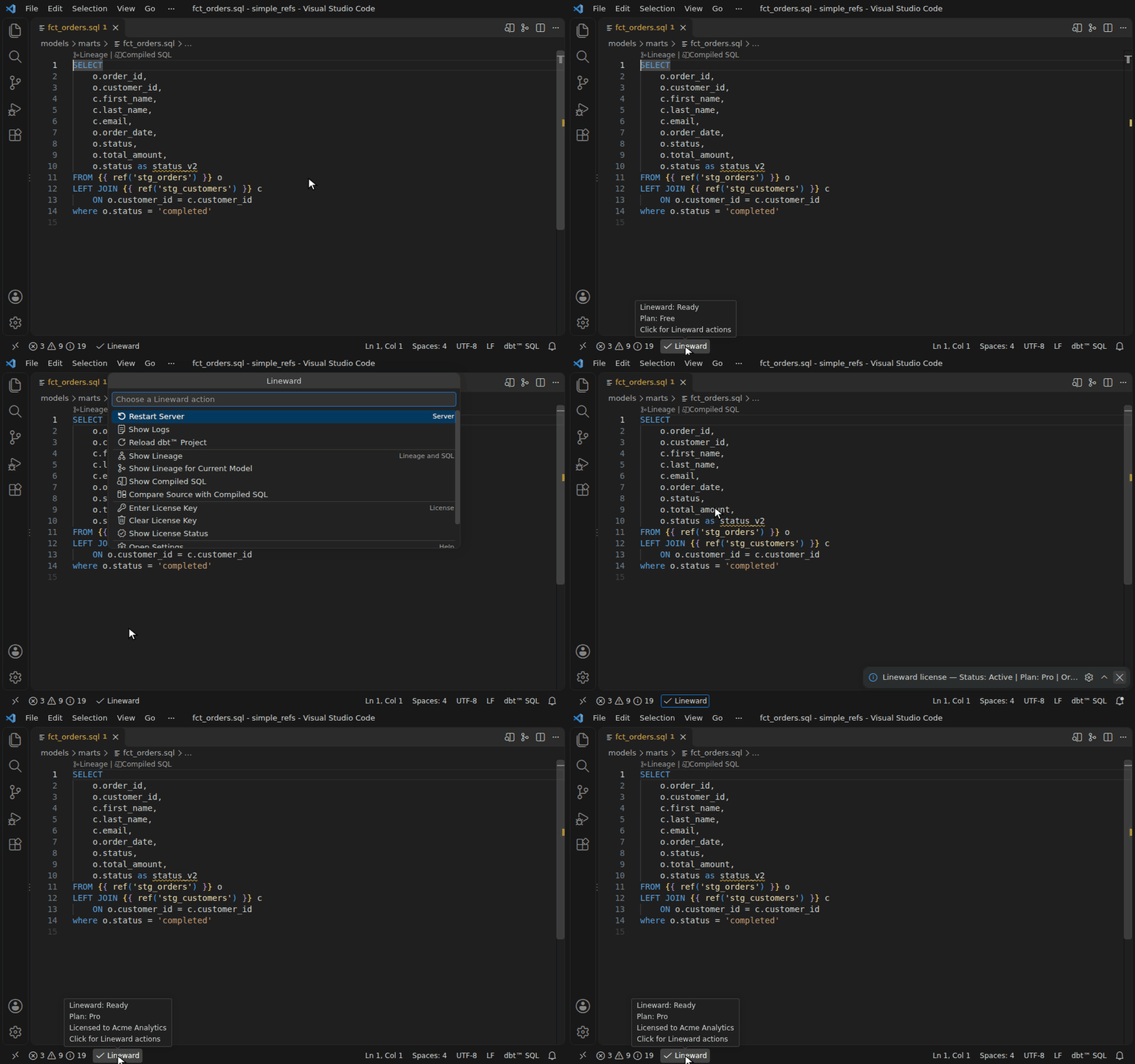
Enter the key from the status bar menu: it is checked on your machine, kept in the editor's secret storage, and
the status bar tooltip names the plan.
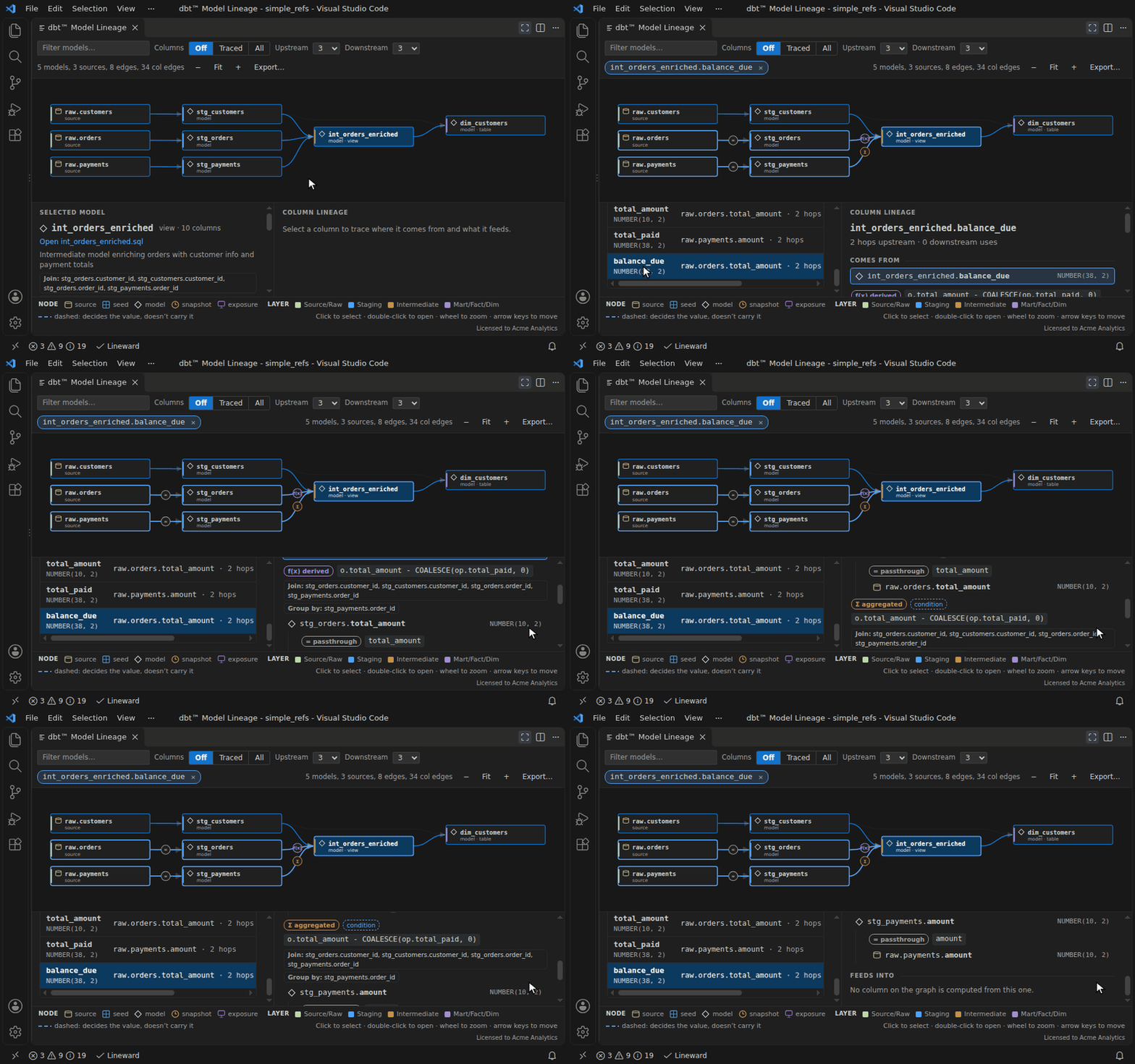
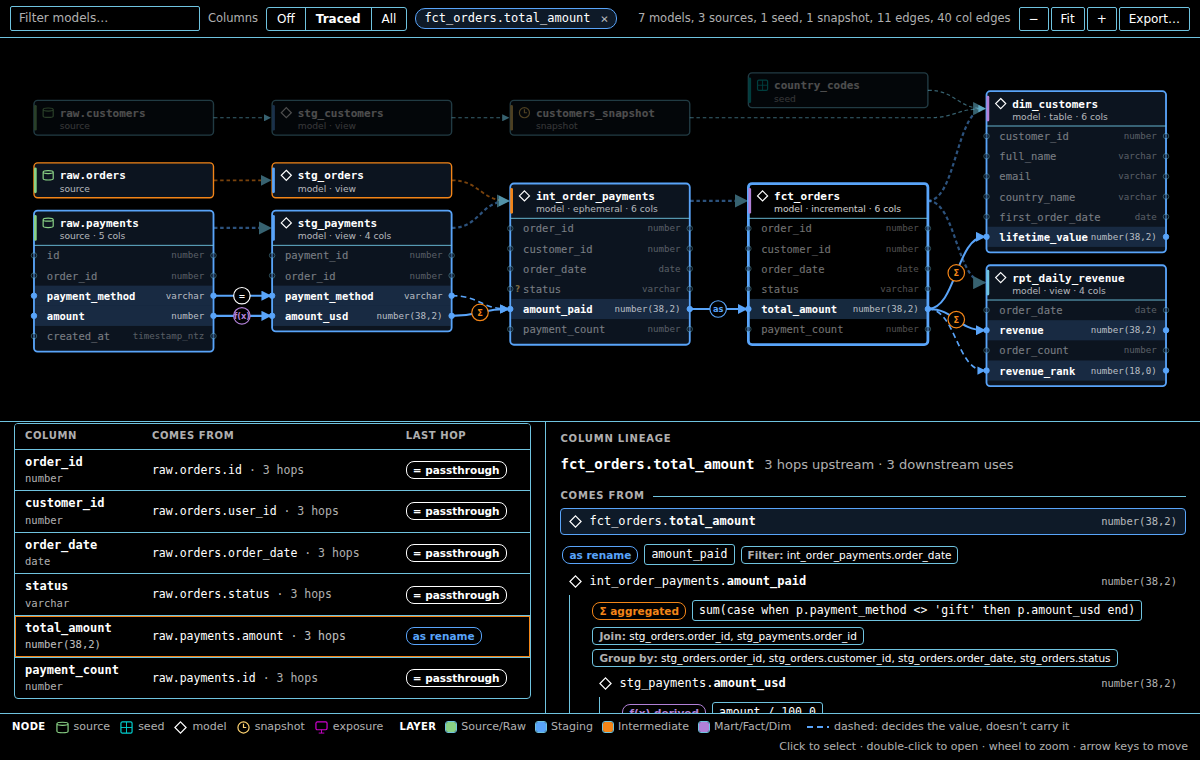
Column-level lineage (Pro): the lineage page opens its models into column cards joined port to port, shows where
each column comes from, and traces one column through every hop with the transform and the SQL of each, from a
column's context menu too.
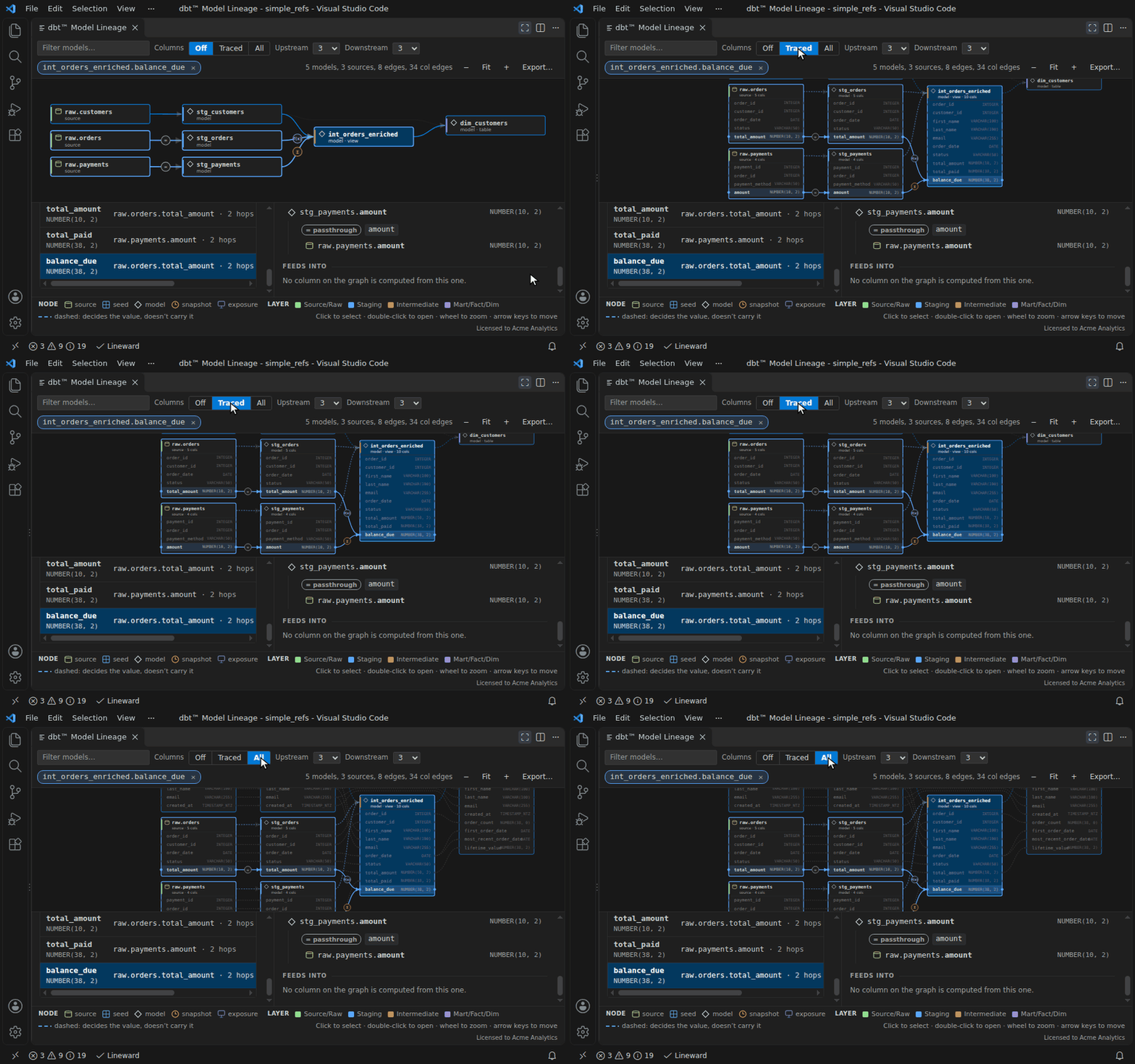
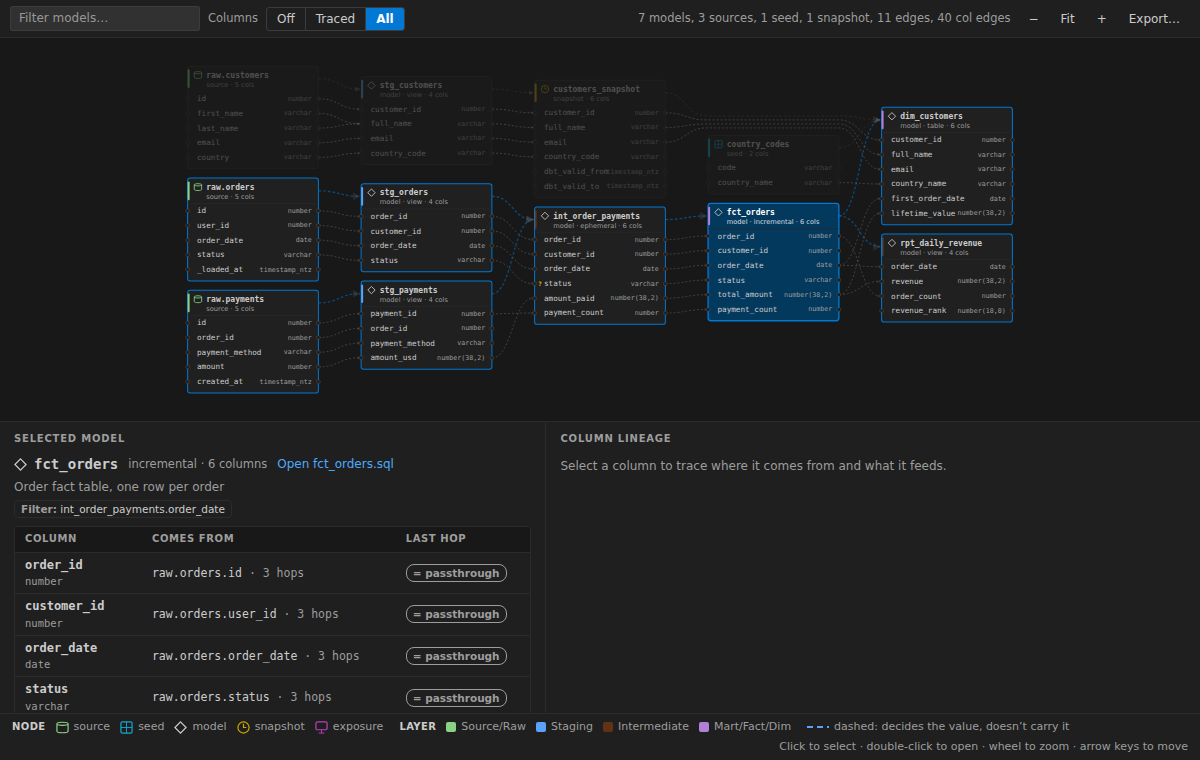
Every column edge in the All mode, and a column trace in the High Contrast theme:
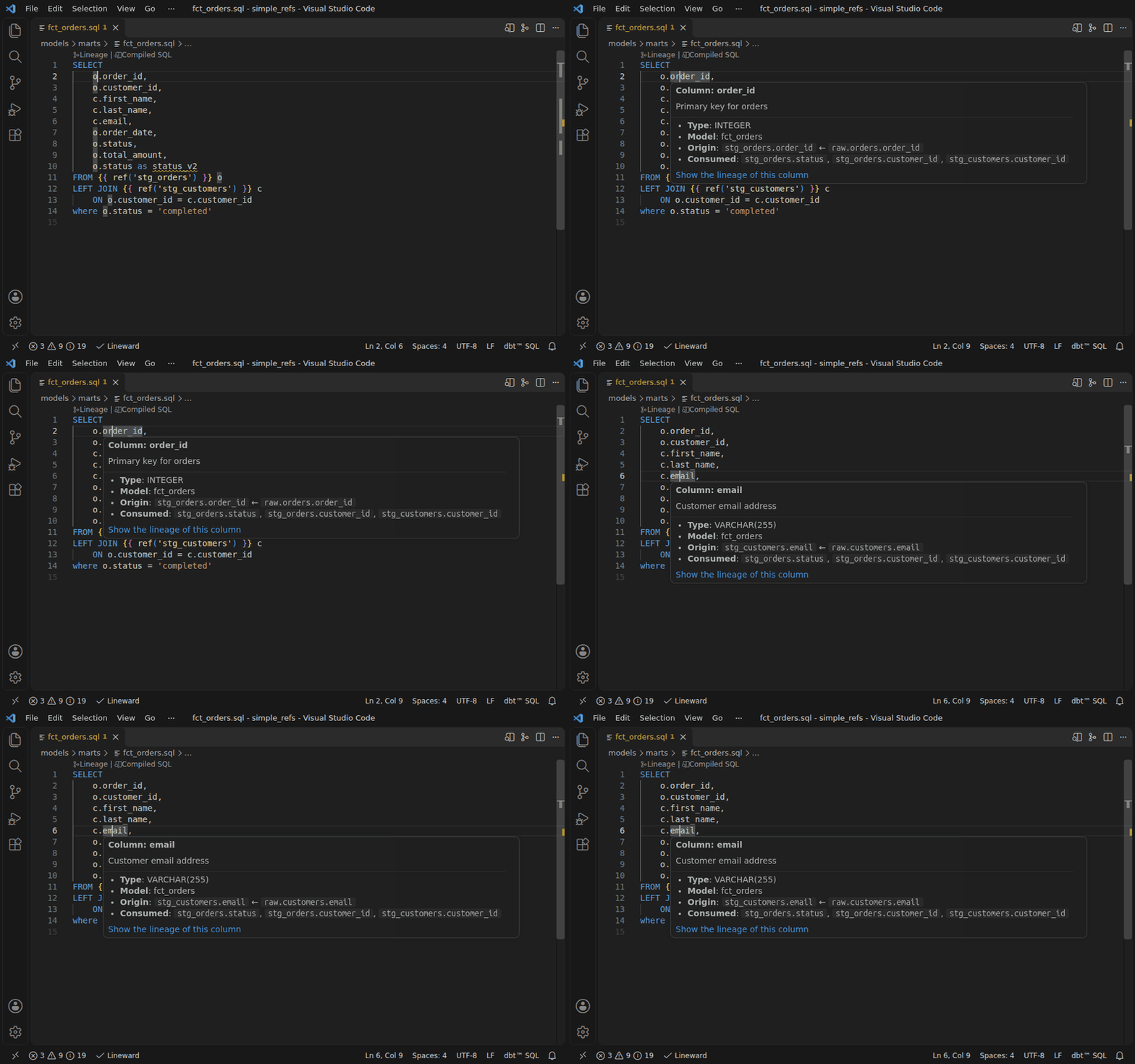
Column origin on hover (Pro): hovering a column shows its whole origin chain down to the source column, and the
columns the model reads in WHERE and JOIN.
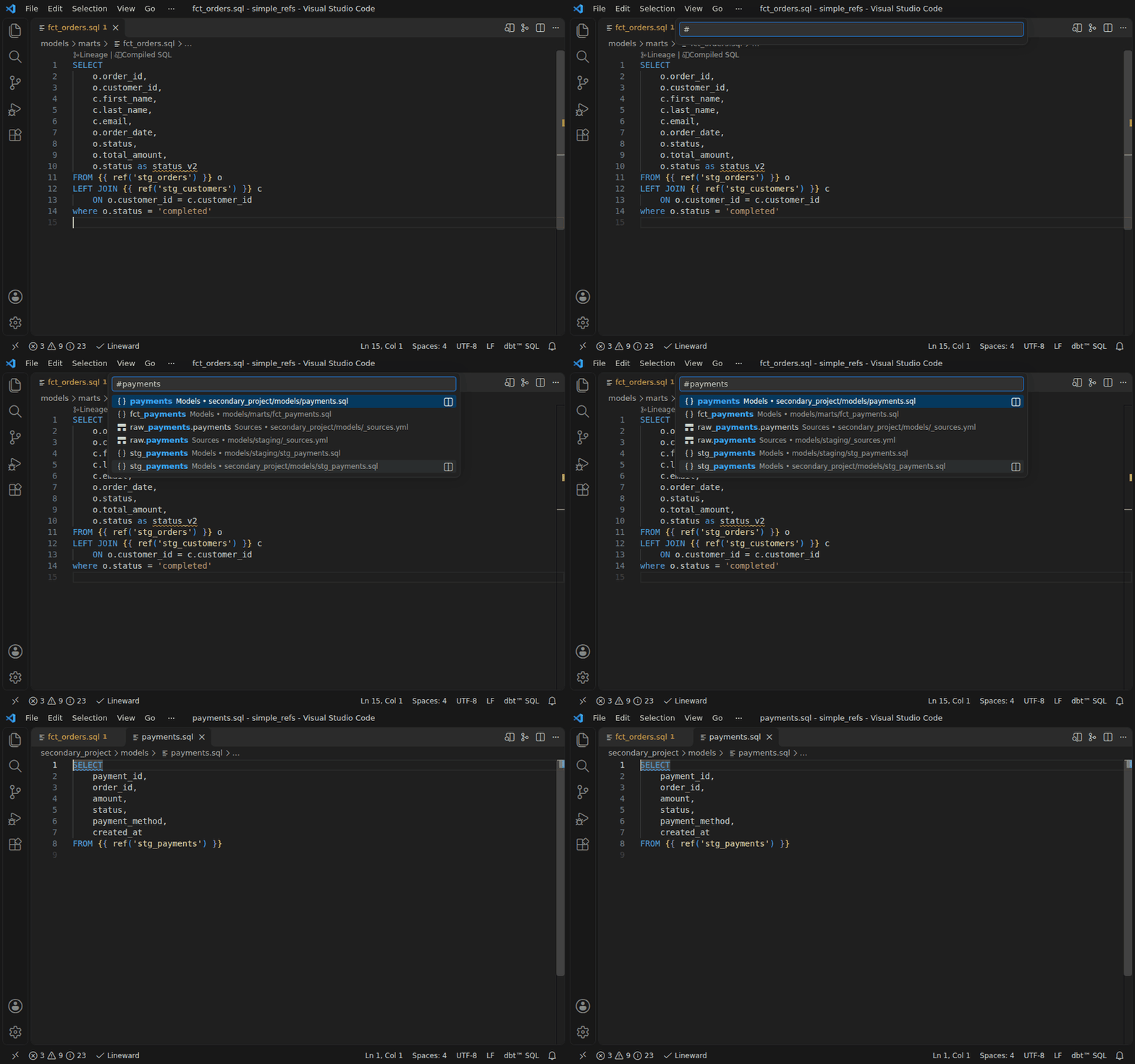
Several projects at once (Pro): each dbt™ project of a VS Code workspace is analysed on its own, and Go to Symbol
in Workspace (Ctrl+T) searches them all; without a licence, the project closest to the workspace root is analysed
alone.
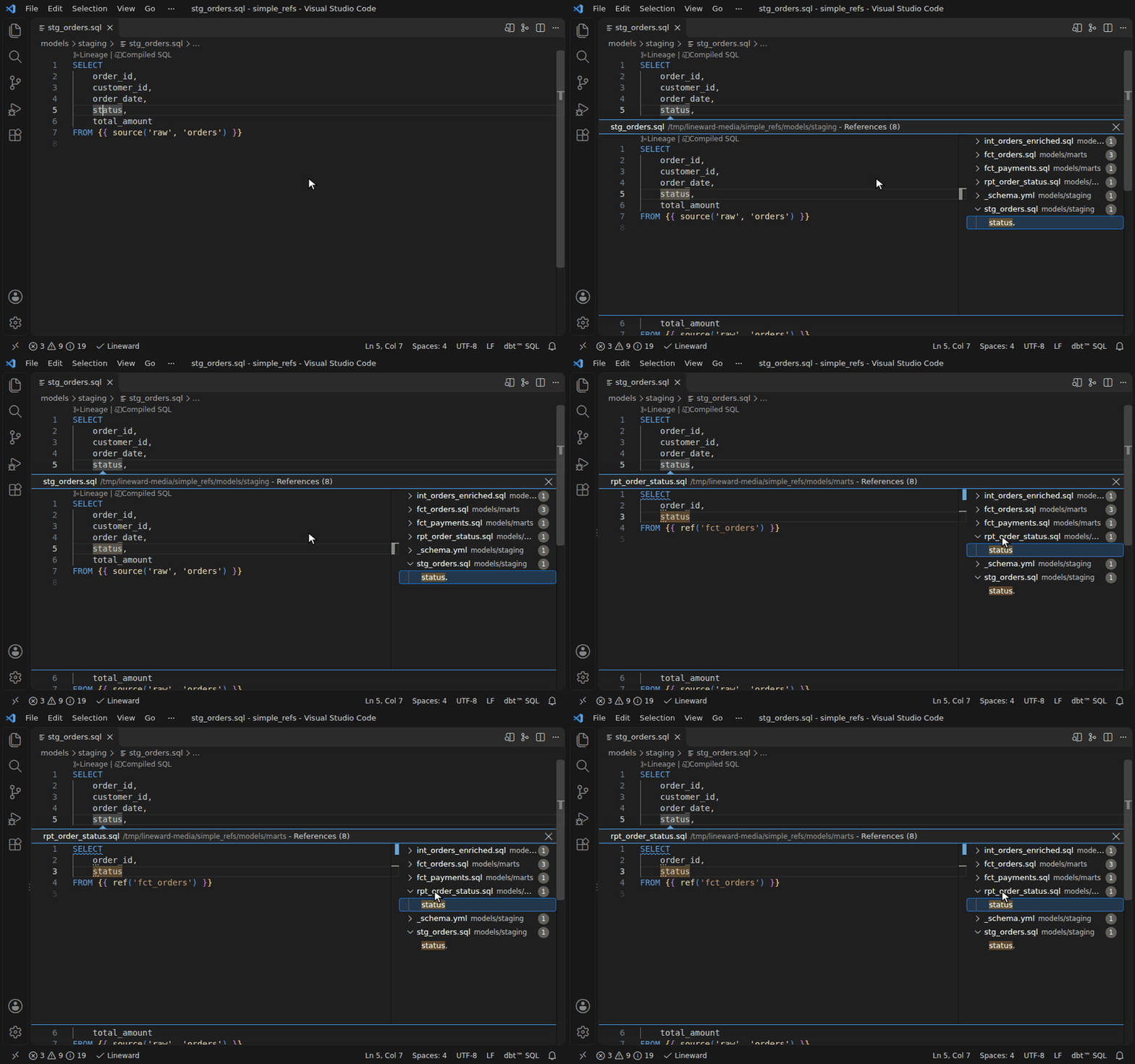
References beyond the direct consumers (Pro): Find References on a column follows the models that select it
through, hop after hop, so a staging column lists its uses two models downstream, not only in the models that read it.
Without a licence, it lists the models that read the column directly, and a notification says how many more models a
licence finds past them.
🤖 AI Agent Integration: MCP and CLI (Pro)
Lineward is a dbt™ analysis engine integrated with the Model Context Protocol (MCP), unlocking powerful
agentic workflows for your coding agent. Lineward is tested with Claude Code and Codex CLI
(what each gets); other agents that support MCP are expected to work, but they are neither
tested nor supported:
- One-Turn Model Context: An agent gets a model's raw SQL, compiled SQL and every upstream schema in a single
call—no more five turns spent hunting for files and hallucinating column names.
- Blast Radius Analysis: Ask what breaks downstream before renaming a column, and get back each model it reaches,
with its file.
- Agent Sandbox: Agents compile Jinja and validate generated SQL in memory before writing anything to disk.
- Column-Level Lineage Tracing: Follow one column up or down the DAG to find where a value really comes from.
- Catalog Search, YAML Scaffolding & Workspace Diagnostics: Ranked search across models, macros and sources,
ready-to-paste
schema.yml, and every project error in one request.
- Reload on Request: When an answer seems to miss a change made outside the editor (a
git pull, a generator),
an agent reloads the whole project from disk in one call.
- CI Gate:
lineward check reports every diagnostic of the project as a Markdown table, JSON or SARIF 2.1.0 and
fails the build at the severity you choose; --since <git-ref> keeps to what a change broke.
Answers are Markdown — fenced SQL and YAML, tables, file:line — rather than escaped JSON, and a failed call names its
error kind so an agent can branch on it.
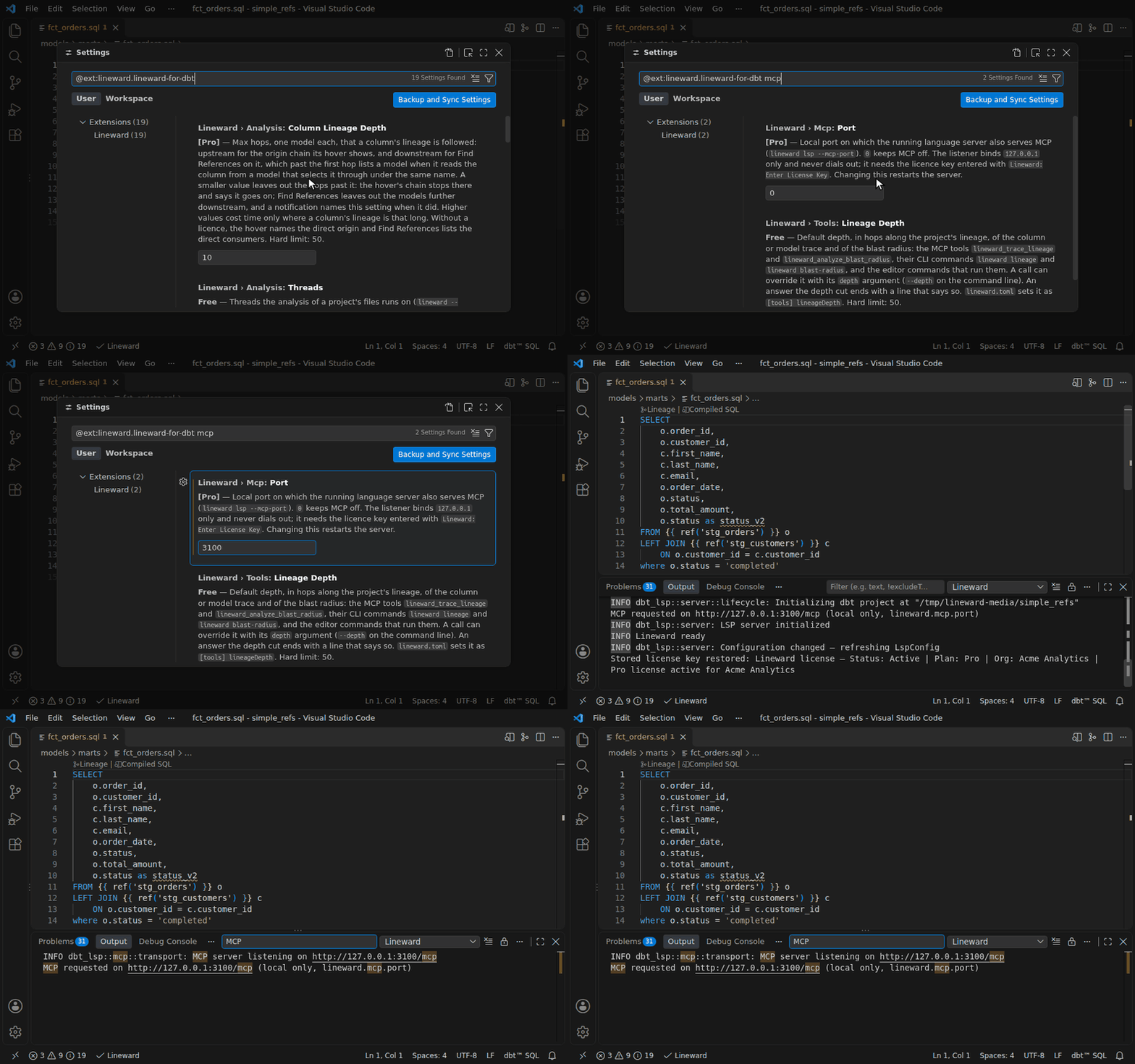
MCP from the editor (Pro): lineward.mcp.port makes the running language server also serve your agents, as
described under Configuration below. Typing a port restarts the server once, and the "Lineward" output channel
logs the address it listens on.
⚙️ Configuration
Tune the extension to match your team's maturity level. Give any diagnostic another severity or switch it off with
one setting, "lineward.diagnostics.severity": { "LW010": "error", "LW024": "off" }, and set analysis limits
directly in your .vscode/settings.json. Changes reload live—no server restart required.
Your team documents only its key columns? lineward.diagnostics.columnDocs.ignoreColumns takes glob patterns of
columns never to flag as undocumented (["_fivetran_*", "dbt_*"]), and lineward.diagnostics.columnDocs.paths
the model files to check at all (["models/marts/**"]); both start empty, so every column of every model is checked.
Another extension already colours your Jinja? Set lineward.semanticHighlighting.enabled to false to turn off
Lineward's semantic colouring.
Agents in your editor reach the same server over MCP: set lineward.mcp.port (local only, licence
required) as described in
the settings reference.
📥 Installation
- Install the extension in VS Code.
- Open a folder containing a
dbt_project.yml.
- The extension activates automatically—look for "Lineward" in the status bar!
Lineward is built, tested and supported for Visual Studio Code. The free tier needs no key and no account; Pro and
Team keys are on the pricing page. For the command line, CI and coding agents,
install the binary and set up your agent.
🧭 Getting Around
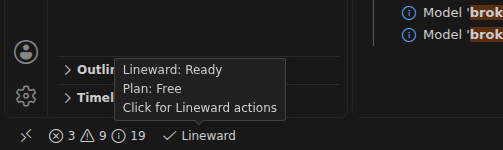
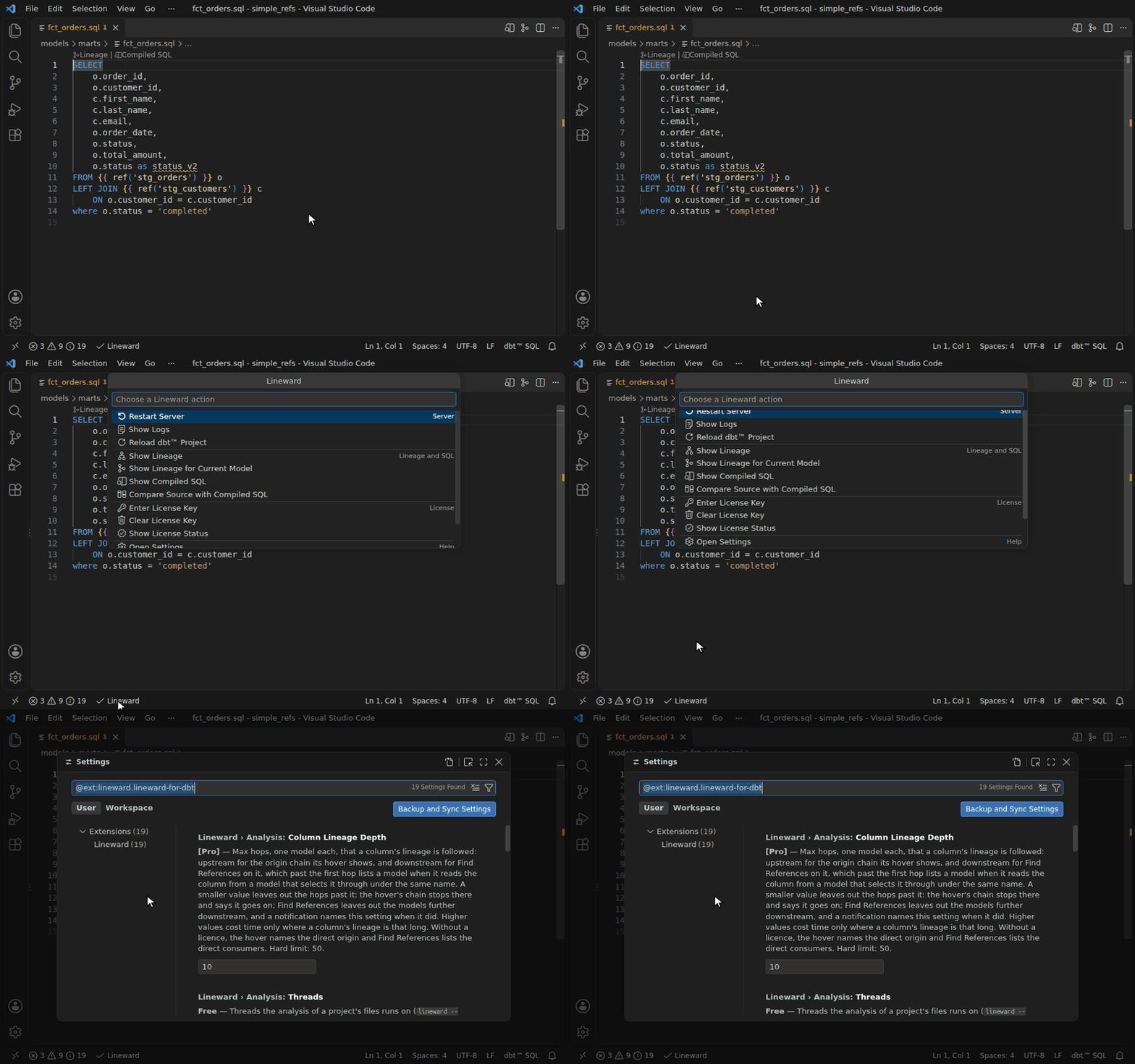
- Status bar menu: Click Lineward in the status bar for every action in one list: restart the server, show
the logs, reload the project, open the lineage or the compiled SQL of the current model or compare the two, manage the
licence key, open the settings. Its tooltip shows the server state and your licence plan.
- CodeLenses: Lineage and Compiled SQL sit above the first line of every model and snapshot,
Compiled SQL alone above that of every analysis, singular test and
.sql unit test fixture, and Lineage
alone above that of every seed's CSV and installed package's model. A model, a snapshot file or a singular test
dbt™ does not build carries Disabled first. Turn them off with lineward.codeLens.enabled.
- Walkthroughs: Get Started in the menu, or Help › Welcome, opens Get Started with Lineward for dbt™, all
free: the project, the status bar, navigation, diagnostics, lineage, compiled SQL and the settings that choose what
is reported. Its last step opens Lineward Pro and Your Agents: the licence key, column lineage, every project of
the workspace, MCP and the command line.
- Languages: The commands, settings, messages and walkthroughs are in English and French, following the editor's
display language. The lineage page is in English.
Support & Legal
Built in Rust, with tower-lsp-server.
A French product — published by Lineward, France.
En français : lineward.dev/fr
Lineward is an independent product. It is not affiliated with, endorsed by, or officially connected to dbt Labs,
Inc. dbt™ is a trademark of dbt Labs, Inc.
| |

