TappThe Tapp Agent Skill for iOS, Android, and web, plus Copilot tools and an auto-refreshing iOS simulator preview. Installation Launch VS Code Quick Open ( Ctrl+P), paste the following command, and press enter.Copied to clipboard |

Tapp for VS CodeGive Copilot agent mode the Tapp Agent Skill for testing real iOS, Android, and web applications. The extension also contributes focused iOS simulator tools and an auto-refreshing screenshot preview beside the editor. It is a preview, not an embedded Simulator or video stream.
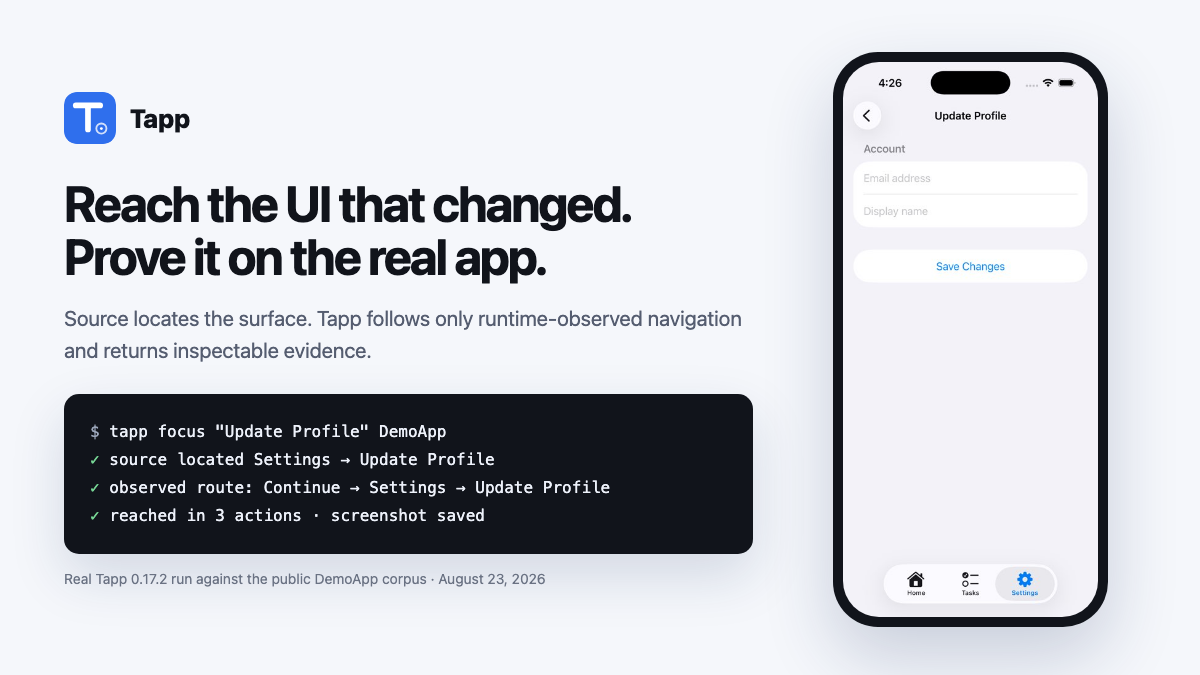
The image above is evidence from a real Tapp 0.17.2 run against the public DemoApp corpus: source located the requested surface and the observed UI Map supplied the three-action route. It is not a mock of the VS Code panel. Watch the real exploration clip or inspect a complete web evidence report.
Exploration is an observation, not permission to ship. It reports what Tapp found, what it covered,
and what it did not check. A deterministic Use itOpen an application repository in VS Code and ask Copilot in agent mode:
For a focused task, say what you need:
For that focused request, Copilot passes the goal to Tapp's source-connected fast path. Tapp locates the surface in the open repository and follows the shortest runtime-observed UI Map route in one call. If no route has been observed, it returns the exact source evidence instead of wandering.
The skill chooses the smallest operation, asks you to select when a repository contains multiple application targets, and keeps exploration findings separate from gate decisions. For sign-in, Requirements
The engine is fetched locally from |