SNMP Studio Community EditionVisual Studio Code extension for SMI/MIB syntax highlighting and semantic highlighting, community edition. Installation Launch VS Code Quick Open ( Ctrl+P), paste the following command, and press enter.Copied to clipboard |

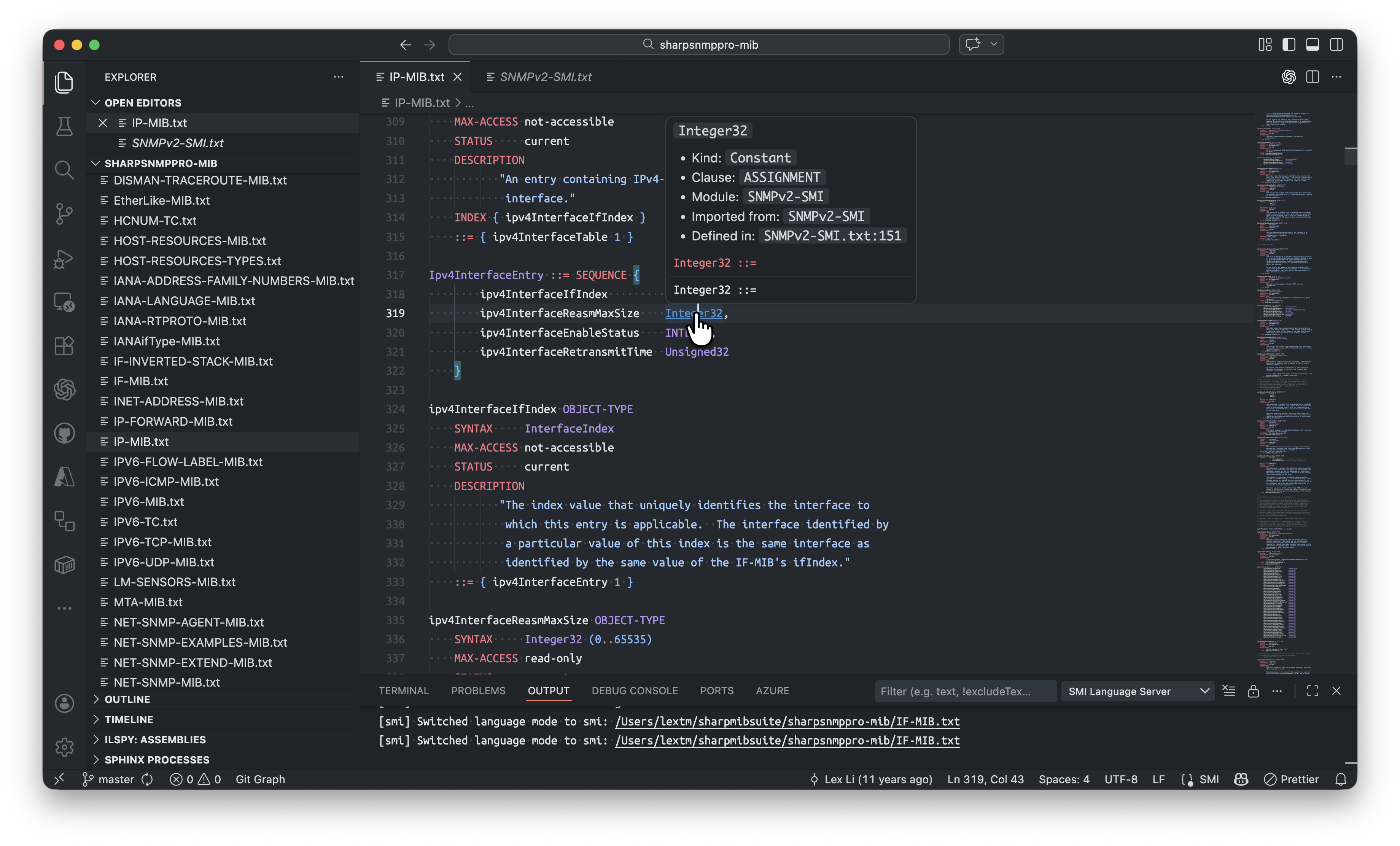
SNMP Studio for Visual Studio Code Community EditionThis is a lightweight VS Code extension for SMI/MIB editing. It focuses on enhanced SMI/MIB syntax highlighting compared to other extensions in the ecosystem, without the premium features exclusive to the Pro edition. What It Includes
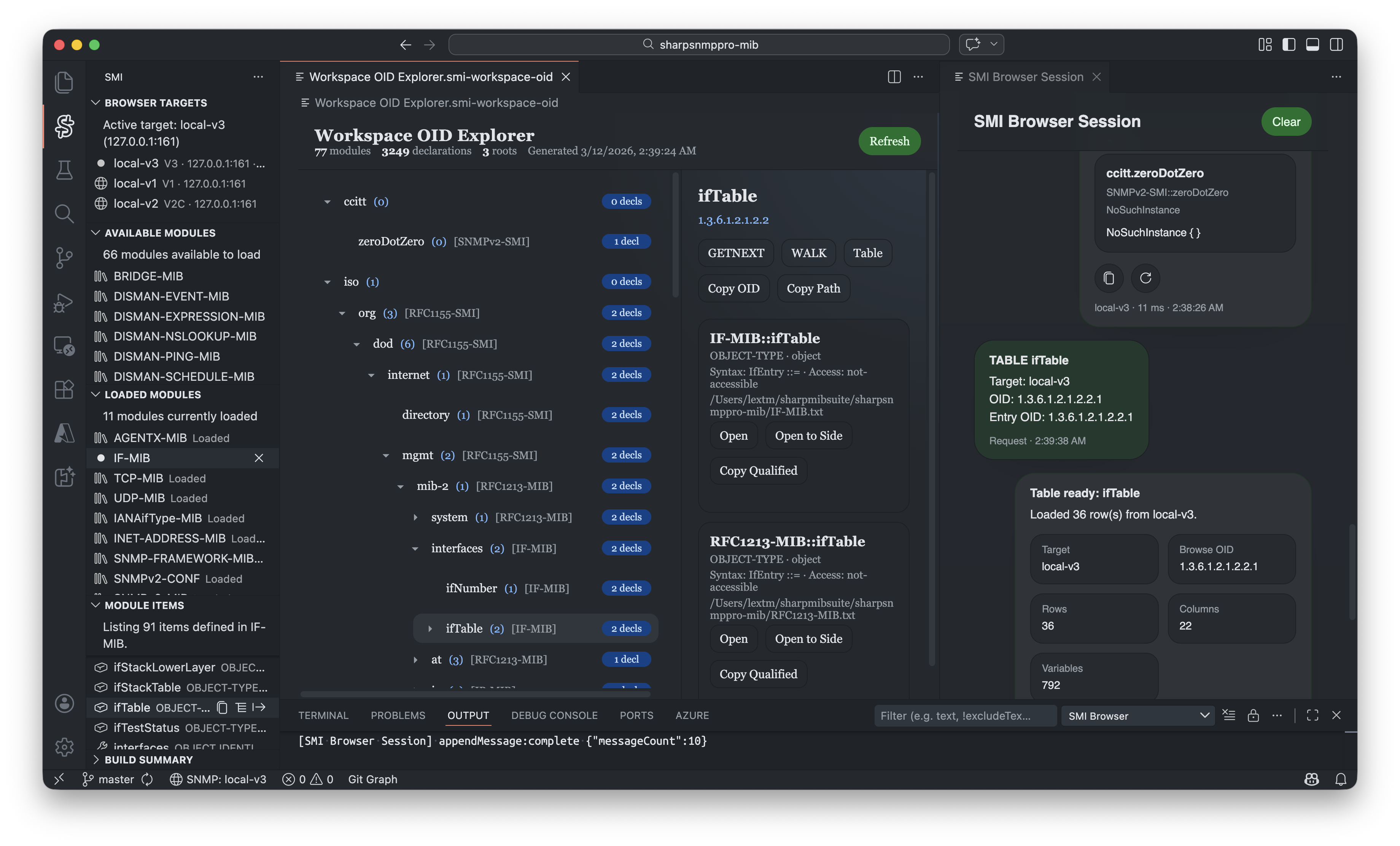
Pro Edition Features in PreviewWith all common objects defined in the SNMPv2-* MIBs, you can preview the Pro edition features, such as: OID Explorer
You can open this tab from the Browser Target pane. All MIB objects defined in the SNMPv2-* MIBs are loaded for browsing. Browser Session
When you perform SNMP operations from the OID Explorer, a new Browser Session tab will be created. You can view the SNMP messages sent and received in this session. Table View
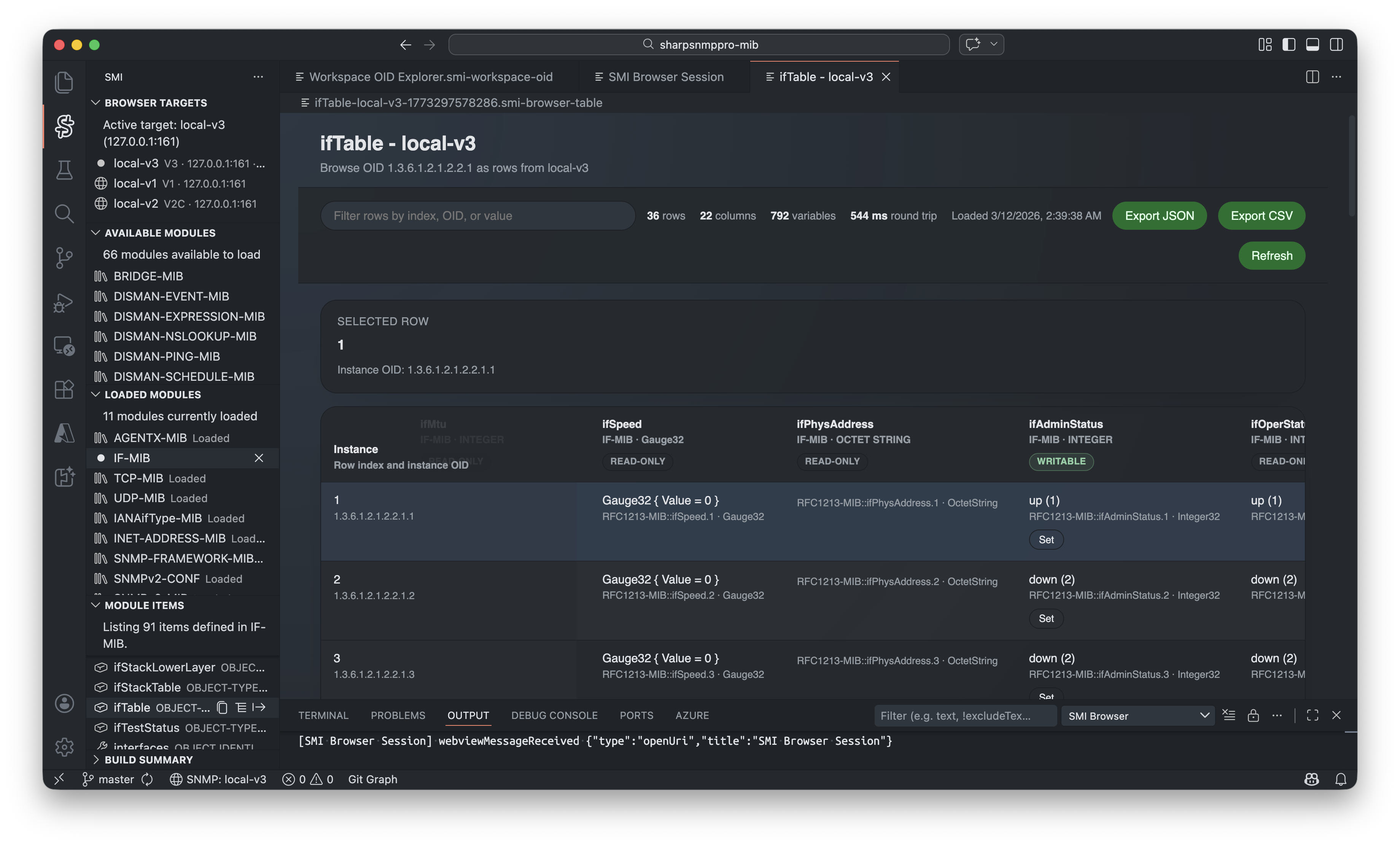
In Browser Session, when you perform a Table operation on a table or entry OID, the results can be displayed in a new Table View tab. You can also export the table data to CSV format for further analysis. Walk View
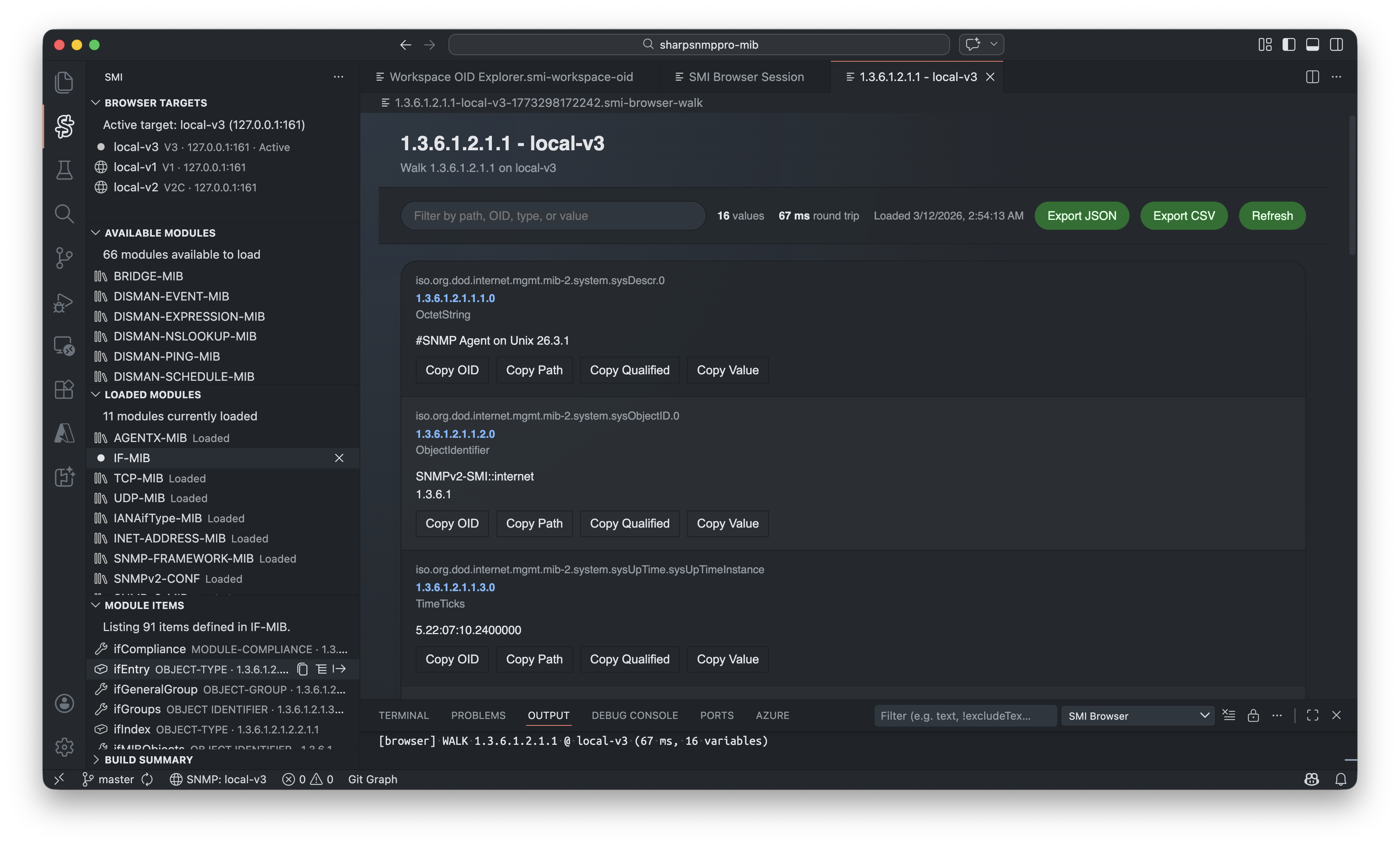
In Browser Session, when you perform a Walk operation on any OID, the results can be displayed in a new Walk View tab. You can also export the walk data to CSV format for further analysis. Pro Edition Features Not Included in PreviewEnhanced Editor FeaturesDiagnostics, hover tooltips, code completion, navigation among files, and other editor features are not included in the preview. These features are available in the Pro edition to enhance your MIB editing experience. Module Management and Dependency Graph
You can manage your MIB modules in the Available/Loaded Modules panes, where you can load/unload your MIB files into the Workspace OID Explorer. The Dependency Graph is a visual representation of the relationships between MIB modules. It helps you understand the structure and dependencies of MIB modules. AI Workflows
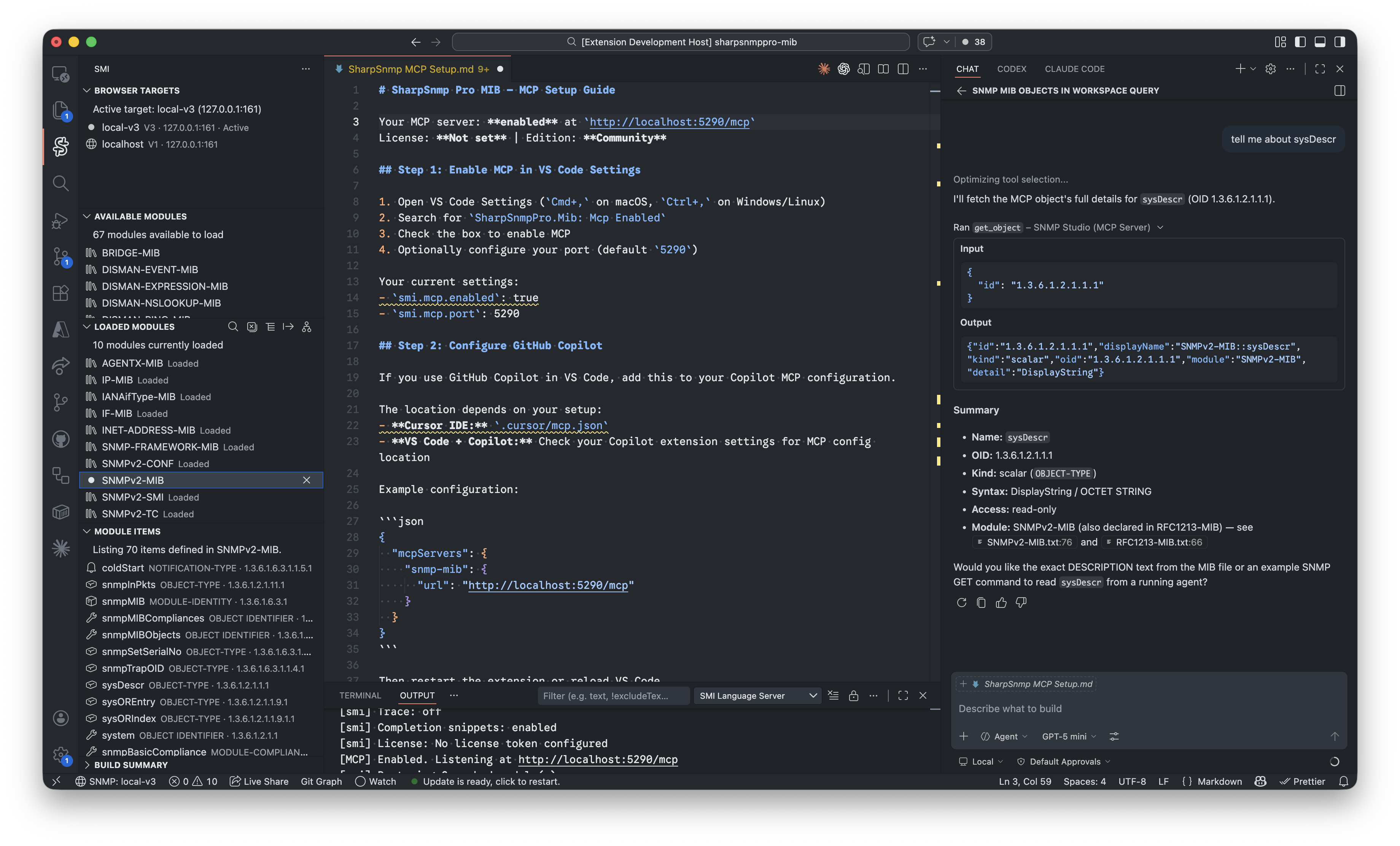
The MCP support in the Pro edition allows you to leverage AI capabilities for tasks such as generating MIB definitions, analyzing MIB structures, and providing intelligent suggestions based on your MIB editing context. LicenseSee Upgrade to ProThe Pro edition is a commercial product that includes additional features and support. To upgrade, please visit the SNMP Studio Pro page for more information on pricing and licensing. We also offer a free Educational License for students and educators. Please contact us for more details. Copyright © 2014-2018 Lex Li. All rights reserved. Copyright © 2018-2026 LeXtudio Inc. All rights reserved. |