Skip to content
| Marketplace
Sign in
Visual Studio Code>Themes>ThemewiseNew to Visual Studio Code? Get it now.
Themewise

Themewise

lewiseman

|
7 installs
| (0) | Free
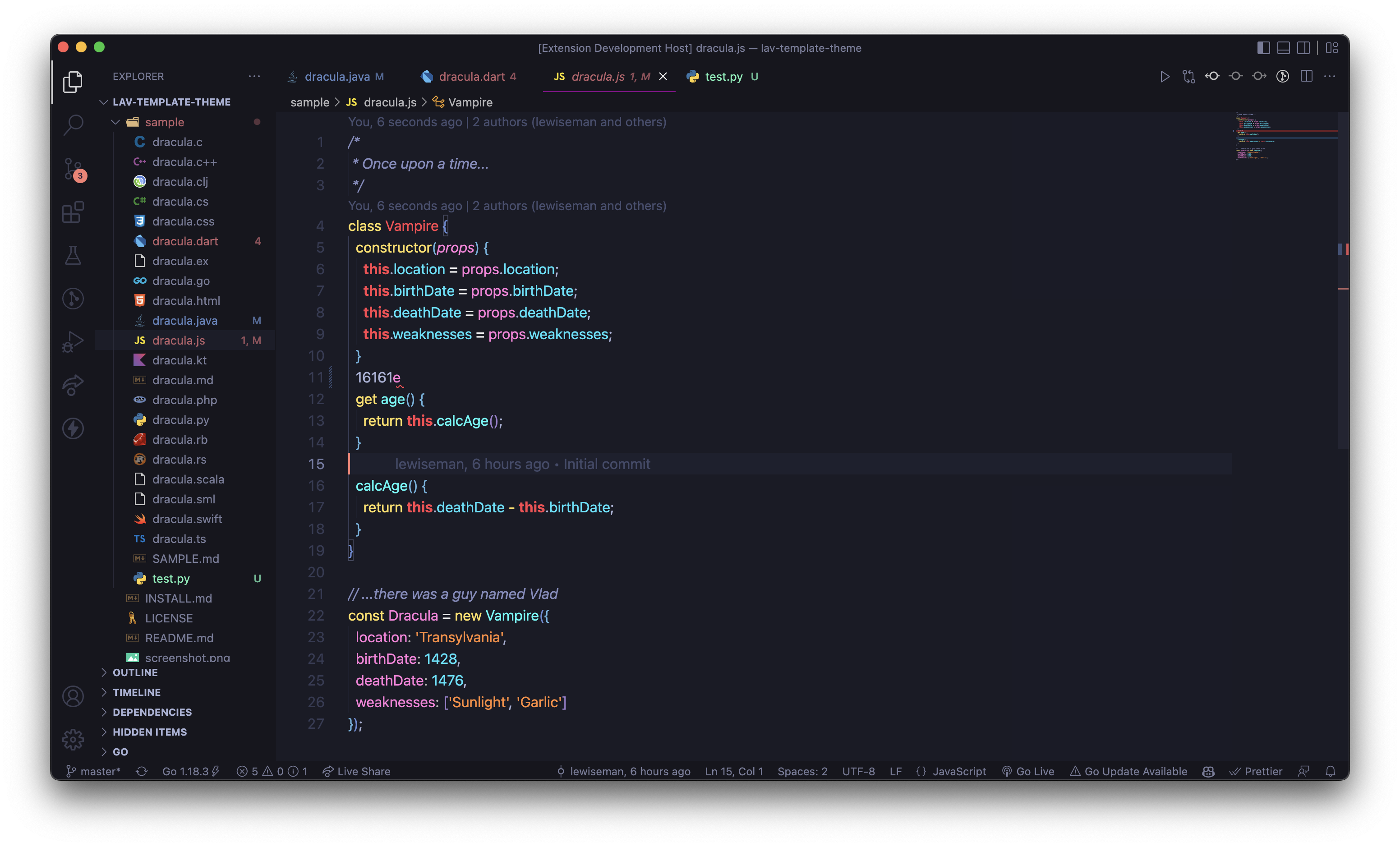
A vivid dark VS Code theme combining SynthWave '84 colors with Tokyo Night backgrounds.
Installation
Launch VS Code Quick Open (Ctrl+P), paste the following command, and press enter.
Copied to clipboard
More Info

Themewise

Themewise banner

Themewise is a vivid dark theme for Visual Studio Code. It combines the expressive text colors of SynthWave '84 with the deep editor backgrounds of Tokyo Night.

Install

  1. Open the Extensions view in VS Code.
  2. Search for Themewise.
  3. Select Themewise and click Install.
  4. Open the Command Palette and choose Preferences: Color Theme.
  5. Select Themewise Dark.

You can also install the packaged .vsix file using Extensions: Install from VSIX....

Preview

Themewise preview

Background

Themewise is an update from the previous Lav theme, which is now deprecated.

License

MIT

  • Contact us
  • Jobs
  • Privacy
  • Manage cookies
  • Terms of use
  • Trademarks
  • Your Privacy Choices
  • Consumer Health Privacy
© 2026 Microsoft