


React SVG GlancePreview React SVG components directly in VS Code — hover to glance, click to inspect. FeaturesHover PreviewHover over any SVG component name in JSX to see an inline preview — no context switching needed. 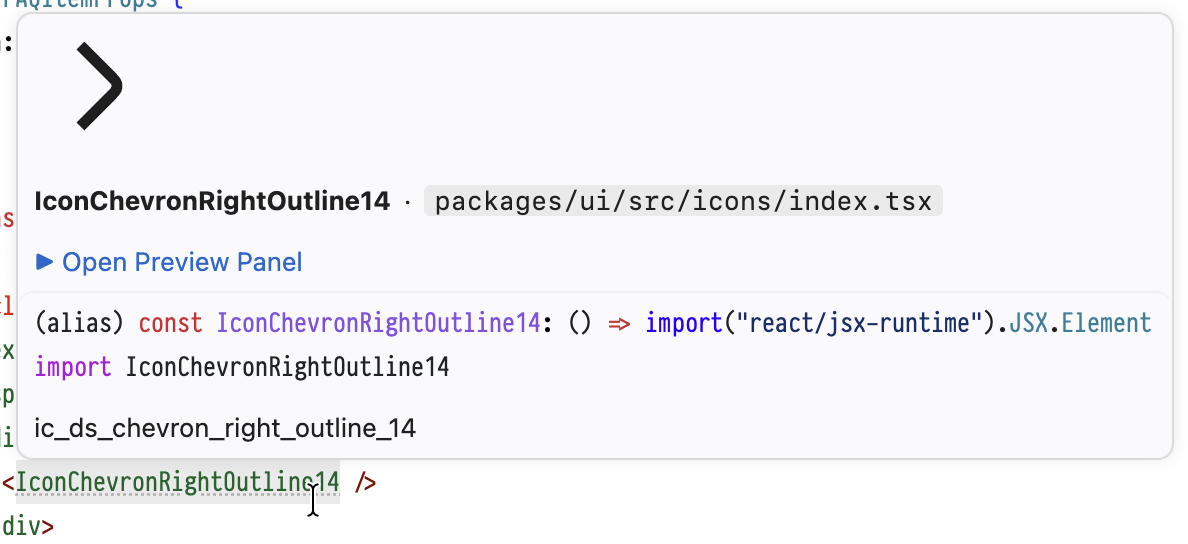
The hover tooltip shows:
Inline DecorationsSVG components in JSX are subtly highlighted with a dotted underline and a faint background tint, so you can tell at a glance which components have preview available. Preview PanelClick the CodeLens button or the "Open Preview Panel" link in hover to open a side panel with: 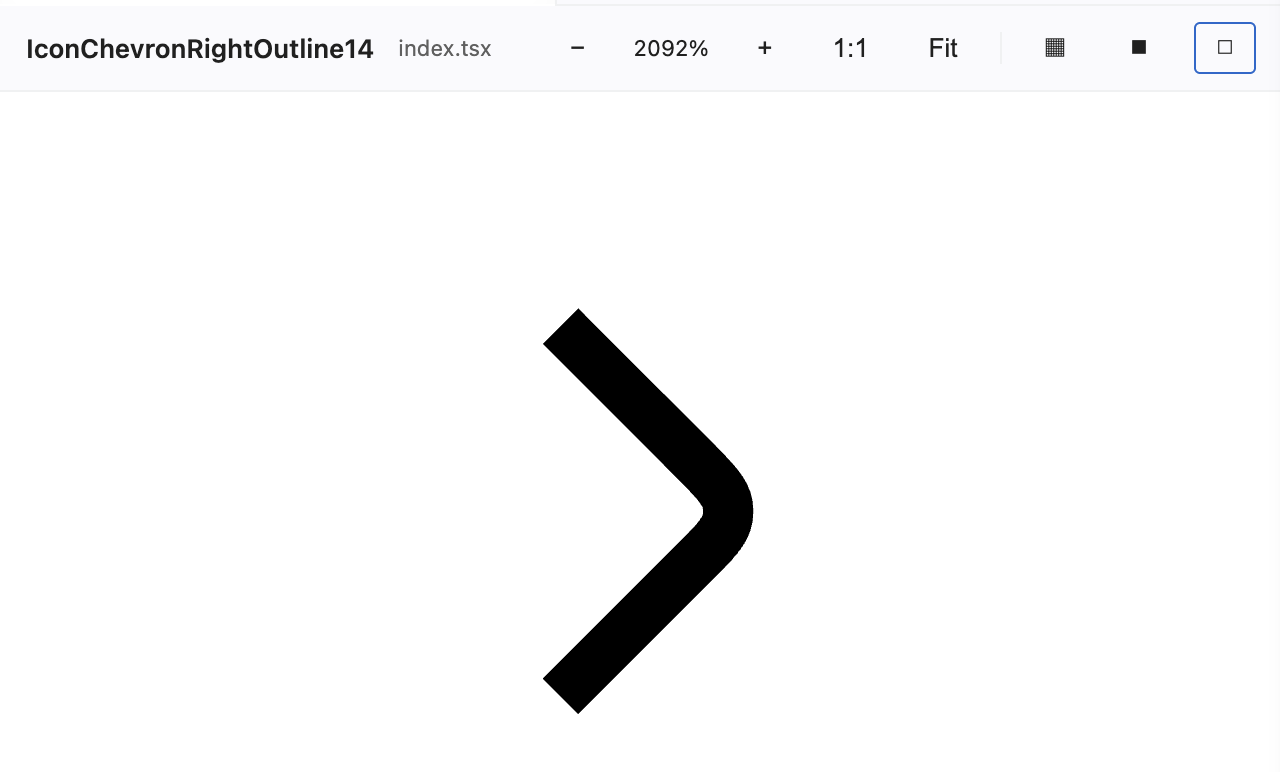
CodeLens on DeclarationsIn files where SVG components are defined, a "Preview SVG" CodeLens button appears above each component declaration, allowing one-click preview. Configuration
|
| Strategy | Example |
|---|---|
| Relative imports | import { Icon } from './icons' |
tsconfig paths |
import { Icon } from '@/icons' |
| Monorepo packages | import { Icon } from '@scope/ui' |
For monorepo packages (Rush, pnpm workspaces, etc.), the extension follows node_modules symlinks to find the real package directory, then checks if any indexPaths entries fall within that package.
Supported File Types
.tsx/.jsx(TypeScript React / JavaScript React).ts/.js(TypeScript / JavaScript)
Requirements
- VS Code 1.85.0 or later
- SVG components must be defined as React functional components returning
<svg>elements
License
MIT
中文说明
在 VS Code 中直接预览 React SVG 组件 — 悬停一瞥,点击细看。
功能
悬停预览
在 JSX 中将鼠标悬停在任意 SVG 组件名上,即可看到内联预览,无需切换上下文。
悬停提示内容:
- 渲染后的 SVG 预览图(适配主题配色)
- 组件名称和源文件路径
- 可点击的 "Open Preview Panel" 链接,打开大图预览
内联装饰
JSX 中的 SVG 组件会以 虚线下划线 和淡淡的 背景色 标记,让你一眼就能看出哪些组件支持预览。
预览面板
点击 CodeLens 按钮或悬停中的 "Open Preview Panel" 链接可打开侧边预览面板:
- 自适应缩放 — SVG 自动缩放以填充面板
- 滚轮缩放 — 直接滚动鼠标滚轮缩放,无需按住修饰键
- 背景切换 — 在白色、深色、棋盘格背景间切换
- 主题适配 — SVG 中的
currentColor自动适配 VS Code 主题
声明处 CodeLens
在定义 SVG 组件的文件中,每个组件声明上方会出现 "Preview SVG" CodeLens 按钮,点击即可预览。
配置
reactSvgPreview.indexPaths
指定包含 SVG 组件的文件或目录路径(相对于工作区根目录)。当从这些路径下的文件导入组件时,悬停预览和内联装饰会在使用处自动生效。
// .vscode/settings.json
{
  "reactSvgPreview.indexPaths": [
    "src/components/icons",
    "packages/ui/src/icons/index.tsx"
  ]
}
导入路径解析
扩展通过多种策略解析导入路径:
| 策略 | 示例 |
|---|---|
| 相对导入 | import { Icon } from './icons' |
tsconfig paths 别名 |
import { Icon } from '@/icons' |
| Monorepo 工作区包 | import { Icon } from '@scope/ui' |
对于 monorepo 包(Rush、pnpm workspaces 等),扩展会沿 node_modules 符号链接找到包的实际目录,然后检查 indexPaths 中是否有文件位于该包内。
支持的文件类型
.tsx/.jsx(TypeScript React / JavaScript React).ts/.js(TypeScript / JavaScript)
系统要求
- VS Code 1.85.0 或更高版本
- SVG 组件需定义为返回
<svg>元素的 React 函数式组件
许可证
MIT