Skip to content
| Marketplace
Sign in
Visual Studio Code>Data Science>RowLens: SQLite Editor & Change RecorderNew to Visual Studio Code? Get it now.
RowLens: SQLite Editor & Change Recorder

RowLens: SQLite Editor & Change Recorder

Lens Tools

| (0) | Free
Open, edit and query SQLite files of any size, free. Pro records every row your app changes, compares databases with migration SQL, and profiles your data.
Installation
Launch VS Code Quick Open (Ctrl+P), paste the following command, and press enter.
Copied to clipboard
More Info

RowLens: SQLite Editor & Change Recorder

See exactly what your app writes to SQLite. RowLens opens, edits and queries SQLite files of any size in VS Code, free. Pro records every row your app changes, compares databases with migration SQL, and shows what your data really holds.

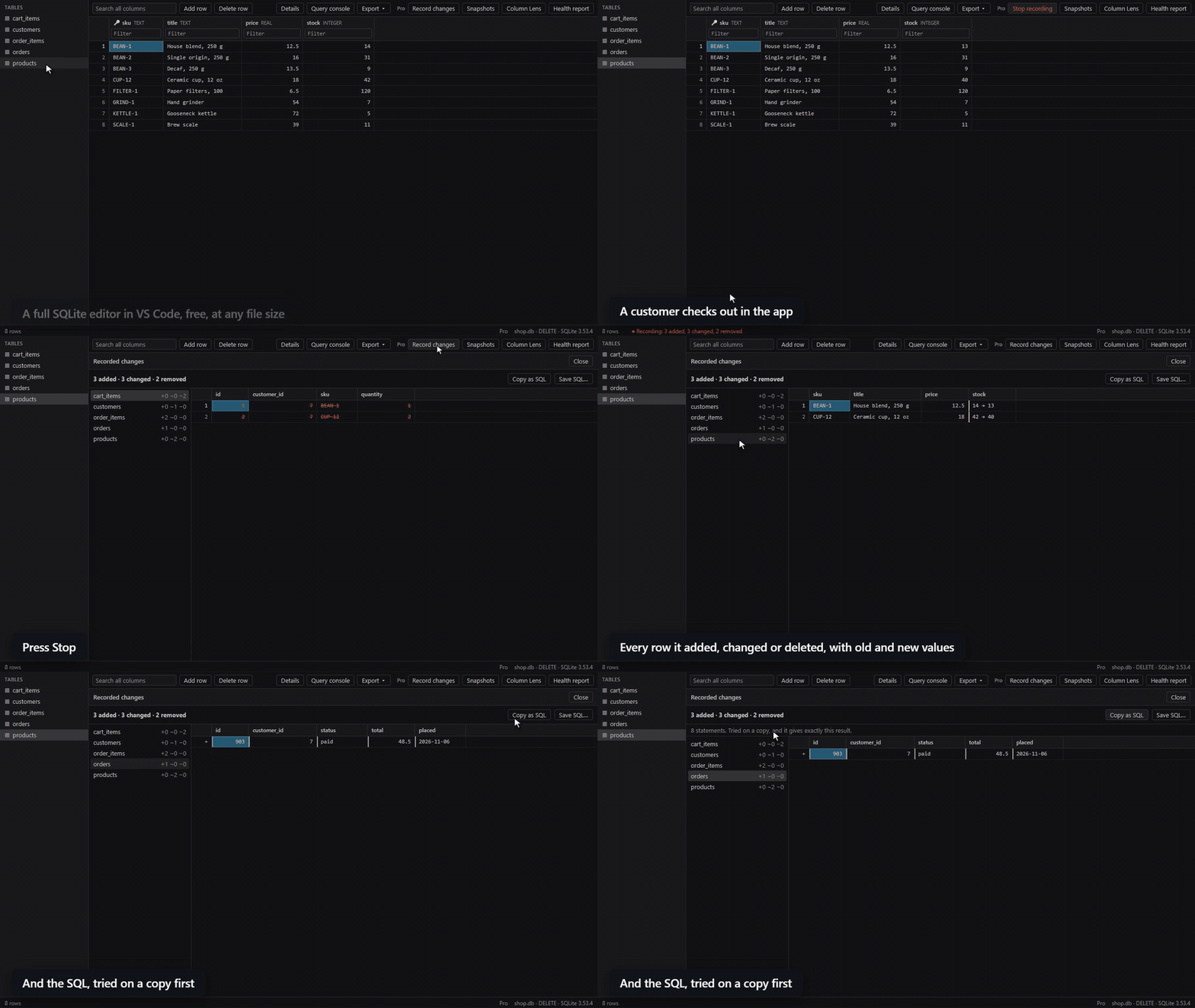
Recording a checkout: press Record, the app writes, press Stop, and see every row with its old and new values, and the SQL

Free, with no limit on file size

  • Opens with a double-click: .db, .sqlite, .sqlite3, .db3, .s3db and .sl3. It reads only what's on screen, and has scrolled to the end of 7 million rows.
  • Filter, search and sort: per column, or across every column at once.
  • Edit with undo: nothing is written until you save, and a Save is one transaction. If your app changed a value in the meantime, the Save stops and writes nothing.
  • Undo last save: the file goes back as it was, even after you close the editor.
  • Query console: autocomplete for your tables and columns, and a Stop button. Read-only unless you allow writes.
  • Databases sidebar: every SQLite file in your workspace, with its tables and columns, in one place. Click a table to open it, and add databases from anywhere. Folders whose names start with a dot, such as .venv, are skipped unless you turn on the setting Include Hidden Folders.
  • Query across databases: attach other files to the query console and join or copy across them. Attached files stay read-only, so only the open file ever changes.
  • Export and copy: CSV, JSON, SQL and Markdown.
  • Reloads by itself when your app writes.
  • Follows foreign keys, previews images and formats JSON.

RowLens Pro

Change Recorder. Press Record, use your app, press Stop. See every row it added, changed or deleted, with old and new values and the SQL to replay it. It adds no triggers and doesn't touch your app's code.

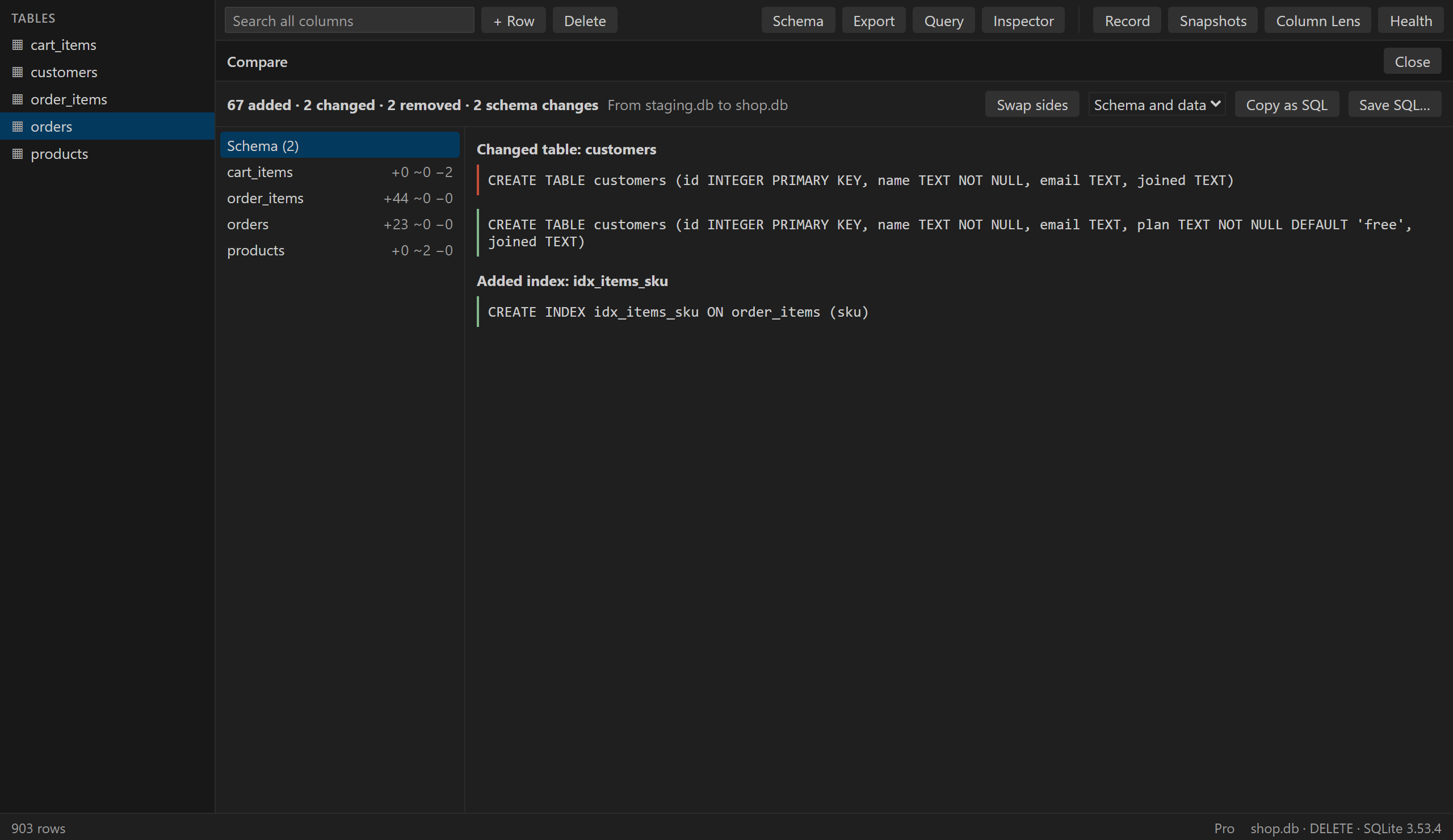
Snapshots and Compare. The last 10 versions of each database, with one-click restore. Compare with a snapshot, another file or the version in Git, and get the differences in schema and data with migration SQL. RowLens tries that SQL on a copy first, and tells you if the result isn't exact.

Comparing two databases, with the old and new CREATE statements

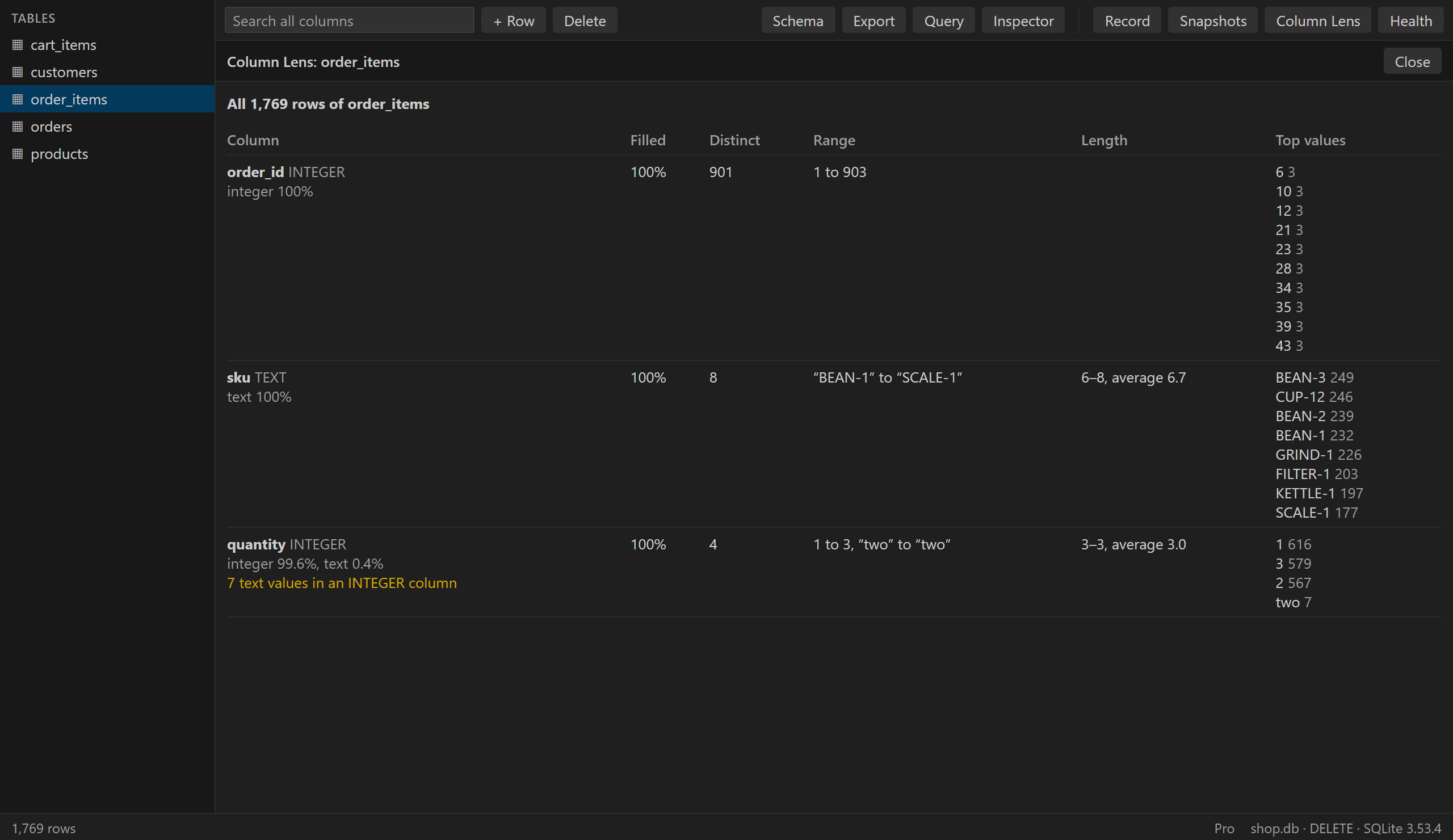
Column Lens. Nulls, distinct values, top values, ranges and lengths for every column, and values that don't fit, such as text in an INTEGER column. Above a million rows it reads a random sample and says so.

Column Lens noting text values in an INTEGER column

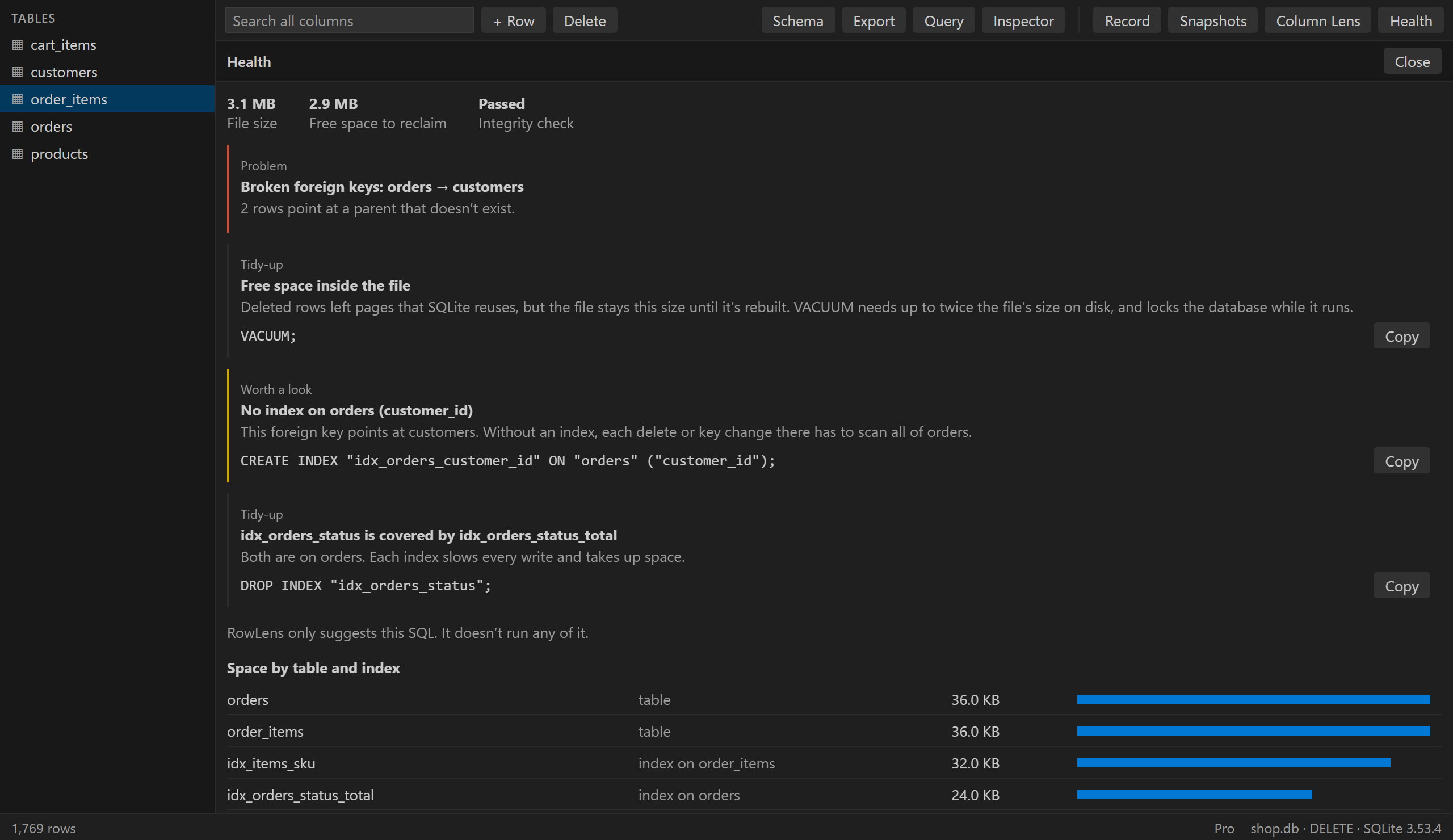
Health. Size by table and index, reclaimable space, integrity, broken foreign keys, and missing or duplicate indexes. It suggests SQL to copy and never runs anything itself.

The Health report with findings and SQL to copy

Try it free: 3 Pro uses a day, no key needed. Pro is $39 a year or $79 once, with a 14-day refund: rowlens.pages.dev. To unlock it, run RowLens: Enter License Key from the Command Palette.

Good to know

  • The Recorder shows net changes. It compares the file at Record and at Stop, so a value changed and changed back won't appear.
  • In WAL mode your app notices nothing. In other journal modes, your app's writes wait while RowLens copies the file for the Recorder or Compare, which took about 6 seconds for 1 GB in testing.
  • Snapshots are full copies of your database, kept in VS Code's storage on your computer for up to 30 days, not in your project. Automatic ones stop above 1 GB.
  • Needs VS Code 1.123 or newer, for the SQLite built into it. It's tested on Windows. It has no native code, but macOS, Linux and remote workspaces aren't tested yet.

Privacy

No account, no ads, no telemetry. Your databases never leave your computer. The only network request is the Pro license check, and it happens only after you enter a key. See the privacy policy.

RowLens is an independent tool, not affiliated with Microsoft or SQLite.

  • Contact us
  • Jobs
  • Privacy
  • Manage cookies
  • Terms of use
  • Trademarks
  • Your Privacy Choices
  • Consumer Health Privacy
© 2026 Microsoft