Lemain Labs Theme
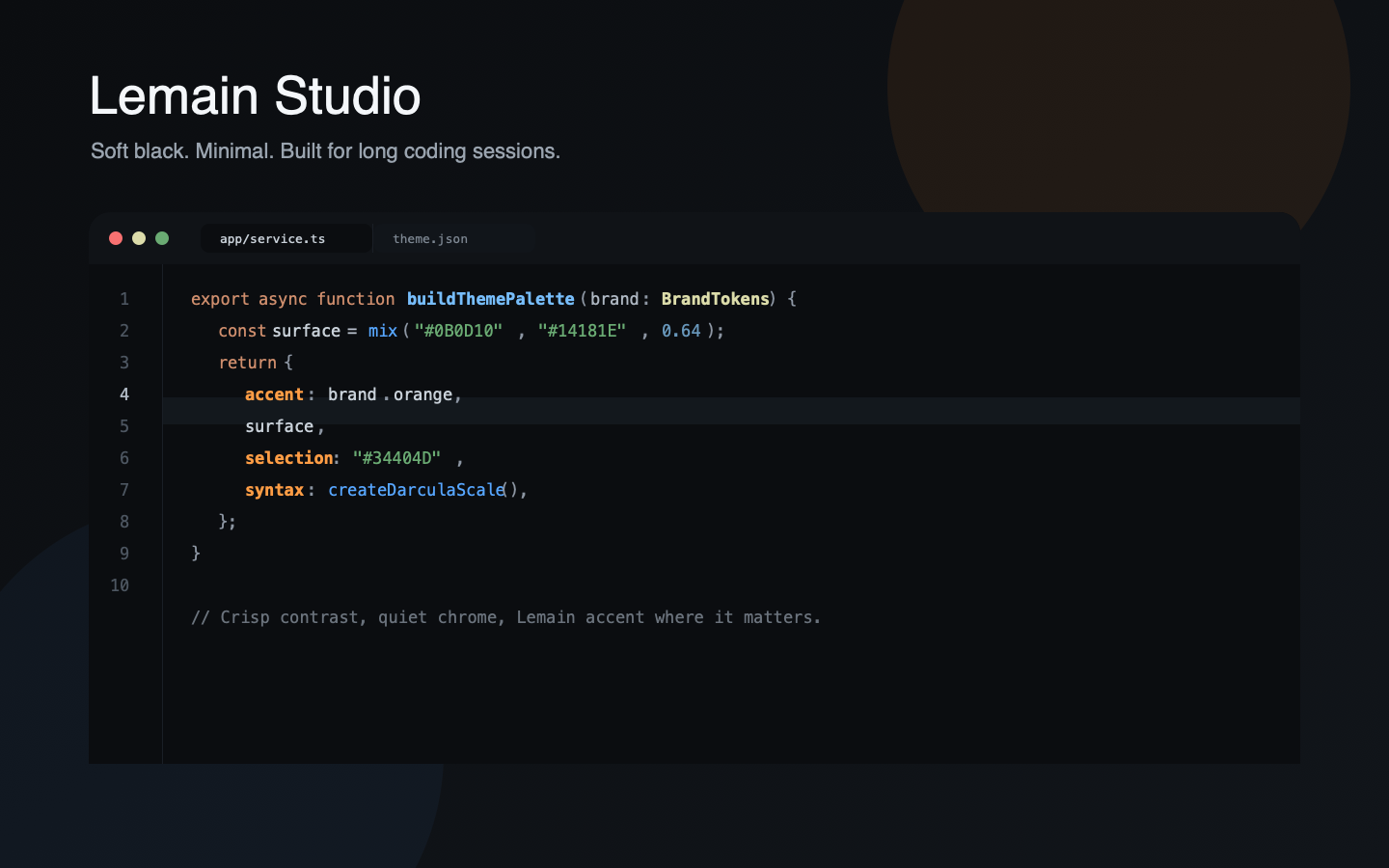
Three themes for VS Code and Cursor inspired by Lemain Labs: Lemain Studio, Lemain Studio Light and Lemain Studio Midnight.
The collection is built around clean surfaces, strong readability and a controlled orange accent that highlights what matters without turning the editor noisy. Use the soft black Studio theme as the main experience, switch to Light for bright environments, or pick Midnight when you want a more vivid dark editor.
Themes
Lemain Studio: the main Lemain theme. Soft black, minimal, balanced and optimized for everyday coding.Lemain Studio Light: a clean light variant with Lemain orange, low-noise surfaces and strong code contrast.Lemain Studio Midnight: a slightly brighter and more vivid dark variant, closer to a modern midnight editor style.
Why Use It
- Balanced syntax: blue functions, green strings, soft yellow types, dry orange keywords and calm gray variables.
- Strong JSON readability: keys such as
menu.selectionForeground are emphasized so configuration files are easier to scan.
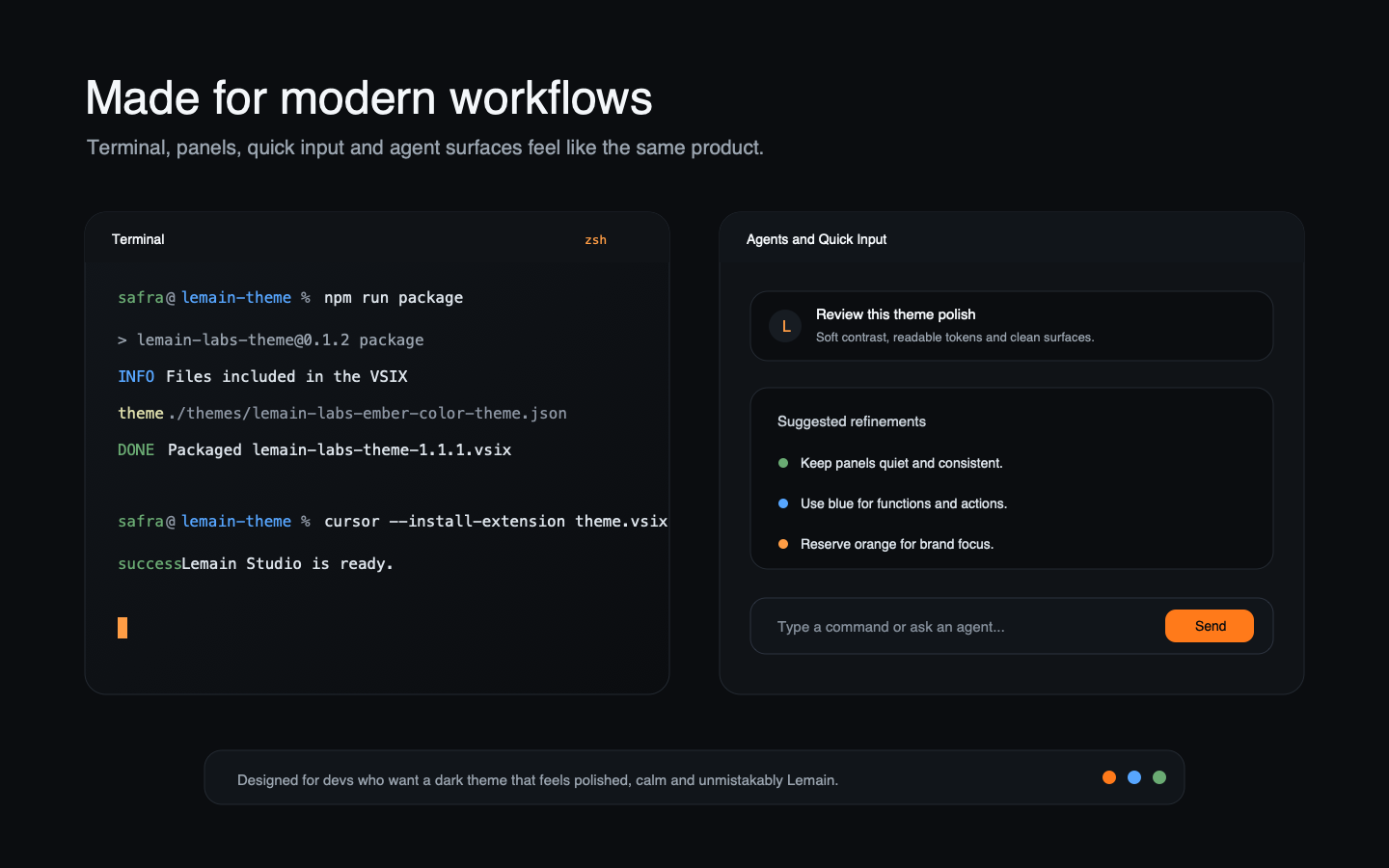
- Quiet chrome: tabs, panels, sidebars, terminal and quick input stay consistent without heavy borders.
- Cursor friendly: agent-adjacent surfaces, panels and command inputs follow the same visual rhythm.
- Broad language coverage: JavaScript, TypeScript, JSX/TSX, Java, PHP, C, C++, Go, Python, JSON, CSS/SCSS and Markdown.
Interface Preview
Terminal colors, quick input, panels and Cursor surfaces share the same palette. The theme feels cohesive when switching between coding, running commands and working with agents.
Main Palette
- Background:
#0B0D10
- Surface:
#101317
- Elevated surface:
#14181E
- Border:
#242A32
- Text:
#DCE3EA
- Soft text:
#9AA4AF
- Muted text:
#6B737D
- Accent:
#FF7A1A
- Soft accent:
#FF9D45
- Selection:
#34404D
Recommended Editor Feel
The theme controls colors, contrast and visual states. Spacing, line height and padding are editor settings. This setup pairs well with all variants:
{
  "editor.fontSize": 14,
  "editor.lineHeight": 23,
  "editor.letterSpacing": 0.15,
  "editor.padding.top": 8,
  "editor.padding.bottom": 8,
  "editor.renderWhitespace": "selection",
  "editor.cursorSmoothCaretAnimation": "on",
  "editor.guides.bracketPairs": "active",
  "editor.bracketPairColorization.enabled": true,
  "workbench.tree.indent": 14,
  "explorer.compactFolders": false
}
Usage
- Open
Preferences: Color Theme.
- Select
Lemain Studio, Lemain Studio Light or Lemain Studio Midnight.
- Use the recommended editor settings above if you want the same spacing used during theme tuning.
Local Install
Install a generated .vsix manually:
cursor --install-extension lemain-labs-theme-1.1.0.vsix
Source Code
Source, issues and releases are available at github.com/safradev/lemain-theme.

