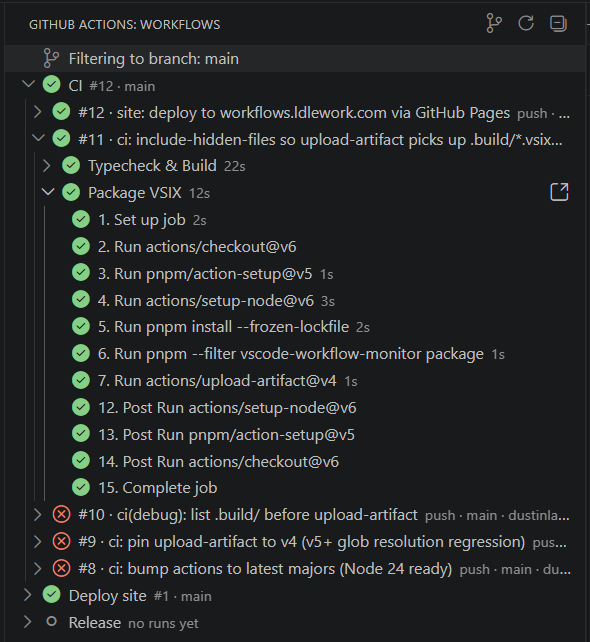
Workflow MonitorClose the tab. Open the sidebar. A VS Code sidebar that streams your GitHub Actions workflows in real time. Re-run, cancel, tail logs, and copy failure context to your clipboard — without leaving the editor.
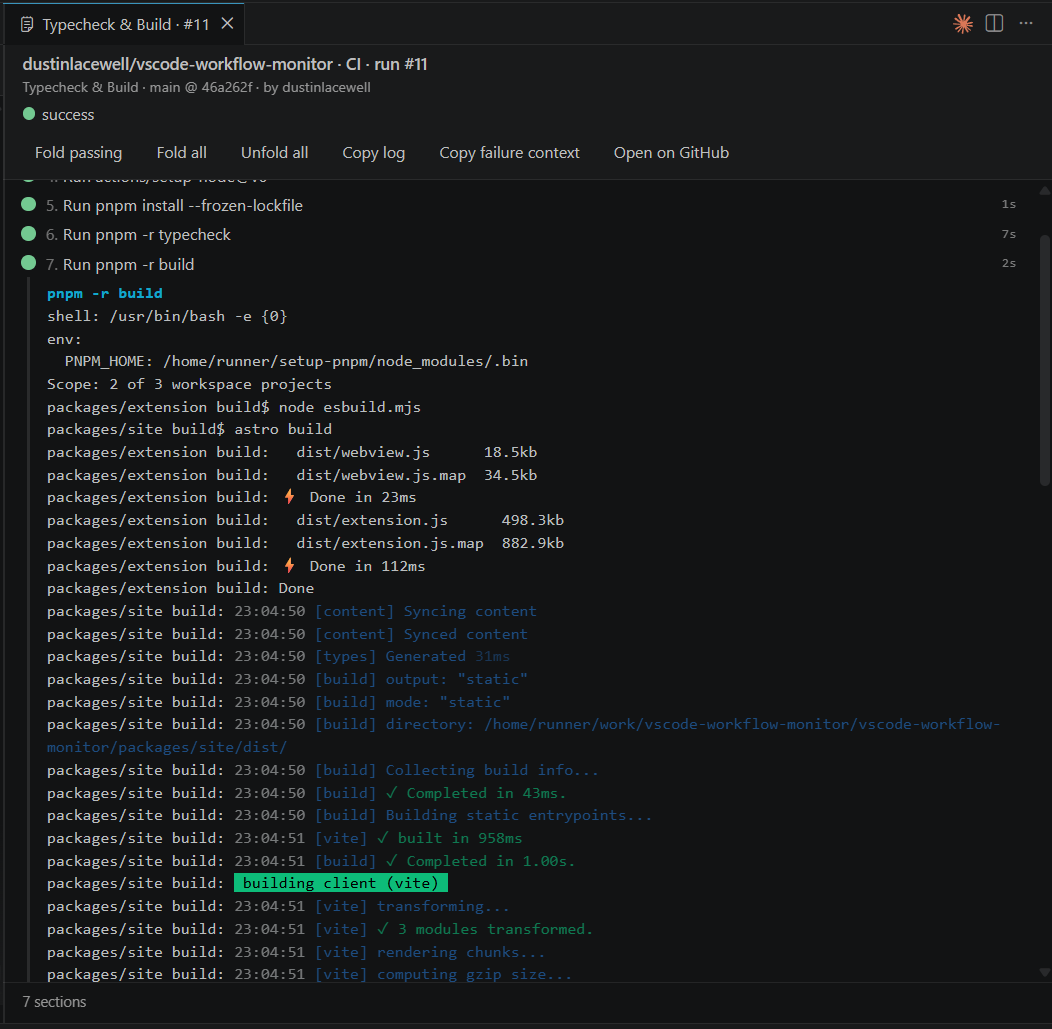
WhyThe Actions tab is a context switch. Workflow Monitor puts your CI in the same view as your code — so the failed job, the line that broke it, and the fix all live in the same window. FeaturesLive workflow tree. Workflows → runs → jobs → steps in one always-on sidebar. Polling tightens automatically while anything is in-flight. Rich log view. Click a job and the log opens in a tab — one continuous
timeline, collapsible per-step, ANSI colours, auto-scroll-follow, inline
callouts for
One-click copy. Copy a full job log or a focused failure context (metadata + the failing step's output) to your clipboard. Re-run, cancel, dispatch. Trigger Artifacts & branch focus. Browse and download artifacts per run; filter the tree to the branch you're working on. Quiet when idle, loud when it matters. Status-bar pill at a glance. Opt-in notifications on failure, success, or action-required approvals. Settings
LicenseMIT. |