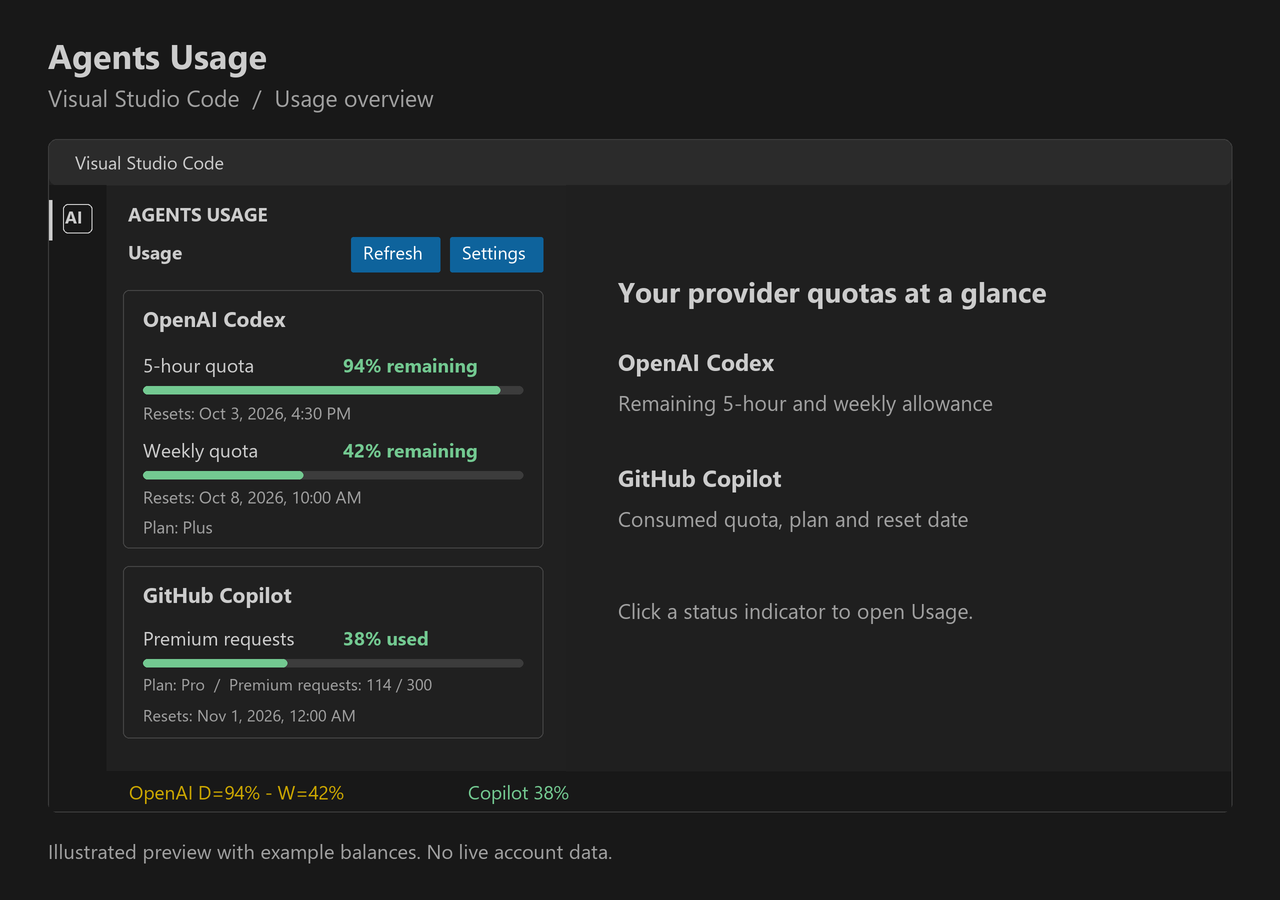
Agents Usage for Visual Studio CodeThe VS Code extension reads the provider-reported OpenAI Codex 5-hour and weekly quotas from the locally installed Codex CLI app-server. It displays remaining percentages and reset times in the Agents Usage Activity Bar view and an OpenAI Codex status bar item. It also reads GitHub Copilot quota snapshots and displays consumed quota in the view and status bar. Select Sign in to GitHub in the Copilot section when prompted. The Copilot reader uses VS Code's GitHub authentication and GitHub's internal Copilot quota endpoint because VS Code does not expose Copilot quota to third-party extensions through a public quota API. GitHub may change this endpoint without notice. The extension does not read local prompt history or estimate quota from activity. VS Code's built-in Copilot usage dashboard remains available from the Copilot status-bar item. Codex CLI must be installed and signed in to read Codex usage. Use Agents Usage: Open Settings to set its executable path or change the refresh interval. This extension displays quota only. To chat with Codex and use it as a coding agent in VS Code, install the separate OpenAI Codex extension. Usage preview
Illustrated VS Code preview with example balances, not a live account screenshot. OpenAI Codex shows remaining 5-hour and weekly quota; GitHub Copilot shows consumed quota. Subscription plans and reset times appear below the colored bars. Available quotas depend on your account and subscription. Configuration
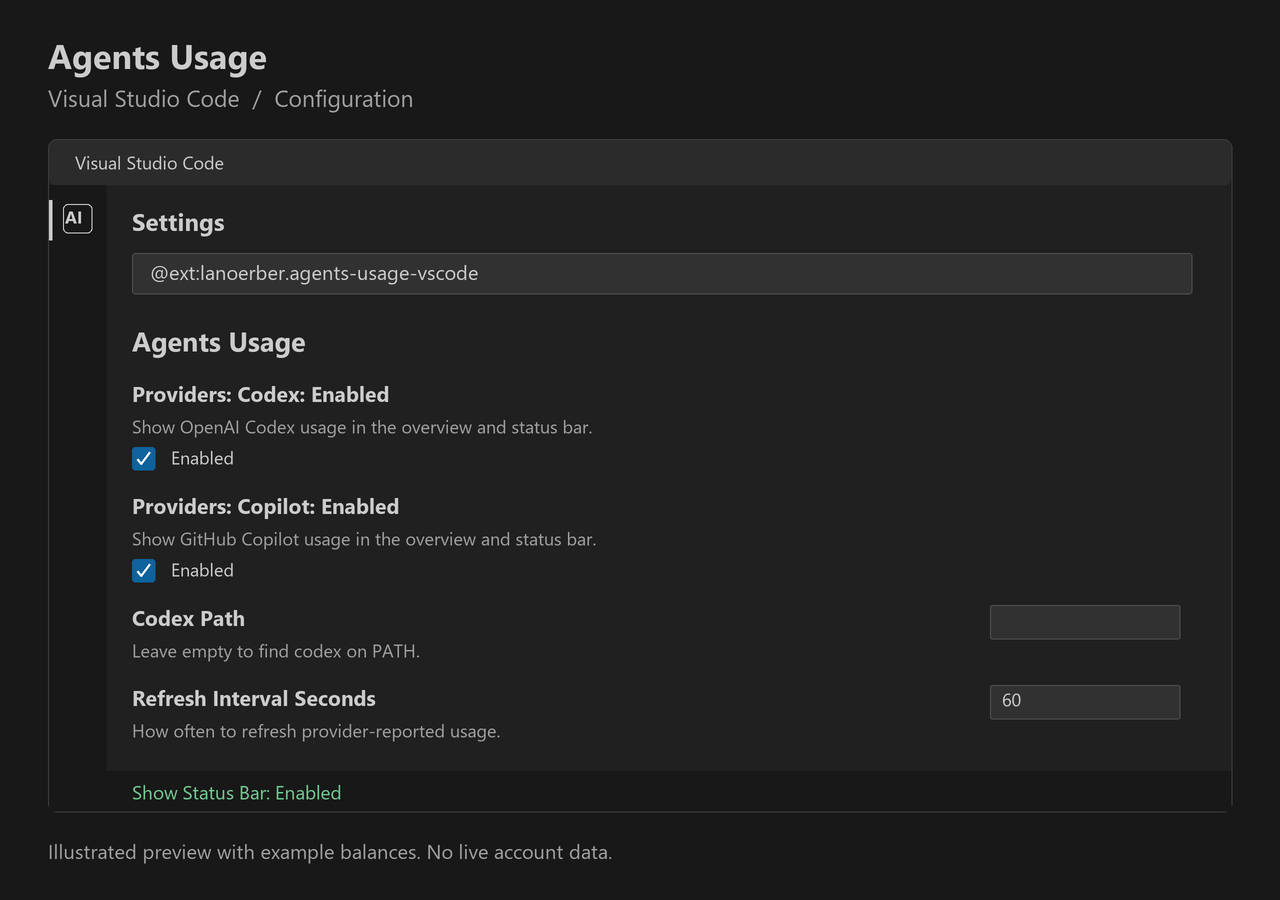
Illustrated settings preview. Select the providers to display, configure the Codex CLI path and refresh interval, and choose whether to show status indicators. Disabling a provider also pauses its quota reads. Open configuration through the Settings button or Agents Usage: Open Settings. BuildRun For repository setup and the combined Rider and VS Code build, see the development guide. This independent extension is not affiliated with or endorsed by OpenAI. Codex is a trademark of OpenAI. |