DevBelt
Database development, without leaving VS Code.

DevBelt brings SQL, Redis, Elasticsearch and AI-assisted workflows into one VS Code workspace. Browse connections, write and run queries, edit results, inspect schemas, and diagnose problems without switching between database tools.
For release notes see CHANGELOG.md. 中文说明见 README.zh-cn.md.
Why DevBelt
- One workspace, multiple engines. MySQL, PostgreSQL, SQLite, Redis and Elasticsearch share the same workspace, tab model and security model.
- From query to result. Run the current statement or selection, cancel long queries, inspect plans, edit result rows and export data.
- Schema work is first-class. Table designer, DDL, ER diagrams, schema comparison and PostgreSQL multi-schema/multi-database navigation.
- AI is part of the workflow. Generate SQL, explain and optimize queries, diagnose errors, ask questions about result samples and visualize results.
- Security is built in. Secrets stay in VS Code
SecretStorage; SSH tunnels use host-key verification; read-only and production guards are fail-closed; writes are audited.
- Personal connections stay personal. Optional E2EE sync protects connection metadata and local paths before they leave the device.
SQL workspace
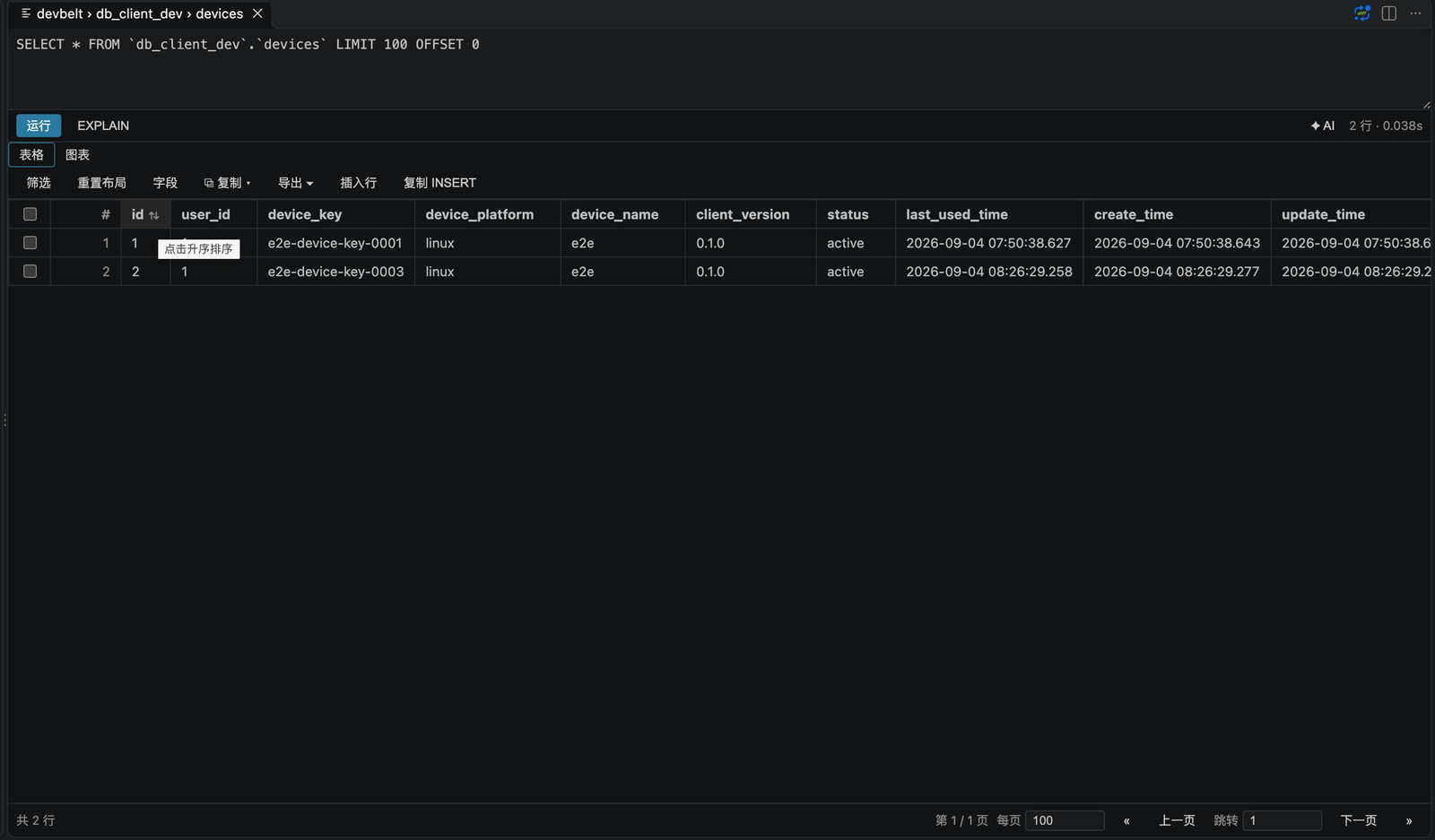
- Connection groups, connection testing and SSH tunnels.
- SQL editing, context-aware completion, formatting, execution and cancellation.
EXPLAIN from the editor.- Multi-result grids with filters, sorting, paging and controlled inline editing.
- Query history, audit log, scheduled backups, server dashboard and object search.
- CSV, JSON, XML, XLSX and SQL import/export; database-to-database transfer.
Query insight
- Visual EXPLAIN for MySQL (
FORMAT=JSON), PostgreSQL (FORMAT JSON) and SQLite (EXPLAIN QUERY PLAN): plan tree, node details, warning highlights (large full scans, filesort, temporary tables, risky nested loops, missing indexes) and raw-plan copy. Plain EXPLAIN only — statements are planned, never executed. PostgreSQL is integration-tested against PostgreSQL 16 in CI; a manual walkthrough on a real workload is pending.
- AI: Explain plan sends a compact, bounded plan summary to AI Chat.
- Index suggestions for flagged tables: equality → range → sort column order, existing-index and primary/unique-key checks, confidence plus reasons and risks. Copy the DDL; nothing is executed.
- Slow Queries (
DevBelt: Slow Queries): local query history grouped by SQL template, sorted by total/average/max time or runs, with failure counts and one-click SQL or EXPLAIN. Retention is configurable with devbelt.insights.historyLimit.
- SQL diagnostics in
.sql editors: UPDATE/DELETE without WHERE, DROP/TRUNCATE/ALTER, NOT IN (subquery), SELECT * and dialect mismatches. Toggle with devbelt.diagnostics.enabled, tune per rule with devbelt.diagnostics.rules.
- Data dictionary: database node → Data → Generate Data Dictionary, as Markdown or HTML, without any connection details.
Monitoring
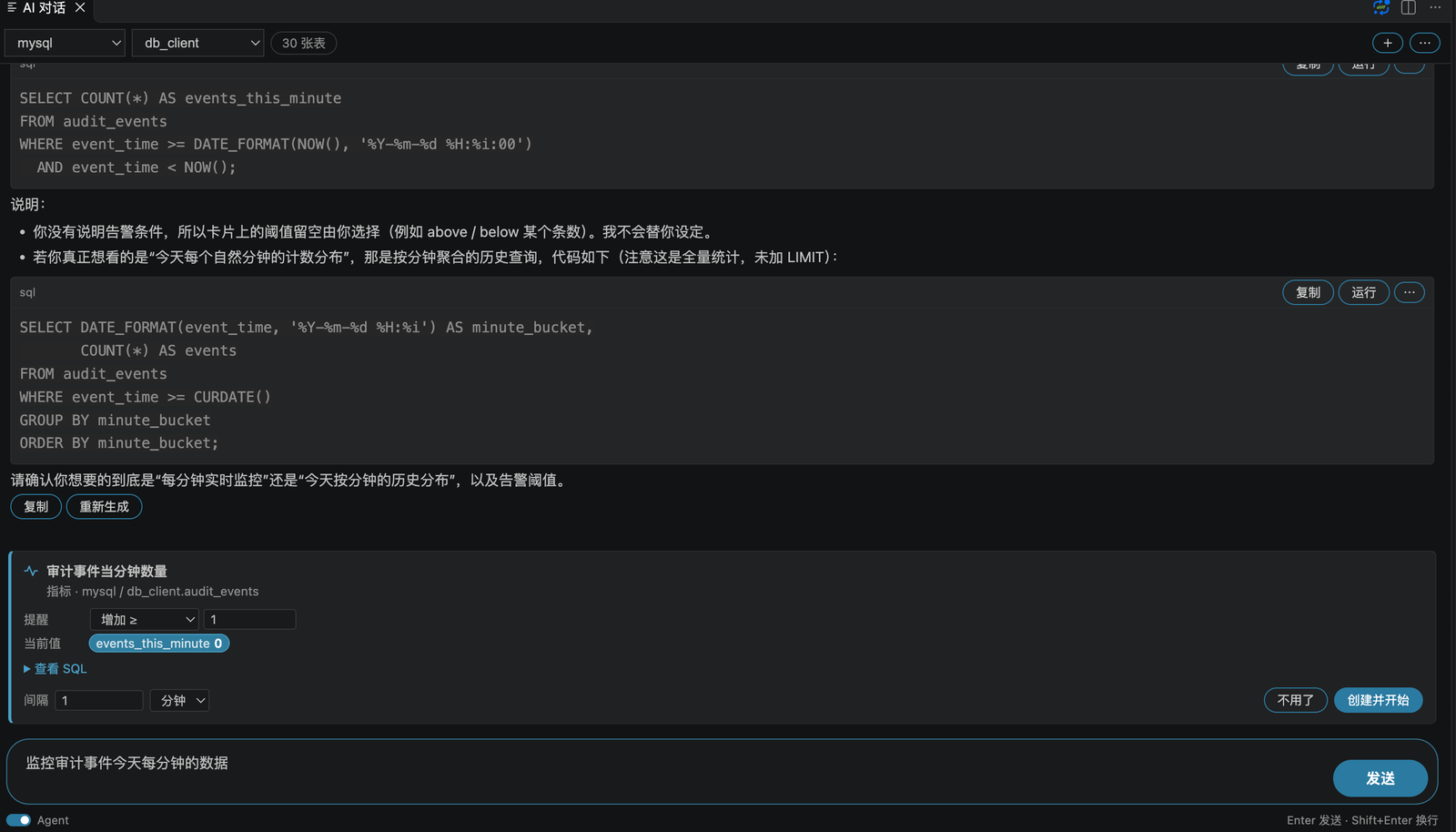
- Scheduled read-only checks: row count, one numeric metric, or new rows on an existing column; VS Code notification when your condition is met.
- Propose, not create: in Agent mode the assistant can only propose a task as a card; you pick the interval and alert condition and confirm before anything runs.
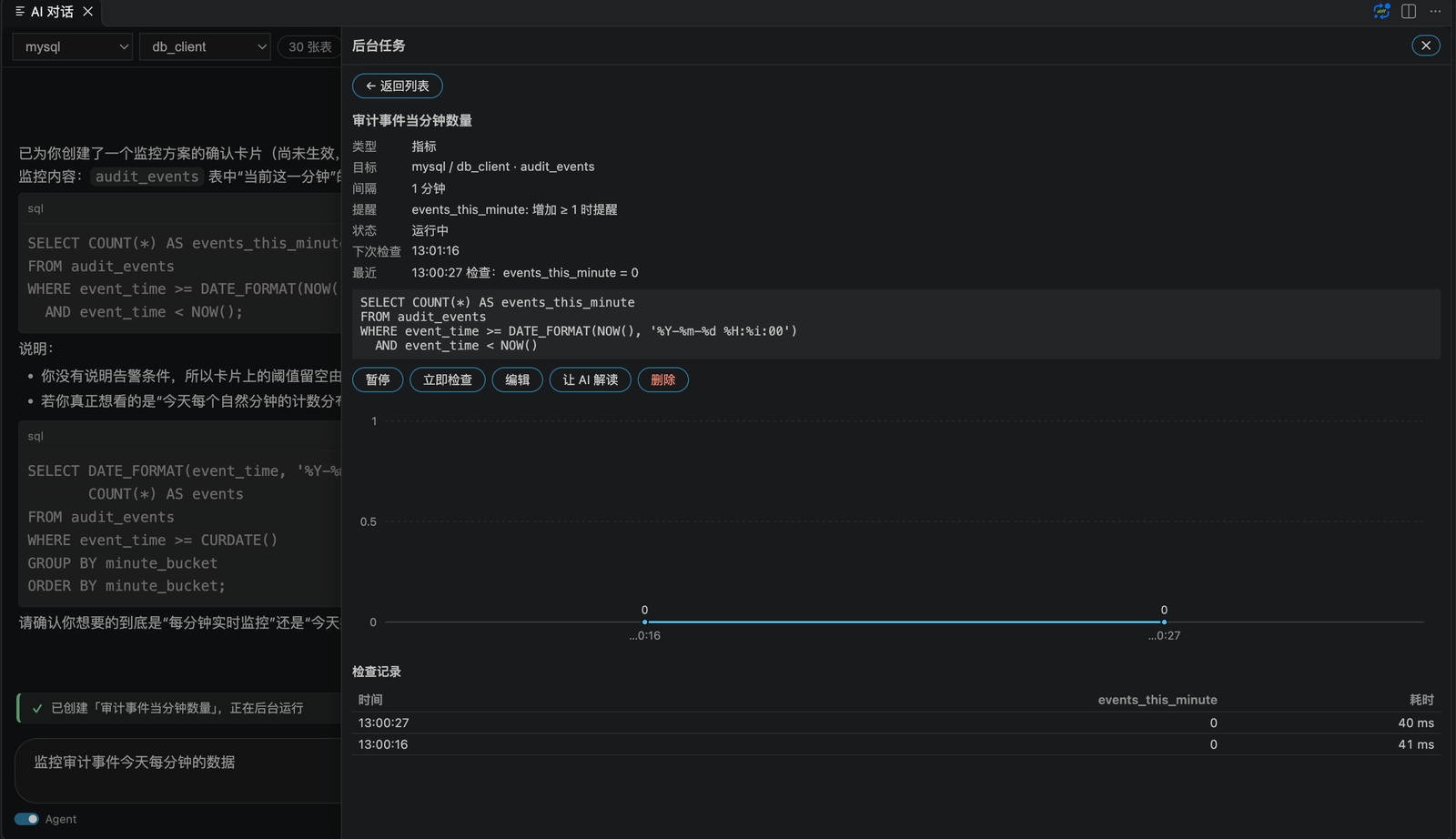
- Background Tasks: charts, check history, next check, failure count, and editable interval / condition.
Schema and data
- Table designer and DDL generation.
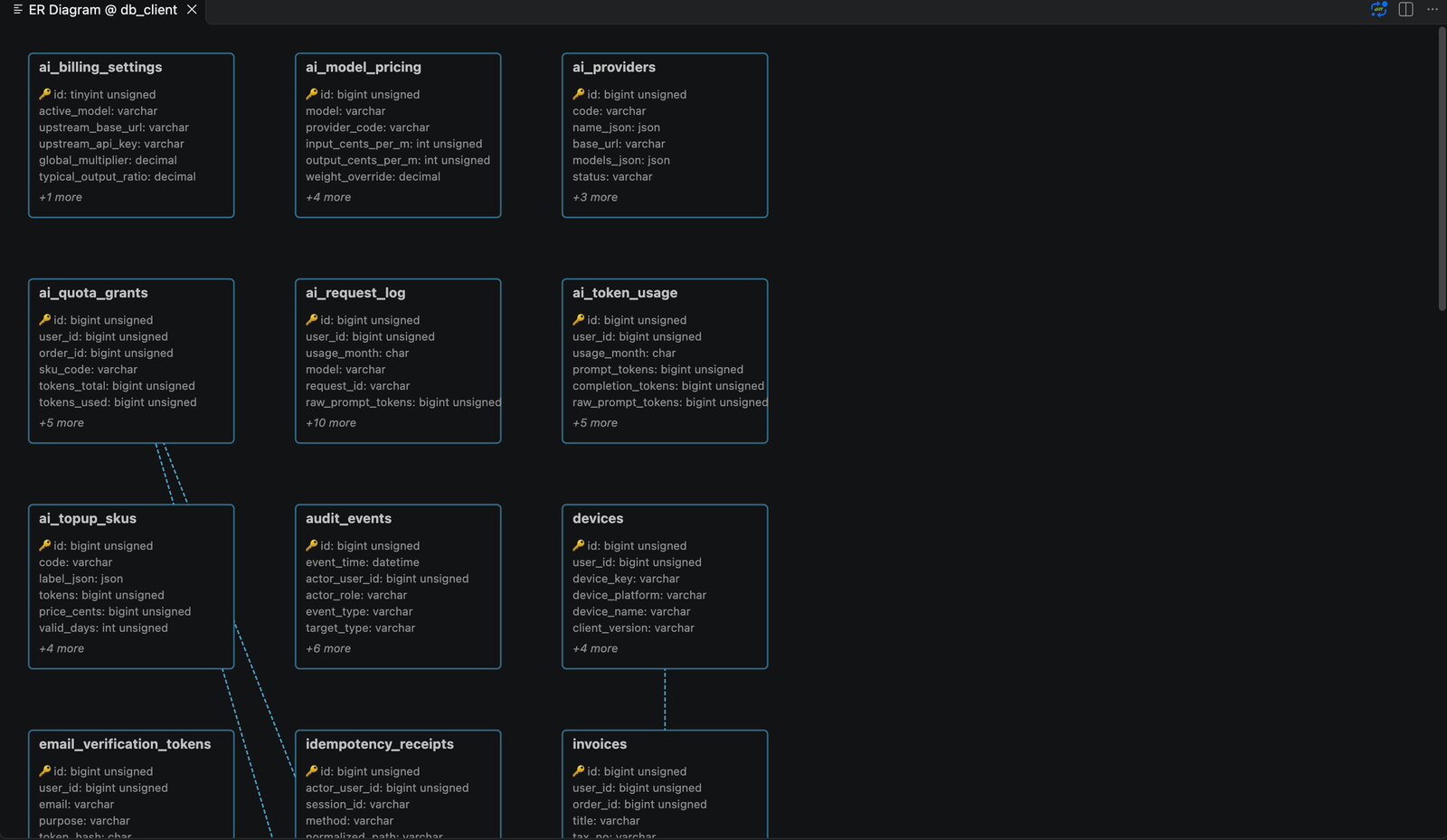
- ER diagrams and schema comparison with synchronization SQL.
- PostgreSQL multi-schema writes, DDL, export and data editing with schema-qualified names.
- PostgreSQL multi-database navigation with lazy per-database sessions.
- Backup/restore and mock-data generation.
Redis
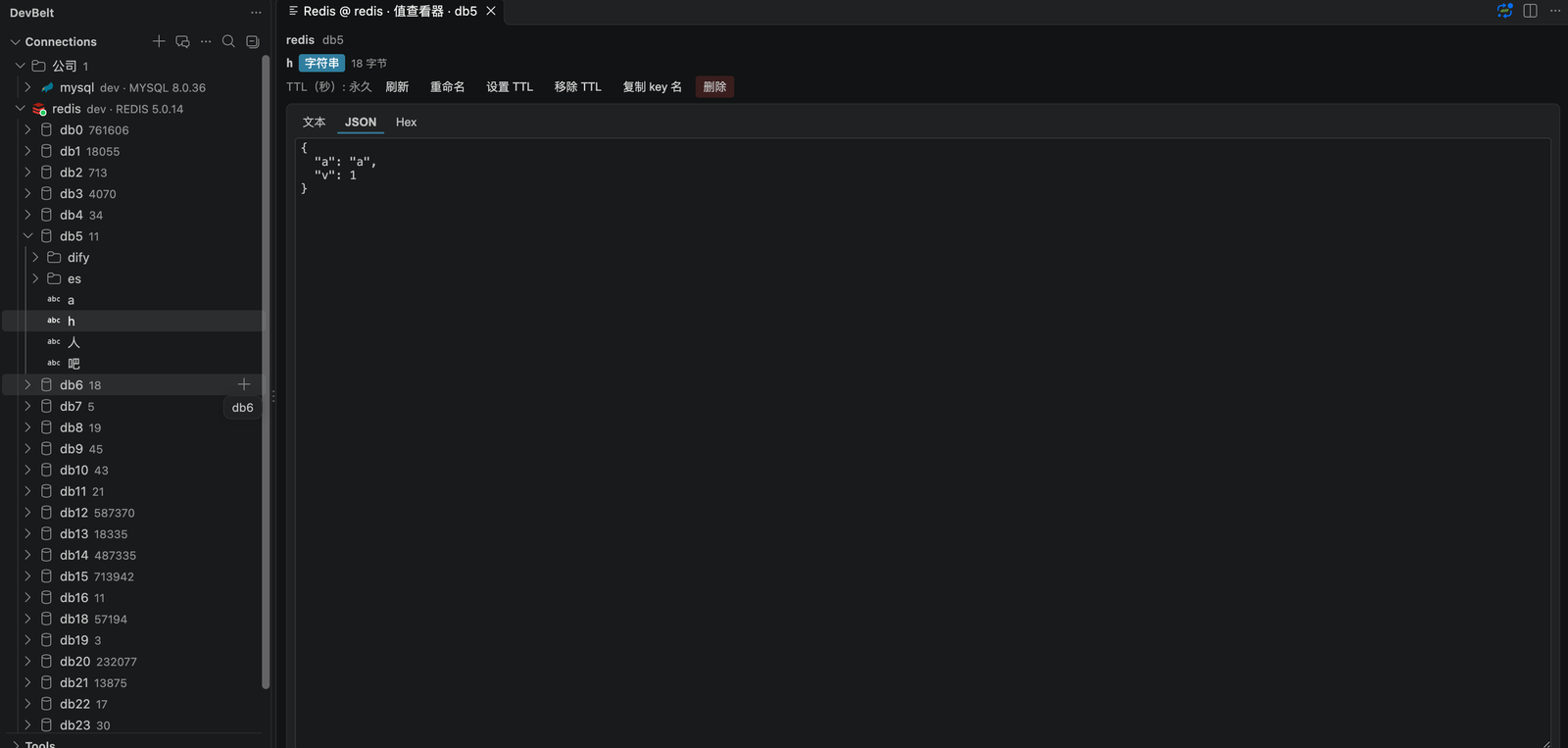
- Standalone, Cluster and Sentinel connections, including SSH tunnels and TLS.
- Key browser with separators, SCAN paging (2000 keys per Load more by default,
devbelt.redis.keyPageSize) and binary-safe keys.
- Native editors for all core data types: strings, hashes, lists, sets, sorted sets and Streams.
- Stream consumer-group details, pending entries,
XACK and XCLAIM.
- CLI console, command log, slow log and server status.
- Read-only mode and dangerous-command confirmation.
Elasticsearch
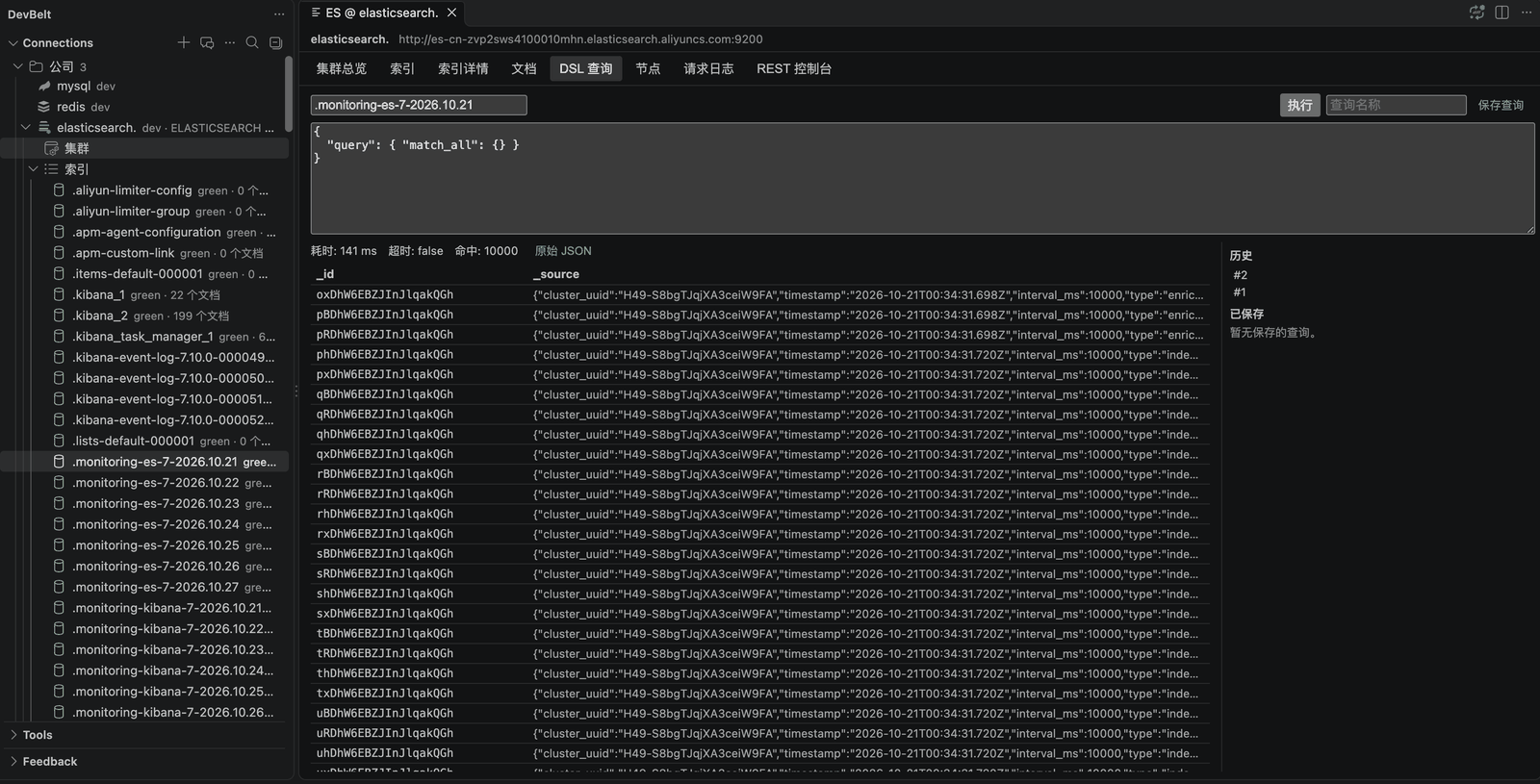
- HTTP/HTTPS, Basic/API-key authentication, TLS and SSH tunnels.
- Cluster overview, node list and index browser.
- Mapping, settings and aliases inspection.
- Document browsing with
search_after pagination; create, edit, delete and bulk delete.
- DSL console with result paging and structured result tables.
- REST console with structured errors, truncation notices and in-flight request cancellation.
- Fail-closed read-only enforcement and audit logging.
AI assistant
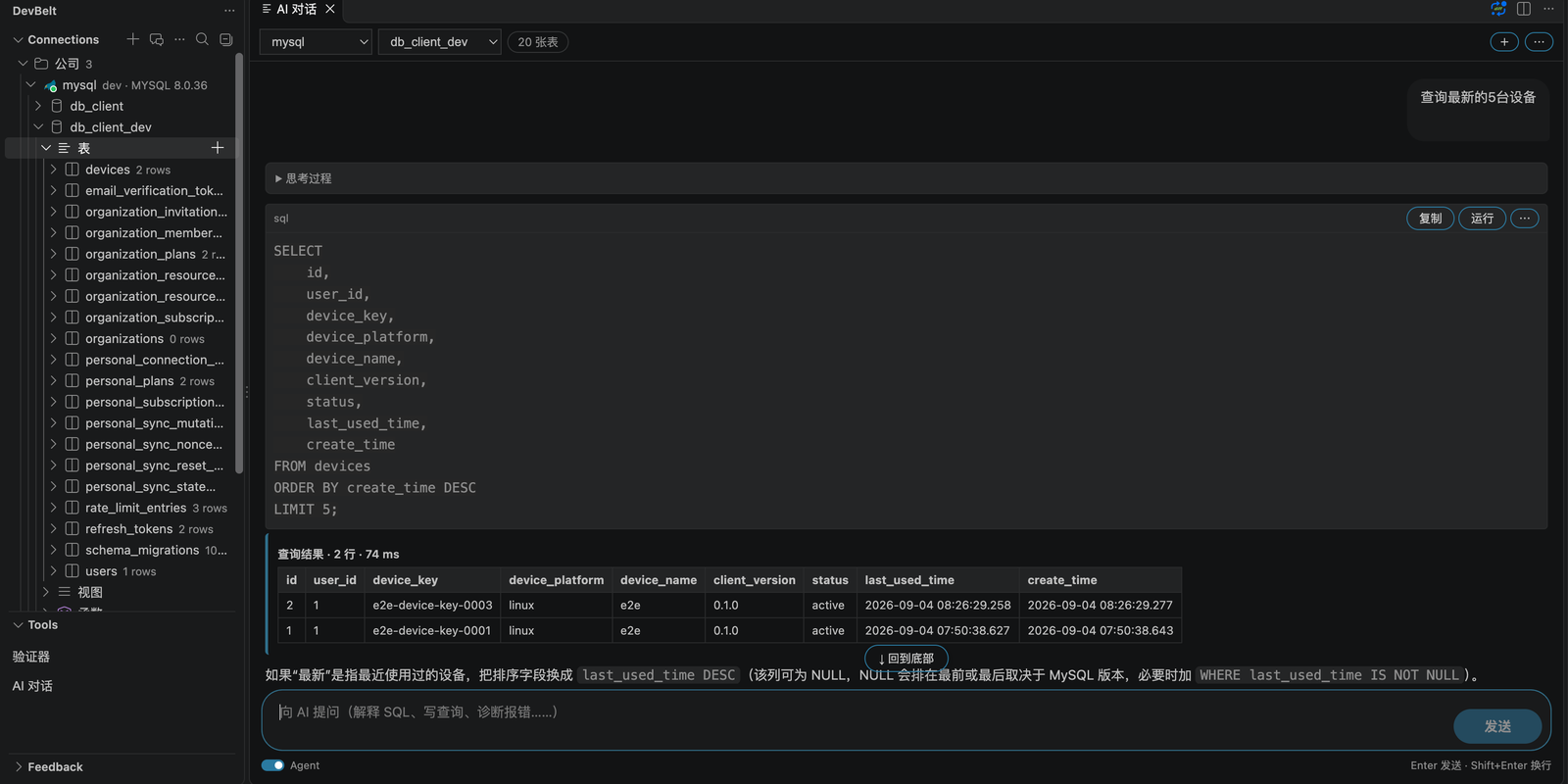
- AI Chat with streaming responses, conversation history (older messages are summarized, not dropped) and schema context.
- Natural-language to SQL, SQL explanation and optimization, and error diagnosis.
- Data Q&A with sample sending explicitly opt-in.
- Table design generation and review.
- Result charts: bar, line, area, pie, stacked bar and horizontal bar.
- Per-response credits used, duration and trigger time.
- Inline SQL completion (off by default, trigger with
Alt+/).
- Server proxy or bring-your-own API key.
- AI preferences and custom rules sync across devices with end-to-end encryption.
- Agent mode (off by default): open AI Chat, pick a connection and turn on the Agent switch under the input box (monitoring requests turn it on for you). The assistant inspects the schema, runs read-only SQL and plain
EXPLAIN step by step, within a step / tool-call / time budget (12 / 24 / 120 s, configurable with devbelt.ai.agent.*).
- Write proposals only: DML and DDL are proposed, dry-run where possible, and executed only after you approve them in a native dialog.
devbelt.ai.agent.allowWrites, devbelt.ai.agent.allowDdl and devbelt.ai.agent.allowProduction control what may be proposed. Every decision is appended to a local JSONL ledger.
- Where to open AI Chat: the DevBelt sidebar title, the status bar, or the
✦ AI button in a query result panel (that one prefills the current SQL and does not send it).
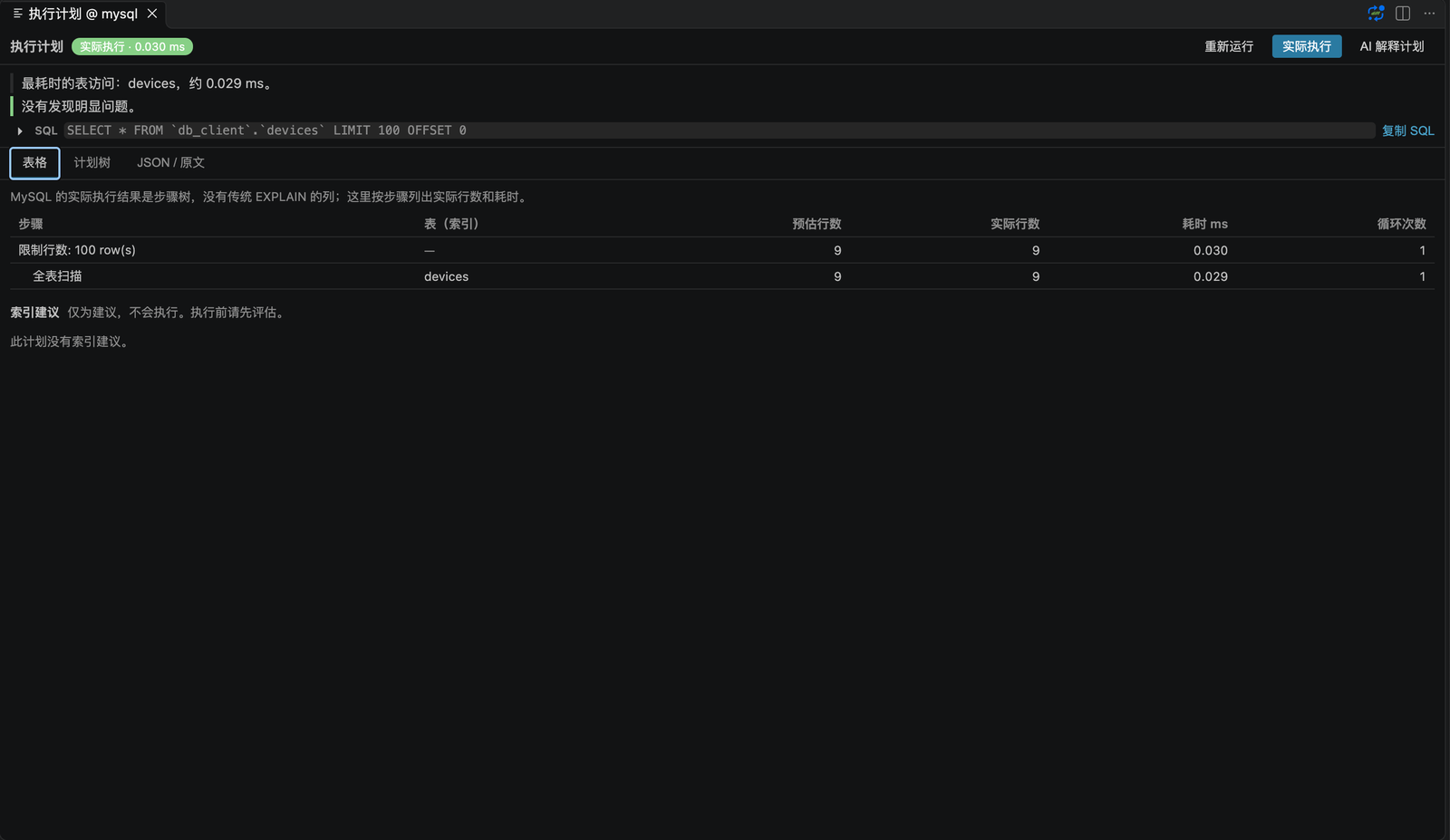
- EXPLAIN panel "Execute": runs
EXPLAIN ANALYZE on a separate read-only session for real row counts and timings (MySQL/PostgreSQL; production connections require devbelt.explain.allowAnalyzeProduction).
Sync, security and audit
- Personal connection sync is end-to-end encrypted; the server stores ciphertext only.
- Auto sync is off by default (
devbelt.sync.autoSync); use Sync Now / Pull / Push or enable it explicitly.
- SSH host-key verification:
tofu (default): confirm the SHA256 fingerprint for a new host, then trust it.strict: only trust hosts already present in known_hosts.- Key changes and
@revoked always fail closed.
- Credentials live in VS Code
SecretStorage.
- Read-only mode, production guards and audit records for writes.
- Authenticator (2FA/TOTP) with secrets kept in the OS keychain.
Get started
- Install DevBelt from the VS Code Marketplace.
- Open the DevBelt activity bar and create a connection.
- Test the connection, open a SQL editor or browse data.
- Optionally sign in and enable encrypted personal sync.
code --install-extension lang2hong.devbelt-db-client
Shortcuts
| Shortcut |
macOS |
Action |
Ctrl+Enter |
Cmd+Enter |
Run query or current statement |
Ctrl+Alt+Enter |
Cmd+Ctrl+Enter |
Run in a new panel |
Ctrl+Shift+E |
Cmd+Shift+E |
EXPLAIN |
Ctrl+Alt+F |
Cmd+Alt+F |
Search database objects |
Ctrl+Alt+C |
Cmd+Alt+C |
Search connections |
Requirements and status
- VS Code 1.85.0 or newer.
- The local SQL path (MySQL, PostgreSQL, SQLite) is the most mature part of the product.
- Redis, Elasticsearch and AI features are available and continue to receive real-world hardening.
- Personal sync is E2EE and opt-in; dual-device installed-build validation is pending.
Documentation
License
MIT
| |

