Project Problems
Every TypeScript error in your project in the Problems panel, including files you have not opened.
VS Code only shows TypeScript errors for files that are open. A type error in a file you have not touched stays hidden until you open it or run a build. This has been one of the most requested VS Code features since 2016 (microsoft/vscode#13953). Project Problems fills the gap.
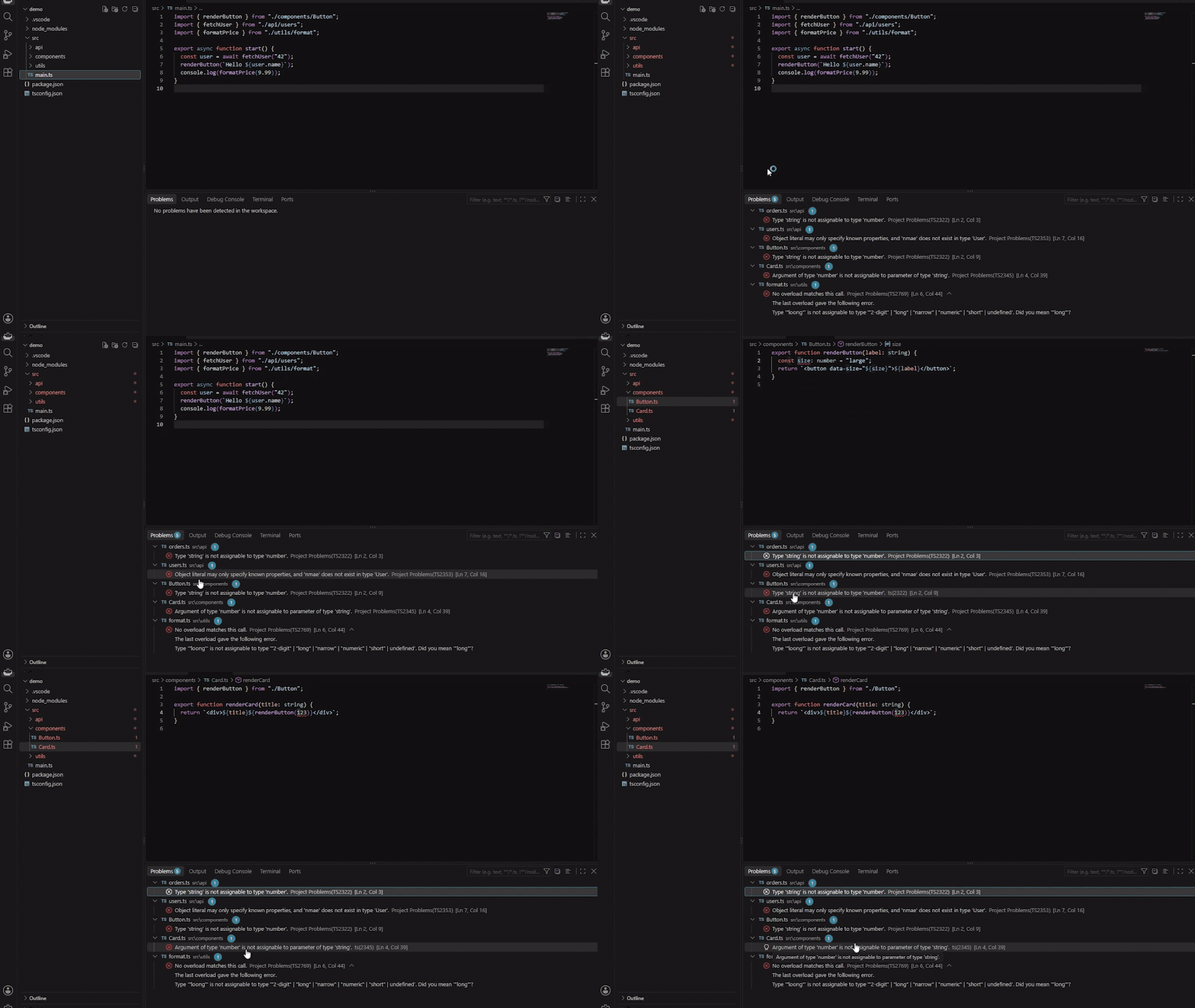
How it works
- Finds every
tsconfig.json in the workspace.
- Runs that project's own TypeScript compiler in watch mode, the same one your build uses, including TypeScript 7.
- Lists every error in the Problems panel and keeps it current as you edit.
- Leaves files you have open to VS Code's own TypeScript support, so nothing appears twice.
The status bar shows the error and warning count for the whole project. Click it for the log.
Settings
| Setting |
Default |
What it does |
projectProblems.enable |
true |
Turn checking on or off |
projectProblems.exclude |
node_modules, dist, build, out |
tsconfig files matching these globs are skipped |
projectProblems.maxProjects |
20 |
The most projects checked at once. Each runs its own compiler |
Commands: Project Problems: Recheck All Projects, Pause or Resume, Show Output.
Good to know
- It only runs in trusted folders, because it runs the TypeScript compiler from the project's
node_modules. It only follows configs and only uses a TypeScript install inside the folders you opened, never one elsewhere on your machine.
- It uses the TypeScript the project installs, so a project needs
typescript in its dependencies, as almost every TypeScript project has. The log says so if one does not.
- Projects that use project references are each checked on their own. Types that cross between referenced projects are only checked fully once those projects have been built (tsc -b), the same as TypeScript's own command line. The log says when that applies.
- It keeps its compiler cache in VS Code's storage for the extension, never in your project.
- It never changes your files and never goes online.
Development
npm install
npm run build        # type checks and bundles dist/extension.js
npm test             # parser, config and security unit tests
npm run check:live   # the real compiler on test/fixtures/monorepo
npm run check:edge   # hostile folder names, broken configs, files added and removed
npm run package      # builds the .vsix
The fixtures under test/fixtures need npm install inside monorepo and edge first, since they use their own TypeScript. Two edge folders are named like shell commands on purpose: the test checks they never run.
Licence
MIT, Fuad Laguda.

