Leopard After DarkA low-glare dark VS Code theme with rich, selective color for Python, PowerShell, JSON, GIS, and everyday development. Installation Launch VS Code Quick Open ( Ctrl+P), paste the following command, and press enter.Copied to clipboard |

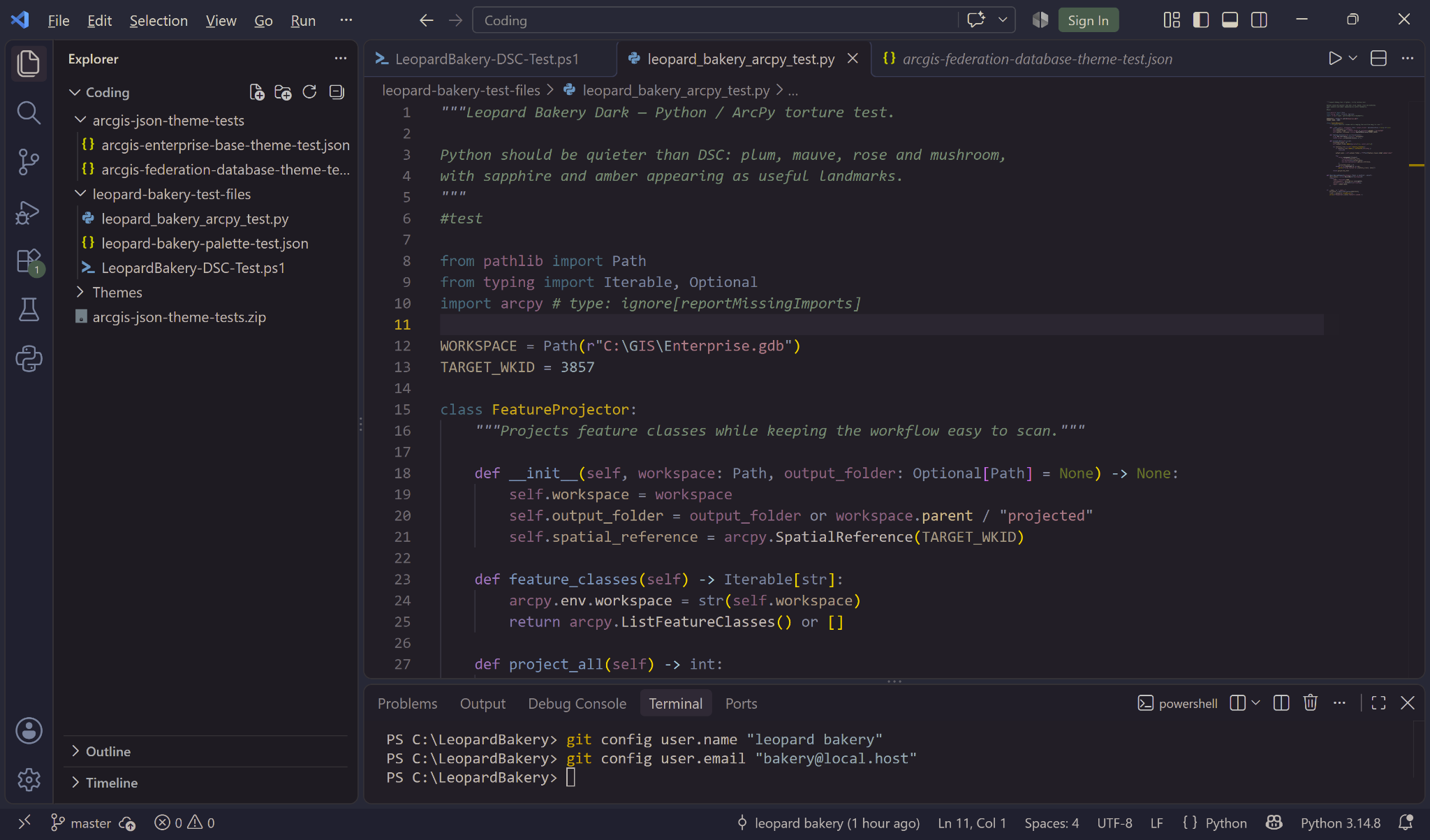
Leopard After DarkA low-glare dark theme built around midnight plum, alpine forest, sapphire, dusty rose, warm mushroom, copper, and restrained amber highlights. Rich color without turning every line of code into a neon sign. Color families encode meaning; saturation encodes importance. Designed with sensory comfort and long coding sessions in mind by a neurodivergent developer, with particular attention to Python, PowerShell, JSON, GIS, and geospatial workflows. Visual preferences are personal; this is simply a calmer alternative for developers who prefer selective contrast. Best enjoyed in a bakery with donuts and fluffy animals. 🐆 🐰 🦊 🍩 Python / ArcPy
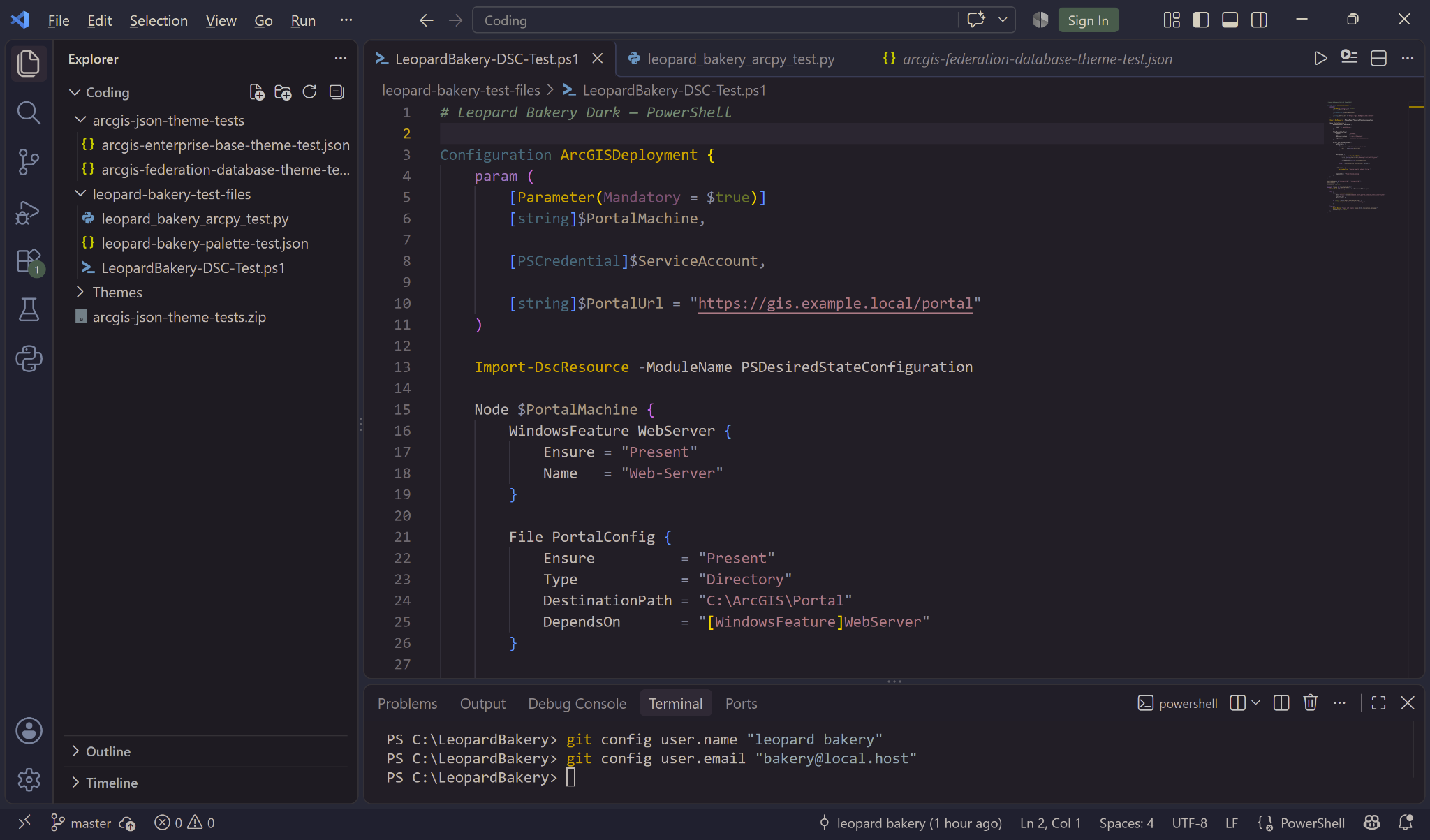
PowerShell / DSC
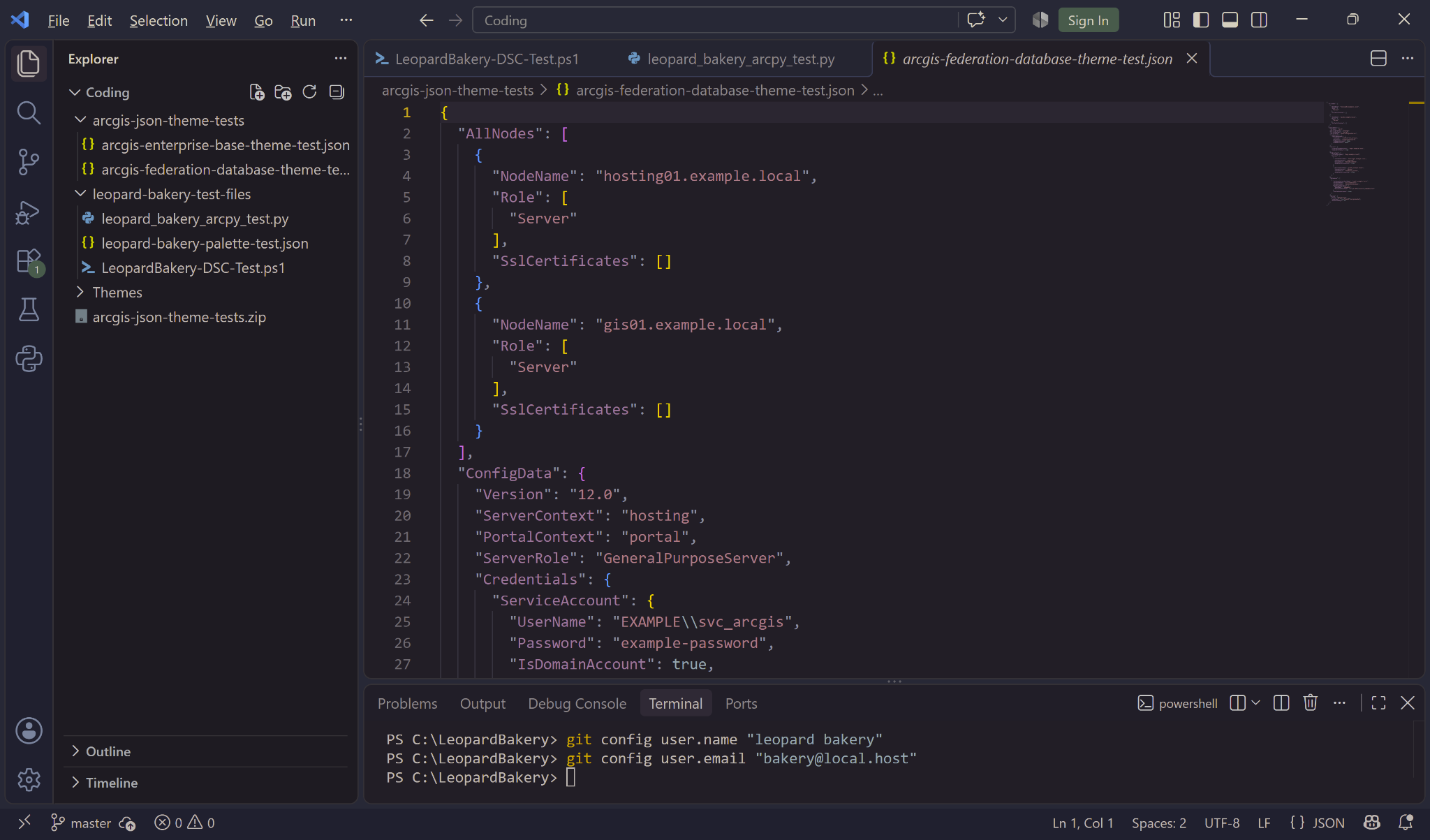
JSON / Geospatial
InstallationSearch for Leopard After Dark in the Visual Studio Code Extensions view and select Install. |